
nonote
v1.3.1
Published
a node application for taking notes in markdown from the command line


Readme
nonote
Nonote is a Command Line Node application for taking notes from the command line in Git Hub flavored Markdown!
Motivation
There are a bunch of reasons why I made nonote here are just a few:
- Would like to write and mutate notes from the command line
- Reduce the number of apps I have open, a markdown file is fine for me :)
- Wanted to learn how to write a CLI in node!
Who is nonote for?
Nonote is really useful if you like staying in the terminal and want a place to write something down but you also don't want to litter your file system with random files.
nonote works best with:
- tmux / some sort of multiplexed terminal
- vim / emacs / other terminal based text editor
Installation
When installing nonote make sure it is done with the -g flag as nonote is
intended to be used in the global context. No matter where you are you should be able
to add a note!
npm i -g nonoteFrom the command line you can refer to it as nonote or nono, I prefer the latter :)
Initialize
Nonote needs to know where you would like to take notes!
This path is stored in a.nonoterc.json
The nono init command fills this out for you.
$ nono init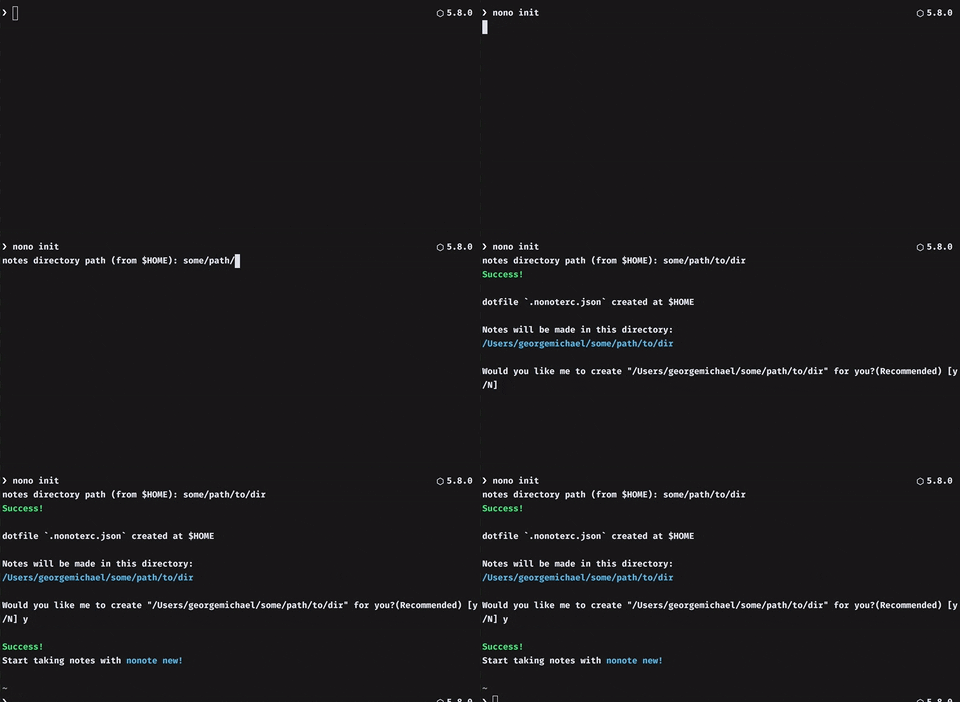
It is recommended that you let nonote create your directory as it will also create
a templates directory with a default.json file that is used for the nonote new command.
If you do not let nonote create your directory, you must adhere to this folder structure:
.
├── days
│   ├── 01-04-2016
│   │   ├── data.json
│   │   └── note.md
│   └── 02-04-2016
│       ├── data.json
│       └── note.md
└── templates
    ├── default.json
    └── weekend.json
Usage
Start your day
Every day you need to jot some things down, lets make a place you can do that!
$ nono new [template]
nono new
Creates a new note for the day from a specified template:
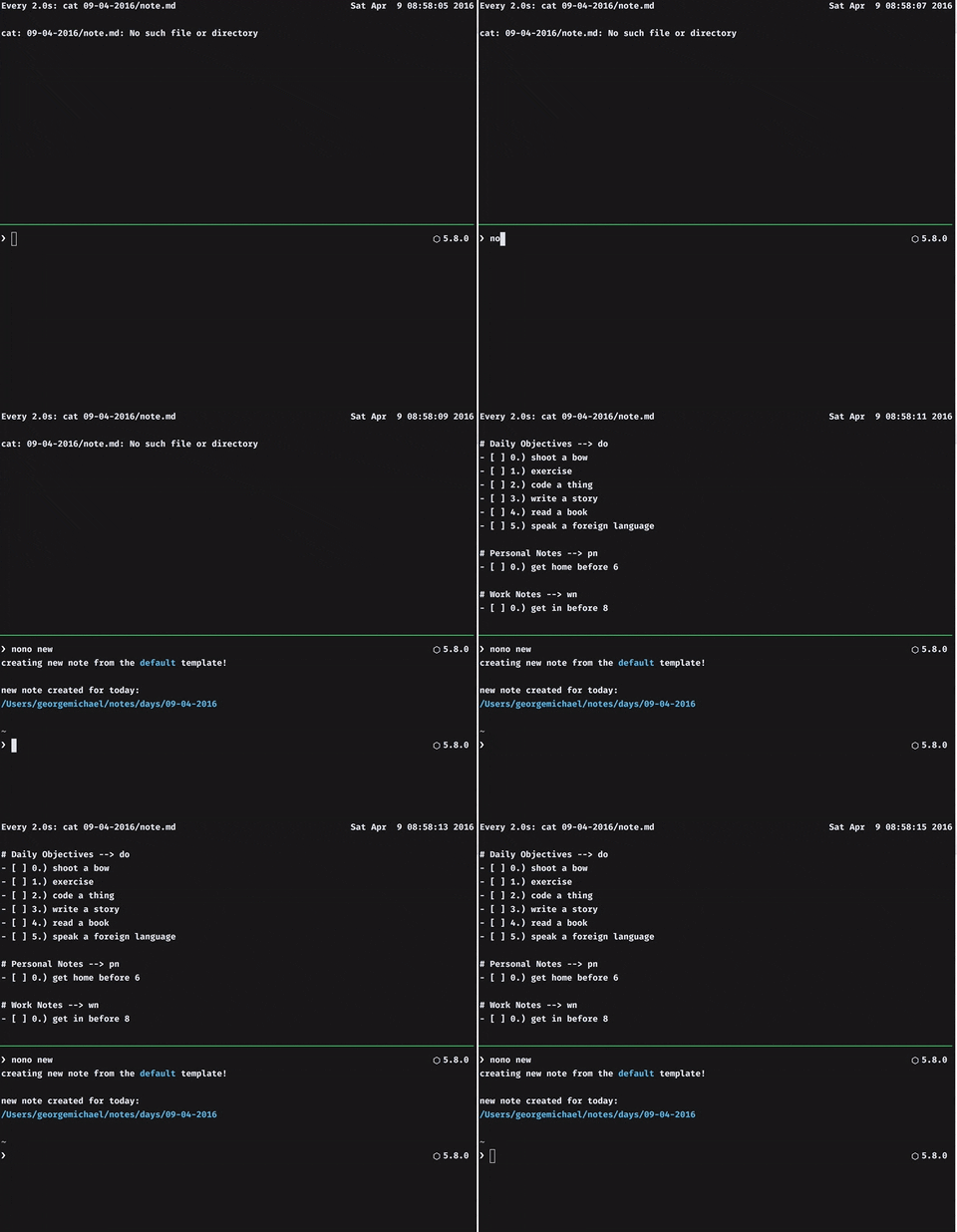
nonote will grab the default.json file in templates if nothing is specified.
You can add as many templates as you would like! Just make sure they are valid JSON and live in the templates directory.
For instance:
nono new default starts my day off with a copy of the default template!
nono new weekend does the same, just with the weekend template :)
Watch your Notes
nono watchWill run a watch command on todays note.md file in the directory specified by
your .nonoterc.json
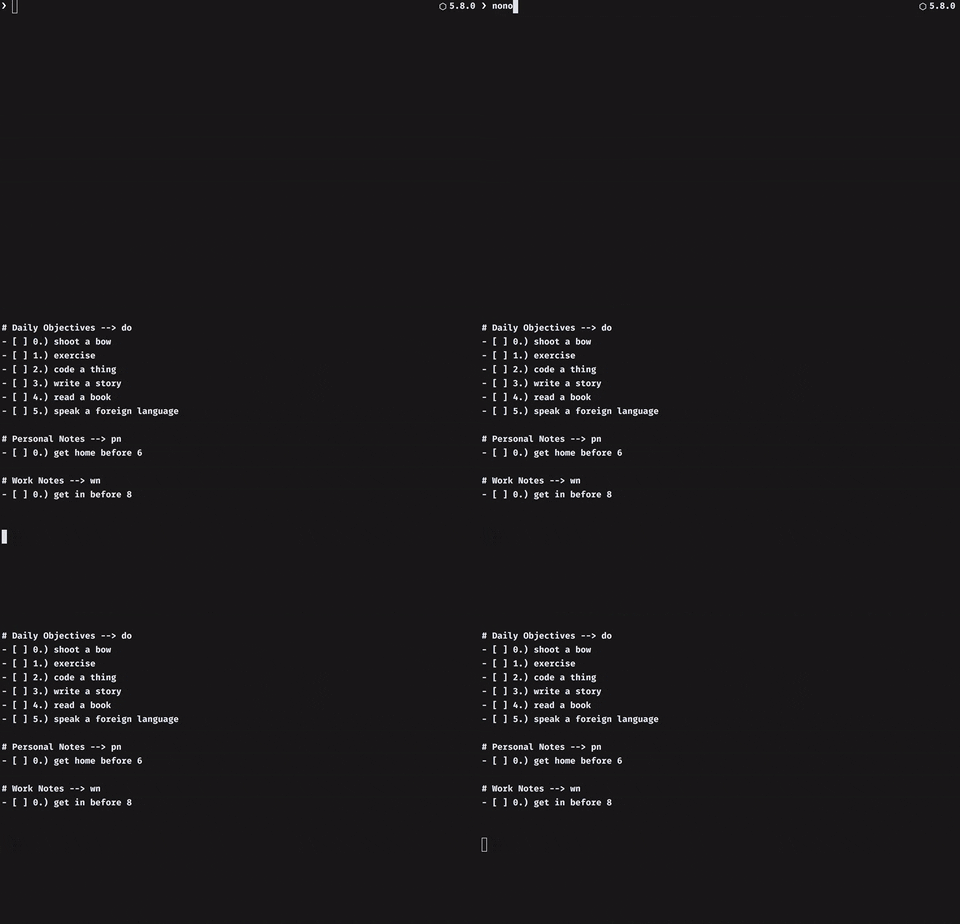
Having a textfile that you are watching for changes is the heart of nonote! Use this feature!
Add some notes
Now that you have a place to take some notes, let's add some tasks for you to do!
$ nono add <section> <ENTER NOTE DISCRIPTION HERE>
nono add wn fix that darn bug
nono a wn apologize to support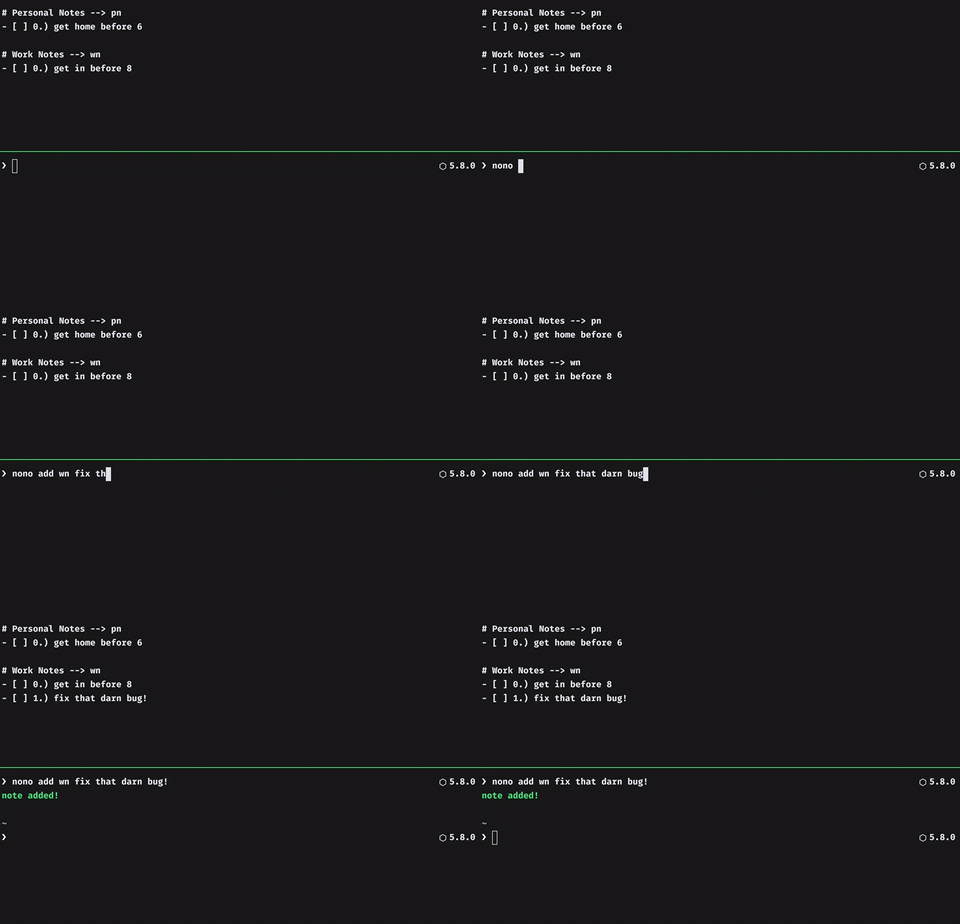
This will add a note in the "work notes" section! Yay!
Toggle some statuses
Great! you have some tasks to do! Let's Update their statusesesesesssz
Here is the general formula to change a notes status:
$ nono [ complete (c) || incomplete (i) || failed (f) || remove (r) ] <section> <index>Complete a note
nono c wn 1Yay! You solved that darn bug! Check that off your list :)
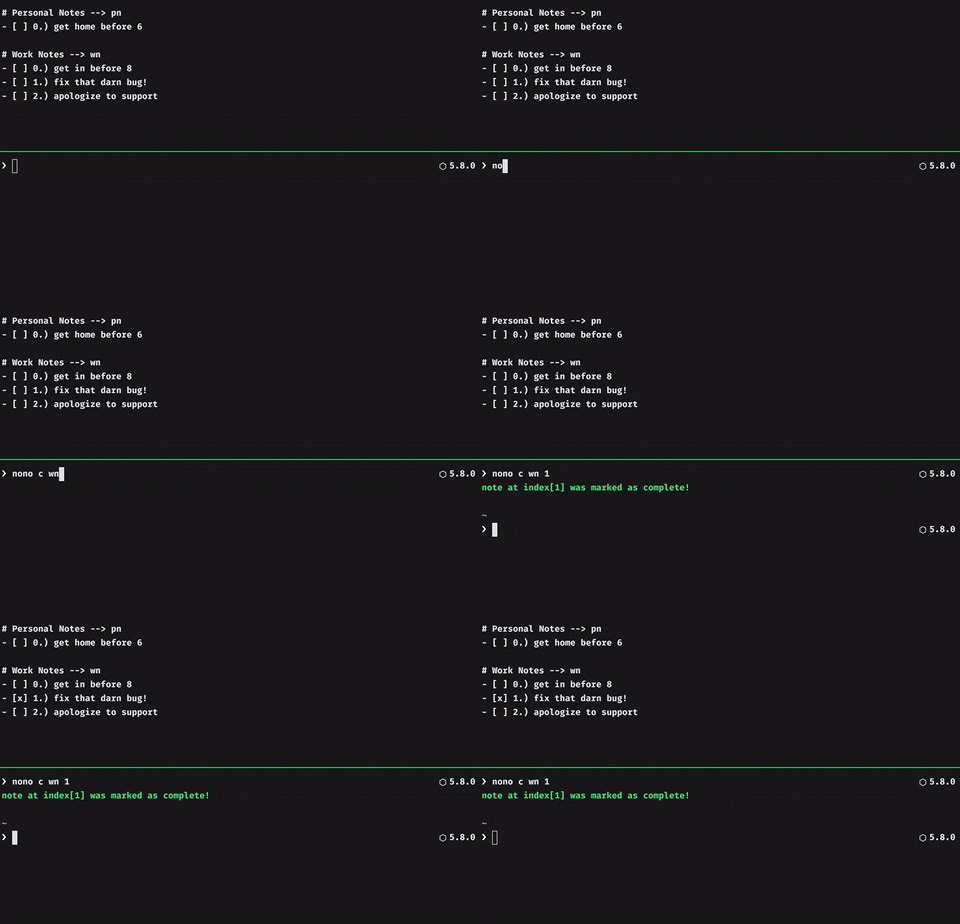
Mark note
1in thewnsection as complete with github flavoured markdown:- [x]
Incomplete a note
nono i wn 1Aw Cuss! You didn't actually complete that task, change it's status :(
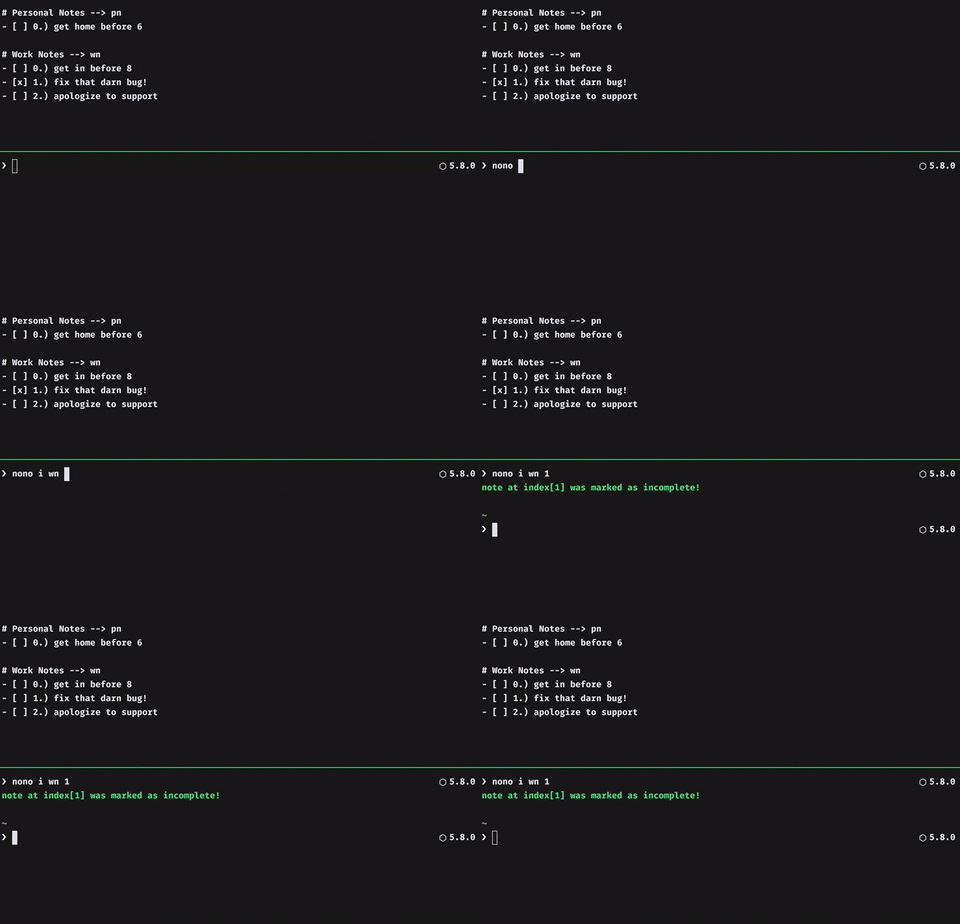
Mark note
1in thewnsection as incomplete with github flavoured markdown:- [ ]
Fail a note
nono f wn 1Holy cats that bug is just impossible to fix, mark it as failed.
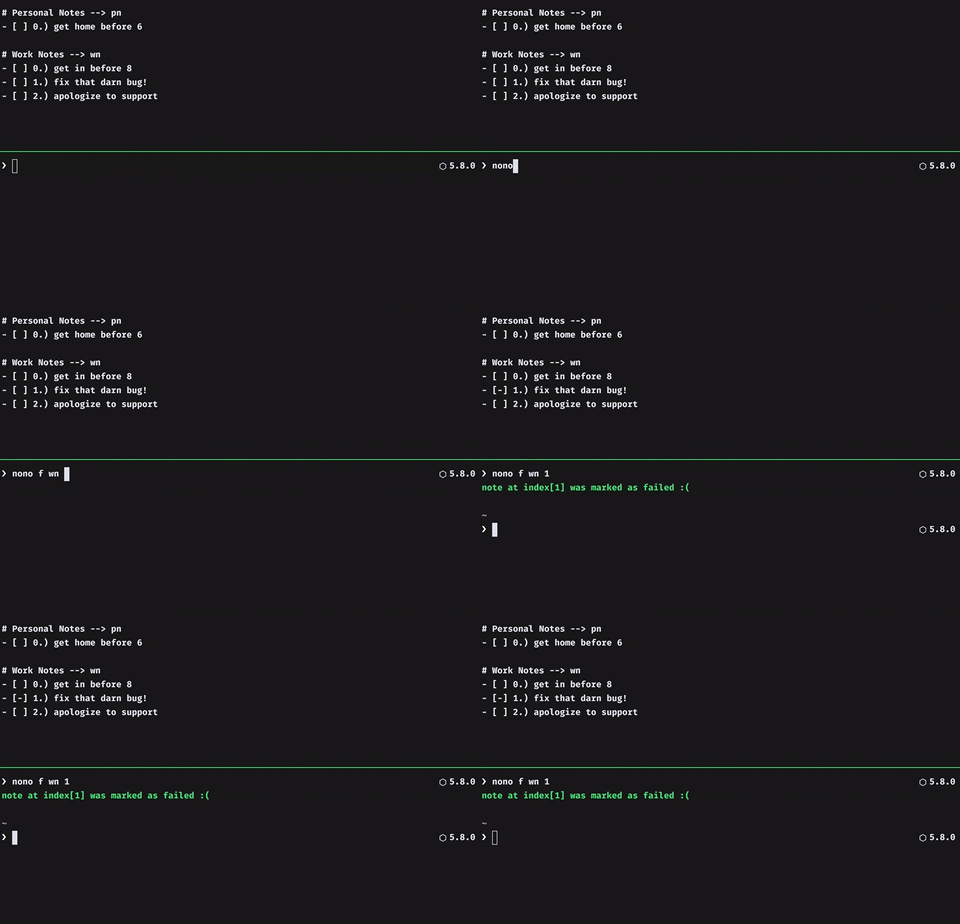
Mark note
1in thewnsection as incomplete (not valid GFMD)- [-]
Remove a note
nono r wn 1You didn't need to do that task anyways, f it!
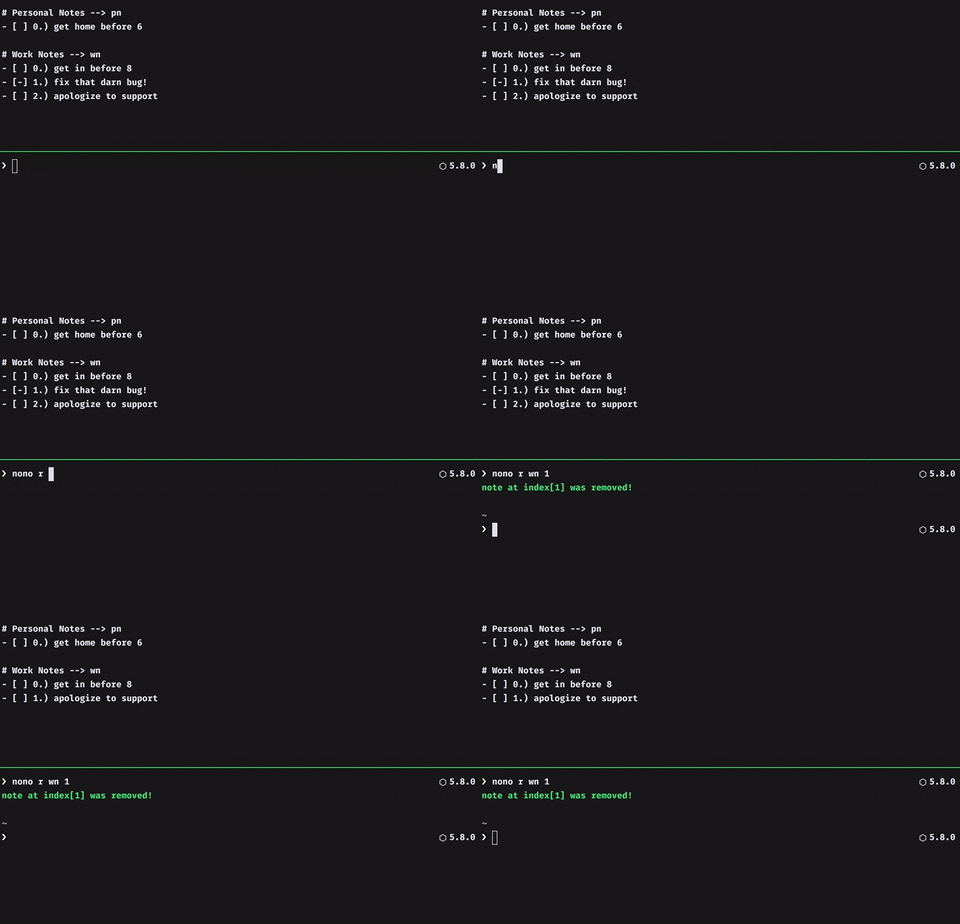
Remove note
1in thewnsection
Remove a section
nono r wn -sYa know what? You don't even need that whole section!
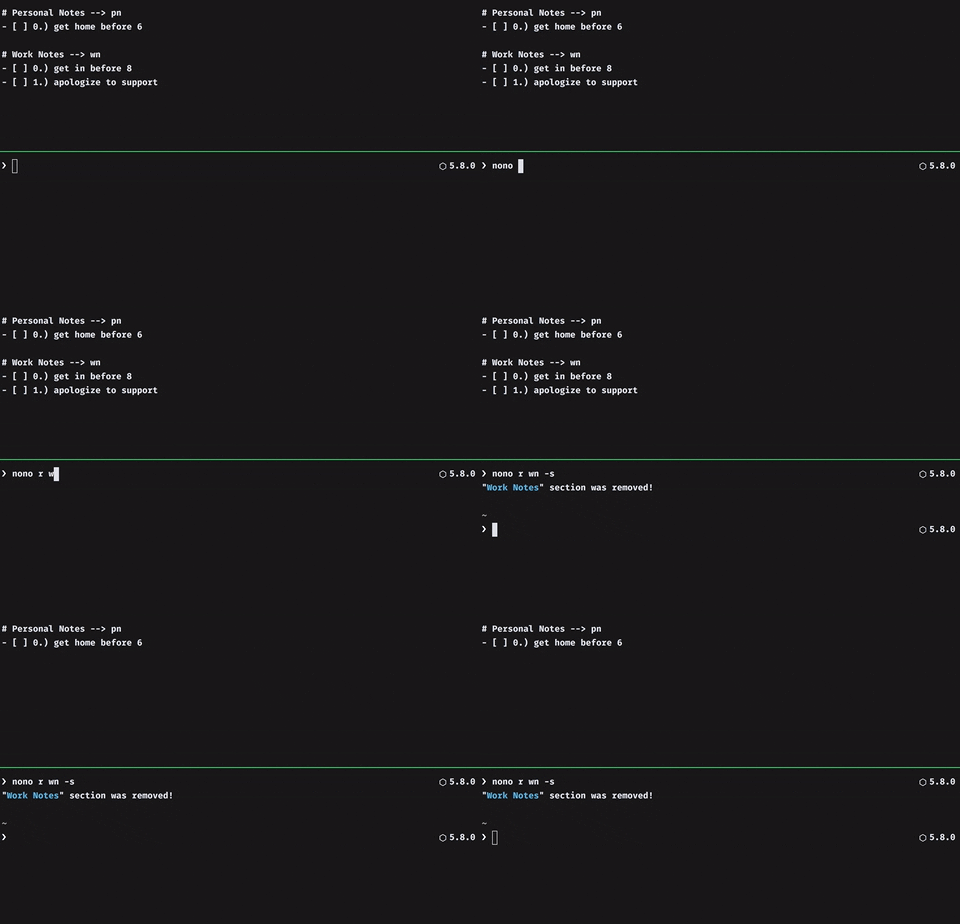
Remove section
wn
Add a section
nono sOh wait, yes you do...
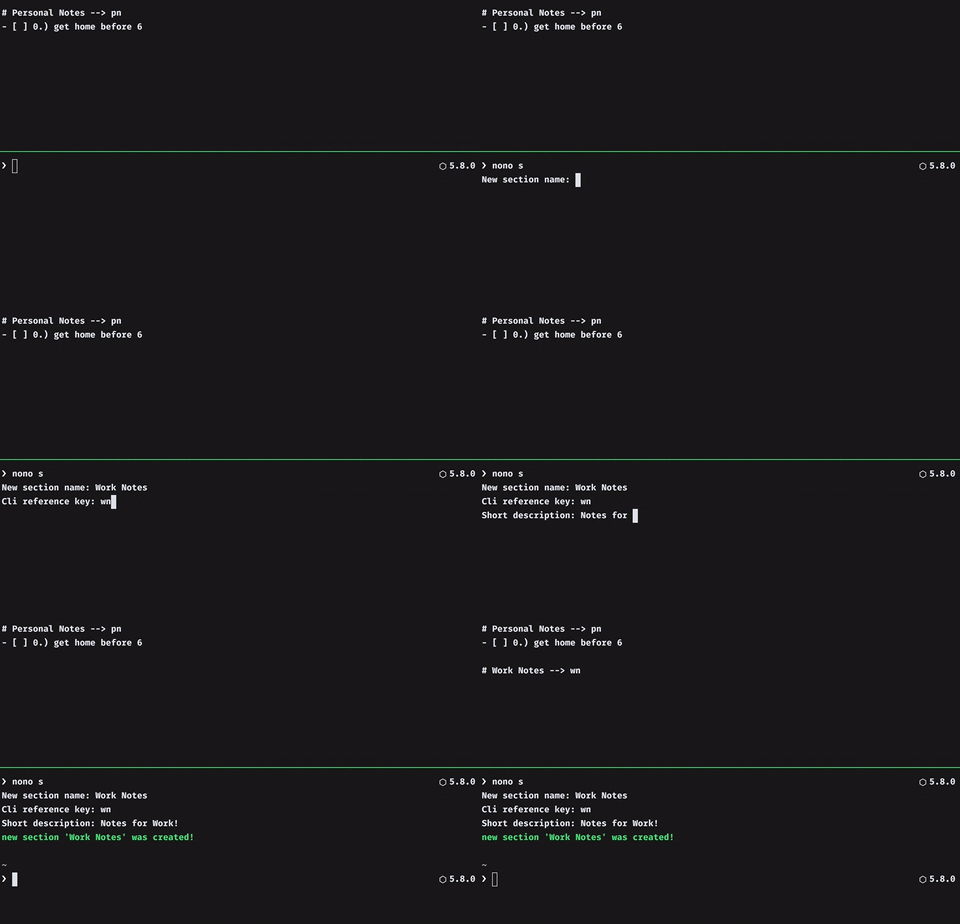
The cli ref is how you will reference this note from the cli, so make it short!
th-th-th-that's all folks!
Roadmap
A few things I would really like to add to nonote are:
- Note rollover (for incomplete tasks)
- Weekly roundup
- Tests...should have TDD'd this :/ oh well!
Misc
Here are some template ideas:
- Exercise template
- Coding template
- Work template
- Travel template
Contributing
Always looking for contributors, no matter how big or small, any PR is an appreciated one :) If you want to be on this repo send me an email or a tweet!
Contact me
the electronic mailz --> [email protected]
the tweeter --> @mghinrichs