npm package discovery and stats viewer.

Discover Tips

  • General search

    [free text search, go nuts!]

  • Package details

    pkg:[package-name]

  • User packages

    @[username]

Sponsor

Optimize Toolset

I’ve always been into building performant and accessible sites, but lately I’ve been taking it extremely seriously. So much so that I’ve been building a tool to help me optimize and monitor the sites that I build to make sure that I’m making an attempt to offer the best experience to those who visit them. If you’re into performant, accessible and SEO friendly sites, you might like it too! You can check it out at Optimize Toolset.

About

Hi, 👋, I’m Ryan Hefner  and I built this site for me, and you! The goal of this site was to provide an easy way for me to check the stats on my npm packages, both for prioritizing issues and updates, and to give me a little kick in the pants to keep up on stuff.

As I was building it, I realized that I was actually using the tool to build the tool, and figured I might as well put this out there and hopefully others will find it to be a fast and useful way to search and browse npm packages as I have.

If you’re interested in other things I’m working on, follow me on Twitter or check out the open source projects I’ve been publishing on GitHub.

I am also working on a Twitter bot for this site to tweet the most popular, newest, random packages from npm. Please follow that account now and it will start sending out packages soon–ish.

Open Software & Tools

This site wouldn’t be possible without the immense generosity and tireless efforts from the people who make contributions to the world and share their work via open source initiatives. Thank you 🙏

© 2026 – Pkg Stats / Ryan Hefner

noorui-rtl

v0.8.2

Published

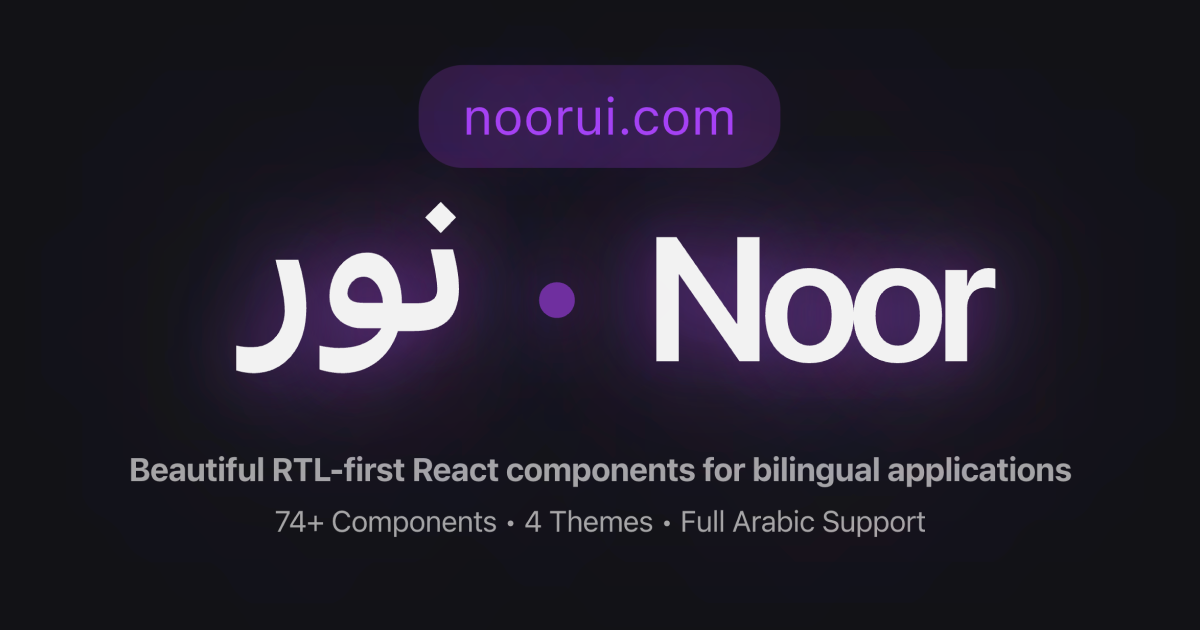
Noor UI - Beautiful RTL-first React components for bilingual applications

Readme

Noor UI ✨

نور - "Light" in Arabic

npm version License: MIT Storybook

Noor UI - Beautiful RTL-first React components for bilingual applications

Beautiful RTL-first React components for bilingual applications. Built with Radix UI, Tailwind CSS, and full Arabic/English support.

Documentation · Storybook · Examples · npm

✨ Features

  • 🌍 RTL-First: Perfect Arabic/Persian support with logical properties
  • 🎨 74+ Components: Complete UI toolkit for modern applications
  • Accessible: WCAG AA compliant with full keyboard navigation
  • 🎯 TypeScript: Full type safety and IntelliSense support
  • 🎭 Themeable: Light/dark mode with customizable design tokens
  • 🕌 GCC-Specific: Prayer times, Hijri calendar, Arabic numbers, Zakat calculator
  • Modern Stack: React 18+, Next.js 14+, Tailwind CSS 4.1+, Radix UI
  • 📦 Tree-shakeable: Only bundle what you use

📦 Installation

npm install noorui-rtl
# or
yarn add noorui-rtl
# or
pnpm add noorui-rtl

🚀 Quick Start

1. Install the package

npm install noorui-rtl

2. Import the CSS

Option A: Pre-compiled CSS (Recommended - No Tailwind setup needed)

Import the pre-compiled CSS in your root layout or app entry point:

// app/layout.tsx or _app.tsx
import 'noorui-rtl/dist/styles.css'

This includes all component styles, CSS variables, theme definitions, and RTL support. No Tailwind configuration required!

Option B: Tailwind v4 CSS-first Configuration (For custom Tailwind setups)

If you're already using Tailwind and want to customize the configuration:

  1. Set up globals.css with CSS-first Tailwind v4 config:
@import "tailwindcss";

/* Dark mode: class-based toggle */
@custom-variant dark (&:where(.dark, .dark *));

@theme {
  /* Colors — semantic tokens via CSS vars */
  --color-border: hsl(var(--border));
  --color-input: hsl(var(--input));
  --color-ring: hsl(var(--ring));
  --color-background: hsl(var(--background));
  --color-foreground: hsl(var(--foreground));
  --color-primary: hsl(var(--primary));
  --color-primary-foreground: hsl(var(--primary-foreground));
  --color-secondary: hsl(var(--secondary));
  --color-secondary-foreground: hsl(var(--secondary-foreground));
  --color-destructive: hsl(var(--destructive));
  --color-destructive-foreground: hsl(var(--destructive-foreground));
  --color-muted: hsl(var(--muted));
  --color-muted-foreground: hsl(var(--muted-foreground));
  --color-accent: hsl(var(--accent));
  --color-accent-foreground: hsl(var(--accent-foreground));
  --color-popover: hsl(var(--popover));
  --color-popover-foreground: hsl(var(--popover-foreground));
  --color-card: hsl(var(--card));
  --color-card-foreground: hsl(var(--card-foreground));

  /* Semantic status colors */
  --color-success: hsl(var(--success));
  --color-success-foreground: hsl(var(--success-foreground));
  --color-warning: hsl(var(--warning));
  --color-warning-foreground: hsl(var(--warning-foreground));
  --color-info: hsl(var(--info));
  --color-info-foreground: hsl(var(--info-foreground));

  /* Border radius */
  --radius-lg: var(--radius);
  --radius-md: calc(var(--radius) - 2px);
  --radius-sm: calc(var(--radius) - 4px);

  /* Font families */
  --font-sans: 'Inter', system-ui, sans-serif;
  --font-arabic: 'IBM Plex Sans Arabic', sans-serif;
  --font-mono: 'JetBrains Mono', monospace;
}
  1. Add CSS variables for light/dark themes:
:root {
  /* Core palette */
  --background: 220 13% 99%;
  --foreground: 222.2 84% 4.9%;
  --card: 0 0% 100%;
  --card-foreground: 222.2 84% 4.9%;
  --popover: 0 0% 100%;
  --popover-foreground: 222.2 84% 4.9%;
  --primary: 239 84% 67%;
  --primary-foreground: 210 40% 98%;
  --secondary: 174 72% 56%;
  --secondary-foreground: 174 100% 10%;
  --muted: 210 40% 96.1%;
  --muted-foreground: 215.4 16.3% 46.9%;
  --accent: 210 40% 96.1%;
  --accent-foreground: 222.2 47.4% 11.2%;
  --destructive: 0 84.2% 60.2%;
  --destructive-foreground: 210 40% 98%;
  --border: 214.3 31.8% 91.4%;
  --input: 214.3 31.8% 91.4%;
  --ring: 239 84% 67%;
  --radius: 0.5rem;

  /* Semantic status colors */
  --success: 142 76% 36%;
  --success-foreground: 143 64% 24%;
  --warning: 38 92% 50%;
  --warning-foreground: 32 81% 29%;
  --info: 217 91% 60%;
  --info-foreground: 224 76% 48%;
}

.dark {
  --background: 222.2 84% 4.9%;
  --foreground: 210 40% 98%;
  /* ... rest of dark mode variables */
}
  1. Set up postcss.config.js:
module.exports = {
  plugins: {
    '@tailwindcss/postcss': {},
  },
}

3. Wrap your app with providers

Add the theme and direction providers to enable all features:

import { ThemeProvider } from 'next-themes'
import { DirectionProvider, DesignSystemProvider } from 'noorui-rtl'

export default function RootLayout({ children }) {
  return (
    <html>
      <body>
        <ThemeProvider attribute="class" enableSystem={true}>
          <DirectionProvider>
            <DesignSystemProvider defaultTheme="cozy">
              {children}
            </DesignSystemProvider>
          </DirectionProvider>
        </ThemeProvider>
      </body>
    </html>
  )
}

What each provider does:

  • ThemeProvider (next-themes): Light/Dark mode with system preference support
  • DirectionProvider: RTL/LTR direction and locale switching (ar/en)
  • DesignSystemProvider: Design theme variants (minimal/futuristic/cozy/artistic)

Switching themes programmatically:

import { useDesignSystem } from 'noorui-rtl'
import { useTheme } from 'next-themes'
import { useDirection } from 'noorui-rtl'

function Settings() {
  const { designTheme, setDesignTheme } = useDesignSystem()
  const { theme, setTheme } = useTheme()
  const { direction, setDirection } = useDirection()

  return (
    <div>
      {/* Design theme */}
      <select value={designTheme} onChange={(e) => setDesignTheme(e.target.value)}>
        <option value="minimal">Minimal</option>
        <option value="futuristic">Futuristic</option>
        <option value="cozy">Cozy</option>
        <option value="artistic">Artistic</option>
      </select>

      {/* Light/Dark mode */}
      <button onClick={() => setTheme(theme === 'dark' ? 'light' : 'dark')}>
        Toggle {theme === 'dark' ? 'Light' : 'Dark'} Mode
      </button>

      {/* Direction */}
      <button onClick={() => setDirection(direction === 'rtl' ? 'ltr' : 'rtl')}>
        Switch to {direction === 'rtl' ? 'LTR' : 'RTL'}
      </button>
    </div>
  )
}

4. Start using components

import { Button, Card, CardHeader, CardTitle, CardContent } from 'noorui-rtl'

export default function App() {
  return (
    <Card>
      <CardHeader>
        <CardTitle>Welcome to Noor UI</CardTitle>
      </CardHeader>
      <CardContent>
        <Button>Get Started</Button>
      </CardContent>
    </Card>
  )
}

📚 Components

Core UI (69 components)

Forms: Button, Input, Label, Textarea, Checkbox, Radio, Select, Switch, Slider, Form

Layout: Card, Separator, Tabs, Accordion, Collapsible

Navigation: Breadcrumb, Pagination, Command

Feedback: Alert, Toast, Progress, Skeleton, Badge, Avatar, Loading Spinner

Overlays: Dialog, Sheet, Popover, Tooltip, Dropdown Menu, Context Menu

Data: Table, DataTable, Stats Card, Feature Card, Empty State, Listing Card

Advanced: File Upload, Rich Text Editor, Date Picker, Time Picker, Number Input, Dashboard Shell, User Menu, Notification Center, Stepper

GCC-Specific (5 components)

  • Prayer Times: Display Islamic prayer times with countdown and Adhan notifications
  • Hijri Date: Dual Gregorian/Hijri calendar display
  • Arabic Number: Arabic-Indic numeral utilities and SAR currency formatting
  • Zakat Calculator: Calculate Islamic Zakat with export/sharing
  • Calendar: Date picker with Hijri support and event markers

AI/LLM Components (10 experimental) 🧪

Chat Message, Streaming Text, Prompt Input, Thinking Indicator, Message Actions, Model Selector, Parameter Slider, Token Counter, Conversation History, Workflow Canvas

Note: AI/LLM components are functional but APIs may evolve based on feedback.

🎨 RTL Support

All components support RTL out of the box:

'use client'

import { useState } from 'react'
import { Button, Tabs, TabsList, TabsTrigger } from 'noorui-rtl'

export default function App() {
  const [direction, setDirection] = useState<'ltr' | 'rtl'>('ltr')

  return (
    <div dir={direction}>
      <Button onClick={() => setDirection(d => d === 'ltr' ? 'rtl' : 'ltr')}>
        Toggle Direction
      </Button>

      <Tabs defaultValue="tab1">
        <TabsList>
          <TabsTrigger value="tab1">Tab 1</TabsTrigger>
          <TabsTrigger value="tab2">Tab 2</TabsTrigger>
        </TabsList>
      </Tabs>
    </div>
  )
}

Components automatically adapt to text direction using logical properties.

🎨 Custom Themes

The theme system is powered by CSS custom properties. You can create your own themes by defining a CSS class that overrides these variables.

1. Define your theme CSS

Add a .theme-yourname class to your globals.css with light and dark mode variants:

/* Light mode */
.theme-ocean {
  --color-background: hsl(200 20% 98%);
  --color-foreground: hsl(210 40% 10%);
  --color-primary: hsl(200 80% 50%);
  --color-primary-foreground: hsl(0 0% 100%);
  --color-secondary: hsl(180 60% 45%);
  --color-secondary-foreground: hsl(180 100% 10%);
  --color-muted: hsl(200 20% 94%);
  --color-muted-foreground: hsl(200 10% 40%);
  --color-accent: hsl(200 20% 94%);
  --color-accent-foreground: hsl(210 40% 10%);
  --color-card: hsl(0 0% 100%);
  --color-card-foreground: hsl(210 40% 10%);
  --color-popover: hsl(0 0% 100%);
  --color-popover-foreground: hsl(210 40% 10%);
  --color-border: hsl(200 20% 88%);
  --color-input: hsl(200 20% 88%);
  --color-ring: hsl(200 80% 50%);
  --color-destructive: hsl(0 84% 60%);
  --color-destructive-foreground: hsl(0 0% 100%);
  --radius: 0.75rem;
}

/* Dark mode */
.dark .theme-ocean,
.theme-ocean.dark {
  --color-background: hsl(210 40% 8%);
  --color-foreground: hsl(200 20% 95%);
  --color-primary: hsl(200 80% 60%);
  --color-primary-foreground: hsl(210 40% 8%);
  --color-card: hsl(210 35% 12%);
  --color-card-foreground: hsl(200 20% 95%);
  --color-border: hsl(210 30% 20%);
  --color-input: hsl(210 30% 20%);
}

See styles/globals.css in the package for all 4 built-in themes as a reference.

2. Use your theme

Pass your custom theme name to the DesignSystemProvider:

<DesignSystemProvider defaultTheme="ocean">
  {children}
</DesignSystemProvider>

The provider accepts any string as a theme name and applies the corresponding .theme-{name} CSS class to <html>.

CSS Variables Reference

| Variable | Description | |----------|-------------| | --color-background / --color-foreground | Page background and text | | --color-primary / --color-primary-foreground | Brand/accent color and its contrast | | --color-secondary / --color-secondary-foreground | Secondary accent | | --color-muted / --color-muted-foreground | Muted backgrounds and subdued text | | --color-accent / --color-accent-foreground | Hover/active states | | --color-card / --color-card-foreground | Card surfaces | | --color-popover / --color-popover-foreground | Popover/dropdown surfaces | | --color-border / --color-input / --color-ring | Borders, inputs, focus rings | | --color-destructive / --color-destructive-foreground | Destructive actions | | --color-success / --color-warning / --color-info | Semantic status colors (optional) | | --radius | Base border radius |

Color values use hsl() format (e.g., hsl(200 80% 50%)). The --color-* prefix matches Tailwind v4's theme variable naming, so utilities like bg-primary resolve correctly even on nested theme elements.

🔧 Usage with Providers

For advanced features like direction context:

import { DirectionProvider, useDirection } from 'noorui-rtl'

function App() {
  return (
    <DirectionProvider>
      <YourApp />
    </DirectionProvider>
  )
}

function YourComponent() {
  const { direction, setDirection, locale } = useDirection()

  return (
    <button onClick={() => setDirection(direction === 'ltr' ? 'rtl' : 'ltr')}>
      Current: {direction}
    </button>
  )
}

📖 Documentation

Full documentation, examples, and guides available at noorui.com

🤝 Contributing

Contributions are welcome! Please read our Contributing Guide.

🤖 AI-Assisted Development

This project includes Claude Code agents for automated:

  • Component creation with RTL-first patterns
  • Storybook story generation with all variants (LTR/RTL, light/dark, states)
  • Visual QA via screenshot analysis
  • i18n validation for translation quality and missing keys

See .claude/GETTING-STARTED.md to use them.

📄 License

MIT License - see LICENSE

🙏 Credits

Built with:

💬 Support

🌟 Show Your Support

If you find Noor UI helpful, please give it a ⭐️ on GitHub!


Built with ❤️ for the GCC market by Nuno Marques