
notdownhub
v0.0.3
Published
Run unmodified GitHub Actions CI on your own infrastructure — local repos, your own servers, remote runner fleets. No hub required.

Maintainers
 davidtai
Readme
notdownhub (ndh)
GitHub can go down. Your CI does not have to.



notdownhub.com · Docs · Repo
ndh runs your unmodified GitHub Actions workflows on infrastructure you
control — your laptop, one box under a desk, or a fleet of machines behind NAT.
Same YAML, same runs-on, same actions/checkout@v4, same matrix and needs:
graph. No re-implemented engine. No forge to run. After the first run it works
fully offline.
notdownhub is a thin product wrapper (the ndh CLI) around
ChristopherHX/runner.server,
a maintained, MIT-licensed fork of GitHub's official
actions/runner. Execution runs on the
official runner codebase, so workflows run with full fidelity.
Status: Alpha (v0.0.x). Early software under active development. Interfaces and behavior can change between releases. Use at your own risk.
Networking (please read): the hub's port
4949carries the web UI, an API, and the runner protocol — a LAN / tailnet surface, never public. If your hub and runners span the internet, put them on a private overlay network (Tailscale or WireGuard) and bind/firewall4949to that interface. Details: operations → security model.
Install
Requirements: Node.js >= 22.13 (macOS / Linux / Windows on x64 or arm64).
npm install -g notdownhub # installs the `ndh` CLIPrefer not to install globally? Run it one-shot with npx notdownhub run or
pnpm dlx notdownhub run.
60-second quickstart
cd your-repo                  # any repo with .github/workflows
ndh run                       # run all workflows, default `push` event
ndh run -l                    # list the jobs that would run first
npx notdownhub run            # or run once without a global install
ndh run starts an in-process hub plus runner and executes the workflows in the
current repo. There is no server and no config. On first use it downloads and
pins the runner.server stack (~66 MB) into ~/.notdownhub. Run ndh install
to pre-warm that download.
Command reference
This is the full ndh surface. Run ndh <command> --help for a command's own
help at any time.
Conventions
--server <url>points a command at a hub. It defaults tohttp://localhost:4949. Hub-facing commands (status,projects,logs,watch,artifacts,dispatch, therunsub-forms) accept it.- Scope applies to
secretsandvars. A value is global by default. A--repo owner/namescope overrides the global one for that repo. With no value,--repouses the current checkout's repo.
Commands
| Command | What it does |
|---|---|
| ndh install | Download the pinned runner stack (~66 MB, one time). |
| ndh run [args...] | Run this repo's workflows locally, one-shot. |
| ndh dispatch [args...] | Run this repo's workflows on the hub's runner fleet. |
| ndh hub | Start a hub: web UI, API, runner coordination, action mirror. |
| ndh runner | Register and run self-hosted runners against a hub. |
| ndh status | Show runners and recent runs. |
| ndh projects | List the projects this hub has run. |
| ndh project | Manage a single project on the hub. |
| ndh secrets | Store secrets and inject them into run / dispatch. |
| ndh vars | Store plain workflow variables (${{ vars.NAME }}). |
| ndh hook | Install git hooks (server- or client-side) that trigger CI. |
| ndh logs <run-id> | Print a completed run's persisted job logs. |
| ndh watch <run-id> | Follow a running run's console live. |
| ndh artifacts [run-id] | List and download a run's artifacts from a hub. |
run and dispatch — execute workflows
ndh run executes in an in-process hub plus runner. ndh dispatch sends the
run to a hub's fleet with --server. Both pass every flag through to the bundled
Runner.Client. The ~60 passthrough flags are curated below; run
ndh run --help for the complete set.
| Flag | What it does |
|---|---|
| -W, --workflows <path> | Workflow file or directory to run. |
| --event <event> | Event to send to the worker (default: push). |
| -j, --job <job> | Run one job by name. |
| -m, --matrix <key:value> | Filter to one matrix leg; use with --job. Repeatable. |
| -s, --secret <name[=value]> | Set a secret; prompts if no value is given. |
| --env <name[=value]> | Set an environment variable for the workflow. |
| -P, --platform <map> | Map a runs-on label to a container or -self-hosted. |
| -C, --directory <dir> | Use a different local repository directory. |
| -l, --list | List the jobs for the selected event; run nothing. |
| --repository <owner/repo> | Override github.repository. |
| --ref <ref> | Override github.ref. |
| -v, --verbose | Print server and runner logs to stdout. |
ndh run -W .github/workflows/ci.yml --event pull_request
ndh run -j build -m os:ubuntu-latest        # one job / one matrix leg
ndh dispatch --server http://hub.tailnet:4949 --event push
ubuntu-* jobs run in a Linux container when Docker is available, else on the
host. macos-latest, windows-latest, and self-hosted always run on the
host. Override any mapping with -P, for example -P ubuntu-latest=-self-hosted.
Run control sub-forms (act on a hub, so they need --server):
| Command | What it does |
|---|---|
| ndh run rerun <id> --server <hub> [--failed] | Re-run a finished run; --failed re-runs only failed jobs. |
| ndh run cancel <id> --server <hub> | Cancel a running run. |
| ndh run delete <id> --server <hub> | Delete one run record. |
| ndh run delete --project <owner/repo> --server <hub> | Delete every run for a project. |
hub — run the coordination server
ndh hub up stays in the foreground and prints a runner registration token.
| Sub-command | Key options | What it does |
|---|---|---|
| hub up | --port <port> | Public port for UI, API, and mirror (default: 4949, or 443 with --tls). |
| | --host <name-or-ip> | Host that runners reach the mirror at (default: LAN IP). |
| | --basic-auth <user:pass> | Allow non-local UI access with HTTP Basic auth (env NDH_BASIC_AUTH). |
| | --tls | Serve HTTPS with a self-signed certificate. |
| | --tls-cert <pem> / --tls-key <pem> | Use an existing certificate and its private key. |
| | --github-token <token> | GitHub token for the action mirror and private repos. |
| | --no-auth | Disable the registration token (open registration). |
| | --no-mirror-rewrite | Do not route action downloads through the caching mirror. |
| | --no-ui | Do not serve the bundled web UI. |
| hub down | | Stop a hub started by ndh hub up and free its ports. |
| hub prune | --older-than <days> | Remove items older than this many days. |
| | --keep-last <N> | Keep the N most recent runs per project (and N newest mirror files). |
| | --runs / --mirror / --artifacts | Select what to prune (records, mirror cache, blobs). |
| | --dry-run | Report what would be deleted; delete nothing. |
runner — join a fleet
| Sub-command | Key options | What it does |
|---|---|---|
| runner join <hub-url> | --token <token> | Hub registration token. |
| | --labels <a,b,c> | Comma-separated runner labels. |
| | --name <name> | Runner name. |
| | --ca <pem> | Trust this certificate for a --tls hub. |
| | --re-join | Refresh an existing runner: unregister, re-copy the bundle, configure fresh. |
| runner start [name] | | Start a joined runner (defaults to the only one). |
| runner list | --server <url> | List local runners, or the hub's fleet with --server. |
| runner remove <name> | --token <token> | Registration token used to unregister the agent. |
| | --force | Skip the hub unregister step (offline removal). |
secrets — inject secrets into runs
Secrets store in the OS keyring by default (macOS Keychain). ndh run and
ndh dispatch inject them. A secret named GITHUB_TOKEN becomes
${{ secrets.GITHUB_TOKEN }}; it is separate from the hub's --github-token.
| Sub-command | Key options | What it does |
|---|---|---|
| secrets set <name> | --value <value>, --repo [slug] | Store a secret (hidden prompt, piped stdin, or --value). |
| secrets get <name> | --repo [slug] | Print a value (the only command that reveals one). |
| secrets list (ls) | --repo [slug] | List secret names and scopes; never values. |
| secrets backend [mode] | | Show or set the storage backend (keyring or file). |
| secrets rm <name> (remove) | --repo [slug] | Delete a secret. |
ndh secrets set NPM_TOKEN                          # global, hidden prompt
echo -n "$TOKEN" | ndh secrets set NPM_TOKEN       # from stdin
ndh secrets set DEPLOY_KEY --repo acme/widget      # repo scope
vars — plain workflow variables
Variables become ${{ vars.NAME }}. They are not secret. Use ndh secrets for
anything sensitive.
| Sub-command | Key options | What it does |
|---|---|---|
| vars set <name> [value] | --repo [slug] | Store a variable (value inline or from stdin). |
| vars get <name> | --repo [slug] | Print a variable value. |
| vars list (ls) | --repo [slug] | List variables with values. |
| vars rm <name> (remove) | --repo [slug] | Delete a variable. |
project — manage a project on the hub
| Sub-command | Key options | What it does |
|---|---|---|
| project add | -W, --workflow <path> (required), --repository <owner/repo>, --server <url> | Register a planned project from its workflow YAML, before its first run. |
| project alias <owner/repo> <job-key> [alias] | --clear, --server <url> | Set a job display alias; the original job name is kept. |
hook — trigger CI from git
ndh hook install writes a git hook so a push or commit triggers CI. Teammates
then need only git — no ndh, no tokens.
| Sub-command | Key options | What it does |
|---|---|---|
| hook install <repo> | --type <type> | Hook type: post-receive, pre-receive, pre-push, or post-commit (default: post-receive). |
| | --server <url> | Hub base url (required for server hooks). |
| | --repository <owner/repo> | Project slug for hook runs. |
| | -W, --workflow <path> | Dispatch a specific workflow file (default: all). |
| | --force | Overwrite an existing hook that ndh did not write. |
Monitoring and artifacts
| Command | Key options | What it does |
|---|---|---|
| status | --server <url> | Show runners and recent runs. |
| projects | --server <url> | List the projects this hub has run. |
| logs <run-id> | --server <url> | Print a completed run's persisted job logs. |
| watch <run-id> | --server <url> | Follow a run's console live; exits when the run completes. |
| artifacts [run-id] | --server <url>, --out <dir> | List a run's artifacts. |
| artifacts download <run-id> <name> | --out <dir>, --server <url> | Download an artifact's file(s) to disk. |
ndh status --server http://hub:4949
ndh watch 42 --server http://hub:4949
ndh artifacts download 7 my-artifact --out ./dl --server http://hub:4949
Screenshots
The bundled web UI — live logs, run history, projects, your runner fleet, and
write-only secrets. Served by the hub at http://localhost:4949.
| | | |
|---|---|---|
| 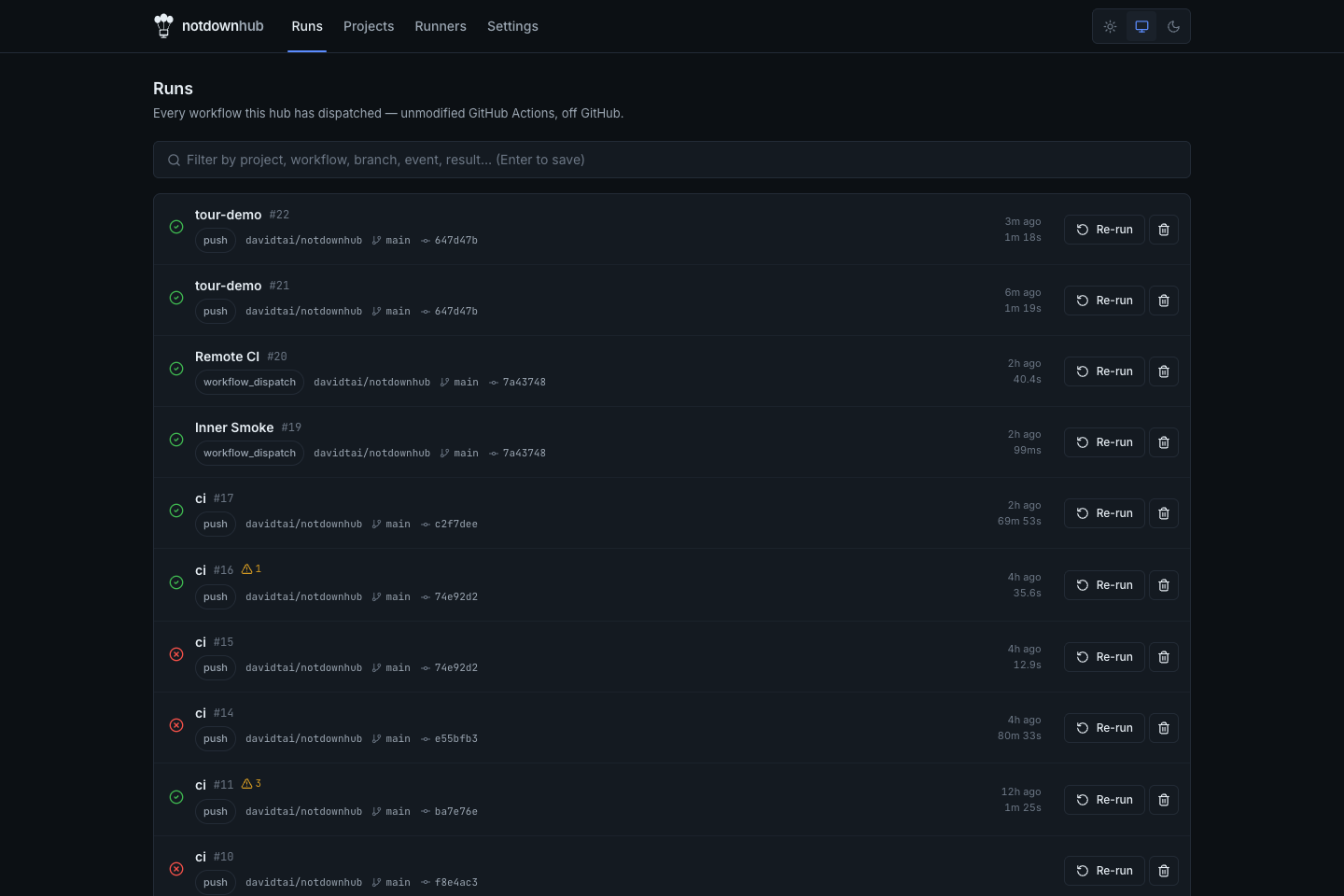 Runs |
 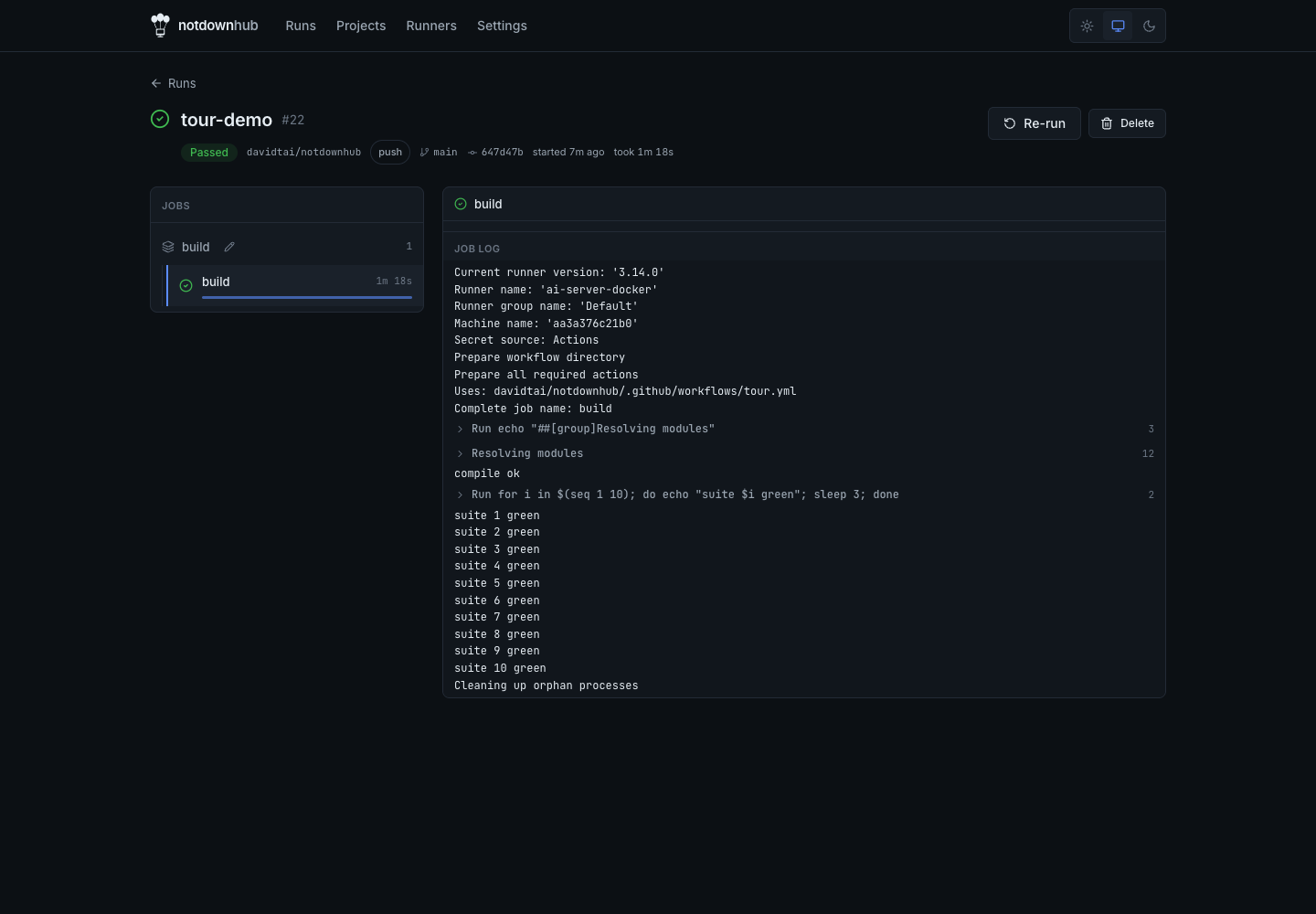 Run detail — live logs |
 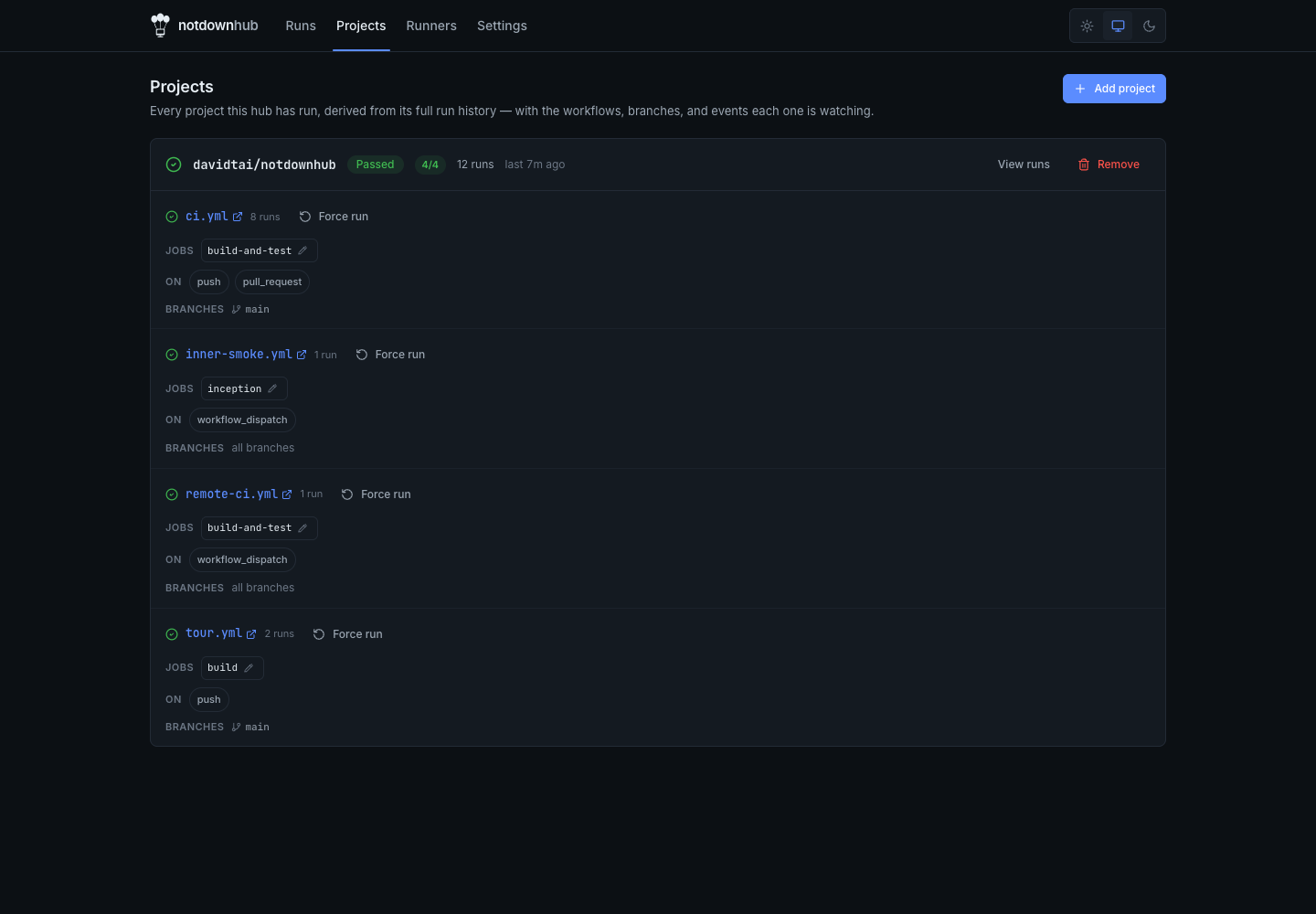 Projects |
|
Projects |
| 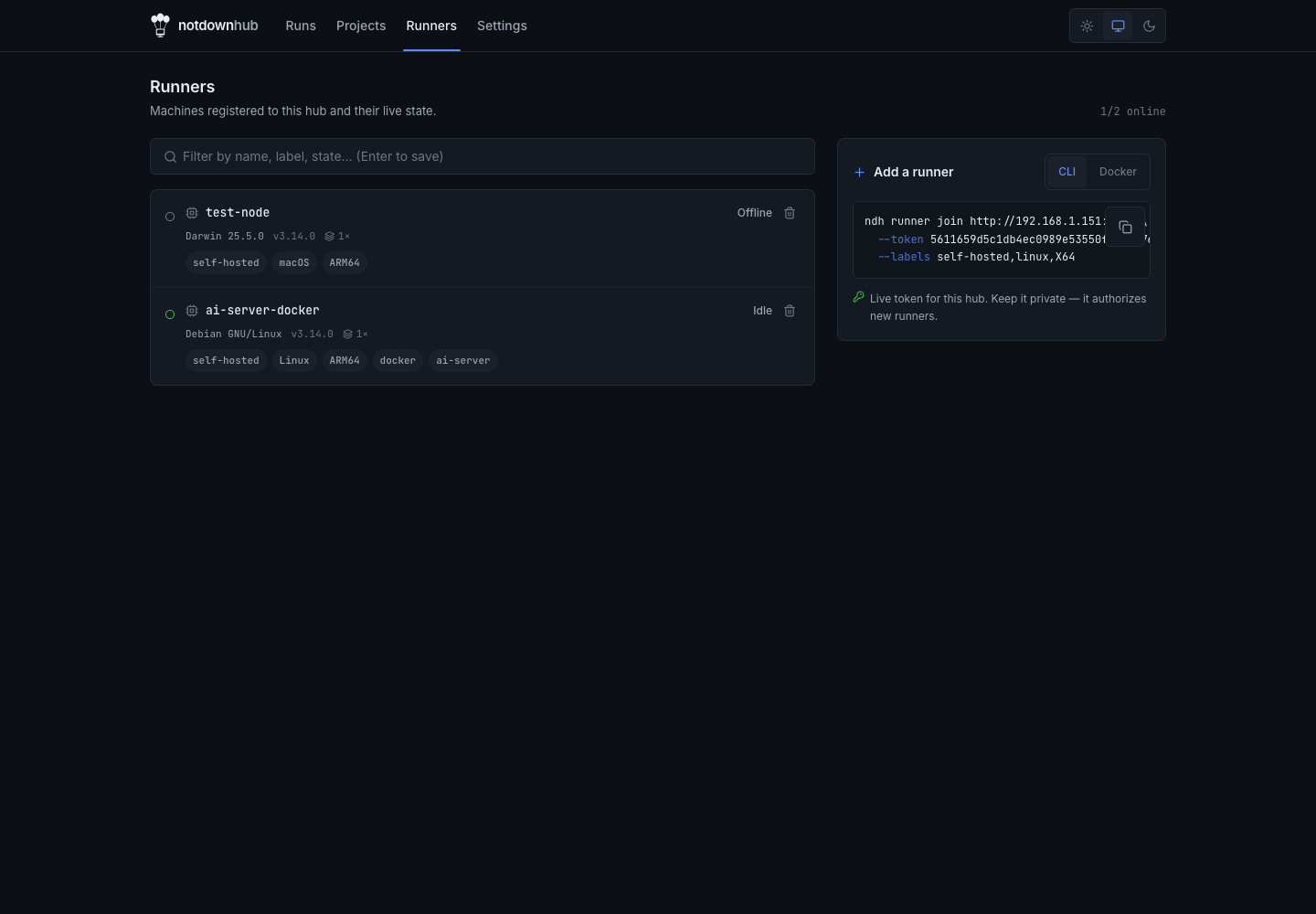 Runner fleet |
 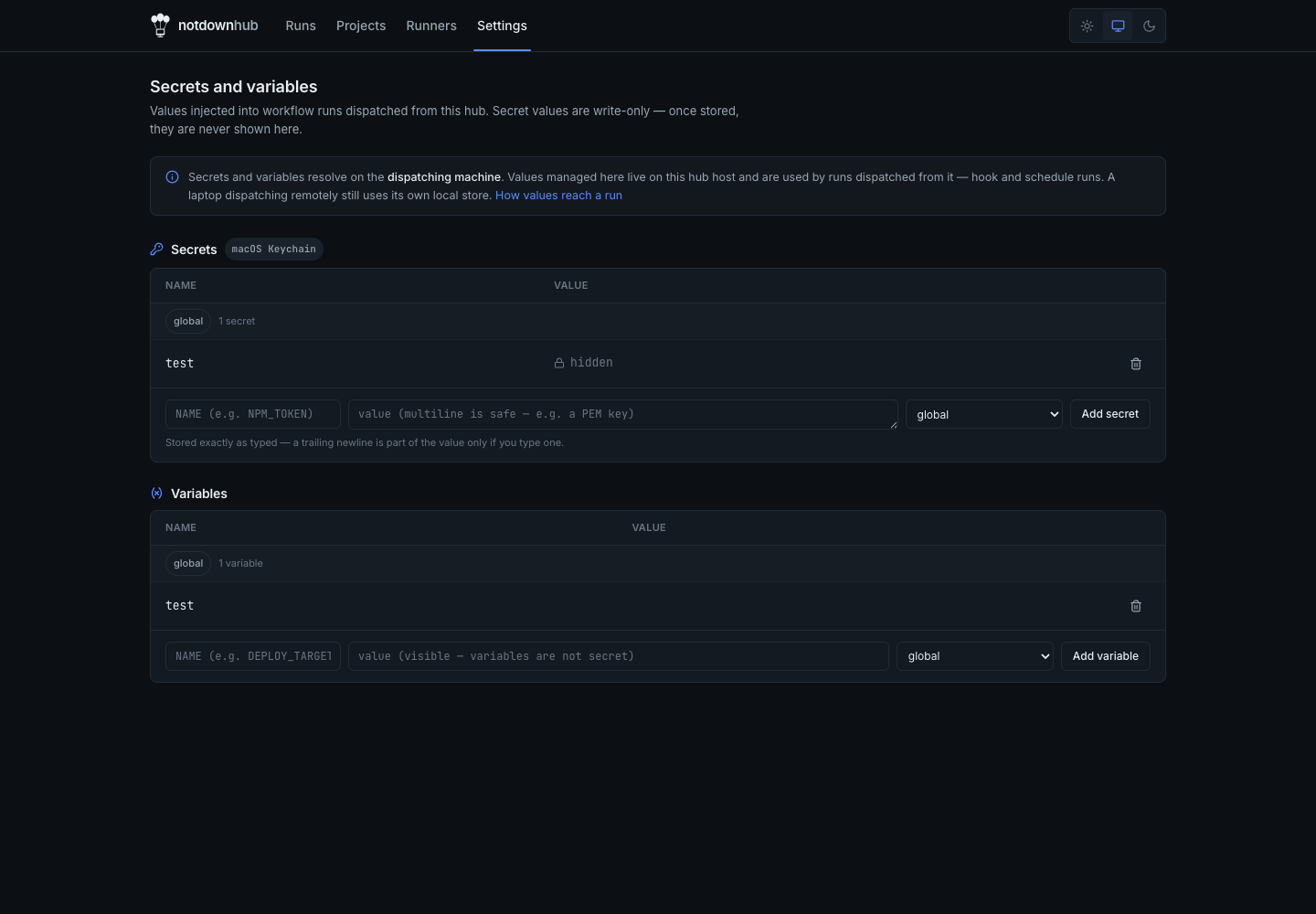 Secrets & variables | |
Why
| | notdownhub | nektos/act | Gitea / Forgejo Actions | GitHub Enterprise |
|---|---|---|---|---|
| Runs unmodified workflows | Yes (official runner codebase) | Reimplemented engine — subtle gaps | act-based runner | Yes |
| Local one-shot run | ndh run | Yes | No (needs the forge) | No |
| Multi-machine fleet | Yes (hub + runner join) | No | Yes (per-forge) | Yes |
| Needs a server/forge to exist | No | No | Yes | Yes |
| Works offline after warm-up | Yes (caching action mirror) | Partial | Partial | N/A |
| Cost | Free (MIT) | Free (MIT) | Free (self-host a forge) | $$$ |
ndh fits between two extremes: a one-off local run, and a full forge. It runs
the CI you already have — locally or across your own machines — with nothing
pointing at github.com.
A fleet across your machines
Start a persistent hub, then attach runners from anywhere — even across NAT (runners are outbound-only long-pollers).
# on the hub machine — advertise a host that runners can reach
ndh hub up --host hub.tailnet    # prints a runner registration token

# on each runner machine (a plain Node container works too)
npm i -g notdownhub
ndh runner join http://hub.tailnet:4949 --token <token> --labels self-hosted,linux,X64
ndh runner start

# from any repo you want the fleet to build
ndh dispatch --server http://hub.tailnet:4949 --event push
ndh status   --server http://hub.tailnet:4949     # runners + recent runs
ndh watch <run-id> --server http://hub.tailnet:4949
Fleet notes (from a cold-start Docker test):
--hostis required for a networked or Docker fleet.ndh hub upadvertiseslocalhostby default, which a remote runner or other container cannot reach. Start the hub withndh hub up --host <name runners can reach>— a LAN IP, DNS name, tailnet name, or a Docker service name likehub.- The web UI is loopback-only; the API and runner protocol are not. A cross-network GET
/returns 403 by default. The REST/Actions API and the runner long-poll protocol stay reachable across the network. That is whyndh runner join,dispatch, andstatuswork cross-machine while the UI does not. To view the UI remotely, use--basic-auth, TLS, or an SSH tunnel (see the security model). - A runner can be a plain Node container. Run
npm i -g notdownhub, thenndh runner join <hub> --token <token>andndh runner start. No custom image is required; the prebuilt Docker runner image is one option. - Getting the token to a runner is manual. The hub prints the registration token at startup and stores it at
~/.notdownhub/hub/runner-token. Copy that value intondh runner join --token <token>on the runner.
Teams can trigger CI on git push via a post-receive hook
(ndh hook install). Full, verified walkthroughs:
- Setup 1 — one repo, your machines
- Setup 2 — a team on a git server
- Setup 3 — self-hosted GitLab or any git host
GitHub Marketplace actions
Workflows use Marketplace actions with the standard uses: syntax. The hub
downloads each action from GitHub once through its caching mirror; every later
run reads it from cache. Verified: actions/checkout, actions/setup-node,
pnpm/action-setup, actions/cache, actions/upload-artifact.
Offline
The hub ships a transparent, caching action mirror. Warm it once while online.
Your CI then keeps running through a GitHub outage, or on an air-gapped network.
Every run after the first serves actions from ~/.notdownhub/mirror.
Documentation
- Install guide — per-OS prerequisites,
NDH_HOMElayout, Docker fleet-runner image, air-gapped setup - Operations runbook — service setup, security model, TLS, secrets & variables, triggers, backups, upgrades
- Architecture — request flows and the security model
- Team guide — running CI for a team off a git server
Attribution
notdownhub is built on two MIT-licensed projects. It wraps and pins the Actions-protocol server, client, and runner bundle from ChristopherHX/runner.server. That project forks GitHub's official runner, actions/runner. notdownhub itself is an independent project, MIT-licensed. It is not affiliated with or endorsed by GitHub, Inc.
Disclaimer
notdownhub is alpha software, provided "as is", without warranty of any kind. The authors accept no liability for damage that results from its use. It is not certified for production-critical CI — validate it against your own workloads before you depend on it. Full terms: LICENSE (MIT).