
notification_vue_3
v1.0.2
Published
Notification package for vue.js 3

Maintainers
 akifcan
Readme
Notification for vue 3
Hello guys, as you know for vue.js notification available but still does not work with vue 3 therefore i sharing this package.
Install
npm i notification_vue_3
Setup
//main.js
import { createApp } from 'vue'
import App from './App.vue'
import router from './router'
import store from './store'
import vue3notification from 'notification_vue_3'
createApp(App).use(store).use(router).use(vue3notification).mount('#app')
//app.js
<Notification :notification='initNotification' />
//example
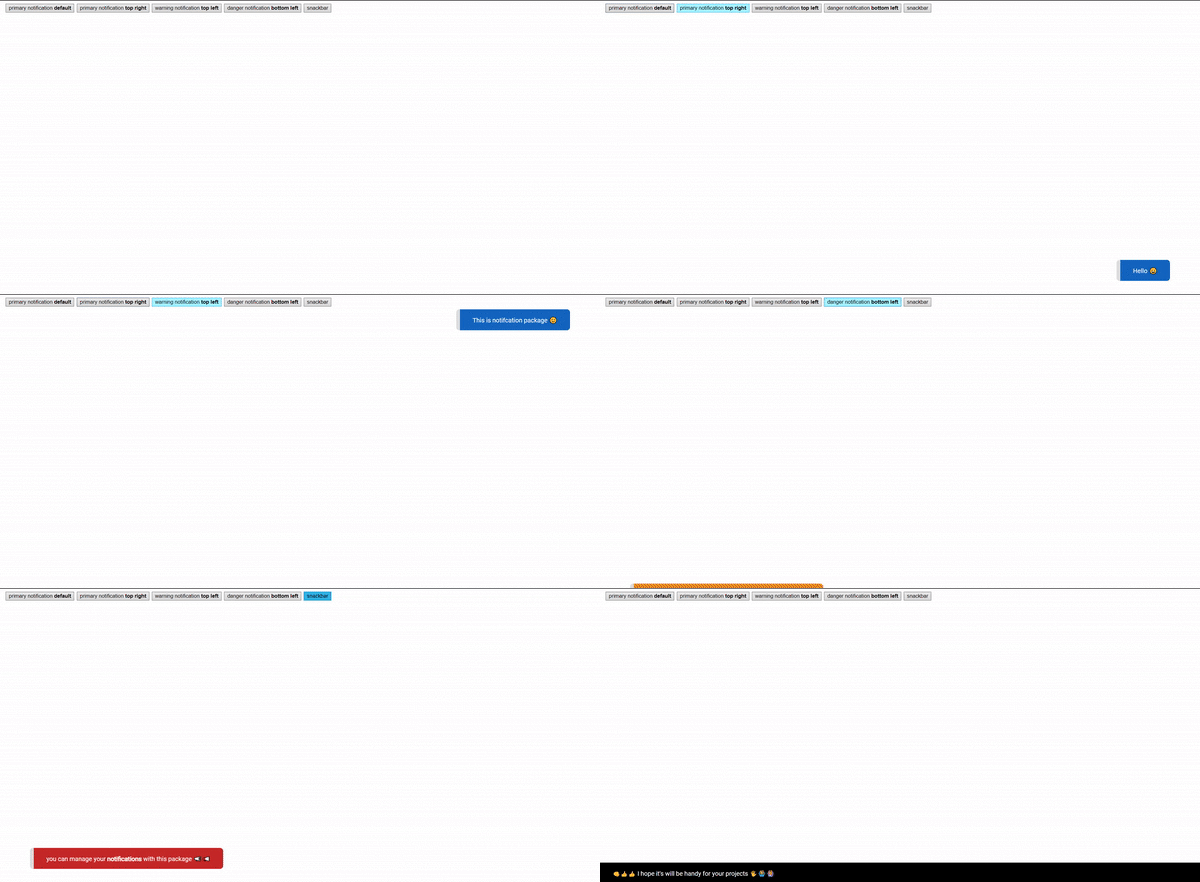
<button @click="showNotification({type: 'primary', text: 'Hello 😀 '})">primary notification <b>default</b> </button>
<button @click="showNotification({type: 'primary', initialPosition: 'top-right', text: 'This is notifcation package 😊'})">primary notification <b>top right</b> </button>
<button @click="showNotification({type: 'warning', initialPosition: 'top-left', text: 'for <h1>vue 3</h1> 🎈🎈 '})">warning notification <b>top left</b> </button>
<button @click="showNotification({type: 'danger', initialPosition: 'bottom-left', text: 'you can manage your <b>notifications</b> with this package 📣📢'})">danger notification <b>bottom left</b> </button>
<button @click="showNotification({type: 'snackbar', text: `👊👍👍 I hope it's will be handy for your projects 🖐🙆♂️🙆♀️`})"> snackbar </button>
<button @click="$store.dispatch('triggerAlert')">from vuex</button>
<Notification :notification='initNotification' />Properties
| type | description |
| -------- | ------------------------------------------------------------------------- |
| snackbar | if you want snackbar style use this. snackbar.primary & snackbar.orange |
| primary | primary color for notification |
| orange | orange color for notification |
| danger | danger color for notifcation |
| warning | warning color for notification |
| gray | gray color for notification |
| type | description | | --------------- | ---------------------------------------- | | text | add your strings also you could use html | | initialPosition | initialPosition | | bottom-right | default value for initial position | | bottom-left | bottom-left on screen | | top-left | top left on screen | | top-right | top right on screen |