
npm-publish-demos
v1.0.7
Published
publish demo

Maintainers
 ryan.ke
Readme
概览
- 创建项目
- 编写sdk代码
- 打包输出
- 登录npm账户
- 发布
创建项目
执行npm init -y生成package.json文件.
- 填写项目名称、作者、关键词等信息。
项目目录
├── dist ##打包结果
|  ├── index.d.ts
|  ├── index.esm.mjs
|  ├── index.js
|  ├── index.modern.mjs
|  └── index.umd.js
├── node_modules
|  ├── @babel
|  ├── @types
├── package.json
├── pnpm-lock.yaml
├── README.md
├── src
|  └── index.ts # 源代码
└── tsconfig.json
安装依赖
用到什么就装什么.
pnpm install typescript
pnpm install ts-node # 编译ts文件[dev]
pnpm install microbundle # 打包ts文件
示例代码
export const add = (a: number, b: number) => {
  return a + b;
}

export const minus = (a: number, b: number) => {
  return a - b;
}

export const multiple = (a: number, b: number) => {
  return a * b;
}

export const divide = (a: number, b: number) => {
  return a / b;
}

export const stringToUpperCase = (str: string) => {
  return str.toUpperCase();
}
package.json
{
  "name": "npm-publish-demos",
  "version": "1.0.2",
  "description": "publish demo",
  "source": "src/index.ts",
  "main": "./dist/index.js",
  "scripts": {
    "dev": "microbundle watch",
    "build": "microbundle --no-sourcemap"
  },
  "keywords": [
    "example"
  ],
  "author": "ryan.ke",
  "license": "ISC",
  "devDependencies": {
    "microbundle": "^0.15.1",
    "typescript": "^4.8.4"
  },
  "files": [
    "dist"
  ]
}
登录npm
执行npm login,输入"用户名、密码、邮箱".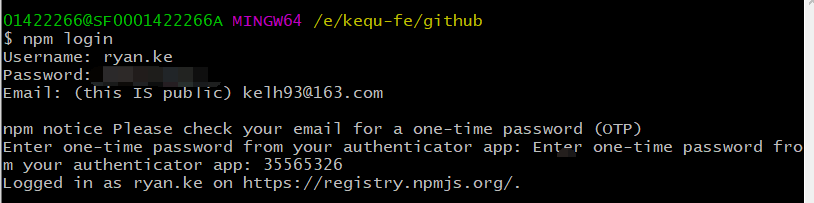
发布
执行npm publish,发布完成.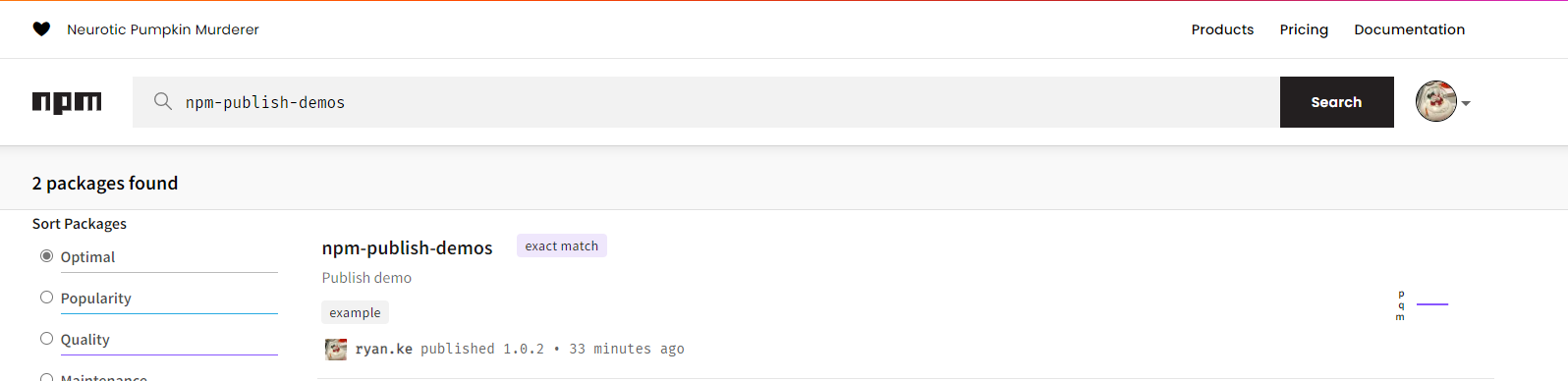
$ npm publish --registry=https://registry.npmjs.org/
npm notice
npm notice package: [email protected]
npm notice === Tarball Contents ===
npm notice 225B  dist/index.js
npm notice 386B  dist/index.umd.js
npm notice 495B  package.json
npm notice 3.2kB README.md
npm notice 232B  dist/index.esm.mjs
npm notice 157B  dist/index.modern.mjs
npm notice 320B  dist/index.d.ts
npm notice === Tarball Details ===
npm notice name:          npm-publish-demos
npm notice version:       1.0.6
npm notice package size:  2.3 kB
npm notice unpacked size: 5.0 kB
npm notice shasum:        e8902475fa299494a6af61f4cac2a4f3d6291e38
npm notice integrity:     sha512-ipkov83RPeWyk[...]xJALKACI4vLOQ==
npm notice total files:   7
npm notice
+ [email protected]
使用
npm install npm-publish-demos
import { add } from 'npm-publish-demos';
const result = add(1, 2);
console.log('result', result); // 3