
nspin
v1.8.1
Published
Lightweight and efficient Node.js spinner package using native features

Maintainers
 imgildev
Readme
nspin


Overview
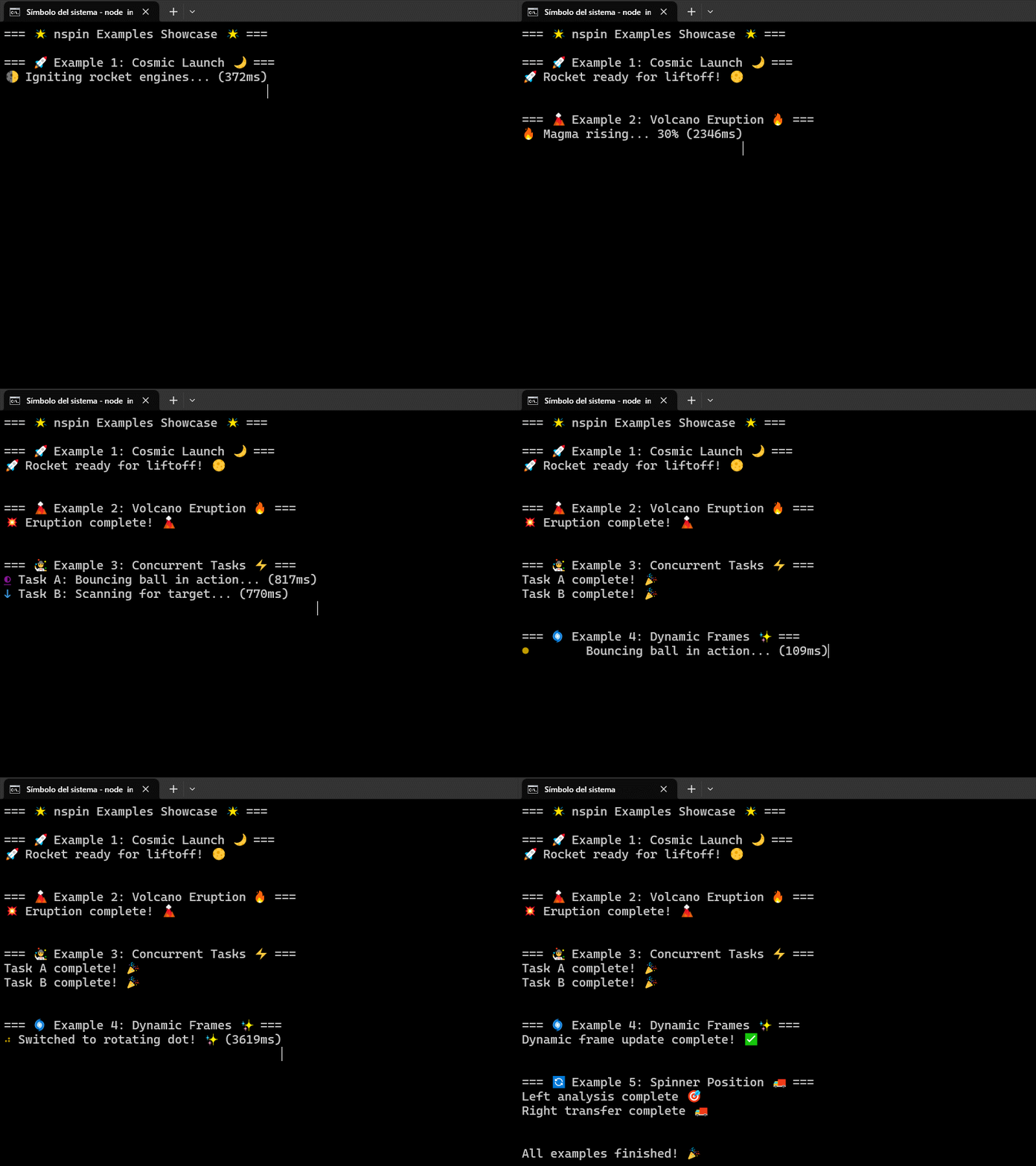
nspin is a lightweight and efficient Node.js spinner package built using native Node.js features for optimal performance. Designed for Node.js v22+ environments, it offers a simple, intuitive, and dependency-free API to create and manage spinner animations in your applications.
Requirements
- Node.js 22+: Leverages modern APIs such as
styleTextfromnode:utilandperformance.now(). - No external dependencies, ensuring a minimal installation footprint.
Key Features
- Modern & Native: Utilizes advanced Node.js features for high performance.
- Chainable API: Easily start, update, and stop the spinner with a fluent interface.
- Dynamic Frames: Change spinner animation frames on the fly using
updateFrames(). - Multiple Spinner Support: Run concurrent spinners without interference.
- Adaptive Output: Adjusts automatically for TTY and non-TTY environments.
- Customizable Positioning: Configure spinner placement (left or right of the message).
- Enhanced Control: Use
pause()to temporarily halt the spinner andresume()to continue it. Dynamically adjust the update frequency withsetInterval(newInterval)and inspect the current interval usinggetInterval(). - State Inspection: New getters (
getCurrentFrame(),getElapsedTime(),getTimerId()) allow you to inspect the spinner’s internal state. - Restart Capability: With
restart(), you can stop and reinitialize the spinner without losing its configuration.
Installation
Install nspin via npm:
npm install nspinQuick Usage
Below is a basic example that demonstrates spinner initialization, dynamic text updates, and stopping the spinner.
import { Spinner } from "nspin";

// Define spinner frames (simple rotation)
const simpleRotation = ["|", "/", "-", "\\"];

// Initialize and start the spinner
const spinner = new Spinner({
  frames: simpleRotation,
  interval: 100
}).start("Loading...");

// Stop the spinner after 3 seconds with a final message
setTimeout(() => {
  spinner.stop("Done!");
}, 3000);
API Overview
Constructor
new Spinner(options: SpinnerOptions): SpinnerCreates a new spinner instance with options:frames: Array of spinner frames (e.g.,["|", "/", "-", "\\"]).interval: Time between frames in milliseconds (default is 80).format: Style options (passed tostyleText).position: Spinner position relative to the text ('left'or'right').
Instance Methods
start(text?: string): thisStarts the spinner with an optional initial message.updateText(newText: string): thisUpdates the spinner’s message in real time.updateFrames(newFrames: string[]): thisDynamically updates the spinner frames and resets the frame counter.pause(): thisTemporarily pauses the spinner animation without resetting its state.resume(): thisResumes the spinner animation if it was paused.restart(): thisStops and restarts the spinner using the current configuration, preserving its state.getCurrentFrame(): numberReturns the current frame index of the spinner.getInterval(): numberReturns the current interval (in milliseconds) of the spinner.setInterval(newInterval: number): thisSets a new interval for the spinner and resets the timer if active.getElapsedTime(): numberReturns the elapsed time in milliseconds since the spinner started.getTimerId(): ReturnType<typeof setInterval> | nullReturns the current timer identifier or null if no timer is active.stop(finalText?: string): thisStops the spinner and displays the final message.
Additional Information
Error Handling & Non-TTY Environments: nspin degrades gracefully in non-TTY environments. When running in such environments, the spinner outputs plain text to ensure readability.
Performance Optimized: Built with performance in mind, nspin minimizes overhead and maximizes responsiveness using native Node.js capabilities.
Extensibility & Maintenance: Designed following SOLID principles, nspin exposes internal state via dedicated getters. This allows extensions—such as an
ExtendedSpinner—to implement advanced functionalities (like custom pause, resume, or restart behavior) without resorting to hacks.
Extended Usage Example: Pause/Resume, Interval Updates, and State Inspection
This example shows how to use the new methods for enhanced control of the spinner.
import { Spinner } from "nspin";

const spinner = new Spinner({
  frames: ["|", "/", "-", "\\"],
  interval: 100
}).start("Processing...");

// Pause the spinner after 2 seconds
setTimeout(() => {
  spinner.pause();
  console.log("Spinner paused.");
  console.log(`Current Frame: ${spinner.getCurrentFrame()}`);
}, 2000);

// Resume the spinner after 4 seconds
setTimeout(() => {
  spinner.resume();
  console.log("Spinner resumed.");
}, 4000);

// Update the spinner interval after 6 seconds
setTimeout(() => {
  spinner.setInterval(50);
  console.log(`New interval: ${spinner.getInterval()}ms`);
}, 6000);

// Restart the spinner after 7 seconds (without losing configuration)
setTimeout(() => {
  spinner.restart();
  console.log("Spinner restarted.");
}, 7000);

// Stop the spinner after 8 seconds
setTimeout(() => spinner.stop("Process complete!"), 8000);
Documentation & Support
For comprehensive documentation including detailed examples, API references, and contribution guidelines, please visit the GitHub repository.
If you encounter any issues or have suggestions, feel free to open an issue on GitHub.
This README for npm is a simplified version. For the complete documentation, including all examples and in-depth API details, please refer to the full README on GitHub.