
nvicode
v0.1.24
Published
Route Claude Code, Claude Desktop, Codex CLI, Codex desktop app, and OpenClaw through NVIDIA, OpenRouter, TokenRouter, GMICLOUD, ClinePass, or xAI.
Downloads
1,557

Maintainers
 dineshpotla
Readme
Nvicode - Free unlimited claudecode 40RPM





Route Claude Code, Codex CLI, Codex desktop app, and OpenClaw through NVIDIA, OpenRouter, TokenRouter, GMICLOUD, ClinePass, or xAI with one setup.
nvicode lets you choose a provider once, save the API key once, pick a model once, and then launch the coding tool you want against that same backend.
What it gives you:
- One guided setup flow for provider, key, and model
- Claude Code support
- Claude Desktop support through its third-party (3P) gateway mode
- Codex CLI support
- Codex desktop app support on macOS
- OpenClaw support
- One local compatibility proxy for Claude Code and Codex, including local usage tracking
- Model-specific context windows from live router metadata or verified model specifications
- TokenRouter MiniMax M3 support with cleaned Claude Code output
- Live model discovery for every API-backed provider, with coding/tool-compatible entries preferred in the selector
- Dynamic NVIDIA model discovery for current Kimi, DeepSeek, GLM, and Qwen picks
- Dynamic OpenRouter provider-specific discovery for current Google, DeepSeek, MiniMax, NVIDIA, OpenAI, Anthropic, and other upstream routes
- OpenRouter upstream routing for the top 20 provider routes, with fallback disabled when a route is selected
Supported environments:
- macOS
- Ubuntu/Linux
- WSL
- Native Windows with Claude Code installed and working from PowerShell, CMD, or Git Bash
Quickstart
Install nvicode:
npm install -g nvicodeChoose provider, key, and model:
nvicode select modelLaunch the tool you want:
nvicode launch claude
nvicode launch claude-desktop
nvicode launch codex
nvicode launch codex-app
nvicode launch openclaw
Provider setup:
- NVIDIA: get a free key from NVIDIA Build API Keys
- OpenRouter: use your OpenRouter API key, pick from current free models, and optionally pin one of the top provider routes
- TokenRouter: use your TokenRouter API key and pick
MiniMax-M3 - GMICLOUD: use your GMICLOUD key and choose from its live model catalog
- ClinePass: use your existing local Cline login
- xAI: use your existing local Grok CLI login
What happens after first launch:
- The first successful
nvicode launch claudeinstalls persistent plainclauderouting. nvicode launch claude-desktopconfigures Claude Desktop's local 3P profile and opens the app.- The first successful
nvicode launch codexinstalls persistent plaincodexrouting. nvicode launch codex-appconfigures and opens the Codex desktop app.nvicode launch openclawupdates the default OpenClaw profile for the selected provider/model.
After that, plain:
claude
codex
continues using your selected nvicode provider and model.
Claude Desktop is configured separately because the desktop app does not read
ANTHROPIC_BASE_URL or ~/.claude/settings.json for gateway routing. Nvicode
writes the selected model and local proxy credentials to Claude Desktop's
Claude-3p/configLibrary profile, then opens the app. Run the command again
after changing providers or models. This follows Anthropic's Claude Desktop
on 3P gateway configuration.
To return to the normal Anthropic profile:
nvicode launch claude-desktop --restoreOpenRouter provider routes
OpenRouter remains the API connection and billing layer. A selected route tells OpenRouter which upstream provider is allowed to serve the chosen model; it does not require a separate key for that upstream provider.
The guided flow includes these routes:
Tencent Cloud, OpenAI, NovitaAI, Google Vertex, DeepInfra, DeepSeek, Xiaomi, Amazon Bedrock, NVIDIA, CoreWeave, GMICloud, Anthropic, StreamLake, Poolside, Alibaba Cloud Int., Google AI Studio, MiniMax, SiliconFlow, StepFun, and Baidu Qianfan.
The route list is checked against OpenRouter's live provider catalog when an OpenRouter key is available. Auto keeps OpenRouter's normal provider selection. See OpenRouter provider routing and provider catalog.
When a route is selected, nvicode select model asks OpenRouter for programming models hosted by that route. Google routes focus on Google model IDs such as Gemini, and the DeepSeek route focuses on DeepSeek model IDs. OpenRouter remains the only credential needed for these upstream routes.
Screenshots
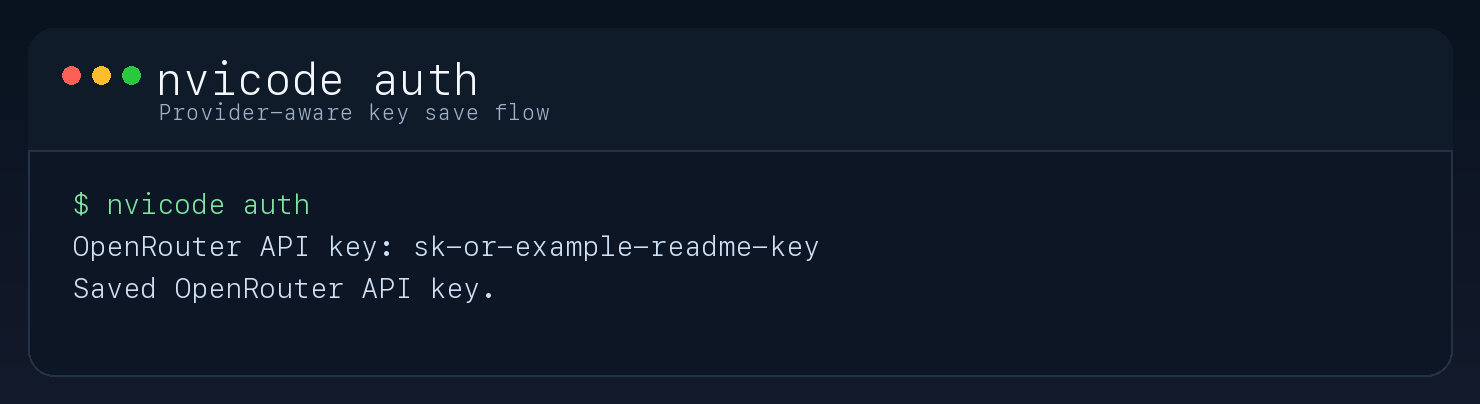
Save your API key
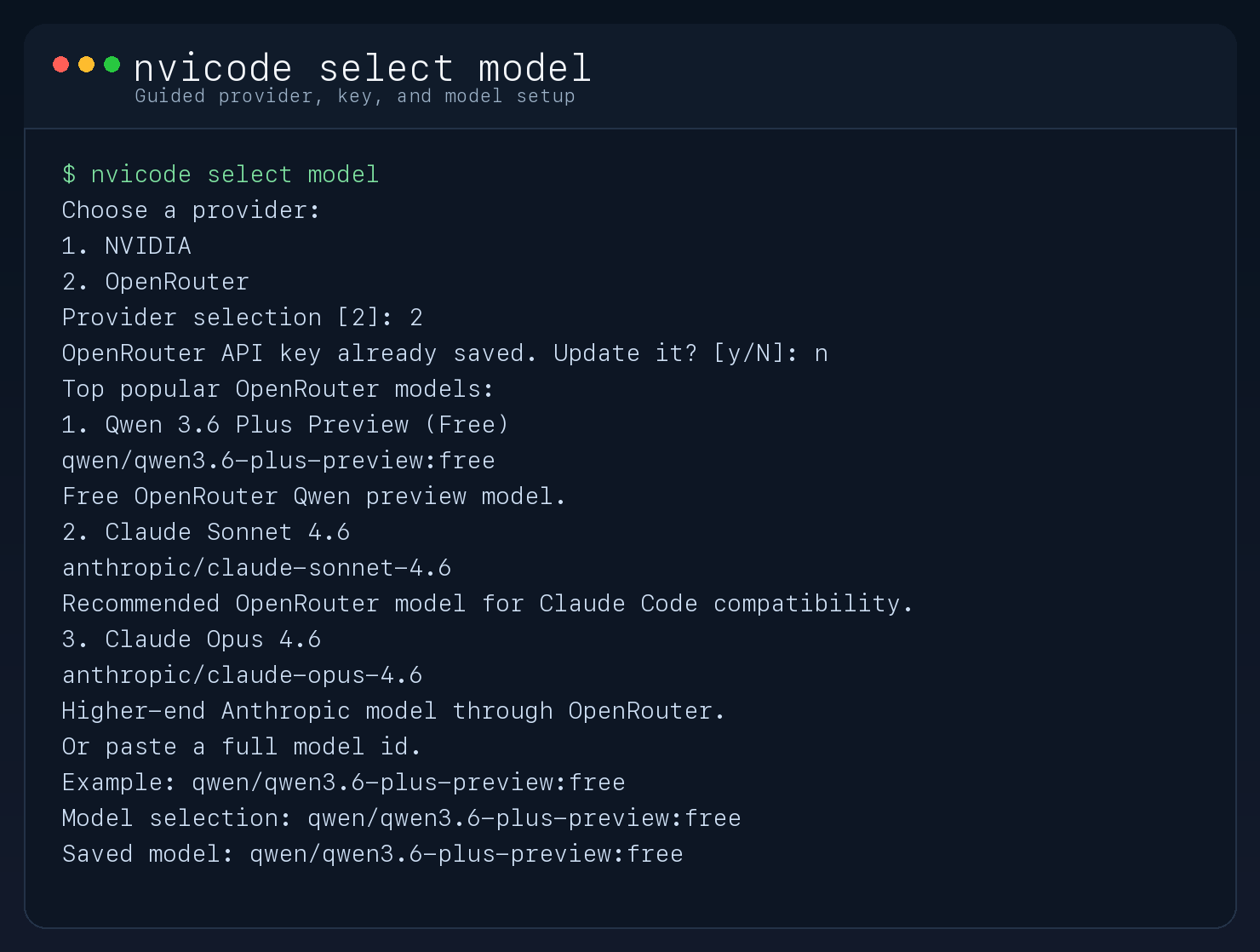
Choose a model
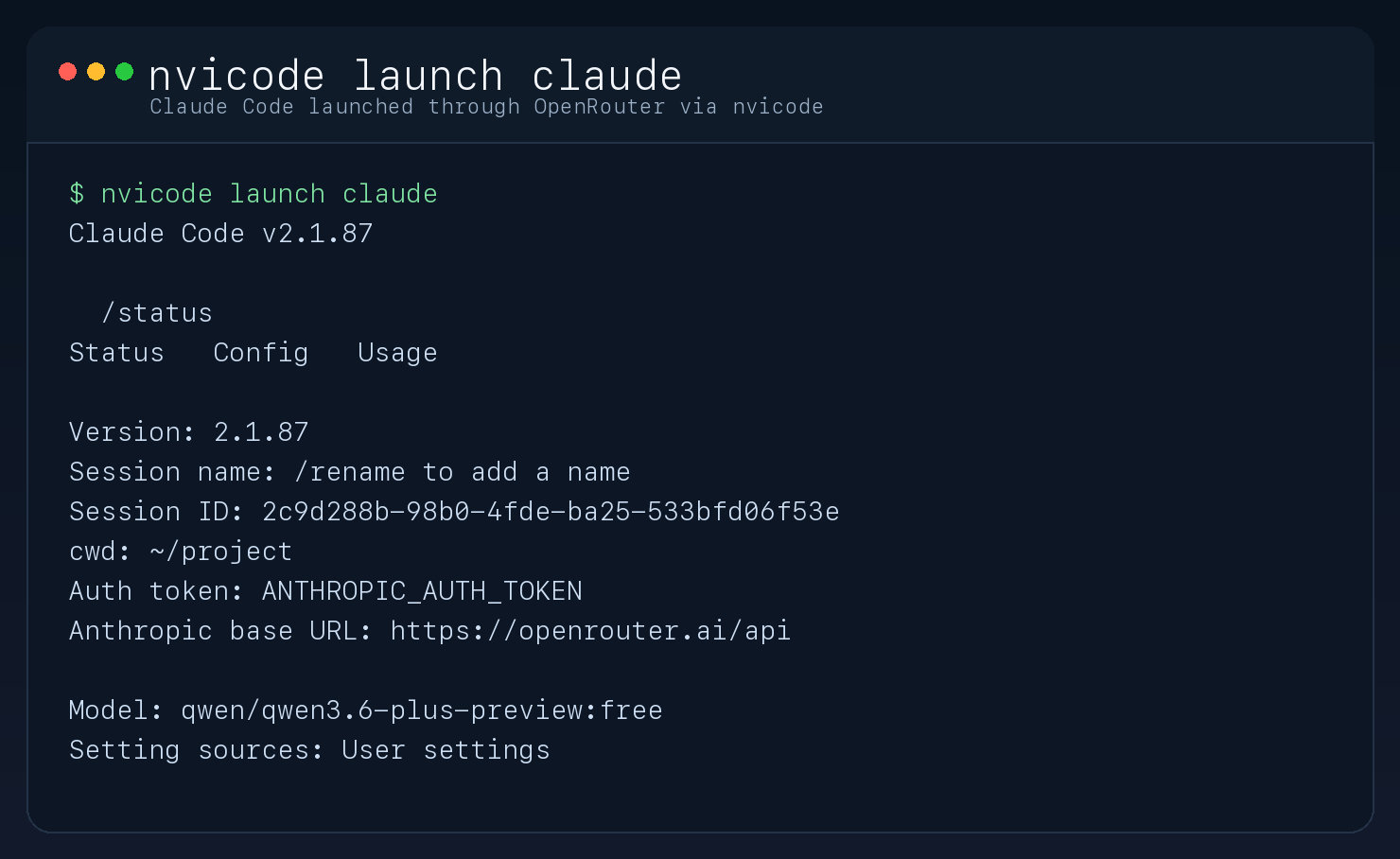
Launch through your selected provider
Launch Claude Desktop
nvicode launch claude-desktopHow It Works
- Claude Code:
- uses a local Anthropic-compatible proxy on
127.0.0.1:8788 - the proxy translates Claude messages and tools to the selected router/model
- Claude Code's auto-compaction window and the proxy's input trimming use the selected model's effective context budget
- uses a local Anthropic-compatible proxy on
- Claude Desktop:
- uses Claude Desktop's documented third-party gateway profile on the local machine
- sends Anthropic Messages API requests to the local
nvicodeproxy - receives a Claude-compatible model route with the selected provider model ID shown as its visible label
- keeps the desktop profile and proxy token separate from Claude Code's shell wrapper
- Codex CLI:
- uses the local
nvicodeproxy nvicodeconfigures Codex to talk to that proxy through the Responses API
- uses the local
- Codex desktop app:
- uses the same local
nvicodeproxy through Codex user-levelconfig.toml - uses a managed authentication command that starts the proxy when needed
- preserves a one-time
config.toml.nvicode.bakbackup before the first config change
- uses the same local
- OpenClaw:
- updates the default OpenClaw config for the selected provider/model
- restart the gateway after config changes:
openclaw gateway restartCommands
Common commands:
nvicode select model
nvicode launch claude
nvicode launch claude-desktop
nvicode configure claude-desktop
nvicode restore claude-desktop
nvicode launch codex
nvicode configure codex-app
nvicode launch codex-app
nvicode launch openclaw
nvicode dashboard
nvicode usage
nvicode activity
nvicode models
nvicode config
nvicode auth
nvicode launch claude -p "Reply with exactly OK"
nvicode launch codex "Explain this project"
Behavior notes:
nvicode select modelasks for provider, optional API key update, and model choice in one guided flow.nvicode launch claude-desktopconfigures Claude Desktop's per-user 3P gateway profile. It does not change the persistent plainclaudecommand; usenvicode launch claudefor terminal Claude Code.- Claude Desktop's 3P profile uses a Claude-compatible gateway route and shows the exact selected provider model ID as its visible label. Re-run
nvicode launch claude-desktopafter changing providers or models. - Claude Desktop shows the selected provider model ID in its deployment and model labels; Claude Code's persistent
modelsetting is updated to the same ID. - If Claude Desktop is running, Nvicode asks before restarting it. If you decline, fully quit and reopen Claude Desktop to load the saved profile.
- For NVIDIA, TokenRouter, and GMICLOUD, model selection fetches each router's own live
/modelscatalog and ranks current coding-compatible entries first. xAI uses its live OpenAI-compatible model catalog; ClinePass uses its local supported-model list. - For OpenRouter, model selection fetches the live OpenRouter catalog with programming, text-output, and tool-calling filters.
Autoshows current free endpoints first; a selected upstream route shows current models hosted by that route. - For OpenRouter,
nvicode select modelalso offers a live-checked upstream provider route. A selected route is sent asonlywith fallbacks disabled, so OpenRouter will not silently switch to another provider. - The selector always accepts a full custom model ID, for example
google/gemini-3.5-proordeepseek/deepseek-chat; custom IDs are passed through exactly instead of being rewritten. - For TokenRouter, model selection defaults to
MiniMax-M3. - On launch,
nvicodereplaces a retired saved NVIDIA model with the current recommended catalog pick. - Claude Code uses the local proxy for every provider, including OpenRouter, so context enforcement and usage accounting are consistent.
- Codex CLI and the Codex desktop app use the local
nvicodeproxy path. nvicode configure codex-appupdates the user-level Codexconfig.tomlmodel and provider while preserving unrelated Codex settings.nvicode launch codex-appcurrently targets the macOS Codex desktop app.- For TokenRouter MiniMax models,
nvicodedoes not forward Claude Code'smax_tokensvalue because MiniMax's OpenAI-compatible endpoint can treat it as a total context cap on long coding sessions. - OpenRouter and GMICLOUD context limits are refreshed from live
/modelsmetadata and cached for 24 hours. Changing the OpenRouter upstream route invalidates the cached limit. NVIDIA, TokenRouter, ClinePass, and xAI use verified per-model specifications when their catalogs omit context fields. - The proxy reserves model output space and a 5% tokenizer-estimation margin before trimming only the oldest carried messages. It never silently removes the current user request.
- TokenRouter MiniMax M3 reports a 1M model window, but nvicode keeps a tested
300ksafe input cap for that router because larger carried Claude sessions have been rejected. Override withNVICODE_TOKENROUTER_CONTEXT_LIMIT_TOKENS. - Override any provider with
NVICODE_<PROVIDER>_CONTEXT_LIMIT_TOKENS(for example,NVICODE_NVIDIA_CONTEXT_LIMIT_TOKENS) or all providers withNVICODE_CONTEXT_LIMIT_TOKENS. nvicode configshows the selected model's context window, effective input cap, output limit, and metadata source.nvicode usage,activity, anddashboardtrack local proxy sessions for every Claude Code provider.- NVIDIA requests are paced to
40 RPMby default. Override withNVICODE_MAX_RPMif your NVIDIA account allows more. - OpenRouter, TokenRouter, GMICLOUD, ClinePass, and xAI use provider-native rate limits; nvicode does not apply the NVIDIA 40 RPM pacing to them.
In an interactive terminal, nvicode usage refreshes live every 2 seconds. When piped or redirected, it prints a single snapshot.
The usage dashboard compares your local run cost against Claude Opus 4.6 at $5 / MTok input and $25 / MTok output, based on Anthropic pricing as of 2026-03-30.
If your NVIDIA endpoint is not free, override local cost estimates with NVICODE_INPUT_USD_PER_MTOK and NVICODE_OUTPUT_USD_PER_MTOK.
Requirements
- Claude Code must already be installed to use
nvicode launch claude. - Claude Desktop must already be installed to use
nvicode launch claude-desktop. Anthropic documents 3P configuration for macOS, Windows, and Linux; Linux Claude Desktop is currently beta. - Codex must already be installed to use
nvicode launch codex. Install withnpm install -g @openai/codex. - Codex.app must already be installed on macOS to use
nvicode launch codex-app. - OpenClaw must already be installed to use
nvicode launch openclaw. Install withnpm install -g openclaw@latest. - Node.js 20 or newer is required to install
nvicode. - OpenClaw itself requires Node.js
>=22.14.0. - On native Windows, Claude Code itself requires Git for Windows. See the Claude Code setup docs.
Local Development
These steps are only for contributors working from a git checkout. End users do not need them.
npm install
npm run build
npm link
Notes
thinkingis disabled by default because some NVIDIA reasoning models can consume the entire output budget and return no visible answer to Claude Code.- The proxy supports basic text, tool calls, tool results, and token count estimation.
- The proxy includes upstream retries on
429responses, with NVIDIA-only request pacing. - Claude Code, Codex CLI, Codex desktop app, and OpenClaw remain the frontends; the selected provider/model becomes the backend.