
nxcode-cli
v1.0.5
Published
Nxdom CLI untuk analisis proyek, chat AI, edit kode, dan manajemen rencana pengembangan.


Readme
NxCode — Nxdom Framework CLI
Nusantara eXtreme Development Object Model.
CLI untuk analisis proyek, chat AI, edit kode, dan manajemen rencana pengembangan.
NxCode CLI dan NxCode IDE
NxCode dapat digunakan melalui dua antarmuka:
- NxCode CLI untuk bekerja langsung dari terminal, otomasi, dan integrasi workflow pengembangan.
- NxCode IDE untuk Windows yang menyatukan project explorer, editor multi-tab, terminal PowerShell, Chat AI, dan Database Manager dalam satu aplikasi.
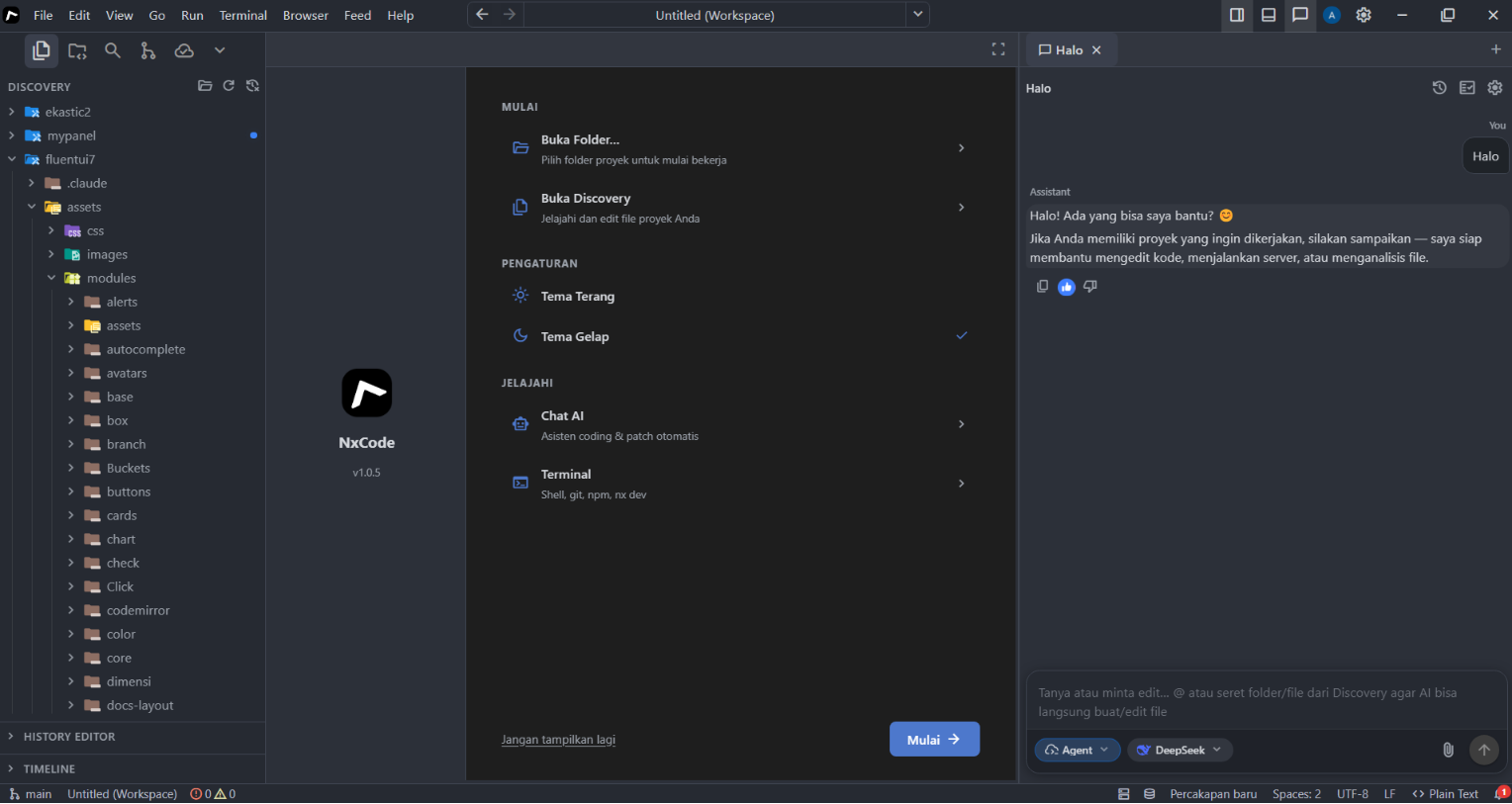
Keduanya merupakan produk Nxdom untuk membantu pengembangan proyek dengan konteks, rencana, status, dan aturan kerja yang lebih terarah.
NxCode IDE tersedia gratis untuk Windows 10/11 64-bit. Versi terbaru dan tombol unduhan resmi selalu tersedia pada bagian NxCode di nxdom.org. Informasi versi dan URL installer pada halaman tersebut diperbarui melalui distribusi resmi Nxdom.
Tujuan proyek
Nxcode bukan sekadar chat AI di terminal. Tujuannya: membungkus AI dengan struktur proyek agar output tetap terarah, terformat, dan konsisten — bahkan saat model yang dipakai relatif lemah (mis. chat, model lokal, atau provider murah).
Tanpa kerangka, AI cenderung:
- Menulis kode sembarangan, tidak mengikuti konvensi proyek
- Mengabaikan progress — mengulang tugas yang sudah selesai
- Tidak ingat pekerjaan sebelumnya di sesi yang sama
- Melenceng dari standar gaya kode yang sudah disepakati
Nxcode mengatasi itu dengan empat lapisan data di folder .nxcode/:
| Lapisan | File | Peran bagi AI |
|---|---|---|
| Plan | [project]_plan.md | Tahu apa yang harus dikerjakan (tugas, prioritas) |
| Status | [project]_status.md | Tahu progress — mana ✅ selesai, mana ❌ belum |
| Log Aktivitas | bagian di plan.md | Tahu riwayat pekerjaan nyata di proyek ini |
| Skills | [project]_skills.md | Tahu bagaimana menulis kode (acuan file/folder/gaya) |
Mengapa AI lemah jadi lebih terarah
Model lemah tanpa struktur mudah melenceng. Dengan nxcode, setiap percakapan disuntikkan plan + status + log + skills sehingga AI:
- Tidak menebak — daftar tugas dan prioritas sudah ada di konteks
- Tidak mengulang — status menandai tugas yang sudah selesai
- Tidak lupa konteks — log aktivitas mencatat apa yang sudah dikerjakan
- Tidak menyimpang — skills memaksa patuh pada README modul, pola CSS, aturan gaya proyek
NxCode bertindak sebagai project manager + style guide + memory untuk AI — terlepas dari kekuatan model.
Persyaratan
- Node.js 18 atau lebih baru
- npm
- Koneksi dan kredensial provider AI sesuai konfigurasi
Instalasi
npm install --global nxcode-cli
nxcode --version
Tanpa instalasi global:
npx nxcode-cli --helpMulai menggunakan
Buka terminal pada root proyek:
cd path/ke/proyek
nxcode setup
nxcode plan
nxcode start
Perintah utama
| Perintah | Fungsi |
|---|---|
| nxcode setup | Menjalankan konfigurasi NxCode |
| nxcode plan | Menyusun rencana pengembangan |
| nxcode start | Memulai pekerjaan dengan konteks plan dan status |
| nxcode chat | Membuka chat AI interaktif |
| nxcode view status | Melihat status tugas |
| nxcode progress | Merangkum progres tugas |
| nxcode review | Menjalankan ringkasan atau analisis ulang |
| nxcode assets | Melihat referensi file dan folder dari plan |
| nxcode config | Melihat konfigurasi aktif |
| nxcode docs | Menampilkan dokumentasi NxCode |
Gunakan nxcode --help atau nxcode <perintah> --help untuk melihat opsi lengkap.
Dokumentasi
Dokumentasi resmi: https://nxdom.org/docs/cli/nxcode