
ofd-lzy
v1.0.8
Published
Browser-side OFD (GB/T 33190) document viewer with e-invoice rendering, digital-signature verification, annotation tools and FreeType font rendering. Single self-contained UMD bundle; integrates with Vue 2, Vue 3, React and plain HTML.

Maintainers
 ofd-lzy
Readme
ofd-lzy




纯前端 OFD 文档查看器 · 支持 Vue 2 / Vue 3 / React / 原生 HTML 集成
ofd-lzy 是一个开箱即用的 OFD(GB/T 33190-2016 版式文档)浏览器端渲染组件。 无需后端服务、无需安装插件,单个 JS 文件即可完成文档预览、签章验证与批注。
功能预览 · 集成示例 · 特性 · API 文档 · 程序化 API · 更新日志
功能预览
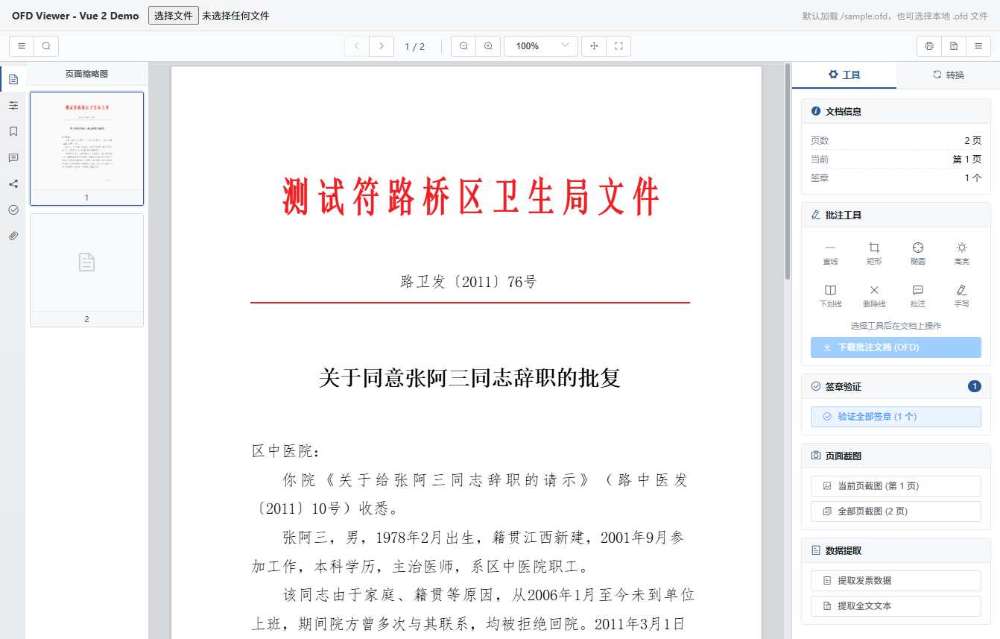
文档预览
加载 OFD 后完整还原红头文件版式,左侧页面缩略图、右侧工具面板,Worker 后台解析不阻塞界面。
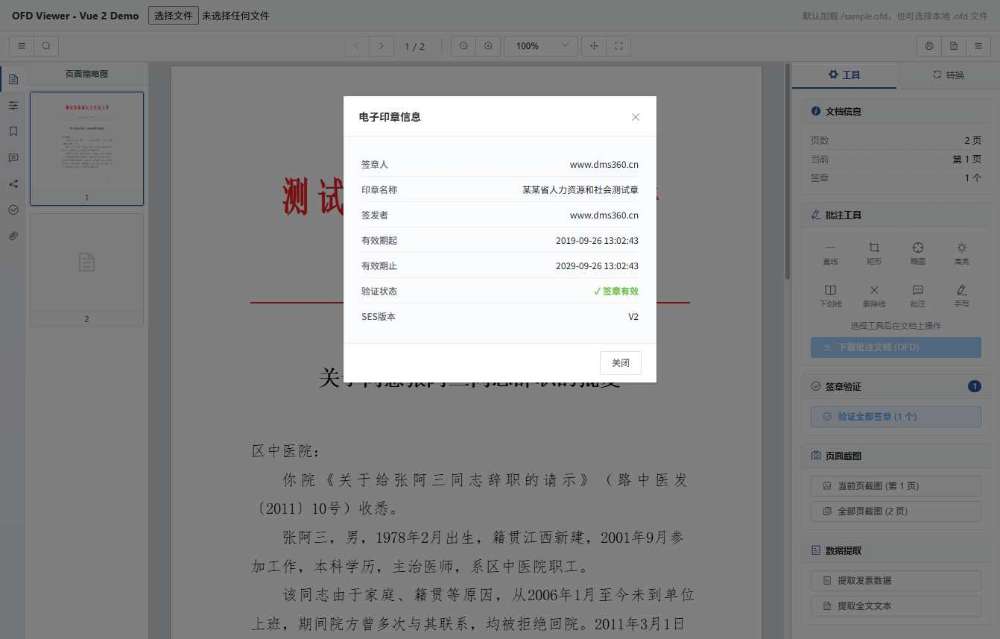
电子印章渲染
印章图层按原始坐标叠加在落款处,左侧「数字签名」面板同步展示签章人、有效期与校验状态。
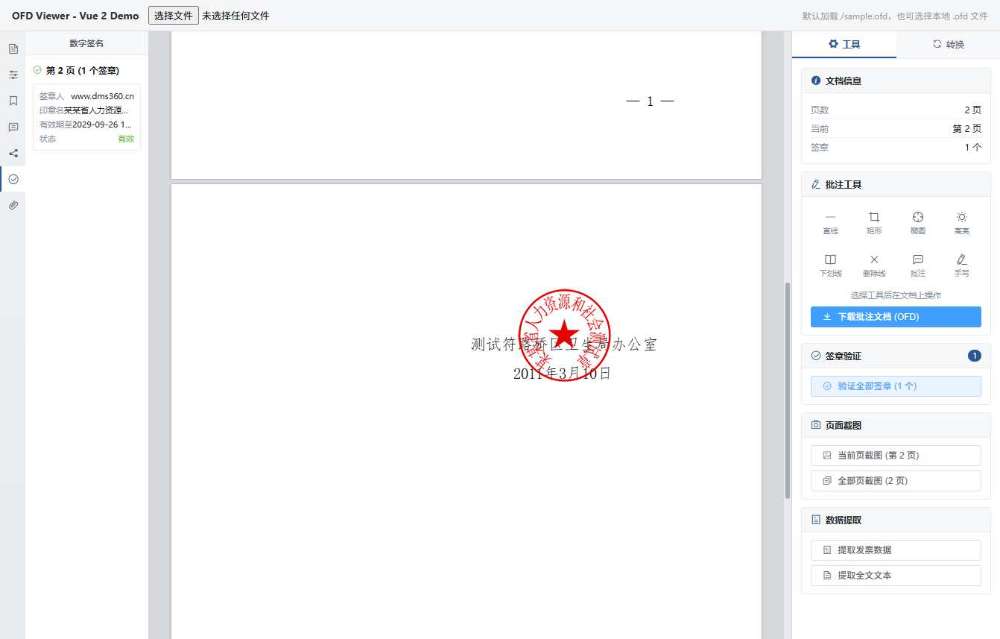
电子印章信息弹窗
点击文档上的印章即可弹窗查看签章人、印章名称、签发者、有效期与验证结果。
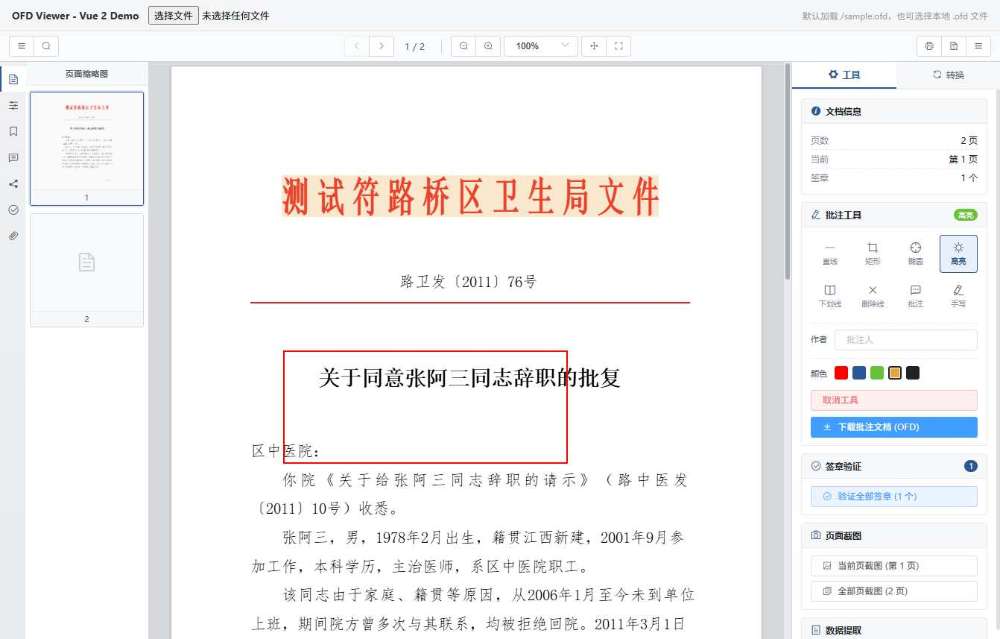
批注工具
矩形框选 + 文字高亮,共 8 种批注工具、5 种颜色,批注自动吸附到对应文字元素。
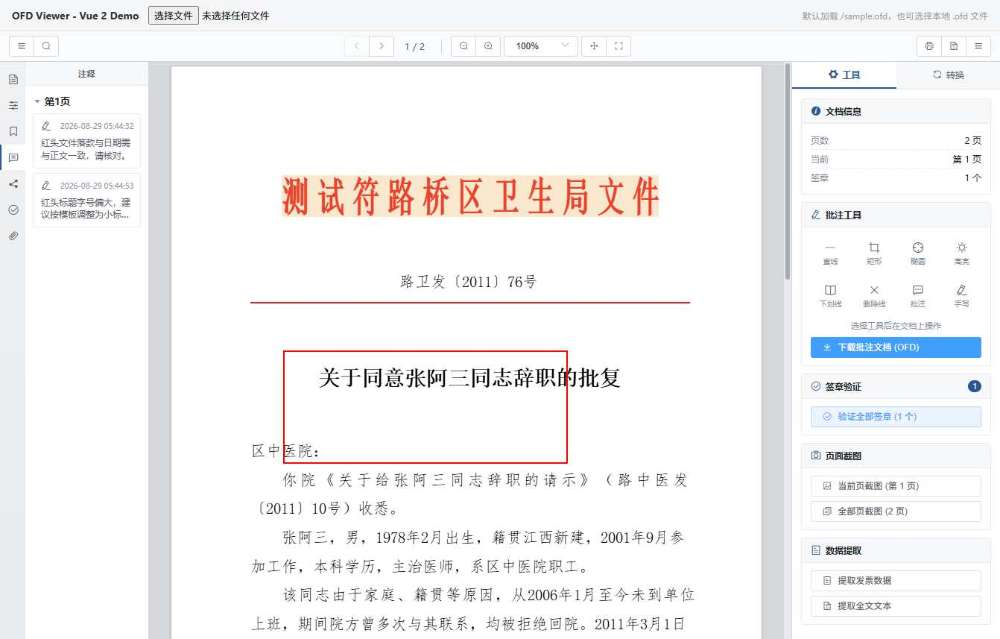
批注列表
按页归集全部批注,点击条目跳转定位,可一键导出为带批注的 OFD 文档。
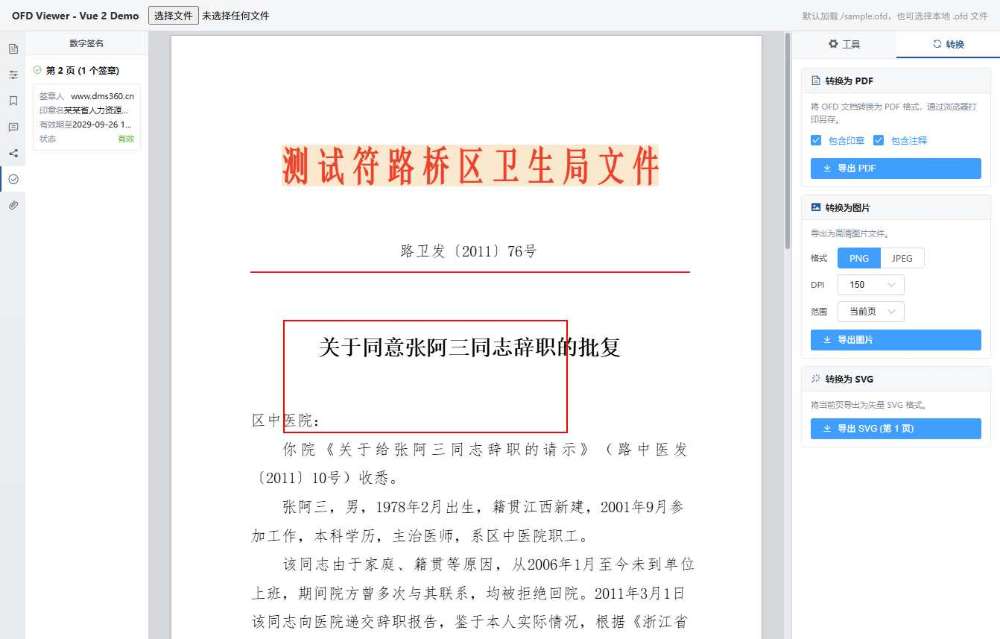
格式转换
导出 PDF / PNG / JPEG / SVG,可选择 DPI、范围以及是否包含印章与批注。
特性
- 完整版式渲染 — 文本、图片、路径、背景、多层复合对象,Web Worker 后台解析不阻塞主线程
- 电子发票支持 — 完整还原 OFD 电子发票(含全电发票):密码区多行「回车换行」排版、价税合计防伪标识、逐页不同幅面、发票专用章有效期解析,并可提取结构化发票数据
- FreeType 字体引擎 — WASM 内嵌,精确还原嵌入字体的字形与度量(可关闭以节省内存)
- 电子签章验证 — 自动识别并校验 OFD 数字签名,展示签章人、签发者、有效期与校验状态
- 批注工具集 — 直线、矩形、椭圆、高亮、下划线、删除线、手写、文字批注,可导出为带批注的 OFD
- 文档能力 — 页面缩略图、缩放/翻页、全文搜索、页面截图、文本与发票数据提取、格式转换
- 零运行时冲突 — Worker 与字体全部内联,产物为单文件 UMD,无异步 chunk
- 多框架适配 — Vue 2 原生组件;Vue 3 / React 通过独立查看器页 + iframe 集成
环境要求
| 依赖 | 版本 | 说明 | |------|------|------| | Vue | 2.7+ | 组件运行时(函数式 ref 需要 2.7+) | | Element UI | 2.15+ | 已在包内打包,无需单独安装 | | 浏览器 | Chrome 80+ / Edge 80+ / Firefox 78+ | 需支持 Web Worker 与 WASM |
Vue 3 / React 项目不需要安装 Vue 2,使用 iframe 方式集成即可,见下文。
安装
npm install ofd-lzy快速开始
Vue 2 — 原生组件
// main.js
import Vue from 'vue'
import OfdLzy from 'ofd-lzy'
import 'ofd-lzy/dist/lib/ofd-lzy.css'   // 样式需手动引入一次

Vue.use(OfdLzy)
<template>
<ofd-element :url="url" :freetype-enabled="true" :freetype-max-memory-m-b="30" />
</template>
<script>
export default {
data() {
return { url: '/files/demo.ofd' }
}
}
</script>组件注册了两个名字,按喜好选用:<ofd-element> 与 <OFDElement>。
Vue 3 / React — iframe 集成
查看器页 ofd-lzy.html 随包发布。将下列文件拷贝到项目的静态目录(如 public/):
node_modules/ofd-lzy/dist/lib/ofd-lzy.html
node_modules/ofd-lzy/dist/lib/ofd-lzy.umd.min.js
node_modules/ofd-lzy/dist/lib/ofd-lzy.css
node_modules/ofd-lzy/dist/lib/fonts/
Vue 3
<template>
  <iframe
    ref="frame"
    :src="`/ofd-lzy.html?filename=${encodeURIComponent(url)}`"
    style="width:100%;height:100%;border:none;"
  />
</template>

<script setup>
const url = '/files/demo.ofd'
</script>
React
<iframe
  src={`/ofd-lzy.html?filename=${encodeURIComponent('/files/demo.ofd')}`}
  style={{ width: '100%', height: '100%', border: 'none' }}
/>打开用户本地选择的文件(无需上传服务器),通过 postMessage 把文件流送进 iframe:
async function openFile(iframe: HTMLIFrameElement, file: File) {
  const buffer = await file.arrayBuffer()
  iframe.contentWindow?.postMessage({ type: 'ofd-lzy:load', buffer }, '*')
}
完整可运行的封装见 React 示例,其中包含等待 iframe 就绪的排队逻辑。
原生 HTML
<link rel="stylesheet" href="https://unpkg.com/[email protected]/lib/theme-chalk/index.css">
<link rel="stylesheet" href="ofd-lzy.css">

<div id="app">
  <ofd-element :url="url"></ofd-element>
</div>

<script src="https://unpkg.com/[email protected]/dist/vue.min.js"></script>
<script src="https://unpkg.com/[email protected]/lib/index.js"></script>
<script src="ofd-lzy.umd.min.js"></script>

<script>
  Vue.use(window['ofd-lzy'].default)
  new Vue({ el: '#app', data: { url: './sample.ofd' } })
</script>
UMD 全局变量为 window['ofd-lzy'],Vue 与 Element UI 作为 externals 需提前引入。
API
完整 API 参考请见 API.md,本节为快速索引。
Props
| Prop | 类型 | 默认值 | 说明 |
|------|------|--------|------|
| url | string | '' | OFD 文件地址,支持 HTTP URL 与 blob: Object URL |
| freetype-enabled | boolean | true | 启用 FreeType WASM 字体渲染 |
| freetype-max-memory-m-b | number | 30 | FreeType 最大内存占用(MB) |
| render-scale-factor | number | 1.5 | 画布超采样系数(1 ~ 2),低 DPI 屏下提升文字清晰度 |
在 JS/TS 中使用驼峰写法:freetypeEnabled、freetypeMaxMemoryMB、renderScaleFactor。
Events
| 事件 | 参数 | 说明 |
|------|------|------|
| loaded | { totalPages, docInfo } | 文档解析完成,页数与文档信息就绪 |
| page-change | (currentPage, totalPages) | 当前可见页码变化(翻页 / 滚动) |
| zoom-change | (value, actualScale) | 缩放级别变化 |
| rotate-change | (rotation) | 页面旋转角度变化(0 / 90 / 180 / 270) |
<ofd-element
  :url="url"
  @loaded="({ totalPages }) => console.log('总页数:', totalPages)"
  @page-change="(page, total) => console.log(`第 ${page}/${total} 页`)"
/>
程序化 API(ref.api.*)
通过组件 ref 访问 api 对象,可对查看器进行完整的编程控制:
const api = this.$refs.ofd.api| 分类 | 方法(示例) | 说明 |
|------|------------|------|
| 文档 | loadUrl(url) · isLoaded() | 切换 / 检查文档 |
| 导航 | goToPage(n) · previousPage() · nextPage() · firstPage() · lastPage() | 翻页跳转 |
| 状态 | getCurrentPage() · getTotalPages() | 读取当前页 / 总页数 |
| 缩放 | zoomIn() · zoomOut() · setZoom(v) · fitWidth() · fitPage() · getZoom() | 缩放控制 |
| 旋转 | rotateLeft() · rotateRight() · getRotation() | 页面旋转 |
| 工具 | setTool('select'/'hand') · getTool() · panBy(dx, dy) | 视图工具切换 / 平移 |
| 查找 | openSearch() · search(keyword, options?) | 全文搜索,返回 Promise<SearchResult[]> |
| 面板 | toggleLeftPanel(v?) · toggleRightPanel(v?) · showProperty() | 左/右侧面板 |
| 导出 | print() · toPdf() · toImage() · toSvg() · extractText() · exportInvoiceData() · downloadAnnotatedOfd() | 打印与格式导出 |
| 签章 | verifyStamps() | 签章校验 |
| 信息 | getDocInfo() · getFonts() | 文档元数据 / 字体资源 |
// 常用示例
api.goToPage(3)
api.setZoom(1.5)
api.setZoom('fit-width')
api.rotateRight()
api.setTool('hand')

const results = await api.search('关键词', { caseSensitive: false })
console.log(results) // [{ page, text, elementIndex }, ...]

api.loadUrl('/new-doc.ofd')
api.toPdf()
详细参数类型、返回值说明及更多示例见 API.md。
独立查看器页 URL 参数
| 参数 | 说明 | 默认值 |
|------|------|--------|
| filename | OFD 文件 URL,留空则显示提示页 | — |
| freetype | 是否启用 FreeType,true / false | true |
| maxMemory | FreeType 内存上限(MB) | 30 |
/ofd-lzy.html?filename=/sample.ofd&freetype=true&maxMemory=50postMessage 协议
| 字段 | 类型 | 说明 |
|------|------|------|
| type | 'ofd-lzy:load' | 固定值 |
| buffer | ArrayBuffer | OFD 文件二进制内容 |
TypeScript
包内置类型声明(types/index.d.ts),Vue 2 项目可直接获得组件 props 提示。
示例
examples/ 目录下的四个示例均为独立可运行项目,
从 npm 安装 ofd-lzy,互不依赖,克隆后即可单独启动:
| 示例 | 集成方式 | 启动 |
|------|---------|------|
| html | UMD script 标签 | npm install && npm run dev |
| vue2 | 原生 Vue 2 组件 | npm install && npm run serve |
| vue3 | iframe + postMessage | npm install && npm run dev |
| react | iframe + postMessage | npm install && npm run dev |
每个示例的 README 都给出了可直接复制的集成代码片段。
常见问题
渲染出中文乱码或字体缺失?
确认 freetypeEnabled 为 true,且 fonts/ 目录与 CSS 文件在同一相对路径下。
Worker 加载失败 / 页面空白? 本项目产物已将 Worker 内联,无需额外配置。若通过 CDN 引入,请确保 CSS 与字体可访问。
能通过 file:// 直接打开页面预览吗?
不能。Web Worker 与 fetch() 受同源策略限制,必须通过 HTTP 服务访问。
Vue 3 项目能直接用这个组件吗? 不能直接作为组件使用——它基于 Vue 2 class-component 构建。请使用 iframe 方式, 或参考 Vue 3 示例。
License
本项目采用 Business Source License 1.1(BUSL-1.1)。
- 个人 / 非商业用途:免费使用、修改、分发
- 商业用途(集成至商业产品、SaaS 服务或以此盈利的工作流):须获得授权
- 自动开源:Change Date 为 2029-01-01,届时协议自动转为 MIT
如需商业授权,请通过 GitHub Issues 联系。
完整协议文本见 LICENSE。