
omp-wiretap
v0.2.0
Published
Raw LLM network request inspector for oh-my-pi (omp)

Maintainers
 carota
Readme
wiretap


Raw LLM network request inspector for oh-my-pi (omp).
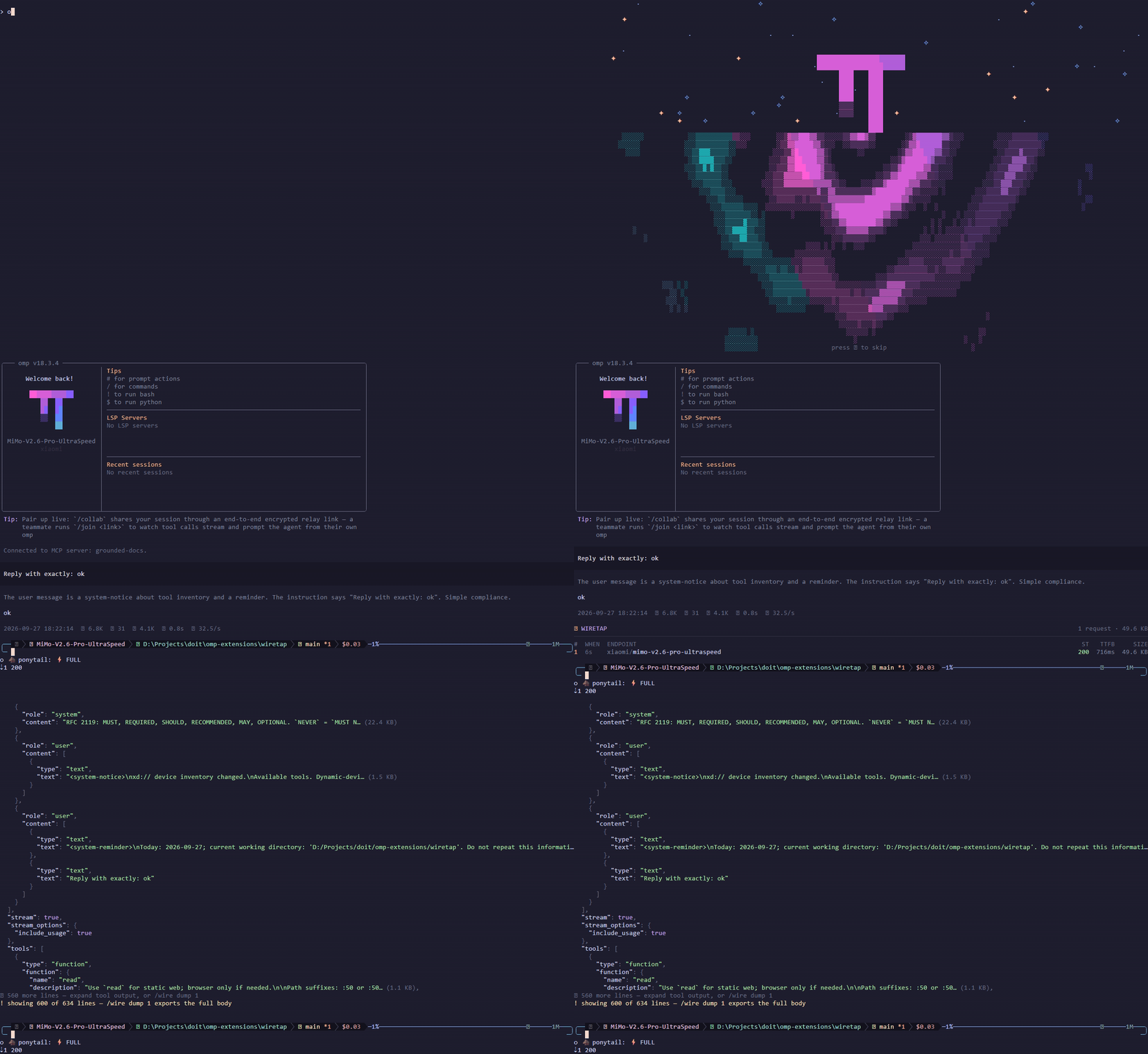
Captures every provider request the session sends — the exact JSON body that goes on the wire — plus the paired response status, headers, and time-to-first- byte, and renders them as an in-transcript inspector card.
Install
# npm — also listed in the pi.dev package catalog
omp plugin install omp-wiretap

# or from the marketplace repo
omp plugin marketplace add luobochuanqi/omp-extensions
omp plugin install wiretap@omp-extensions

# or once, from a checkout
omp --extension /path/to/omp-extensions/wiretap

# or persistent: ~/.omp/agent/config.yml
extensions:
  - /path/to/omp-extensions/wiretap

# or as a linked plugin (uses the omp.extensions manifest)
cd /path/to/omp-extensions/wiretap && omp plugin link .
No dependencies to install at runtime — the extension imports only host-
provided @oh-my-pi/* modules. (bun install is dev-only, for typecheck
and the render preview.)
Usage
| Command | Effect |
| --- | --- |
| /wire | List captured requests (chronological; newest last) |
| /wire <n> | Detail card: endpoint, status/ttfb, response headers, syntax-highlighted JSON body |
| /wire dump <n> [path] | Export a body to a file (default wiretap-<n>.json in cwd) |
| /wire clear | Truncate this session's capture store |
| /wire help | Usage notes |
Collapsed cards show the last 8 requests / first 40 body lines; the global
tool-output expansion toggle shows the rest (up to 600 persisted lines).
Beyond that, /wire dump exports the full body.
What is captured
- Request body — the provider payload after all host transforms
(
before_provider_request), i.e. the exact JSON sent: system prompt, messages, tools, thinking config, images. Inline strings longer than 240 (base64 images especially) render elided with their true size; the stored body and/wire dumpkeep everything up to the 8 MB body cap. - Response metadata — HTTP status, all response headers, request id, and
time-to-first-byte (
after_provider_response, fired before the stream body is consumed). - Endpoint identity — provider, transport api, model, and base URL from the request's resolved model.
Request headers (auth, user-agent) are constructed below the host's extension seam and are not exposed; the body is the wire payload itself.
Storage
Captures persist with the session: every request/response pair is appended to
wiretap/<session-id>.ndjson in the session's artifacts directory, so /wire
history survives /resume and process restarts. Sequence numbers continue
across resumes. The session id in the file name matters: subagents adopt the
parent's artifacts directory but report their own session id, so each writer
owns its own file instead of interleaving into one.
Consecutive request bodies are nearly identical on the wire — the history is
append-only most of the time — so each record stores only the changed region
(line delta) against the previous body, with a full body every 32nd record so
reconstruction stays bounded. Records whose delta would not shrink the line
are stored in full; bodies are reconstructed on demand for /wire <n> and
/wire dump. Payloads that do diverge (compaction, model or tool switches,
moving cache markers) automatically fall back to full records — a stored body
reproduces its capture byte-for-byte (bodies over the 8 MB cap are stored
clipped, flagged as such in the detail view).
/wire clear truncates the store. Storage grows with the conversation (the
same order as the transcript itself); there is no record-count cap.
Sessions started with --no-session have no store and keep the last 32
bodies (24 MB budget) in memory instead.
Response pairing is newest-open: a session serializes its provider requests, so the newest unpaired capture owns the next response. Concurrent streams in one process (advisors, subagents) can cross-wire status/timing; bodies stay exact.
Development
bun install
bun run typecheck   # tsc --noEmit against pinned @oh-my-pi/* types
bun run selfcheck   # drives the factory with a mock ExtensionAPI; asserts capture/pairing/delta storage/resume persistence/views
bun run preview     # renders sample list/detail/note cards against the real dark theme
bun preview.ts 80   # preview at a specific terminal width
Record the demo GIF with vhs (runs a real session — uses your configured model/credentials):
vhs < demo.tape