
onboarding-map
v0.6.0
Published
An onboarding map for any subject: a territory to recognise, a route to follow. Bring your own data; your coding agent writes it.

Maintainers
 chidirnweke
Readme
onboarding-map
An onboarding map for any subject: a radial map of everything a newcomer will meet, with one path through it, walked by doing first and reading after. You describe the subject in one file and the package renders it as a static site — write it yourself, or give your notes, slides and docs to a coding agent and let it draft the map for you.
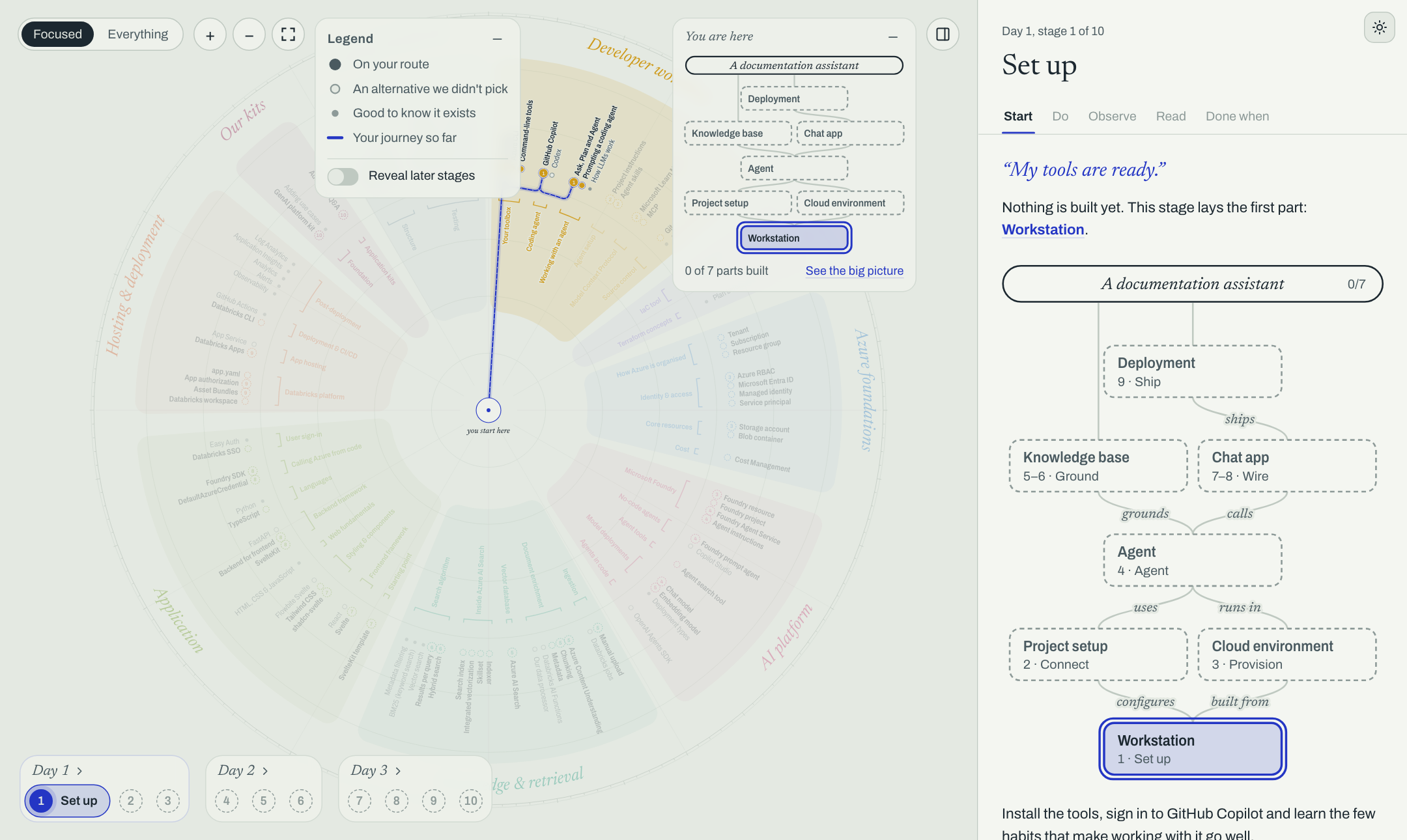
Documentation — the user guide, two worked examples shown with their data, and the contributor guide.
There is no CMS and nothing to host beyond static files: the map is one file (map.ts or map.json), the CLI checks it, and a reader's progress stays in their own browser.
npx onboarding-map init my-map            # asks which coding agents get the skills; or --target, --template physics
cd my-map && npm install
npx onboarding-map dev                    # http://localhost:4321, reloads on save
The skills go where your agent looks for them: --target claude (.claude/skills, Claude Code), agents (.agents/skills, Codex and other tools following the Agent Skills standard), codex (.codex/skills, Codex's older path), a comma list of these, all or none. Without --target the CLI asks; in a non-interactive shell it needs the flag.
Then ask your agent, e.g. “turn these notes into an onboarding map” or “refresh the stale content”.
Commands
| Command | What it does |
| ---------------- | ------------------------------------------------------------------------------------------------------------------- |
| init [dir] | Start a project: map.ts, config, package.json, agent skills |
| dev | Serve the map; reload on save; list validation problems in the page |
| build | Validate and write a static site to dist/ (map.json + the app) |
| validate | Check every reference; exit 1 on errors |
| changelog | What changed since a git revision (--against, default HEAD), as Markdown for review |
| audit | Stale or unfinished content: TODO links, missing sources, updated source documents; --check-urls for dead links |
| schema | The JSON Schema, for map.json files |
| skills install | (Re)install the agent skills (--target, as for init) and point to them from AGENTS.md |
validate, changelog and audit take --json. Every problem has a path (nodes.git, stages.setup) so an agent can find what to fix.
The map file
map.ts (export default defineMap({ … })) or map.json. Types and helpers come from the package: defineMap, docLink, todoLink, ref. The model is documented in the types (OnboardingMap in src/core/model.ts) and, for agents, in skills/onboarding-map-author/SKILL.md.
Requires Node 22.18 or later (for loading map.ts without a build step).
Developing the package
npm install
npm run dev      # the app, serving ONBOARDING_MAP (default: templates/physics.ts) as /map.json
npm run build    # dist/core + dist/cli (tsc), schema/, dist/app (SvelteKit static shell)
npm run check && npm run lint
The CLI is src/cli (citty), the data model and checks are src/core, and the app is src/routes + src/lib. A map project imports src/core as onboarding-map; the CLI copies dist/app next to its map.json.
License
MIT