
open-editor-file
v0.0.81
Published
Supports both Webpack and Vite out-of-the-box
Downloads
30


Readme
open-editor-file
open-editor-file介绍
用于vue(2、3)项目, 通过 鼠标点击页面内容 在编辑器打开内容.vue文件、做到快速定位组件.vue文件、支持市面主流编辑器vscode、 webstorm、sublimeText、idea、phpstorm、等等...、支持开箱即用、常用参数定制化需求!
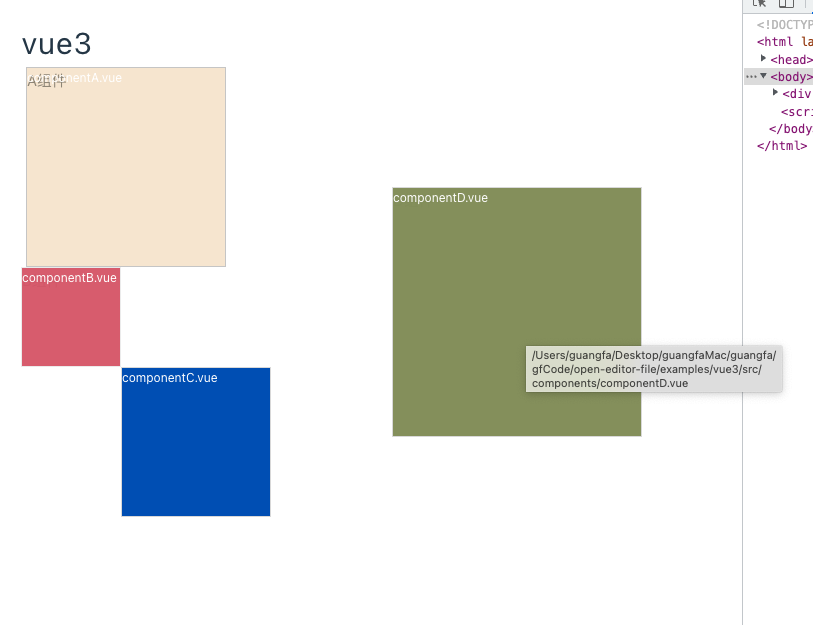
安装插件
yarn add open-editor-file -D
// 或者
pnpm add open-editor-file -D
使用插件步骤
- 🎃 在
vue.config.js或者vite.config.js加入自定义服务插件 - 🎃 在
main.js添加编辑器打开文件插件
第一步 自定义服务插件
vite构建工具(vite.config.ts)
import { fileURLToPath, URL } from "node:url";
import { defineConfig } from "vite";
import vue from "@vitejs/plugin-vue";
// 引入插件
import { openEditorFileServicePlugin } from "open-editor-file/vite";

export default defineConfig({
  plugins: [
    vue(),
    // 添加插件注入
    openEditorFileServicePlugin()
  ],
  resolve: {
    alias: {
      "@": fileURLToPath(new URL("./src", import.meta.url)),
    },
  },
  server: {
    host: true,
  },
});
webpack构建工具( webpack(3.6 | 4.0)版本 => webpack.dev.conf.js )
const { openEditorFileServicePlugin } = require("open-editor-file/webpack");
const devWebpackConfig = merge(baseWebpackConfig, {
    ...,
    devServer: {
        ...,
        before: openEditorFileServicePlugin(), // 注入插件
        ...
    }
})
第二步 main.js添加编辑器打开文件插件
import { openEditorFilePlugin } from "open-editor-file";

// vite
import.meta.env.DEV && app.use(openEditorFilePlugin());

// webpack
process.env.NODE_ENV === 'development' && Vue.use(openEditorFilePlugin());
编辑器打开文件方式
// 默认快捷键
macos: command + 点击页面内容
windows: ctrl + 点击页面内容

// 自定义快捷键可通过{ keyName: string | Array<string> }
app.use(openEditorFilePlugin({ keyName:'a' });
// 多个
app.use(openEditorFilePlugin({ keyName:['a', 'b'] });
常用配置选项
import { openEditorFilePlugin } from "open-editor-file";
app.use(openEditorFilePlugin({
  keyName: string | Array<string> // 键盘的快捷键配置
  highlight:'xxx' // 高亮的组件颜色和边框颜色 默认-white
  isHighlight:true // 是否开启组件高亮选择   默认-true
});