
openai-code-assistant
v1.0.7
Published
## Overview

Maintainers
 shamshodisaev
Readme
openai-code-assistant
Overview
openai-code-assistant is a private command-line interface (CLI) tool that leverages OpenAI models by orchestrating AI agents to accomplish complex tasks such as code reviewing, generating documentation, refactoring, and providing intelligent assistance through AI models.
A key component of this orchestration is the use of a supervisorAgent, which significantly improves task efficiency and accuracy. Unlike a simple chatbot AI that typically focuses on generating responses or implementations directly, the supervisorAgent validates the solutions it produces. This validation process ensures that tasks are not only implemented but also carefully checked for correctness and completeness before completion. This layered approach of implementation plus validation helps avoid common errors and improves overall task quality.
The tool enables developers to interactively harness the power of OpenAI in their terminal workflows.
Installation
You can install openai-code-assistant either globally or as a dependency in your project.
Global Installation
npm install -g openai-code-assistantThis allows you to run the CLI tool anywhere on your system using the command:
openai-code-assistantLocal Installation
Install openai-code-assistant as a dependency in your project's directory:
npm install openai-code-assistantUsage
- Navigate to your project directory:
cd ./my-project- Run the CLI tool:
- If installed globally:
openai-code-assistant- If installed locally:
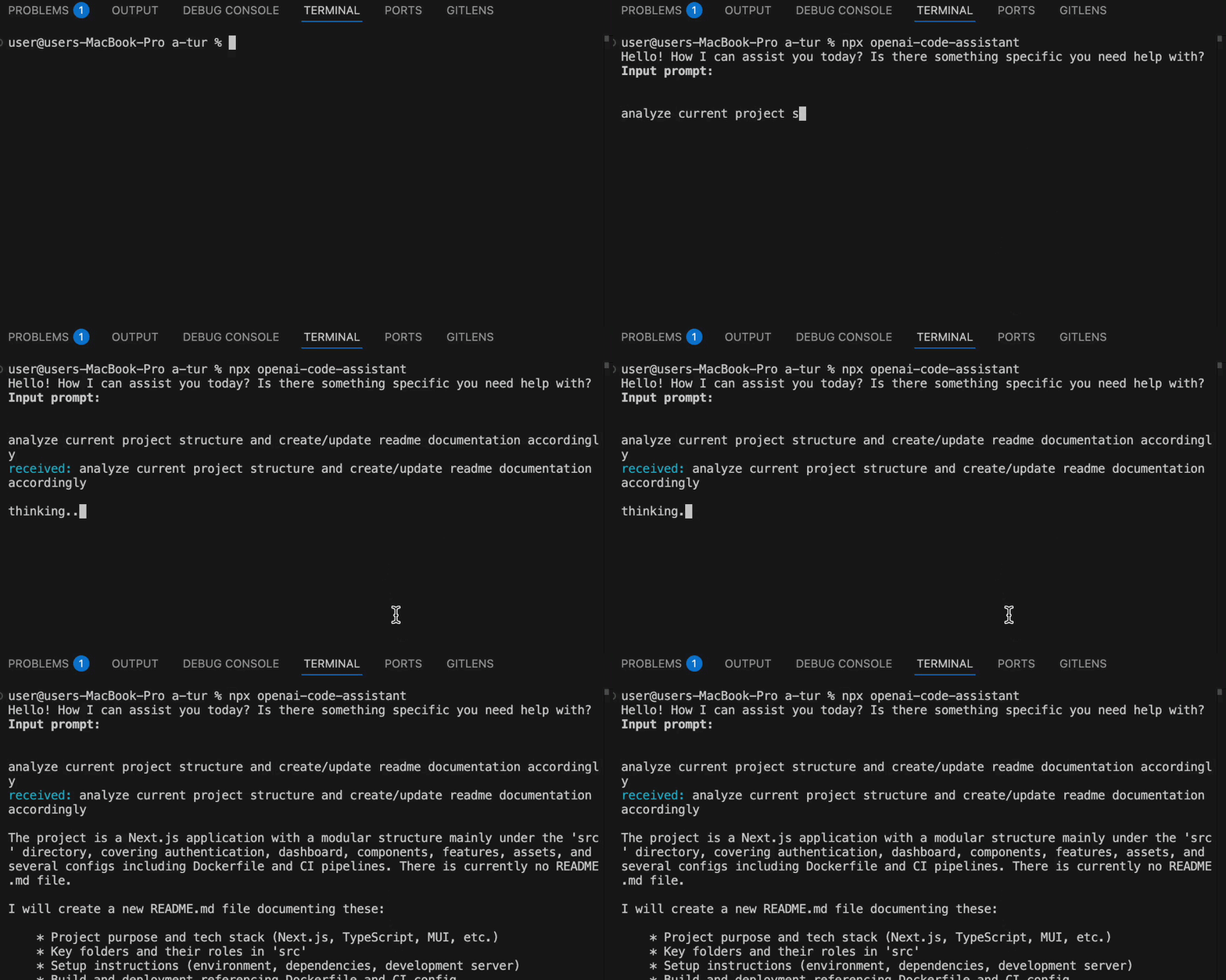
npx openai-code-assistantDemo
Prerequisites
- Node.js installed (recommended version 22 or later).
- OpenAI API key set in your environment variables as
OPENAI_API_KEY. - Optionally, specify the OpenAI model name using the environment variable
OPENAI_MODEL_NAME. Defaults togpt-4.1-miniif not set.
Privacy
The source code of this project is private and not for public distribution. However, the use of openai-code-assistant in any projects, whether internal or external, is welcomed and encouraged.
License
The source code is private and not licensed for public distribution or modification. Usage of the tool itself in projects is permitted as described in the Privacy section.