
opencode-cache-stats
v1.1.0
Published
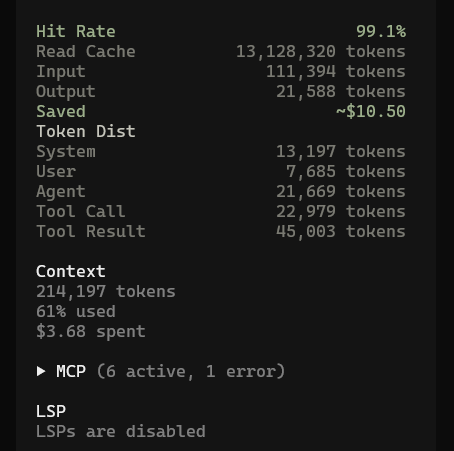
OpenCode TUI plugin displaying real-time token cache stats in the sidebar

Maintainers
 belaskk
Readme
OpenCode Cache Stats
overview
Installation
OpenCode Command (recommended)
Press Ctrl + P in OpenCode to open the command palette, search install plugin, then type:
opencode-cache-stats@latestPress Enter to install and configure automatically.
Manual
Install the plugin
npm install -g opencode-cache-stats@latestConfigure TUI plugin
Create or edit ~/.config/opencode/tui.jsonc:
{
  "$schema": "https://opencode.ai/tui.json",
  "plugin": ["opencode-cache-stats@latest"]
}
Restart OpenCode
Open any session — the cache stats panel appears in the sidebar.