
opencode-tokenstat
v0.2.1
Published
Token usage, cache hit rate, and per-model usage breakdowns in the OpenCode TUI.

Maintainers
 anna-jay
Readme
tokenstat
OpenCode TUI plugin that displays cumulative token usage for the active session in the prompt footer:
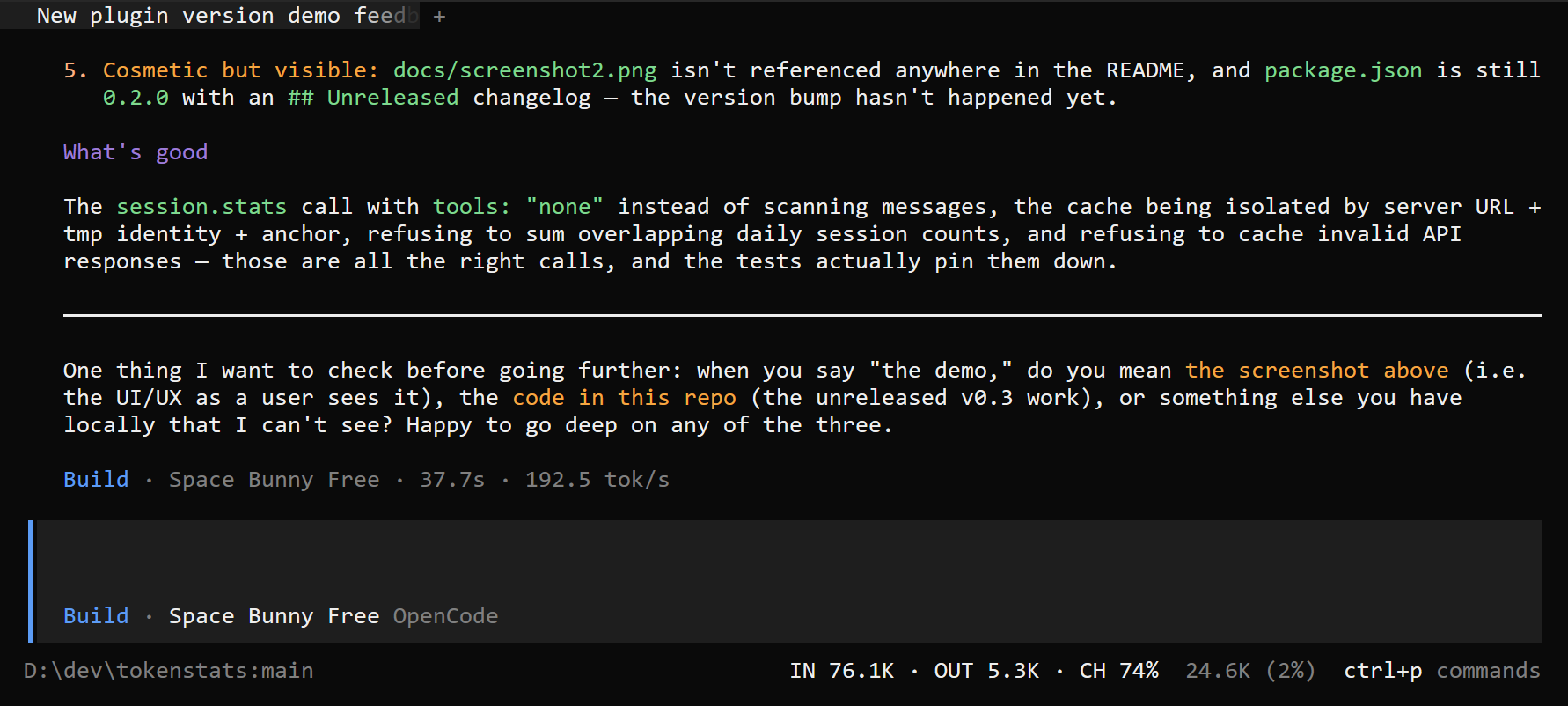
IN 12.3K · OUT 1.2K · CH 82%The counter stays hidden until the current session has token usage. IN includes input, cache reads, and cache writes. OUT includes generated output and reasoning tokens. CH (cache hit) is cache-read tokens divided by all input and cache tokens. Values depend on usage reported by the provider.
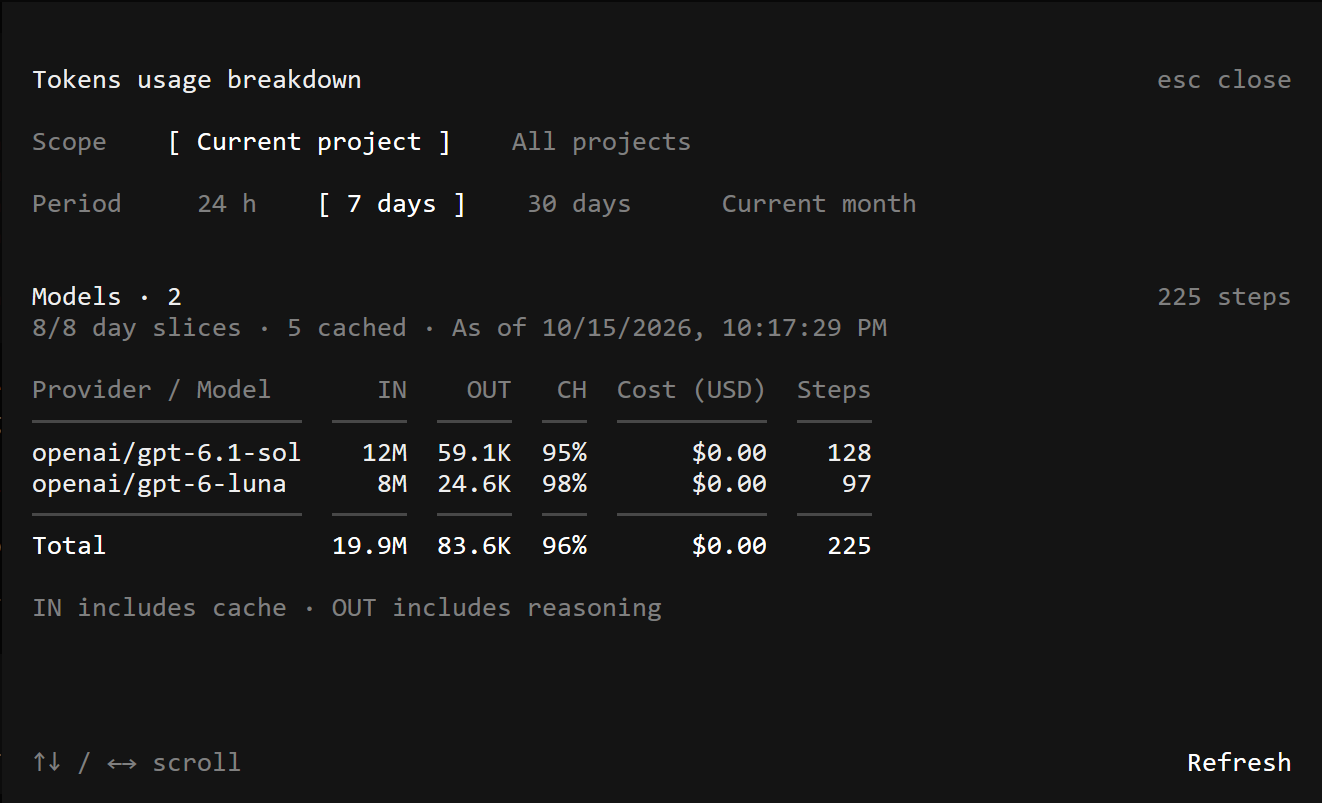
Click the counter to open token usage by model. The dialog can summarize the current project or all projects for the last 24 hours, 7 days, 30 days, or Current month (from midnight on the first day of the current month in your local timezone until now). Daily aggregates are loaded one at a time, with tool statistics disabled, instead of downloading full session messages. All periods use the same shared daily cache.
While viewing a session, you can also open the dialog with Ctrl+X, then Shift+S (or your configured leader followed by Shift+S), select Tokenstat: Show token usage from Ctrl+P, or run /tokenstat. These actions work even when the session has no token usage yet. The shortcut avoids Ctrl+Alt+S, which can conflict with AltGr+S (ś) on Polish keyboards. To use that shortcut instead, set "opencodelog.tokenstat.show": "ctrl+alt+s" under keybinds in your global cli.json.
The English-language dialog provides scope and period filters above the model usage table. Its height adapts to the terminal, including when resized. The body scrolls with the arrow keys or mouse wheel, keeping filters, totals, and all models accessible even in short terminals; the title and refresh action remain visible. Models show names, providers, step counts, and costs, ordered by total token usage. A highlighted Total row below the models summarizes IN, OUT, cache hit, cost, and steps; the overall cache hit is calculated from total cache reads and total input, not averaged across models. The Steps column reports the server's step count rather than a count of downloaded messages. Unique session counts are shown only for a single daily interval: summing daily session counts would double-count sessions spanning several days. Press Esc to close. Colors follow the active OpenCode theme.
The OpenCode TUI plugin API does not expose a slot inside the built-in agent/model/provider label, so tokenstat uses prompt.footer.status beside the composer.
Models are displayed in a table with column names only in the header: Provider / Model, IN, OUT, CH, Cost (USD), and Steps. Token counts remain compact; step counts remain integers. Each model occupies one non-wrapping row, with numeric columns right-aligned. Costs are displayed to two decimal places. Scroll horizontally to see the full table in narrow terminals.
Shared daily cache
The cache is shared by every workspace and TUI process for the same OS user on this computer, not stored inside the project. All-project results are reused regardless of the active workspace; project results are reused by workspaces with the same project ID. Data is separated by server URLs, the server's temporary-directory identity, and its oldest session ID, so a replacement database does not accidentally reuse a different database's results. It is not a cloud-synchronized cache.
Cache locations:
- Windows:
%LOCALAPPDATA%\opencode-tokenstat\usage-v1 - macOS:
~/Library/Caches/opencode-tokenstat/usage-v1 - Linux:
~/.cache/opencode-tokenstat/usage-v1 - If set,
XDG_CACHE_HOMEoverrides the base directory.
The cache contains aggregate counts and model identifiers, not prompts, message bodies, or credentials. Atomic file writes and a per-server disk lock coordinate independent TUI processes: only one daily statistics request runs at a time. Complete historical days expire after 24 hours; current-day results and rolling snapshots expire after one minute. Refresh bypasses cached results; Retry missing days keeps successful days and requests only missing intervals.
Rolling ranges are split at UTC midnight, retaining exact first/last partial days. For example, a seven-day range ending at noon spans eight daily slices. A shared snapshot keeps the exact rolling boundaries consistent for up to one minute; its timestamp is shown as As of. Already loaded days remain visible while loading. If a day fails, further requests stop, successful days remain cached, and the table is explicitly labeled Partial total with the loaded/required slice counts. Daily requests can still fail if OpenCode cannot process an individual day's data; the cache is a mitigation, not a repair of the server.
The summary dialog lets you compare token usage by model across projects and time periods, including the current month. It shows input/output tokens, cache hit rate, cost, and steps, with a total row and cache/load status.
Install
opencode plugin add opencode-tokenstatTo pin this release, use opencode plugin add [email protected] once it is published.
Version 0.2.1
- Shared daily usage cache with current-month filtering and progressively loaded summaries.
- Partial results, per-day retry, explicit refresh, and timeout handling.
- Per-model steps and total usage with a responsive, scrollable summary dialog.
See CHANGELOG.md for release details.
Troubleshooting loading
If usage does not load, note the date in Loading daily token usage… and check opencode --version on the affected computer. Each API request has a 30-second timeout. Failed daily requests show the failing date and leave available cached days visible; Retry missing days resumes the load. Changing filters, refreshing, or closing the dialog cancels the previous fetch. If even /api/info stops responding after a statistics request, investigate the OpenCode server rather than increasing the plugin's timeout.
Local development
From this repository, copy the plugin into the project-local discovery directory:
npm run dev:copyOpenCode discovers .opencode/plugins/tokenstat/ automatically. The no-op server entrypoint does not need @opencode/plugin at runtime; the TUI entrypoint imports @opencode/plugin/tui, which OpenCode resolves for local CLI plugins. For local type checking, install dependencies with npm install. Run npm run dev:copy again after editing the plugin files; if the TUI does not reload the plugin automatically, restart OpenCode. The .opencode/ directory is git-ignored.
Run npm test with Node.js 22.6 or newer to test daily range splitting, shared cache reuse and isolation, cross-workspace request serialization, expiry, retry, partial results, and cancellation.
The plugin appears in both server and TUI plugin views by design: index.ts is a no-op server entrypoint needed for automatic TUI loading, while tui.tsx renders the token counter. These are two entrypoints of the same local package, not two copies of the UI.