
opencode-top
v3.5.11
Published
Monitor OpenCode AI coding sessions - Token usage, costs, and agent analytics


Readme
opencode-top
Monitor your OpenCode AI coding sessions in real-time — token usage, costs, agent chains, tool calls, and more.
Install
npm install -g opencode-topUsage
opencode-top live      # Live monitoring dashboard (default)
opencode-top sessions  # Print session table and exit
Requires OpenCode to have been run at least once (reads from ~/.local/share/opencode/opencode.db).
Screens
| Key | Screen | Description |
|-----|--------|-------------|
| 1 | Sessions | Browse sessions and agent trees, view stats and messages |
| 2 | Tools | Tool usage analytics — call counts, error rates, avg duration |
| 3 | Overview | Aggregate stats, 7-day trends, hourly activity heatmap |
Keyboard shortcuts
Sessions screen
| Key | Action |
|-----|--------|
| j / k | Navigate session list |
| g / G | Jump to top / bottom |
| Tab | Switch between Stats and Messages view |
Messages view
| Key | Action |
|-----|--------|
| j / k | Move cursor line by line |
| d / u | Scroll half page down / up |
| g / G | Jump to top / bottom |
| Enter | Expand / collapse tool call (shows input params + output) |
| [ / ] | Previous / next session |
Global
| Key | Action |
|-----|--------|
| 1 2 3 | Switch screens |
| r | Force refresh |
| q | Quit |
What you see
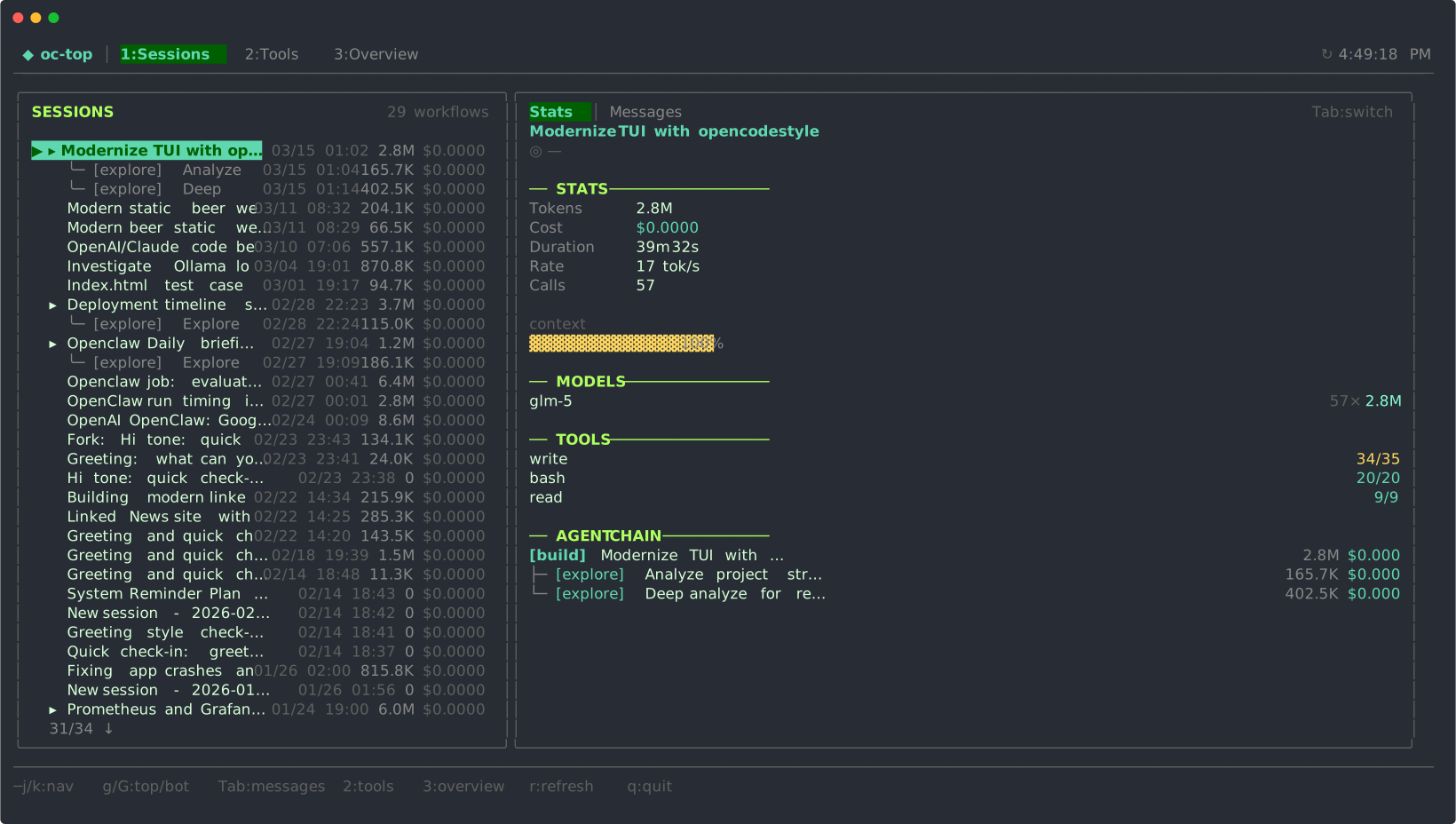
- Session list — title, date, token count, cost per session and sub-agent
- Stats panel — tokens, cost, duration, output rate, context usage, top tools, agent chain graph
- Messages panel — chronological tool calls with ✓/✗ status, duration, expand for full input/output; interaction headers show
↓in ↑outtoken counts and cumulative token progress - Tools screen — ranked tool list sortable by calls / failures / avg time
- Overview screen — cross-session totals, model breakdown, 7-day spark charts, hourly heatmap
Requirements
- Node.js >= 20
- OpenCode installed and used at least once
Development
git clone https://github.com/Nielk74/opencode-top
cd opencode-top
npm install
npm start live   # run from source with tsx
Maintenance
Publishing a new version
- Make and commit your changes
- Bump the version in
package.json - Build and publish:
npm publish --access publicThe prepublishOnly script runs the build automatically before publishing.
The bin entry must point to bin/octop.js (not bin/octop.mjs) — octop.js loads the pre-built dist/cli.mjs and has no runtime dependencies.