
ortho
v0.2.3
Published
CLI to access all APIs and skills on the Orthogonal platform
Downloads
22

Maintainers
 christianpickettcode
Readme
Orthogonal CLI
CLI to access all APIs and agent skills on the Orthogonal platform.
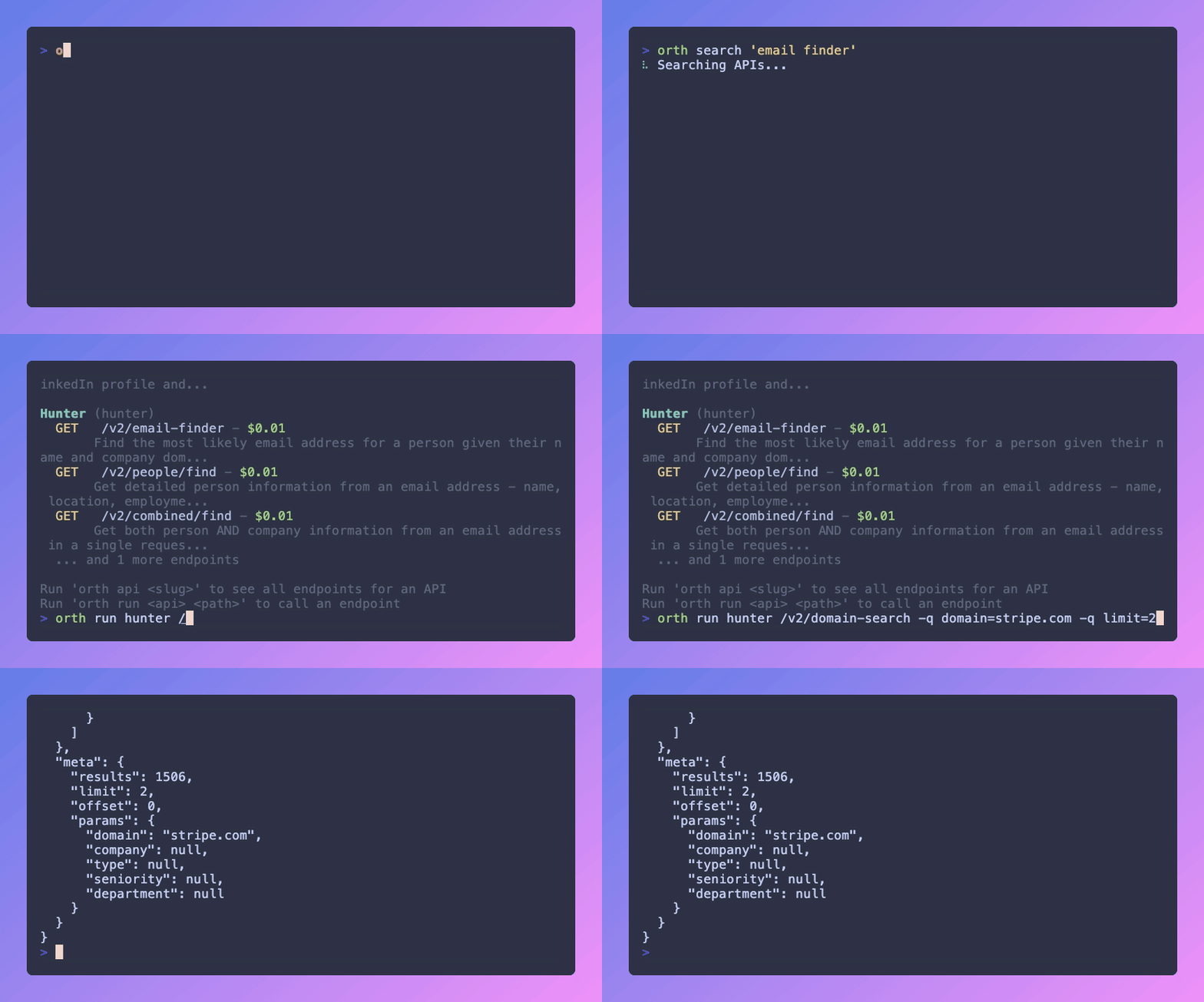
Installation
# Install globally
npm install -g ortho

# Or use npx
npx ortho <command>
Authentication
# Login with API key
orth login --key orth_live_your_key

# Or set environment variable
export ORTHOGONAL_API_KEY=orth_live_your_key

# Check auth status
orth whoami

# Logout
orth logout
API Commands
Search & Browse
# Search for APIs
orth api search "email finder"
orth api search "web scraping" --limit 20

# List all APIs
orth api list

# Show API endpoints
orth api show hunter

# Show endpoint details
orth api show hunter /v2/domain-search
Call APIs
# GET request with query params
orth api run hunter /v2/domain-search -q domain=stripe.com

# POST request with body
orth api run olostep /v1/scrapes --body '{"url": "https://stripe.com"}'

# Raw output for piping
orth api run hunter /v2/domain-search -q domain=stripe.com --raw | jq '.emails'
Generate Code
# TypeScript (default)
orth api code hunter /v2/domain-search

# Python
orth api code hunter /v2/domain-search --lang python

# cURL
orth api code hunter /v2/domain-search --lang curl
Request an API
# Request an API to be added to the platform
orth api request https://docs.example.com/api -d "Weather data API"
Skills Commands
Browse & Search
# List verified & discoverable skills
orth skills list

# Search for skills
orth skills search "react best practices"

# Show skill details
orth skills show owner/skill-name
Install Skills
# Install a skill to all supported agents
orth skills add owner/skill-name

# Install for a specific agent only
orth skills add owner/skill-name --agent cursor
Installs to 7 agent skill directories:
| Agent | Directory |
|-------|-----------|
| Cursor | ~/.cursor/skills/ |
| Claude Code | ~/.claude/skills/ |
| GitHub Copilot | ~/.github/skills/ |
| Windsurf | ~/.codeium/windsurf/skills/ |
| Codex | ~/.agents/skills/ |
| Gemini | ~/.gemini/skills/ |
| OpenClaw | ~/.openclaw/skills/ |
Create & Publish Skills
# Initialize a new skill from template
orth skills init my-skill
orth skills init my-skill --bare  # SKILL.md only, no subdirectories

# Create a skill from a GitHub repo
orth skills create https://github.com/owner/repo
orth skills create owner/repo --path skills/my-skill --ref main

# Submit a local skill to the platform
orth skills submit ./my-skill
orth skills submit --name "My Skill" --tags "react,testing"

# Request verification (required before discoverability)
orth skills request-verification owner/my-skill

# Request a skill to be added (by description or GitHub URL)
orth skills request "A skill for React testing patterns"
orth skills request https://github.com/owner/cool-skill
Verification Workflow
- Submit your skill → it's on the platform but not publicly visible
- Request verification → our team reviews it
- Once verified → toggle discoverability on/off from your dashboard
Account
# Check balance
orth balance

# View usage
orth usage --limit 20
Shorthand Aliases
These top-level commands are aliases for their orth api counterparts:
orth search "query"          # → orth api search "query"
orth run slug /path          # → orth api run slug /path
orth code slug /path         # → orth api code slug /path
Development
# Install dependencies
npm install

# Build
npm run build

# Watch mode
npm run dev

# Run tests
npm test

# Watch tests
npm run test:watch
License
MIT