
oss-prompt-optimizer
v1.13.1
Published
DeepSeek Harness plugin bundle: optimize raw instructions into professional Role / Task / Context / Format prompts through the harness llm service

Maintainers
 seven282
Readme
oss-prompt-optimizer


English | 简体中文
把随手写的一句话改写成专业、可直接使用的提示词。
DeepSeek Harness 插件。由内置元提示词驱动,经 harness 的 LLM 服务完成 —— 不直连任何 API、不触碰凭据。
npm 包名与仓库名是 oss-prompt-optimizer;安装后在宿主里的条目 id 与设置命名空间是 prompt-optimizer。
目录
快速开始
dsh plugin --profile web add oss-prompt-optimizer安装或卸载后需重启 harness(dsh web)使 bundle 层生效。然后任选一种用法:
| 用法 | 操作 |
|---|---|
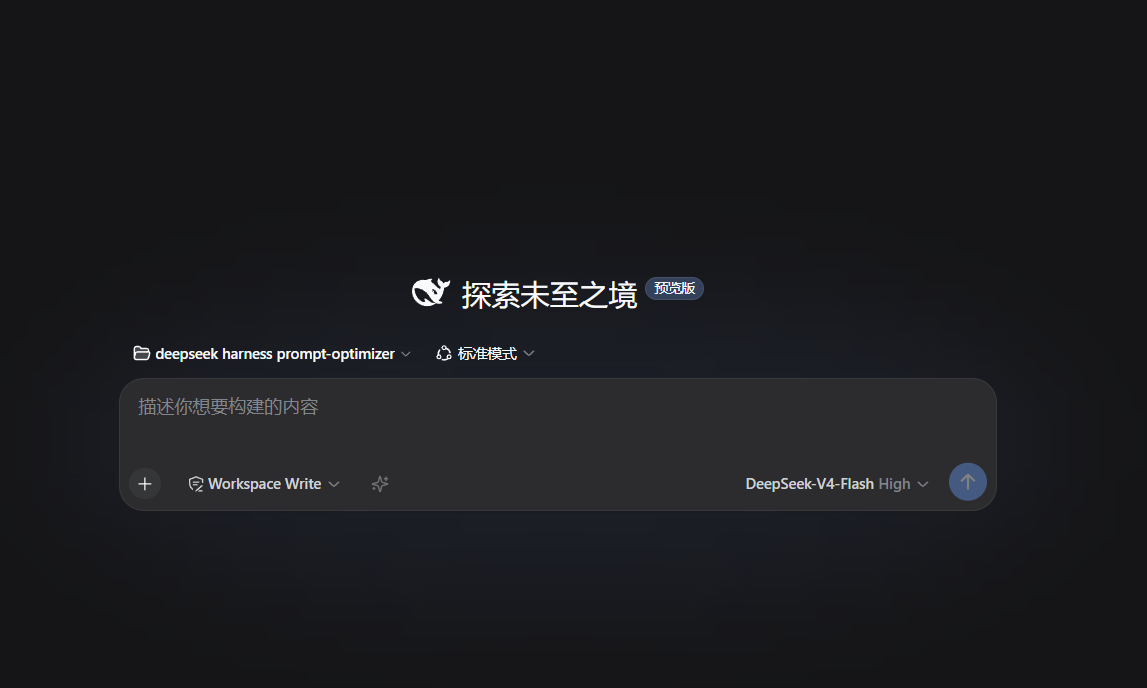
| 输入框按钮 | 点 composer 工具行的 ✨ —— 优化当前草稿并写回输入框 |
| 命令 | /optimize 把这段需求改写成清晰的提示词 |
| 模板 | /template 周报 —— 零模型调用 |
| agent 调用 | 工具 prompt_optimize,传 instruction |
功能
调用入口
- 工具
prompt_optimize— agent 可调用;传instruction返回优化后的提示词,传lastOptimized+iterateInstruction迭代改写。 - 服务
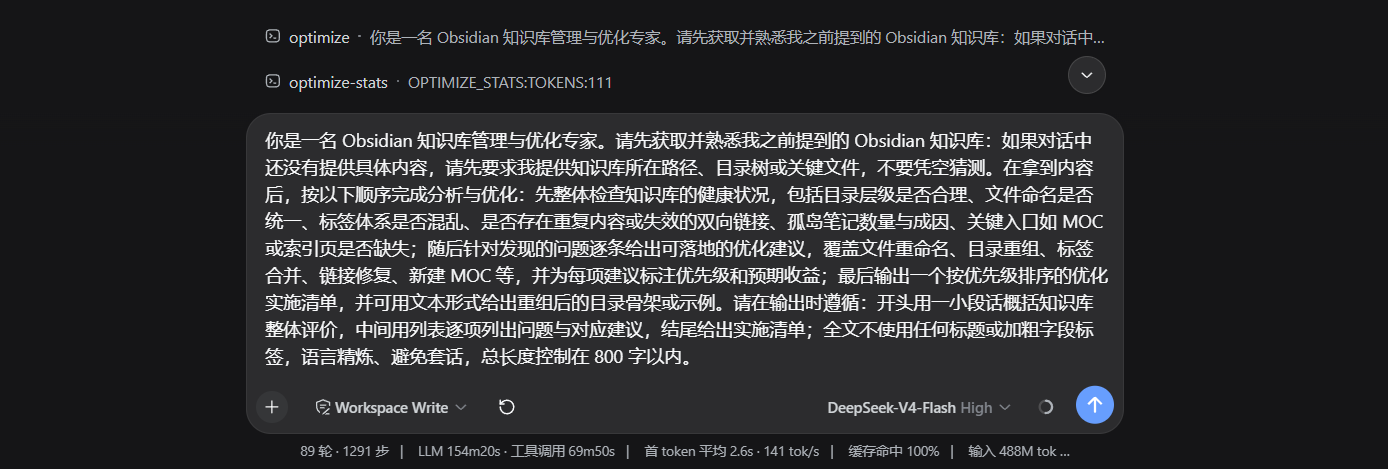
ctx.promptOptimizer— 其他插件可编程调用optimize(rawInput, { signal })/iterate(last, instruction, { signal }); 浏览器端经ctx.remote.promptOptimizer。 - 输入框 ✨ 按钮 — composer 工具行的常驻图标;优化中再点即取消;成功后短暂显示「消耗 ≈N tokens」并切换为撤销态(↺),草稿未手动编辑时可恢复原文;成功/失败/撤销均经
aria-live播报。
输出形态
- 三种
outputStyle— 默认plain(无标题纯文本,最省 token)、role-task-goal(角色:/任务:/目标:三要素标签)、sections(## Role/## Task/## Context/## Format四段,也是优化时的内部参考框架)。 - 角色文档语言自动切换 — 中文指令用中文角色文档、英文指令用英文;
/optimize --language可固定或恢复自动检测。 - 角色定义三重结构 — 角色按「身份+能力+行为」三要素撰写(不强制「你是」开头);并按任务类型给写法建议(代码→能力导向、文案→身份+文体、分析→身份+方法、运维→行为约束+步骤)。
质量与度量
- 后置校验与重试 — 输出缺段 / 过薄 / 过短时自动重试,并把上次诊断(缺失段落名、过薄段落与字数)注入下一次调用的系统提示词;仍失败则返回原文或上次结果 + 错误说明 + 稳定错误码(
MISSING_SECTIONS/THIN_SECTIONS/THIN_OUTPUT/TIMEOUT/NO_MODEL_ROUTE)。 - 评测闭环
/optimize-eval— 三层指标从省到贵:结构门(与优化管线同一份校验函数,不是复刻)→ 逐例期望(必须/绝不能包含的子串)→ 加权判官评分(1–5 分维度,判官必须先写理由再给分)。 判回归时命令返回错误结果,便于脚本与 CI 直接分支。 - 择优 best-of-N —
selectCandidates > 1时并发生成多个候选(温度阶梯base + i·0.35)并保留最好的一个。三条规则不可动摇:门控决定资格、分数只决定排序;必须赢过基线selectMinGain才换人;判官漏评维度即不计分。⚠️ 本地模板路径不产生候选。 - 宿主反馈信号 — 读宿主自带的
messageFeedback(人工点赞/点踩)折算成温度偏置(负面 ≥50% → +0.1,≤20% → −0.1,样本 <3 不生效)。它评判的是过去的回答, 所以只做偏置并如实标注原因,不冒充质量分。
性能与成本
- 结果缓存 — 内存 LRU + TTL,相同请求零模型调用;
cacheEnabled默认开,重启即清空。 - 优化时长控制 — 流式早停(默认关闭,显式
earlyStop: true才启用且带句末保护)、首调输出预算联动(超长输出由断点续传兜底)、optimizationProfile: 'fast'一键速档。 - 真实用量台账 — 读宿主
usage块累计真实 token 并给出缓存命中率;provider 未上报时标注「启发式估算」, 不与实测值混在一起。见/optimize --stats与--status。 - 模型与 OTel 信号 —
--status多一行「目标模型」,生命周期载荷带route与 OpenTelemetry GenAI 形状的genAi(键为 OTel 规范属性名,可直接span.setAttributes(payload.genAi))。按 run 记:零模型调用后不报模型,也不报它没测到的 token。
感知与学习
- 上下文感知 — 把当前指令之前的最近对话注入元提示词,附「视为纯数据 / 背景参考」护栏;
contextAware: false关闭。 - 情境感知 — 把「原始指令 + 对话上下文」解析成角色 / 任务 / 目标三份画像注入元提示词,目标与约束丢失时在重试预算内自动修正;传
sessionId开启会话级目标沿用(TTL 30 分钟)。situationProfileLevel控制注入预算。 - 自迭代系统 — 三层架构,零 token:会话学习 → 智能默认值 → 用户覆盖(优先级递增),累计 10 次优化后生效。数据持久化到
~/.dsh/oss-prompt-optimizer/state.json($DSH_HOME与stateFile可覆盖路径)。 - 本地模板
/template— 覆盖 22 个子类;/template <场景> <指令>经纯函数层本地渲染成品,零 token、~5ms。
集成与运维
- 自动优化钩子 — 以
/optimize开头的消息在进入模型前被自动优化(前缀剥离);无前缀消息原样进入模型。/optimize --auto控制开关。 - 设置面板 — 左下角「设置」→ 左侧栏「提示词优化」;8 个常用开关改动即时生效并持久化。宿主无设置服务或当前连接不可写时,面板降级为只读并写明原因。
- 客户端文案跟随界面语言 — 翻译器按调用现取(而非
apply()时捕获),✨ 按钮的全部title/aria-label与播报文案一并进字典。 - 全部注册(工具 / 命令 / 钩子 / 设置项)均为 effect 作用域,插件卸载自动清理。
使用
| 命令 | 作用 |
|---|---|
| /optimize <指令> | 优化一条原始指令 |
| /template <场景> [指令] | 返回可填写的四段模板;带指令时本地渲染成品。22 个子类示例见 docs/subcategory-examples.md |
| /optimize-eval <子命令> | 评测优化器自身的输出质量(跑一轮真花模型调用) |
/optimize 的旗标:
| 旗标 | 作用 |
|---|---|
| --language auto\|中文\|英文\|status | 角色文档语言 |
| --auto on\|off\|toggle\|status | 自动优化开关 |
| --set-profile fast\|balanced | 临时覆盖优化时长档位 |
| --set-local on\|off\|hybrid | 临时覆盖本地模板模式 |
| --set-temperature <0-2> | 临时覆盖采样温度 |
| --clear | 清除全部临时覆盖,恢复配置值 |
| --status | 运行时状态:生效参数与来源、统计、真实用量、择优与宿主反馈、评测成绩、偏好摘要、最近事件 |
| --stats | 用量统计,末行含机器可读的 MODEL: / PROVIDER: / EFFORT: |
| --select | 上次择优的候选数、胜者与分数(未开启时说明如何开启) |
| --feedback | 宿主反馈计数与温度偏置 |
| --insights | 当前会话的学习洞察(任务类型分布、偏好配置、成功率) |
--language / --auto / --set-* 都是会话级覆盖,重启回落配置值。
/optimize-eval 子命令:run [标签] [--all] [--mine](默认跑金标集 core 子集 8 例)、baseline [标签]、show、list、rubric、cases。
典型用法:改模板或管线前先 run + baseline 固定基准,改完再 run,用末行的 DELTA 证明这次改动确实更好。
配置
设置面板只列需要用户决策的 8 个开关:
| 字段 | 默认 | 作用 |
|---|---|---|
| outputStyle | plain | 输出形态(plain / role-task-goal / sections) |
| situationProfileLevel | full | 情境画像注入预算(full / minimal / off) |
| contextAware | true | 注入最近对话 |
| cacheEnabled | true | 结果缓存 |
| optimizationProfile | balanced | 优化时长档位(balanced / fast) |
| localTemplate | off | 本地模板模式(off / on / hybrid) |
| autoOptimize | true | 前缀触发的自动优化 |
| autoAdapt | true | 自迭代适配 |
其余(温度 / 预算 / 模板 / 评测 / 择优…)默认已调优,写在 cordis.patch.yml:
- insert:
    - id: prompt-optimizer
      name: 'oss-prompt-optimizer'
      config:
        autoOptimize: true
        autoOptimizePrefix: '/optimize '
outputStyle: sections全部配置键、默认值与副作用:docs/configuration.md 非法配置(类型错误、越界、未知键)在加载时响亮失败。
兼容性
本插件与 dsh 运行在同一个 Node 进程里,因此有一条硬约束:
插件的任何内部缺陷都不得阻止
dsh web启动。
dsh 的域包仍在 0.1.x-rc 阶段,导出会被搬迁或改名,所以有两条硬规则:
- R1 —
src/**只允许静态 import@deepseek-ai/cordis与本包dependencies里的包;其余宿主包一律经src/compat/loader.ts同步懒加载(失败返回null,永不抛错)。 - R2 —
client/client.js只直读已注入的服务;可选服务(locale/sessions/configForms)一律走ctx.get('<name>')并判空。 - R2b — 带点的服务名(
remote.commands)是独立服务名,不是父级属性;必须整体ctx.get('remote.commands'),且在调用时解析。
失败模式一览、宿主契约变化对照表与升级验证流程:docs/compatibility.md
| 宿主变化 | 后果 |
|---|---|
| 某工具函数被移出包 / 改名 | 该功能降级 + 一行 WARN;宿主与其余功能正常 |
| 某服务改名 | 仅对应功能消失(按功能门禁,不再整插件失效) |
| 设置面服务换代(0.1.x settingsScope → 0.2.0 configForms) | 面板取不到或不可写时降级为只读并写明原因,写入被拒时提示「宿主拒绝了这次修改」 |
| 域包整体升级 | 运行时能力探测决定可用面;不可用即降级 |
降级不是静默的:插件构造时必定打印一行 compat report(健康 info,降级 warn)。
运行环境
manifest 里以 engines + dsh.compatibility 逐版本声明:
| 项 | 值 |
|---|---|
| Node.js | >=22 |
| DSH 范围 | ^0.2.0-rc.2 |
| 已验证版本 | 0.2.0-rc.2(CLI/web 与桌面运行时同 tuple) |
范围必须逐 tuple 用 || 枚举,不能写成 >=0.1.5-rc.1 <0.2.0:按 semver 的预发布规则,带预发布号的版本只有当比较集中存在同一 [major.minor.patch]
且带预发布的项时才满足范围,那种写法匹配不到任何 0.2.0-rc.*。
开发
pnpm install --store-dir .pnpm-store --cache-dir .pnpm-cache   # 沙箱内安装
pnpm run typecheck    # tsc --noEmit
pnpm test             # vitest(mock llm,不依赖真实密钥)
pnpm run build        # tsc -p tsconfig.build.json → lib/
pnpm preflight        # 门禁 P1–P10;加 --browser-e2e 追加 P11(真浏览器,沙箱外跑)
pnpm e3               # 一次性 Profile 验收:安装 → 启动 → 卸载(沙箱外跑)
pnpm e4               # 设置面真浏览器验收:换证 → 字段渲染 → 写盘(沙箱外跑)
测试全部使用 mock 的 llm 流,绝不读取 .credentials.yaml。
lib/是入库的。 它就是发布产物:main/types/exports全部指向它,而 DSH STORE 只读固定 Commit、不跑 install / prepare / build。因此改了src/必须重建并同笔提交lib/—— 门禁 P8 会在产物缺失、被忽略或存在未提交漂移时直接 FAIL。
故障排查
✨ 按钮与设置页同时消失 — 客户端半边整体未注册。看控制台是否有 failed to apply loader entry … cannot get property "X" without inject:这是 R2 /
R2b 的直接症状(直读未注入的服务,或把带点服务名当父级属性读)。
设置页字段灰掉,或提示「宿主拒绝了这次修改」 — 面板读不到可写表单时的有意降级:宿主无 configForms 服务、status !== 'ready' 或 writable === false。配置仍走
cordis.patch.yml,功能不受影响。
控制台报 GET /api/changes.summary 404 — 不是本插件的错误,也不是宿主 bug。该路由属于宿主自带包
@deepseek-ai/dsh-client-ui-deliverables(右侧栏「本轮改动」),数据源是 dsh-workspace-changes 的进程内内存,只在当前 dsh 进程跑过的轮次可查,
宿主源码注释自己就写着 "404 once the Host no longer serves it"。文件改动在磁盘与 git 里,面板只是摘要视图。判定依据:本仓库不引用 changes.summary /
changes.diff,也不产生 workspace/changes 事件。
生命周期事件
promptOptimizer 服务在优化 / 迭代的关键时点通过 cordis 事件总线发事件,其他插件可订阅:
| 事件 | 时机 | 载荷 |
|---|---|---|
| prompt-optimizer/optimize:start | 输入校验通过、首次模型调用前 | { method, input } |
| prompt-optimizer/optimize:success | 成功(optimized: true) | { method, input, result, durationMs, route?, genAi? } |
| prompt-optimizer/optimize:failure | 降级(optimized: false) | { method, input, result, durationMs, route?, genAi? } |
method为'optimize'或'iterate'(共用三个事件);input为未截断的原始输入;result为完整OptimizeResult;durationMs为管线耗时。route— 本次实际调用的模型:{ provider, model, reasoningEffort? }。与--stats的MODEL:/PROVIDER:/EFFORT:及--status的「目标模型」行报的是同一件事,且按 run 记:零模型调用后不带route。genAi— 同一件事的 OpenTelemetry GenAI 形状,键就是规范属性名字符串,可直接交给 span:ctx.on('prompt-optimizer/optimize:success', ({ genAi }) => { if (genAi) span.setAttributes(genAi) })含
gen_ai.operation.name('chat')、gen_ai.provider.name、gen_ai.request.model、gen_ai.conversation.id(调用方给了sessionId时)与五个gen_ai.usage.*计数。两条诚实规则:无模型调用则整个genAi不出现;适配器没上报 usage 时五个计数一起缺席。gen_ai.response.model不发(宿主只报告被请求的模型)。fire-and-forget:监听器抛错被吞掉,不影响优化管线。
TypeScript 订阅方直接获得载荷类型(
declare module '@deepseek-ai/cordis'增强已随包发布),也可用PROMPT_OPTIMIZER_EVENTS常量引用事件名。跳过透传(
skipIfAlreadyOptimized命中)与输入非法不发事件。
贡献
- 改造前先读 AGENTS.md:文件职责、硬约定、命名规范、术语表、门禁清单都在那里。
- 提交信息用 Conventional Commits;改
src/必须同笔提交重建后的lib/。 - 文档改动遵循两条:功能 / 配置变更中英两处同步;文档里出现的命令与路径必须能在仓库里 grep 到。
- 测试必须能离线跑(mock
llm流,不读凭据)。
安全
- 不直连 API、不读凭据:所有模型调用经 harness 的
LLM服务;测试永不读取.credentials.yaml。 - 隐私:episode 日志只持久化行为元数据(任务类型 / 耗时 / token / 接受率),不存指令原文;
messageFeedback只记 rating、分类与是否含备注,备注原文永不复制到内存、 状态文件、事件或日志;评测挖掘到的指令只在内存中使用。 - 护栏:空输入报错、超长输入截断、输出短于下限时重试,取消由 UI 层处理。
许可证
MIT — 自由使用、修改与分发(含商业用途),详见 LICENSE 文件。