
pagebuilderjs
v1.1.11
Published
[](https://www.npmjs.com/package/pagebuilderjs)
Downloads
138


Readme
PageBuilderJS

PageBuilderJS is a fully self-contained Web Component page builder designed to be easily integrated into any web platform. It allows developers to provide an intuitive block-based page editing experience to their users with minimal setup.
🔥 LIVE DEMO → https://standahorvath.github.io/PageBuilderJS/demo-page.html
📖 DOCUMENTATION → https://standahorvath.github.io/PageBuilderJS/
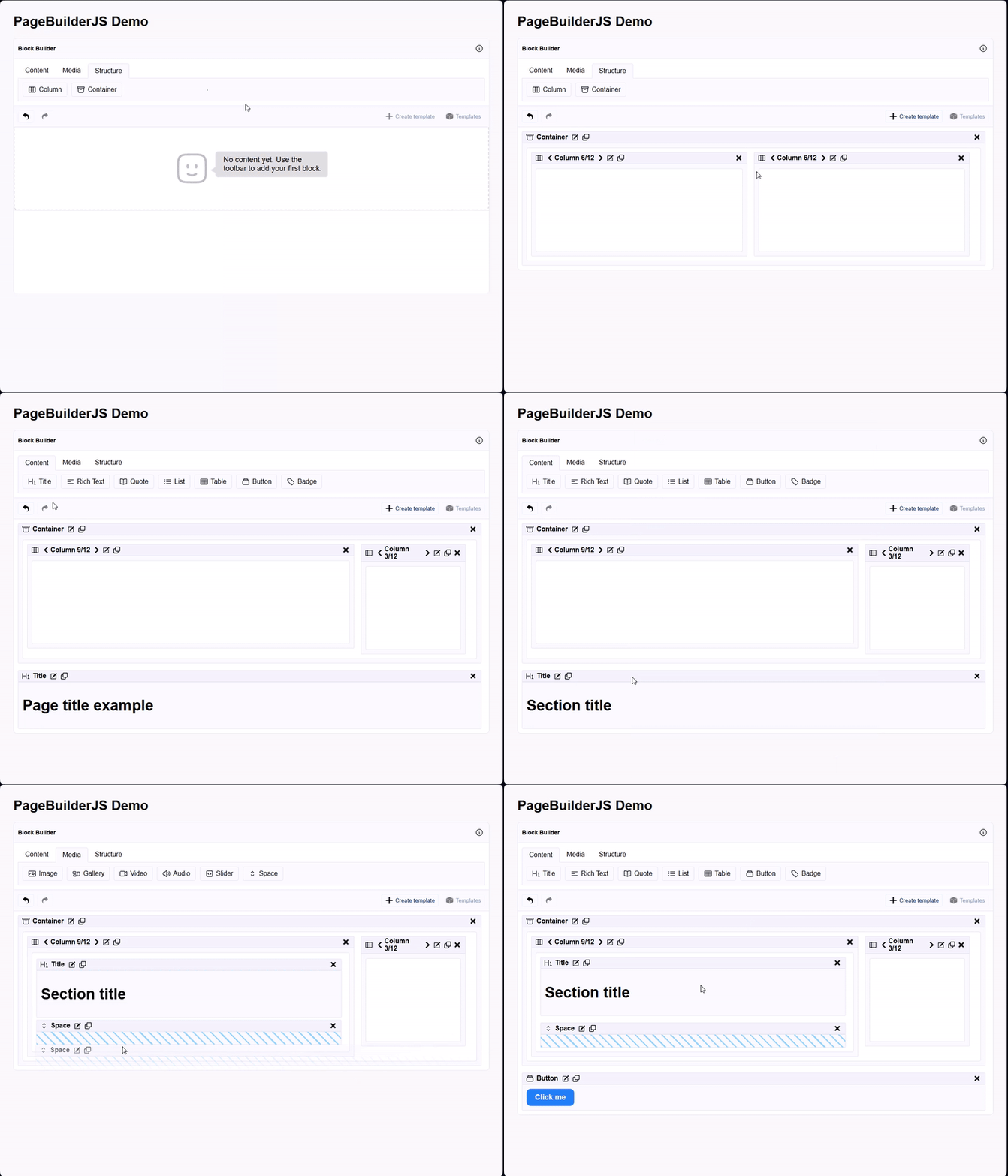
✨ Key Features
- Distributed as npm package for easy integration
- Works anywhere via WebComponent (
<block-builder>tag) - Drag & Drop visual block builder
- Create and manage reusable modules (blocks)
- Dynamic template rendering with integrated TemplifyJS engine
- Fully customizable toolbar actions
- Fast and lightweight (internally built with Vue 3 + Vite + Tailwind CSS)
🚀 How to Use
1️⃣ Install via npm
npm i pagebuilderjs2️⃣ Add to your project
The library exposes the block-builder web component.
Example usage in any web application:
  const builder = document.createElement('block-builder')
  const content = [/* ... */]
  const modules = [/* ... */]
  const toolbar = {/* ... */}

  // Assign data
  builder.modules = modules
  builder.toolbar = toolbar
  builder.content = content

  // Listen to any changes in content structure
  builder.addEventListener('onUpdate', (event) => {
    console.log('Blocks content changed:', event.detail)
  })

  document.body.appendChild(builder)
You can use it in any modern frontend or backend system (Laravel, Symfony, Node.js, plain HTML etc.).
If you want to get started quickly, go to the Live Demo and check the Getting started page.
➡️ TemplifyJS (Rendering Engine)
Modules use the TemplifyJS mini-template engine for live previews:
<button style="background-color: {{backgroundColor}}; color: {{textColor}}">{{label}}</button>Features:
{{ variable }}→ inject dynamic values{{ variable | pipe }}→ apply custom filters{% foreach:array %} ... {% endforeach %}→ loops{% if:condition %} ... {% endif %}→ conditionals
Toolbar Type
The toolbar is a simple object composed of tabs and tools.
export type Toolbar = {
  tabs: {
    id: string;
    title: string;
    icon?: string;
    tools: string[];
  }[];
};
📝 Developer Notes
Although built with Vue 3 + Vite + Pinia + Tailwind CSS, PageBuilderJS is shipped as a fully standalone Web Component → you don't need Vue or any framework to use it!
This makes it perfect for integrating into any system without conflicts.
🛠️ Development Setup
Requirements
- Node.js 18+
Local development
git clone https://github.com/standahorvath/PageBuilderJS.git
cd PageBuilderJS
npm install
npm run dev
Build for production:
npm run buildRun unit tests:
npm run test:unitLint & fix code:
npm run lint📁 Folder Structure
PageBuilderJS/
├── src/              # Source code
├── public/           # Assets
├── tests/            # Unit tests
├── vite.config.ts    # Vite config
├── tailwind.config.ts # Tailwind config
└── ...
📝 Contributing
- Fork the repo
- Create a branch
- Open a pull request
Follow ESLint + Prettier style.
🐛 Issues
Submit issues at: https://github.com/standahorvath/PageBuilderJS/issues
📄 License
PageBuilderJS is licensed under the ISC License.