
pagiera
v0.2.0-alpha.42
Published
Full-stack visual website editor with PostgreSQL, Redis and OpenRouter

Maintainers
 clqu
clquReadme
Pagiera
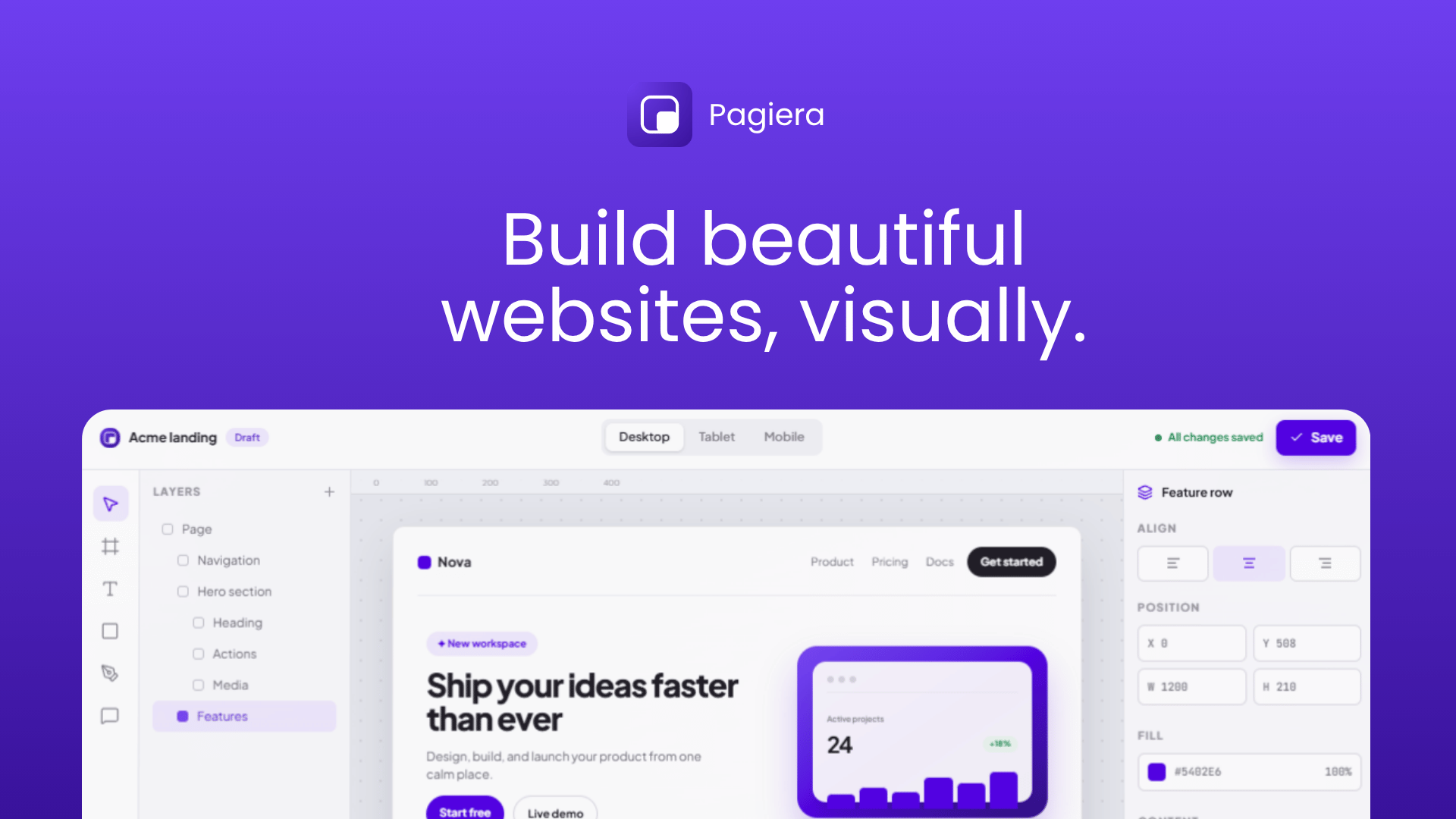
Pagiera is a full-stack visual website builder for React and Next.js. It ships the editor, responsive canvas, page management, reusable components, templates, AI generation, server-side data fetching, publishing runtime, PostgreSQL persistence, and Redis caching as one installable package.
Design in the editor and render the same document on the server. Published pages use semantic HTML, support dynamic routes and query parameters, and can load external API data before HTML is sent to the browser.
Highlights
- Framer-style visual editor with an infinite canvas
- Responsive breakpoints with isolated overrides
- Free and flow-based layouts
- Reusable components and variants
- Layers, assets, templates, icons, and component library
- Hover, press, entrance, loop, and scroll effects
- Custom easing curves and spring controls
- Site-wide fonts provided through
next/font - AI-assisted site generation through OpenRouter and the AI SDK
- GET, POST, PUT, PATCH, and DELETE data sources
- Path parameters, query parameters, headers, and request bodies
- Server-side Request and Repeat blocks
- Dynamic routes such as
/blog/:slug - Draft preview and published page rendering
- PostgreSQL persistence and optimistic revisions
- Redis-backed publishing cache and AI rate limiting
- GitHub-backed template catalog with browser caching and offline fallbacks
- Semantic output including
main,section,nav,header,footer, headings, links, paragraphs, and buttons
Requirements
- Node.js 20+
- React 18.3+
- Next.js App Router for the full-stack integration
- PostgreSQL
- Redis
- OpenRouter API key for AI generation
Installation
npm install pagierabun add pagieraEnvironment variables
Create .env.local:
PAGIERA_POSTGRES_URL=postgresql://postgres:postgres@localhost:5432/pagiera
PAGIERA_REDIS_URL=redis://localhost:6379
OPENROUTER_API_KEY=sk-or-v1-your-key
OPENROUTER_MODEL=anthropic/claude-sonnet-4.5
# Optional upstream override; the editor-facing endpoint is created by Pagiera
PAGIERA_TEMPLATE_REGISTRY_URL=https://raw.githubusercontent.com/voilabs/pagiera/main/templates/registry.json
Pagiera creates its required PostgreSQL tables when the server initializes. Redis is used for published-page caching, template bundle caching, and AI rate limiting. Template installation sends only the selected template ID to your backend; the backend downloads and validates the configured registry bundle before replacing the project atomically.
Next.js setup
1. Import the editor stylesheet
/* src/app/globals.css */
@import "tailwindcss";
@import "pagiera/full.css";
full.css contains the complete studio UI. Use pagiera/styles.css only with the smaller PagieraEditor API.
Pagiera uses @fontsource-variable/figtree for its editor chrome, including Latin and Latin Extended glyphs. The host application does not need to configure an editor font.
2. Add the font provider
The provider makes next/font fonts available in Typography → Site font. A selection applies to the canvas, preview, and published site.
// src/app/layout.tsx
import { Geist, Geist_Mono } from "next/font/google";
import { PagieraProvider } from "pagiera/provider";
import type { ReactNode } from "react";
import "./globals.css";

const geistSans = Geist({
  variable: "--font-geist-sans",
  subsets: ["latin"],
});

const geistMono = Geist_Mono({
  variable: "--font-geist-mono",
  subsets: ["latin"],
});

export default function RootLayout({ children }: { children: ReactNode }) {
  return (
    <html lang="en">
      <body>
        <PagieraProvider
          fonts={[
            { variable: geistSans.variable, title: "Geist Sans" },
            { variable: geistMono.variable, title: "Geist Mono" },
          ]}
        >
          {children}
        </PagieraProvider>
      </body>
    </html>
  );
}
type PagieraFont = {
variable: string;
title: string;
};3. Mount the backend
// src/app/api/pagiera/[...path]/route.ts
import {
  createPagieraRouteHandlers,
  pagieraConfigFromEnv,
} from "pagiera/server";

export const maxDuration = 120;
export const dynamic = "force-dynamic";

const handlers = createPagieraRouteHandlers(pagieraConfigFromEnv());
export const { GET, POST, PUT, PATCH, DELETE } = handlers;
Open /api/pagiera/health after starting the application to verify PostgreSQL, Redis, and the configured OpenRouter model.
4. Load editor data on the server
// src/lib/editor-bootstrap.ts
import {
  getPagieraServer,
  pagieraConfigFromEnv,
} from "pagiera/server";

export async function editorBootstrap(pageId?: string) {
  const server = await getPagieraServer(pagieraConfigFromEnv());
  const bootstrap = await server.getEditorBootstrap(pageId);

  if (!bootstrap) throw new Error("Editor page not found");
  return bootstrap;
}
5. Mount the studio
The initial document is server-rendered. A client wrapper handles editing and in-editor navigation.
// src/app/editor/pagiera-editor.tsx
"use client";

import { createPagieraClient, editorPanel, editorPath } from "pagiera";
import PagieraStudio from "pagiera/full";
import type { PagieraStudioProps } from "pagiera/full";
import { useRouter } from "next/navigation";
import { useMemo, useState } from "react";

type Bootstrap = {
  page: PagieraStudioProps["page"];
  pages: PagieraStudioProps["pages"];
  library: PagieraStudioProps["library"];
};

export function PagieraEditorClient({ initial, initialPanel }: {
  initial: Bootstrap;
  initialPanel: string;
}) {
  const router = useRouter();
  const client = useMemo(() => createPagieraClient(), []);
  const [bootstrap, setBootstrap] = useState(initial);
  const editorHref = (pageId: string, panel?: string) =>
    editorPath(pageId, editorPanel(panel) ?? "layers");

  return (
    <PagieraStudio
      page={bootstrap.page}
      pages={bootstrap.pages}
      library={bootstrap.library}
      initialPanel={initialPanel}
      adapters={{
        ...client.adapters,
        editorHref,
        navigate: async (pageId, options) => {
          const next = await client.bootstrap(pageId) as Bootstrap;
          setBootstrap(next);
          const panel = window.location.pathname.split("/").filter(Boolean).at(-1);
          const href = editorHref(pageId, panel);
          options?.replace ? router.replace(href) : router.push(href);
        },
        refresh: () => {
          void client.bootstrap(bootstrap.page.id).then((next) => {
            setBootstrap(next as Bootstrap);
          });
        },
        previewHref: (pageId) => `/preview/${encodeURIComponent(pageId)}`,
        publishedHref: (slug) => slug === "home" ? "/" : `/${slug}`,
      }}
    />
  );
}
// src/app/editor/page.tsx
import { editorBootstrap } from "@/lib/editor-bootstrap";
import { editorPath } from "pagiera";
import { redirect } from "next/navigation";
export const dynamic = "force-dynamic";
export default async function EditorPage() {
const initial = await editorBootstrap();
redirect(editorPath(initial.page.id));
}// src/app/editor/[pageId]/[panel]/page.tsx
import { editorBootstrap } from "@/lib/editor-bootstrap";
import { editorPanel, editorPath } from "pagiera";
import { redirect } from "next/navigation";
import { PagieraEditorClient } from "../../pagiera-editor";
export const dynamic = "force-dynamic";
export default async function EditorDocumentPage({ params }: {
params: Promise<{ pageId: string; panel: string }>;
}) {
const { pageId, panel: rawPanel } = await params;
const panel = editorPanel(rawPanel);
if (!panel) redirect(editorPath(pageId));
return (
<PagieraEditorClient
initial={await editorBootstrap(pageId)}
initialPanel={panel}
/>
);
}Place this server page at src/app/editor/[pageId]/[panel]/page.tsx. Passing initialPanel makes the selected surface part of the server render, so direct links do not flash Layers before opening their requested panel. Pagiera then keeps editor surfaces in shareable paths such as /editor/{pageId}/layers, /editor/{pageId}/pages, and /editor/{pageId}/templates; the old ?tab= form is migrated automatically.
Publishing pages
Load published documents on the server. Request blocks then finish before HTML is returned, making API-backed content available to search engines.
// src/lib/published-page.tsx
import { notFound } from "next/navigation";
import { RenderedPage } from "pagiera/runtime";
import {
  getPagieraServer,
  pagieraConfigFromEnv,
} from "pagiera/server";

type SearchParams = Promise<Record<string, string | string[] | undefined>>;

export async function renderPublishedPage(
  slug: string,
  searchParams: SearchParams,
  params: Record<string, string> = {},
) {
  const rawQuery = await searchParams;
  const query = Object.fromEntries(
    Object.entries(rawQuery).map(([key, value]) => [
      key,
      Array.isArray(value) ? value[0] ?? "" : value ?? "",
    ]),
  );

  const server = await getPagieraServer(pagieraConfigFromEnv());
  const page = await server.getPublishedPage(slug, {
    query,
    params,
    page: { slug },
  });

  if (!page) notFound();

  return (
    <RenderedPage
      elements={page.elements}
      rootStyle={page.rootStyle}
      data={page.data}
    />
  );
}
The home page is permanent and maps to /:
// src/app/page.tsx
import { renderPublishedPage } from "@/lib/published-page";

export const dynamic = "force-dynamic";

export default function HomePage({ searchParams }: {
  searchParams: Promise<Record<string, string | string[] | undefined>>;
}) {
  return renderPublishedPage("home", searchParams);
}
Other pages can use a catch-all route:
// src/app/[...path]/page.tsx
import { renderPublishedPage } from "@/lib/published-page";

export const dynamic = "force-dynamic";

export default async function PublishedPage({ params, searchParams }: {
  params: Promise<{ path: string[] }>;
  searchParams: Promise<Record<string, string | string[] | undefined>>;
}) {
  return renderPublishedPage((await params).path.join("/"), searchParams);
}
Template registry
The existing Pagiera catch-all handler automatically exposes the editor catalog at:
/api/pagiera/templates/registry.jsonNo second API route, copied JSON, or filesystem setup is required. The package endpoint fetches the public GitHub Raw/CDN registry, caches it through Redis and HTTP caching, serves package-generated thumbnails, and falls back to bundled templates when the upstream catalog is unavailable.
You may still point the studio at a custom browser-facing catalog:
<PagieraStudio
  {...props}
  templateRegistryUrl="https://example.com/pagiera/registry.json"
/>
New templates live under the repository's templates/ directory. They can be released independently from npm package versions. See templates/README.md for the registry schema and contribution workflow.
Dynamic routes and request data
Page slugs may contain named parameters:
blog/:slugFor /blog/1, pass the matched values in the server context:
{
  params: { slug: "1" },
  query: { preview: "true" }
}
Request URLs, headers, query fields, and bodies may reference context values:
https://dummyjson.com/posts/{{params.slug}}https://api.example.com/search?q={{query.q}}Request blocks expose one returned object directly to descendants. Repeat blocks iterate array results. Both are resolved on the server for published pages.
An upstream 404 can turn the complete route into a 404 page when the data source uses the page-404 behavior.
Preview routes
// src/app/preview/[pageId]/page.tsx
import { notFound } from "next/navigation";
import { RenderedPage } from "pagiera/runtime";
import {
  getPagieraServer,
  pagieraConfigFromEnv,
} from "pagiera/server";

export const dynamic = "force-dynamic";

export default async function PreviewPage({ params }: {
  params: Promise<{ pageId: string }>;
}) {
  const server = await getPagieraServer(pagieraConfigFromEnv());
  const page = await server.getPreviewPage((await params).pageId);
  if (!page) notFound();

  return (
    <RenderedPage
      elements={page.elements}
      rootStyle={page.rootStyle}
      data={page.data}
    />
  );
}
Server API
import {
  createPagieraRouteHandlers,
  createPagieraServer,
  getPagieraServer,
  pagieraConfigFromEnv,
} from "pagiera/server";
getPagieraServer(config) returns a shared server with:
handle(request)— process a Pagiera API requestgetEditorBootstrap(pageId?)— load editor document, pages, and librarygetPreviewPage(pageId, context?)— load a draft and resolve datagetPublishedDocument(slug)— load published document metadatagetPublishedPage(slug, context?)— load published document and SSR dataclose()— close PostgreSQL and Redis connectionspool— PostgreSQL poolredis— Redis client
type PagieraServerConfig = {
  postgresUrl: string;
  redisUrl: string;
  openRouterApiKey: string;
  openRouterModel: string;
  basePath?: string;
  aiRateLimitPerMinute?: number;
  templateRegistryUrl?: string;
};
Client API
import { createPagieraClient } from "pagiera";

const client = createPagieraClient({
  baseUrl: "/api/pagiera",
});
The client includes:
bootstrap(pageId?)loadPage(pageId)adapters.save(...)adapters.createPage(...)adapters.renamePage(...)adapters.duplicatePage(...)adapters.deletePage(...)adapters.installTemplate(...)adapters.publishPage(...)adapters.unpublishPage(...)adapters.previewSource(...)adapters.generate(...)
Package exports
| Import | Purpose |
| --- | --- |
| pagiera | Document utilities, lightweight editor, renderer, client adapters |
| pagiera/provider | Provider, next/font integration, font types |
| pagiera/full | Complete visual studio component |
| pagiera/full.css | Complete studio stylesheet |
| pagiera/runtime | Published and preview renderer |
| pagiera/data | Server-side page data loader |
| pagiera/server | PostgreSQL, Redis, OpenRouter, API, publishing server |
| pagiera/styles.css | Lightweight editor stylesheet |
Lightweight editor
"use client";

import { useState } from "react";
import {
  createDocument,
  PagieraEditor,
  type PagieraDocument,
} from "pagiera";
import "pagiera/styles.css";

export function SmallEditor() {
  const [document, setDocument] = useState<PagieraDocument>(() => (
    createDocument()
  ));

  return (
    <PagieraEditor
      value={document}
      onChange={setDocument}
      adapters={{
        save: async (nextDocument) => saveDocument(nextDocument),
      }}
    />
  );
}
Security
The Pagiera API can create, modify, publish, and delete content. Protect /editor, /preview, and write operations under /api/pagiera with your application's authentication and authorization layer before deploying publicly.
Never expose PAGIERA_POSTGRES_URL, PAGIERA_REDIS_URL, or OPENROUTER_API_KEY to client components. These are server-only values.
Troubleshooting
server.getEditorBootstrap is not a function
Make sure all imports resolve to one installed Pagiera version. Remove stale local tarballs or lockfile entries, reinstall, and verify:
node -p "require('pagiera/package.json').version"CSS says @import must precede other rules
Upgrade Pagiera. Current builds use @font-face for the editor font and do not distribute a Google Fonts @import.
PostgreSQL or Redis fails
Open /api/pagiera/health, then verify both connection URLs are reachable from the Next.js server process.
AI generation fails
Verify the OpenRouter key, model identifier, model availability, and account credits.
Published API data is missing from HTML
Use server.getPublishedPage(...) or loadPageData(...) in a Server Component before rendering RenderedPage. Client-only fetching does not provide the same SEO behavior.
Local package example
This repository includes apps/example, a standalone workspace consumer of the package.
cd apps/example
cp .env.example .env.local
bun install
bun run dev
Open:
/editor— visual editor/preview/:pageId— draft renderer/— publishedhomepage/api/pagiera/health— backend diagnostics
License
MIT