
passiton
v0.2.2
Published
Passiton agent-to-agent communication proxy

Maintainers
 fusae
fusaeReadme
Passiton
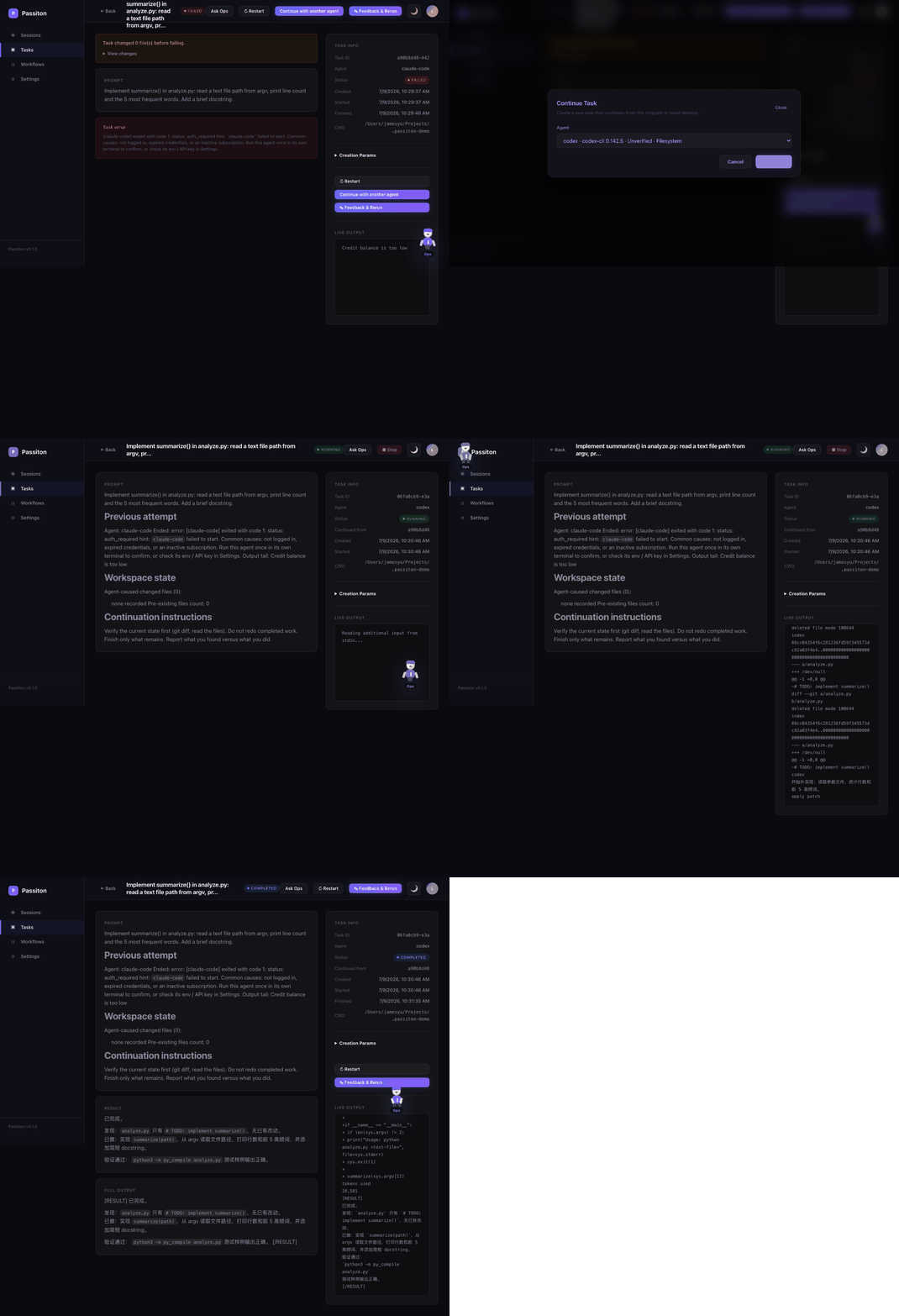
Passiton 是一个本地优先的控制台,用来编排你已经装好的 CLI 编程 agent——Claude Code、Codex、Gemini 等。跑单个任务、两个 agent 协作、或带人工审核的多步工作流。既能在 Web UI 里手动操作,也能完全通过自描述的 HTTP API 交给另一个 AI 来驱动。
核心能力
- Task / Session / Workflow:运行单 agent、让两个 agent 协作,或把多步骤任务串成带依赖和审批的工作流。
- UI 或 API 操作:创建 agents、分派任务、运行 workflows、handoff 失败任务等所有操作,都可在 Web UI 中完成,也可通过 AI operator 能驱动的自描述 HTTP API(
GET /api/docs)完成。 - 任意 CLI agent:上面四类会自动发现;其他 agent(aider、goose、qwen-code 等)可在 UI 中注册为 custom CLI agent,也可通过
POST /api/config/agents注册。 - Human-in-the-loop:暂停、恢复、插入反馈、审批工作流步骤,并在修改上游后重跑下游。
- Local-first SQLite:默认监听
127.0.0.1,配置和状态保存在~/.passiton/,数据库文件名为兼容保留的turing.db。 - CLI 与 API agents:Codex、Claude Code、Gemini CLI、OpenCode、Anthropic、OpenAI、DeepSeek、智谱、Qwen、Moonshot 以及 OpenAI-compatible 端点。
- Agent handoff:失败或停止的任务可交给另一个 ready agent 继续,并带上上一轮输出尾部和可用的 git 工作区状态。
- i18n:界面默认英文,Settings 中可切换简体中文。
快速开始
git clone https://github.com/fusae/passiton.git
cd passiton
npm install
npm run build
npm start
打开 http://localhost:4590。
可选验证:
npm testnpx passiton 会在 npm 包发布后可用。本地开发可在 npm run build 后使用 npm link。
第一个任务
- 打开
Settings。 - 确认至少一个本地 CLI agent 显示
Discovered。 - 点击
Add,状态变为unverified。 - 点击
Diagnose,可用 agent 会变为ready。 - 打开
Tasks,选择 agent,输入任务,并按需设置cwd。 - 未被自动发现的 agent 可在
Settings→Agents→Add custom agent中添加为 custom CLI agent,也可用POST /api/config/agents和 adaptercustom-cli添加;详见 Community adapters。
带 cwd 的任务需要具备文件系统能力的本地 CLI agent。API assistant 可以规划和评审,但不能直接读写本地文件。
Windows 自定义 Agent 应优先填写 .exe、npm 生成的 .ps1,或 node.exe + CLI JavaScript 入口;Passiton 会把带有同名 .ps1 的 .cmd 自动切换到 PowerShell shim,避免多行 Prompt 被 cmd.exe 拆分。
按你的方式驱动:UI 或 API
Passiton 可通过点击 Web UI 操作,也可完全通过自描述 HTTP API 操作;Claude Code、ChatGPT 或任何能发 HTTP 请求的 AI operator 都可以先读取 GET /api/docs 再驱动它。
BASE=http://127.0.0.1:4590
TOKEN="$(curl -s -X POST "$BASE/api/auth/local" | node -pe "JSON.parse(fs.readFileSync(0, 'utf8')).token")"

curl -s "$BASE/api/docs"

curl -s -X POST "$BASE/api/config/agents" \
  -H "Authorization: Bearer $TOKEN" \
  -H "Content-Type: application/json" \
  -d '{
    "name": "my-aider",
    "adapter": "custom-cli",
    "command": "aider",
    "args": ["--message", "{prompt}"],
    "timeout": 600000,
    "env": { "AIDER_MODEL": "sonnet" }
  }'

curl -s -X POST "$BASE/api/tasks" \
  -H "Authorization: Bearer $TOKEN" \
  -H "Content-Type: application/json" \
  -d '{
    "agent": { "adapter": "my-aider" },
    "prompt": "Summarize this repository."
  }'
配置
Passiton 读取 ~/.passiton/config.json,并与 config/default.json 合并。已有 ~/.turing/ 安装会继续被识别。
常用环境变量:
| 变量 | 用途 |
| --- | --- |
| PORT | HTTP 端口,默认 4590 |
| PASSITON_HOST | 监听地址,默认 127.0.0.1 |
| PASSITON_HOME | config.json 和 turing.db 的数据目录 |
| PASSITON_JWT_SECRET | 暴露或 server mode 下的稳定 JWT secret |
| PASSITON_ENCRYPTION_KEY | 加密 provider key 的密钥材料 |
| PASSITON_LOCAL_ACCESS | 本地自动登录,默认 true |
| PASSITON_ALLOW_REGISTRATION | 是否允许注册,默认 false |
| PASSITON_ALLOWED_ORIGINS | localhost 之外允许的 CORS origin,逗号分隔 |
| PASSITON_LOCAL_CLI_AGENTS | 自动发现本地 CLI agents,默认 true |
| PASSITON_ALLOWED_WORKSPACES | CLI agents 可使用的工作区根目录,按系统路径分隔符分隔 |
| PASSITON_CODEX_COMMAND / PASSITON_CLAUDE_COMMAND / PASSITON_GEMINI_COMMAND / PASSITON_OPENCODE_COMMAND | 覆盖 CLI 二进制路径 |
| PASSITON_DREAMINA_COMMAND / PASSITON_GEMINI_SKILL_SCRIPT | 启用内置实验 provider |
旧版 TURING_* 环境变量仍会作为对应 PASSITON_* 名称的 fallback。
安全模型
Passiton 面向单个可信用户的本地使用场景。默认行为:
- 服务绑定
127.0.0.1 - 启用本地自动登录
- 禁用注册
- 首次运行自动生成 JWT 和加密 secret
- CLI agents 作为本地进程运行,可在允许的工作区内操作
如果通过局域网、隧道或公网把 Passiton 暴露到 localhost 之外,启动时要求:
PASSITON_LOCAL_ACCESS=falsePASSITON_JWT_SECRET或auth.jwtSecret- 非空的
policy.allowedWorkspaces
trusted 权限模式只应配合可信 agent 和范围很窄的 cwd 使用。详见 SECURITY.md。
HTTP API
服务为每个 UI 操作都提供 JSON 接口,包括 agents、tasks、sessions、workflows、provider keys、auth tokens、文件预览、日志和统计等。GET /api/docs 是自描述参考:
GET /api/docs多数 /api/* 接口需要 Authorization: Bearer <token>。本地模式可通过 POST /api/auth/local 获取 token。
MCP 集成
Passiton 在 POST /mcp 和 POST /api/mcp 提供 Streamable HTTP MCP 网关。认证可使用 Bearer token 或 token query 参数。
工具名前缀为 passiton_*,包括:
passiton_list_agentspassiton_create_taskpassiton_get_task_resultpassiton_create_sessionpassiton_send_feedbackpassiton_get_progresspassiton_create_workflowpassiton_get_workflowpassiton_approve_steppassiton_retry_steppassiton_stop_runpassiton_read_artifact
远程 MCP 客户端接入时,请使用 HTTPS,并满足上面的暴露要求。
External Task Providers
核心 router 不绑定任何厂商。提交远程任务并轮询结果的集成可实现 src/types.ts 中的 ExternalTaskProvider,并通过 router.registerExternalTaskProvider(provider) 注册。
Provider 可以:
- 从 agent 输出中解析外部任务 ID
- 通过
handledNodeTypes接管工作流步骤 - 轮询完成状态并附加输出路径
- 服务重启后恢复轮询
内置示例:
src/examples/dreamina/中的 Dreamina 视频 provider,通过PASSITON_DREAMINA_COMMAND启用- Gemini Image adapter,通过
PASSITON_GEMINI_SKILL_SCRIPT和GEMINI_WEB_COOKIE_PATH启用
数据保留
默认持久化状态位于 ~/.passiton/turing.db。如果已有 ~/.turing/ 数据,会继续复用。
消息默认保留 30 天,由 policy.messageRetentionMs 控制。Provider keys 会加密保存。请像保护本地凭据一样保护数据目录。