
payload-plugin-image-relationship
v1.1.9
Published
A Payload CMS plugin that enhances the relationship field to support image uploads.


Readme
Payload Plugin Image Relationship
A Payload CMS plugin that enhances the relationship field to support image uploads.
Features
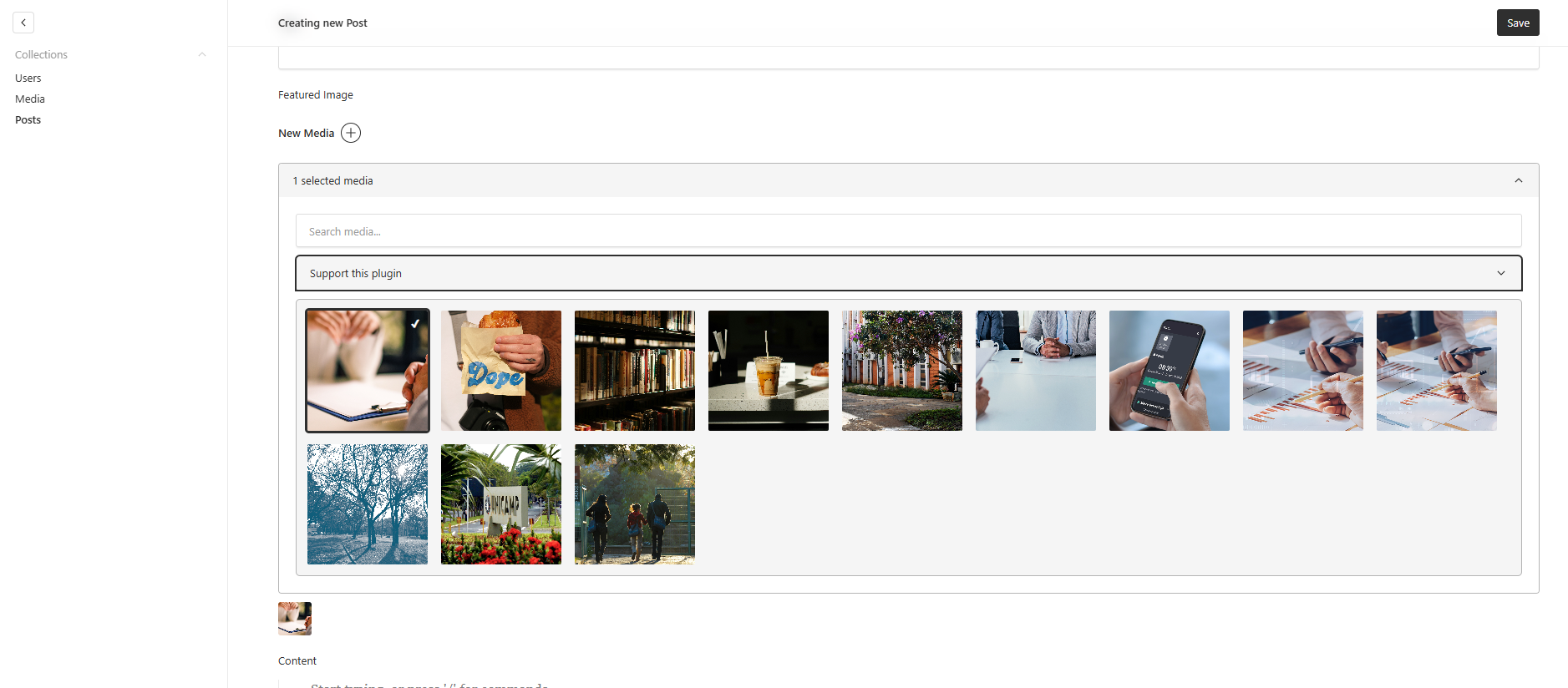
- Replaces the default relationship field with a visual, gallery-style interface.
- Displays image thumbnails for easy selection.
- Efficiently handles large media libraries with paginated loading ("Load More").
- Backend-powered search for fast and accurate filtering by
alttext orfilename. - Supports both
hasMany: false(single selection) andhasMany: true(multiple selections). - Selected images are sorted and displayed first.
- Collapsible interface to save screen space.
- Shows a preview of selected images.
Screenshot
Installation
pnpm install payload-plugin-image-relationshipor
npm install payload-plugin-image-relationshipor
yarn add payload-plugin-image-relationshipUsage
In your payload.config.ts, import the plugin and add it to the plugins array.
import { buildConfig } from 'payload/config';
import { imageRelationshipPlugin } from 'payload-plugin-image-relationship';
import { Media } from './collections/Media'; // Your media collection
import { Posts } from './collections/Posts'; // A collection with a relationship to Media

export default buildConfig({
  // ...
  collections: [Media, Posts],
  plugins: [
    imageRelationshipPlugin({
      // The 'relationTo' property should match the slug of your media collection
      relationTo: 'media',
    }),
  ],
  // ...
});
The relationTo option can be a single slug or an array of slugs. The plugin will apply the custom field component to any relationship or upload field that has a relationTo property matching one of the provided slugs.
Example of a relationship field in your collection:
// In your Posts collection
import { CollectionConfig } from 'payload/types';

export const Posts: CollectionConfig = {
  slug: 'posts',
  fields: [
    {
      name: 'title',
      type: 'text',
    },
    {
      name: 'featuredImage',
      type: 'relationship',
      relationTo: 'media', // This must match the 'relationTo' in the plugin options
    },
  ],
};