
payload-plugin-masquerade
v2.1.0
Published
Masquerade user for Payload CMS

Maintainers
 manutepowa
Readme
Payload Plugin Masquerade


The Masquerade plugin allows administrators to switch users and surf the site as that user (no password required). Administrators can switch back to their own user account at any time.
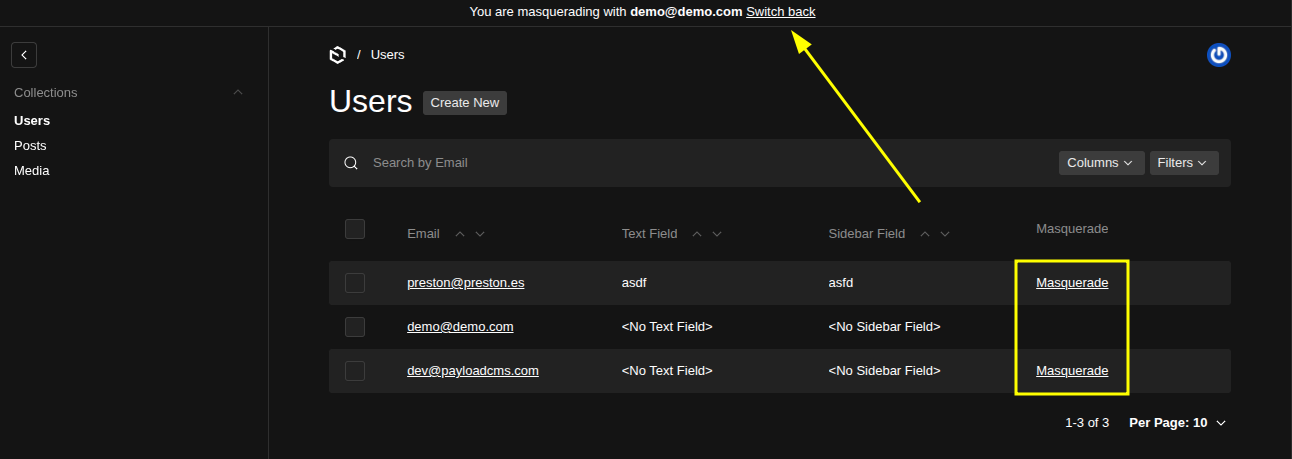
Table of Contents
- Features
- Requirements
- Installation
- Quick Start
- Configuration Options
- Admin UI
- API Endpoints
- Callbacks
- Security & Best Practices
- Development
- Troubleshooting
- Known Issues
- License
- Credits
Features
- ✅ Compatible with Payload v3 (^3.44.0)
- ✨ Zero runtime dependencies
- ⚙ Highly customizable with callbacks
- 🔒 Secure cookie-based authentication
- 🎯 Admin UI integration with user selection
- 📝 Audit trail support via callbacks
Requirements
- Node.js: >= 18
- Payload CMS: >= 3.44.0
Installation
Choose your package manager:
# pnpm
pnpm add payload-plugin-masquerade

# npm
npm install payload-plugin-masquerade

# yarn
yarn add payload-plugin-masquerade
Quick Start
Add the plugin to your Payload configuration:
import { masqueradePlugin } from 'payload-plugin-masquerade'
import { buildConfig } from 'payload'

export default buildConfig({
  // ... your other config
  plugins: [
    masqueradePlugin({
      // Optional: specify auth collection (defaults to 'users')
      authCollection: 'users',
      // Optional: enable/disable admin form (defaults to true)
      enableBlockForm: true,
      // Optional: enable/disable plugin (defaults to true)
      enabled: true,
    }),
  ],
})
Configuration Options
| Option | Type | Default | Description |
| ----------------- | ---------- | ----------- | ------------------------------------------------------ |
| authCollection | string | 'users' | Slug of the collection used for authentication |
| enableBlockForm | boolean | true | Adds user selection block in Admin UI (beforeNavLinks) |
| enabled | boolean | true | Enables/disables the entire plugin |
| onMasquerade | function | undefined | Async callback called when starting masquerade |
| onUnmasquerade | function | undefined | Async callback called when ending masquerade |
| canMasquerade | function | admin role check | Authorizes starting masquerade |
| canUnmasquerade | function | true | Authorizes ending masquerade |
| userLabelField | string | 'email' | Field displayed in the admin user selector |
| targetUserWhere | Where | undefined | Optional Payload where clause for selector targets |
Full Configuration Example
import { masqueradePlugin } from 'payload-plugin-masquerade'

export default buildConfig({
  plugins: [
    masqueradePlugin({
      authCollection: 'users',
      enableBlockForm: true,
      enabled: true,
      canMasquerade: async ({ req, targetUser }) => {
        return req.user?.roles?.includes('admin') && req.user.id !== targetUser.id
      },
      onMasquerade: async ({ req, originalUserId, targetUserId }) => {
        // req.user contains the original admin user
        console.log(`Admin ${req.user?.email} started masquerading as user ${targetUserId}`)

        // Example: Log to audit collection
        await req.payload.create({
          collection: 'auditLogs',
          data: {
            action: 'masquerade_start',
            adminId: originalUserId,
            targetUserId,
            timestamp: new Date(),
          },
        })
      },
      onUnmasquerade: async ({ req, originalUserId, targetUserId }) => {
        // req.user contains the user we were masquerading as
        console.log(`Ending masquerade, returning to user ${originalUserId}`)

        // Example: Log audit trail
        await req.payload.create({
          collection: 'auditLogs',
          data: {
            action: 'masquerade_end',
            adminId: originalUserId,
            masqueradeUserId: targetUserId,
            timestamp: new Date(),
          },
        })
      },
    }),
  ],
})
Admin UI
The plugin adds a user selection form to the admin interface that appears before the navigation links:
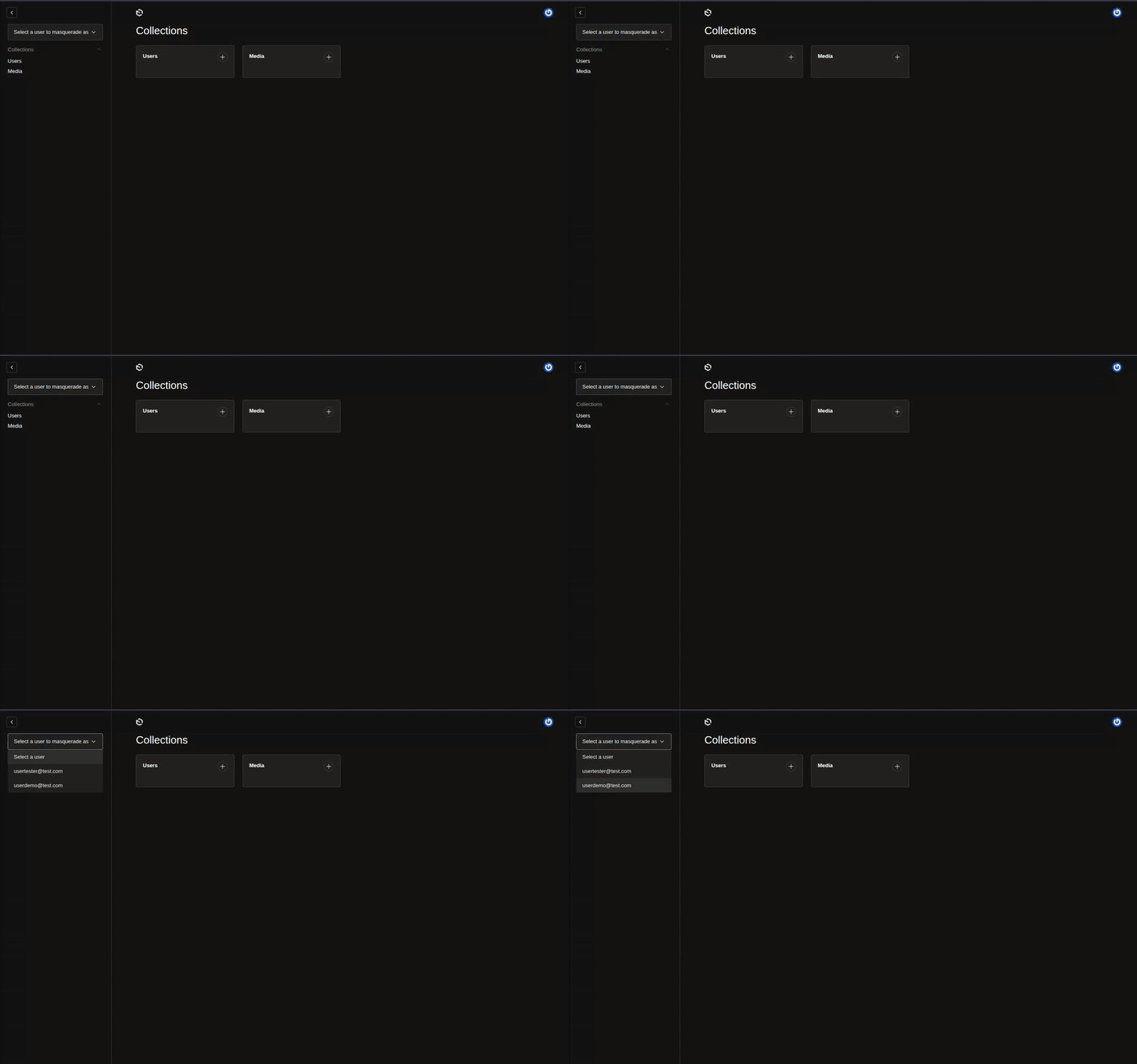
To disable the admin form:
masqueradePlugin({
  enableBlockForm: false,
})
API Endpoints
The plugin automatically adds these endpoints to your API:
Start Masquerade
POST /api/<authCollection>/:id/masqueradeBehavior:
- Creates a JWT token for the target user
- Sets Payload authentication cookie
- Sets a signed
payload-masqueradecookie with original and target user IDs - Redirects to
/admin
Example:
curl -i -X POST "http://localhost:3000/api/users/USER_ID/masquerade"End Masquerade
POST /api/<authCollection>/unmasqueradeBehavior:
- Restores authentication to the original user from the signed masquerade cookie
- Clears
payload-masqueradecookie - Redirects to
/admin
Example:
curl -i -X POST "http://localhost:3000/api/users/unmasquerade"Callbacks
onMasquerade
Called when masquerade session starts:
onMasquerade: async ({ req, originalUserId, targetUserId, targetUser }) => {
  // req: PayloadRequest (req.user is the original admin)
  // originalUserId: ID of the original user
  // targetUserId: ID of user being masqueraded
  // targetUser: target user document
}
onUnmasquerade
Called when masquerade session ends:
onUnmasquerade: async ({ req, originalUserId, targetUserId }) => {
  // req: PayloadRequest (req.user is the masqueraded user)
  // originalUserId: ID of the original admin user
  // targetUserId: ID of the masqueraded user
}
Security & Best Practices
⚠️ Security Warning: Masquerade functionality allows administrators to access user accounts without passwords. Follow these best practices:
- Restrict Access: Only grant masquerade permissions to trusted administrators
- Audit Trail: Use callbacks to log all masquerade activities:
onMasquerade: async ({ req, originalUserId, targetUserId }) => { await req.payload.create({ collection: 'securityLogs', data: { action: 'masquerade', adminId: originalUserId, targetId: targetUserId, ipAddress: req.ip, userAgent: req.headers['user-agent'], timestamp: new Date(), }, }) } - Monitor Usage: Regularly review masquerade logs for suspicious activity
- Session Management: Masquerade sessions use the same timeout as regular sessions
Development
To contribute or run the plugin locally:
Clone the repository
git clone https://github.com/manutepowa/payload-plugin-masquerade.git
cd payload-plugin-masquerade
Install dependencies
pnpm installSet up development environment
cp dev/.env.example dev/.env
# Edit dev/.env with your database configuration
Start development servers
pnpm devVisit the admin Open http://localhost:3000/admin
Testing
# Run all tests
pnpm test

# Run integration tests only
pnpm test:int

# Run E2E tests only
pnpm test:e2e
Troubleshooting
"The collection with the slug '...' was not found"
Cause: The authCollection option doesn't match any registered collection.
Solutions:
- Verify the collection slug matches exactly
- Ensure the collection is registered in
buildConfig.collections - Check that the plugin is loaded after the collection is defined
Masquerade UI not appearing
Cause: The enableBlockForm option might be disabled.
Solution:
masqueradePlugin({
  enableBlockForm: true, // Make sure this is true
})
Authentication issues after masquerade
Cause: Session conflicts or cookie issues.
Solutions:
- Clear browser cookies and try again
- Check that your auth collection uses the same session configuration
- Verify JWT signing key consistency
License
The MIT License (MIT). Please see License File for more information.
Credits
- This package was inspired by the Drupal Masquerade module
- Maintained by manutepowa