
pdf-editor-offline
v3.0.0
Published
Local-first PDF editor launcher and CLI bridge

Maintainers
 othmaneblial
Readme
PDF Editor Offline
Why PDF Editor Offline?
Most PDF tools ask you to upload your document, create an account, or start a subscription. PDF Editor Offline is built for the opposite workflow: open a PDF on your own machine, make the changes you need, and export a new copy without sending the document to a third party.
- Private by default: the desktop and source apps process files on your device.
- Useful for everyday work: edit, annotate, fill, sign, merge, split, convert, OCR, and redact.
- Free and open source: MIT licensed, with no account or recurring subscription.
- Honest about results: risky operations can create a copy and report what was checked.
What can it do?
| Need | Included tools | | --- | --- | | Edit and mark up | Add text, images, drawings, highlights, comments, stamps, signatures, watermarks, and attachments. | | Fill and sign | Fill standard PDF forms, add a typed/drawn/image signature, or create a separately signed copy with your own certificate. | | Organize pages | Merge, split, extract, duplicate, reorder, rotate, crop, resize, number, compress, and remove blank pages. | | Convert files | Convert PDFs to Word, PowerPoint, Excel, images, Markdown, text, EPUB, SVG, or PDF/A, and create PDFs from common file types. | | Protect privacy | Remove metadata and selected hidden data, protect or unlock a PDF, and permanently redact sensitive text. | | Search and automate | Run local OCR, search documents, use the CLI/Python package, or connect through the local FastAPI API. |
The five guided workflows are Redact & Prove, Fill & Sign, Organize Pages, Sanitize & Share, and OCR & Search. The full capability matrix explains which features are stable, beta, experimental, or dependent on optional local tools.
Your documents stay yours
In desktop and ./start.sh source mode:
- files are processed on the current device;
- the app does not require an account;
- there is no document telemetry or hidden cloud conversion service;
- the local API uses loopback networking and a per-launch token;
- high-risk workflows preserve the original and export a separate copy.
Docker and self-hosted mode process files on the host you choose, so their privacy boundary is that machine rather than necessarily the browser device. Read the privacy contract and threat model before using sensitive documents.
See the real app
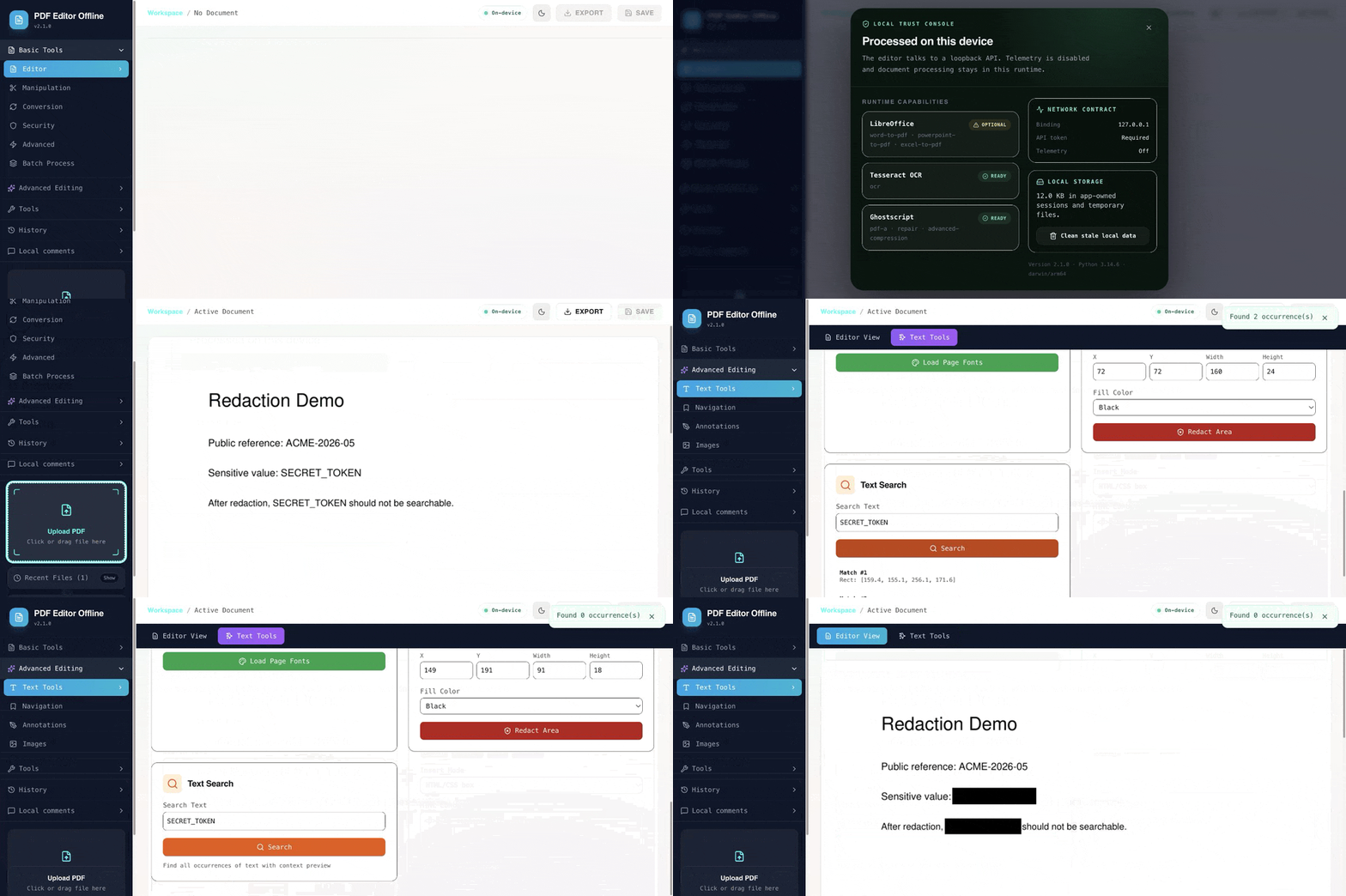
This is the real local app using the public synthetic
demo-redaction.pdf. It finds two
test matches, permanently redacts them, and checks the exported result until
zero matches remain. Reproduce it with the
five-minute Redact & Prove guide.
Screenshots
| Edit a PDF locally | Find and redact sensitive text |
| --- | --- |
| 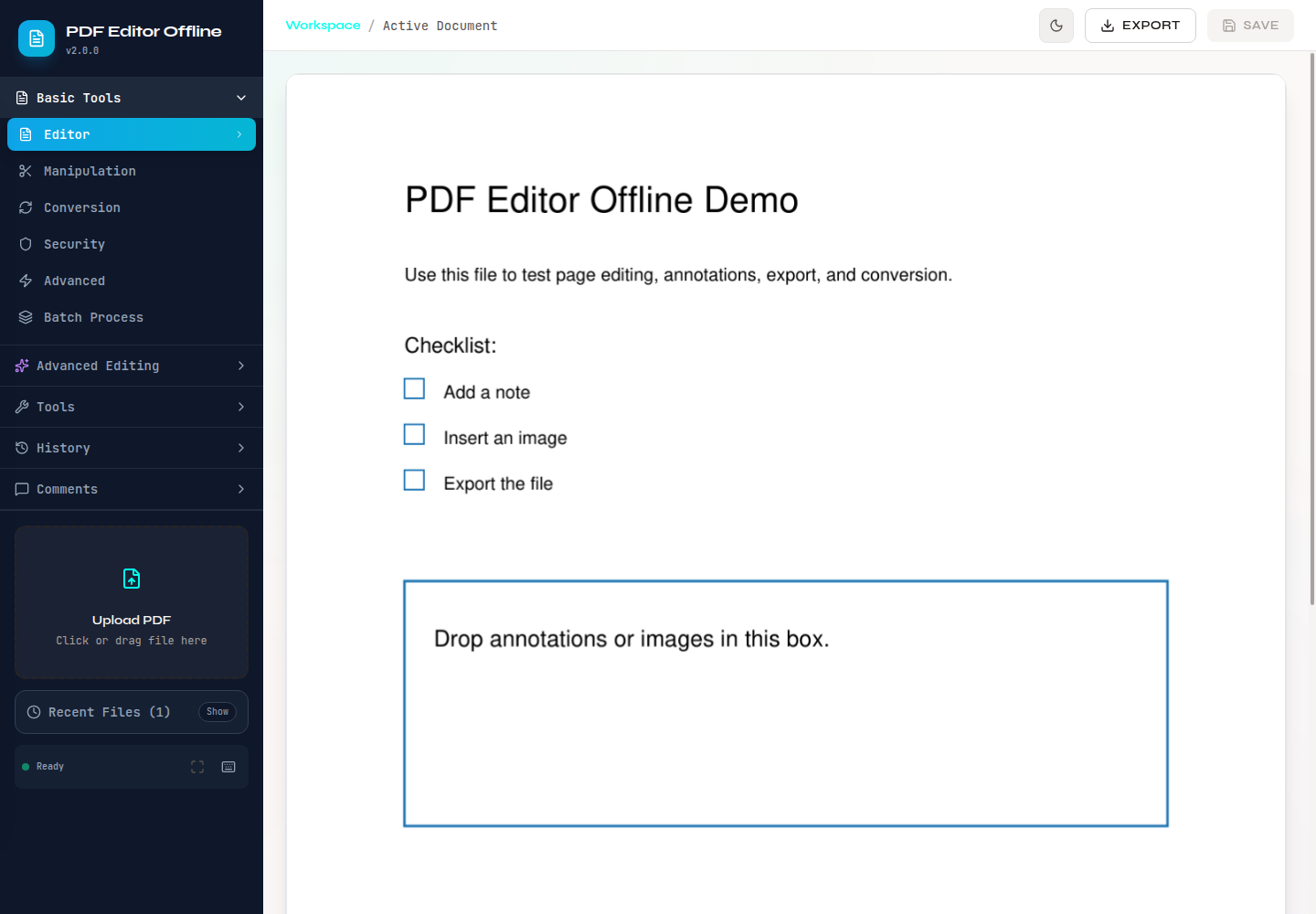 |
| 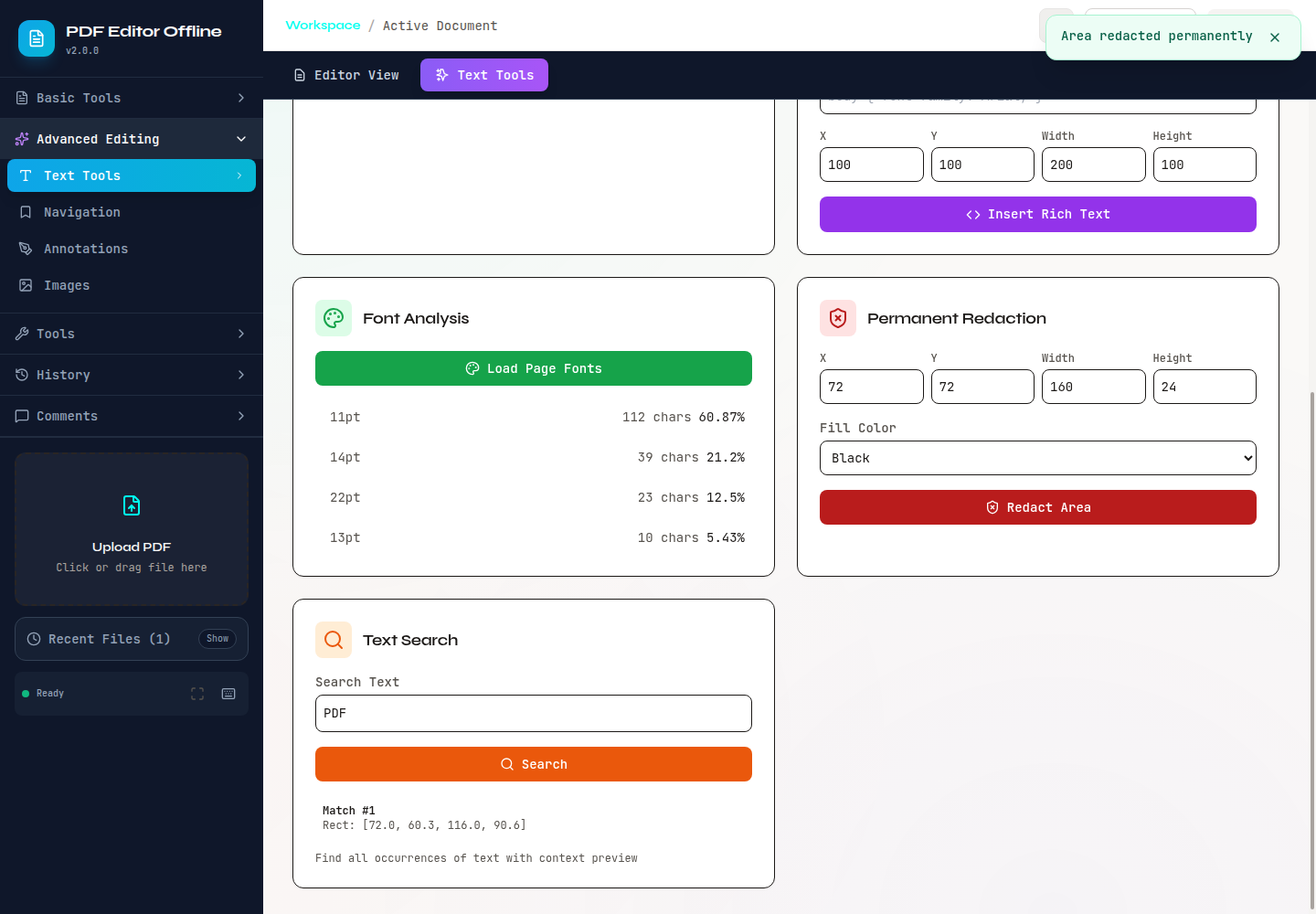 |
|
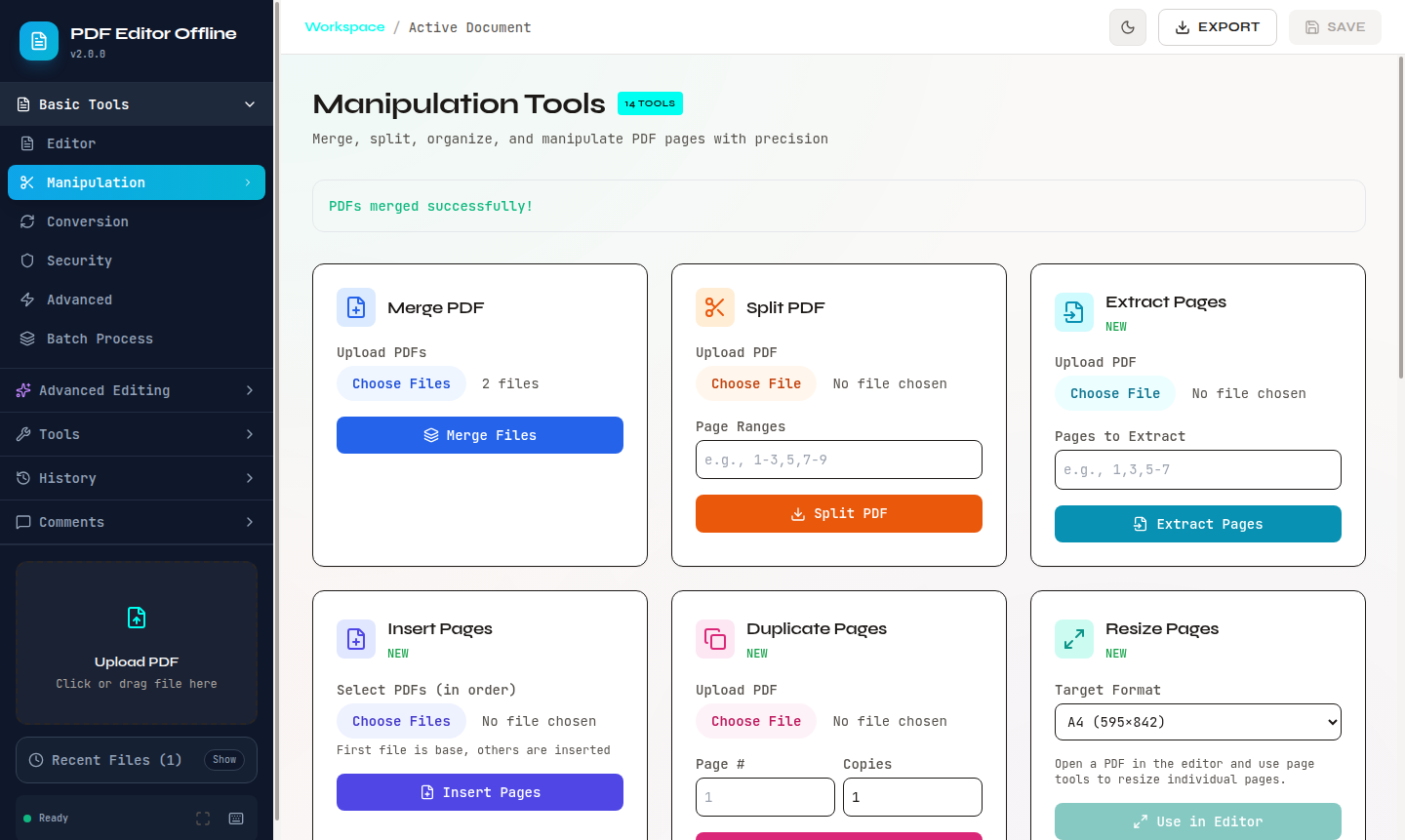
| Clean private data | Merge and organize pages |
| --- | --- |
| 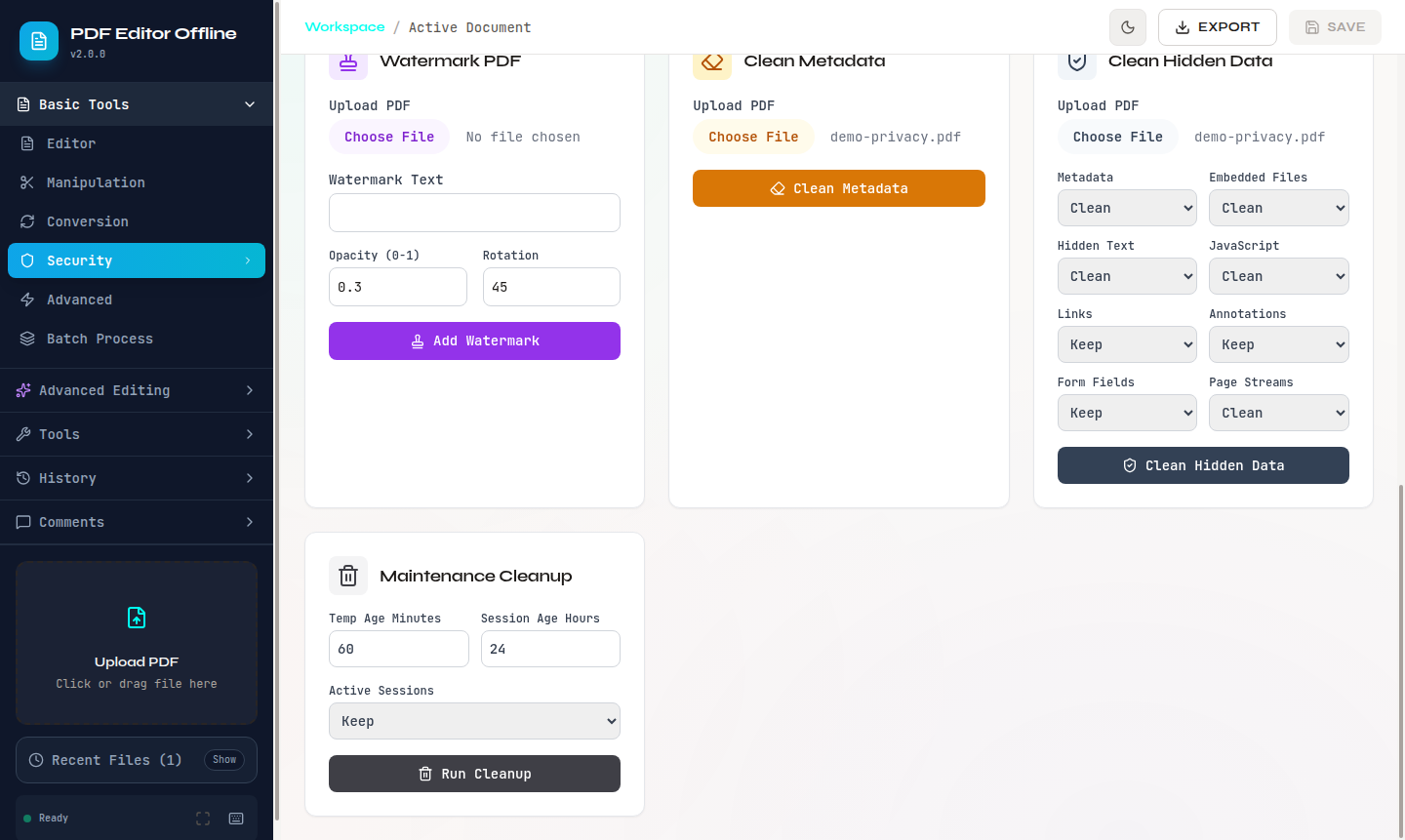 |
|  |
|
More real captures are available in screenshots/.
Download the desktop preview
An unsigned 3.0.0 technical preview is available for people who want to try the desktop app before native code signing is complete. It is not the future stable signed release.
| Platform | Download | Important note |
| --- | --- | --- |
| Windows 10/11 x64 | Open the preview release | Unsigned NSIS .exe; Windows SmartScreen may warn or block it. |
| macOS 11+ Apple Silicon | Open the preview release | Ad-hoc .dmg; not notarized. |
| macOS 11+ Intel | Open the preview release | Ad-hoc .dmg; not notarized. |
| Ubuntu 22.04/24.04 x64 | Open the preview release | .AppImage and .deb with checksums and provenance. |
Do not disable operating-system security solely to run the preview. Verify a
download using the attached SHA256SUMS and the
desktop distribution guide.
Quick start
Run the complete local web app from source:
git clone https://github.com/OthmaneBlial/pdf-editor-offline.git
cd pdf-editor-offline
pip install -e ".[dev]"
./start.sh
./start.sh chooses random loopback ports, creates a per-launch API token,
starts the backend and frontend, and prints the local URL to open.
The Python package and CLI can also be installed from PyPI:
pip install pdf-editor-offline
pdf-editor-offline --version
The PyPI package contains the Python API and command-line tools. The visual editor runs from a source checkout or the desktop preview.
The npm launcher provides a short path to the desktop download and forwards automation commands to the separately installed Python CLI:
npm install --global pdf-editor-offline
pdf-editor-offline desktop
pdf-editor-offline doctor
You can also open the official desktop preview without a global install:
npx [email protected] desktopThe small npm package does not bundle the unsigned installers or a Python runtime. It opens the immutable 3.0.0 preview release for the visual app; CLI commands require the PyPI package shown above. Documents remain local and are never handled by the npm launcher.
Docker
docker pull othmaneblial/pdf-editor-offline
docker run --rm \
  -p 127.0.0.1:8000:8000 \
  -e PDF_EDITOR_OFFLINE_API_TOKEN="choose-a-long-random-token" \
  othmaneblial/pdf-editor-offline
CLI and Python automation
Common CLI commands:
pdf-editor-offline extract text input.pdf
pdf-editor-offline extract images input.pdf --output-dir ./images
pdf-editor-offline edit metadata input.pdf title "Quarterly Report"
pdf-editor-offline inspect-privacy input.pdf
pdf-editor-offline verify-redaction redacted.pdf --target "removed text"
pdf-editor-offline compare before.pdf after.pdf --output change-review.json
Python API:
from pdf_editor_offline import PDFConverter, PDFManipulator

converter = PDFConverter()
converter.pdf_to_word("input.pdf", "output.docx")

manipulator = PDFManipulator()
manipulator.merge_pdfs(["file1.pdf", "file2.pdf"], "merged.pdf")
Proof, limits, and trust
PDFs can contain complex fonts, forms, signatures, scripts, attachments, and unusual page structures. PDF Editor Offline publishes what it supports instead of pretending every transformation is perfect.
- Live PDF Trust Lab
- Known limitations
- Capability matrix
- Security policy
- Privacy contract
- Release evidence and checksums
Complex fonts and layouts can lose fidelity; XFA is inspect-only; editing bytes can invalidate existing digital signatures; OCR, LibreOffice conversions, and Ghostscript operations require optional local tools. Keep the original and review the exported copy.
The project has evaluated SignPath Foundation as a possible free open-source Windows signing provider. No application has been submitted, and no terms have been accepted. Current Windows preview assets are not represented as SignPath-signed. macOS signing and notarization require a separate Apple Developer ID. See the code signing policy.
Develop and contribute
pip install -e ".[dev]"
python -m pytest
cd frontend
npm ci
npm test
npm run buildRun the complete local check with ./run_ci.sh. Contributions are welcome;
start with CONTRIBUTING.md, or open an issue using a safe
synthetic PDF instead of a private document.
Project layout
api/                  FastAPI backend
frontend/             React PDF editor
desktop/              Tauri desktop shell
pdf_editor_offline/   Python package and CLI
examples/             Examples and synthetic sample PDFs
trust_lab/             Public schemas, fixtures, and release evidence
tests/                 Backend and integration tests
site/                  Static project website
License
MIT. See LICENSE.