
pdf-ppt-export-react
v0.0.7
Published
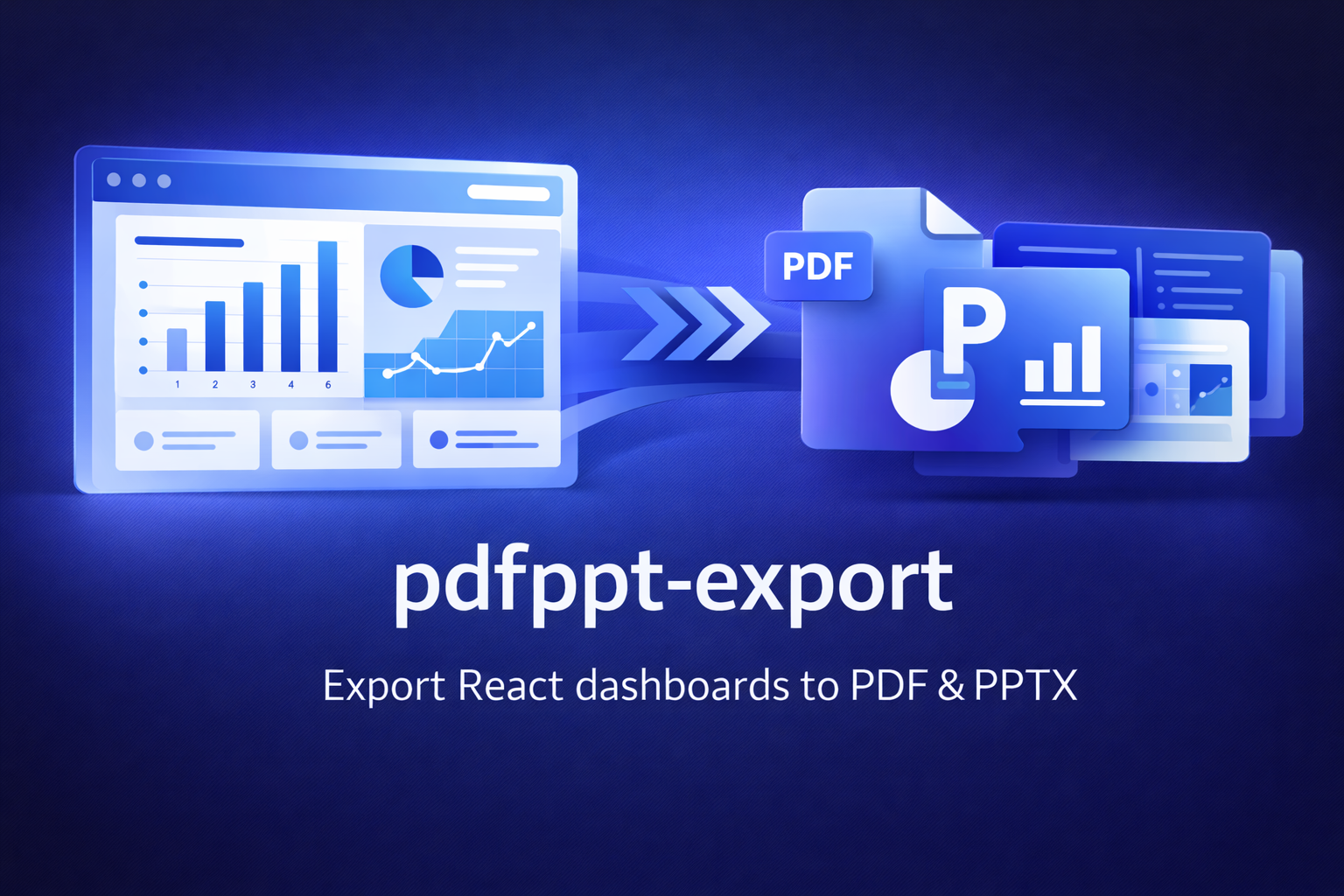
pdfppt-export is a lightweight React utility that lets you export any dashboard or UI section to a multi-page PDF or a fully structured PowerPoint (PPTX) using just a React ref. It supports real charts, panel-based slide layouts, branding backgrounds, and

Maintainers
 dhirajkarangale
Readme
pdf-ppt-export-react
A React-based, DOM-driven export utility that converts rendered dashboards into professional multi-page PDFs and editable PowerPoint presentations.


📋 Table of Contents
- Features
- Installation
- Quick Start
- API Reference
- Chart System
- CSS Classes
- Examples
- Advanced Usage
- Troubleshooting
- Best Practices
- Browser Support
- License
✨ Features
PDF Export
- 📄 Multi-page A4 format with smart pagination
- 🔄 Elements never split across pages
- 📊 High-quality chart rendering (2x pixel ratio)
- 📝 Automatic header on first page (title + date)
- 🎯 Fallback to full snapshot if needed
PowerPoint Export
- 📊 Real PowerPoint charts (editable!)
- 📝 Native text boxes (not images)
- 🎨 Preserved panels, shapes, and borders
- 🖼️ Custom background images per slide
- 📐 Intelligent layout algorithm
- 🔧 Configurable scaling and spacing
Why This Library?
Structure-First Approach:
Unlike screenshot-based tools, this library analyzes your DOM structure, extracts panels, text, shapes, and charts, then rebuilds them as real PowerPoint elements.
Zero Configuration Required:
If your UI renders correctly in the browser, this library can export it. No component rewrites, no custom schemas, no server-side rendering.
⚠️ Note: PPT export is complex and still evolving. It works best when you follow the documented conventions. PDF export is stable and production-ready.
📦 Installation
npm install jspdf html-to-image pptxgenjs culori
npm install pdf-ppt-export-react
Dependencies Explained
| Package | Purpose | |---------|---------| | jspdf | Generates multi-page A4 PDFs with precise positioning | | html-to-image | Converts DOM nodes to PNG images | | pptxgenjs | Creates native PowerPoint presentations | | culori | Normalizes CSS colors to hex for PPT rendering |
Peer Requirements
- React ≥ 16.8
- React DOM ≥ 16.8
🚀 Quick Start
Basic Setup
import { useRef, useState } from "react";
import { PDFDownloader, PPTDownloader } from "pdf-ppt-export-react";

export default function Dashboard() {
  const dashboardRef = useRef(null);
  const [pdfOpen, setPdfOpen] = useState(false);
  const [pptOpen, setPptOpen] = useState(false);

  return (
    <>
      {/* PDF Export Modal */}
      {pdfOpen && (
        <PDFDownloader
          contentRef={dashboardRef}
          onClose={() => setPdfOpen(false)}
          defaultTitle="Dashboard Report"
        />
      )}

      {/* PPT Export Modal */}
      {pptOpen && (
        <PPTDownloader
          contentRef={dashboardRef}
          onClose={() => setPptOpen(false)}
          defaultTitle="Dashboard Presentation"
        />
      )}

      {/* Dashboard Content */}
      <div ref={dashboardRef}>
        <div className="pdfppt-noprint">
          <button onClick={() => setPdfOpen(true)}>Export PDF</button>
          <button onClick={() => setPptOpen(true)}>Export PPT</button>
        </div>

        {/* Your dashboard components */}
        <YourDashboardContent />
      </div>
    </>
  );
}
📖 API Reference
PDFDownloader
<PDFDownloader
  contentRef={dashboardRef}
  onClose={() => {}}
  defaultTitle="PDF Report"
/>
| Prop | Type | Required | Default | Description |
|------|------|----------|---------|-------------|
| contentRef | RefObject<HTMLElement> | ✅ | — | Root DOM node to export |
| onClose | () => void | ✅ | — | Called after close or download |
| defaultTitle | string | ❌ | "PDF Title" | PDF title and filename |
PDF Behavior:
- A4 portrait pages (595 × 842 px)
- Elements never split across pages
- Charts converted to high-DPI images
- Header (title + date) on first page only
- Automatic fallback if layout detection fails
PPTDownloader
<PPTDownloader
  contentRef={dashboardRef}
  onClose={() => {}}
  defaultTitle="Presentation"
  imgSlideStart={startImage}
  imgSlideMiddle={middleImage}
  imgSlideEnd={endImage}
  scaleFactor={1.35}
  pptWidth={13.333}
  pptHeight={7.5}
  isStartEnd={true}
  groupGapY={0}
/>
Core Props
| Prop | Type | Required | Default | Description |
|------|------|----------|---------|-------------|
| contentRef | RefObject<HTMLElement> | ✅ | — | Root dashboard DOM |
| onClose | () => void | ✅ | — | Close callback |
| defaultTitle | string | ❌ | "PPT Title" | Filename and title |
Layout Props
| Prop | Type | Default | Description |
|------|------|---------|-------------|
| scaleFactor | number | 1.35 | Global panel scaling (1.0-2.0) |
| pptWidth | number | 13.333 | Slide width in inches |
| pptHeight | number | 7.5 | Slide height in inches |
| groupGapY | number | 0 | Vertical gap between panels (inches) |
Branding Props
| Prop | Type | Default | Description |
|------|------|---------|-------------|
| isStartEnd | boolean | true | Enable start & end slides |
| imgSlideStart | string | undefined | Start slide background image |
| imgSlideMiddle | string | undefined | Content slides background |
| imgSlideEnd | string | undefined | End slide background image |
📊 Chart System
Chart Requirements
Every chart must have:
- CSS Class:
.pdfppt-chart-snapshot - Metadata Attribute:
pdfppt-data-chartwith JSON metadata
Chart Metadata Schema
interface ChartMetadata {
  chartType: "bar" | "line" | "pie" | "doughnut" | "multibar" | "multiline";
  labels: string[];           // X-axis labels or slice names
  values: number[];           // Data values (single-series)
  colors: string[];           // Hex colors for each point
  legendColor: string;        // Hex color for legend text
  lableColor: string;         // Hex color for axis labels
  showLegend?: boolean;       // Display chart legend
  datasets?: Array<{          // For multi-series charts
    label: string;
    values: number[];
    color: string;
  }>;
}
Supported Chart Types
| Type | Use Case |
|------|----------|
| bar | Single-series bar charts |
| line | Single-series line charts |
| pie | Pie charts with labeled slices |
| doughnut | Doughnut chart variant |
| multibar | Multi-series grouped bars |
| multiline | Multi-series line charts |
🎨 CSS Classes
Required Classes
.pdfppt-noprint
Excludes elements from export (buttons, filters, navigation).
<div className="pdfppt-noprint">
  <button onClick={handleExport}>Export</button>
  <FilterDropdown />
</div>
.pdfppt-chart-snapshot
Marks chart containers for rasterization. Must include pdfppt-data-chart metadata.
<div
  className="pdfppt-chart-snapshot"
  pdfppt-data-chart={JSON.stringify(chartMeta)}
>
  <YourChartComponent />
</div>
.ppt-group-root
Forces PPT to treat container as a grouped panel (even without visible borders).
<div className="ppt-group-root border rounded-lg p-4 bg-white">
  <h3>Revenue Overview</h3>
  <ChartComponent />
</div>
💡 Examples
Bar Chart Example
import { BarChart, Bar, XAxis, YAxis, CartesianGrid, Tooltip } from "recharts";

function RevenueChart({ data }) {
  const chartMeta = {
    chartType: "bar",
    labels: data.map(d => d.quarter),
    values: data.map(d => d.revenue),
    colors: ["#3B82F6", "#60A5FA", "#93C5FD", "#DBEAFE"],
    legendColor: "#1E40AF",
    lableColor: "#475569"
  };

  return (
    <div className="ppt-group-root border rounded-lg p-6 bg-white shadow">
      <h3 className="text-lg font-semibold mb-4">Quarterly Revenue</h3>

      <div
        className="pdfppt-chart-snapshot"
        pdfppt-data-chart={JSON.stringify(chartMeta)}
      >
        <BarChart width={500} height={300} data={data}>
          <CartesianGrid strokeDasharray="3 3" />
          <XAxis dataKey="quarter" />
          <YAxis />
          <Tooltip />
          <Bar dataKey="revenue" fill="#3B82F6" />
        </BarChart>
      </div>
    </div>
  );
}
Pie Chart Example
import { PieChart, Pie, Cell, Legend } from "recharts";

function MarketShareChart({ data }) {
  const chartMeta = {
    chartType: "pie",
    labels: data.map(d => d.name),
    values: data.map(d => d.value),
    colors: data.map(d => d.color),
    legendColor: "#1E40AF",
    lableColor: "#FFFFFF",
    showLegend: true
  };

  return (
    <div className="ppt-group-root border rounded-lg p-6 bg-white shadow">
      <h3 className="text-lg font-semibold mb-4">Market Share</h3>

      <div
        className="pdfppt-chart-snapshot"
        pdfppt-data-chart={JSON.stringify(chartMeta)}
      >
        <PieChart width={400} height={400}>
          <Pie
            data={data}
            dataKey="value"
            nameKey="name"
            cx="50%"
            cy="50%"
            outerRadius={120}
          >
            {data.map((entry, index) => (
              <Cell key={`cell-${index}`} fill={entry.color} />
            ))}
          </Pie>
          <Legend />
        </PieChart>
      </div>
    </div>
  );
}
Multi-Line Chart Example
function TrendChart({ data }) {
  const chartMeta = {
    chartType: "multiline",
    labels: data.map(d => d.month),
    datasets: [
      {
        label: "Revenue",
        values: data.map(d => d.revenue),
        color: "#3B82F6"
      },
      {
        label: "Expenses",
        values: data.map(d => d.expenses),
        color: "#EF4444"
      }
    ],
    legendColor: "#1E40AF",
    lableColor: "#475569"
  };

  return (
    <div
      className="pdfppt-chart-snapshot ppt-group-root"
      pdfppt-data-chart={JSON.stringify(chartMeta)}
    >
      <LineChart width={600} height={300} data={data}>
        <CartesianGrid strokeDasharray="3 3" />
        <XAxis dataKey="month" />
        <YAxis />
        <Tooltip />
        <Legend />
        <Line type="monotone" dataKey="revenue" stroke="#3B82F6" />
        <Line type="monotone" dataKey="expenses" stroke="#EF4444" />
      </LineChart>
    </div>
  );
}
🔧 Advanced Usage
Custom PPT Backgrounds
import startImg from "@/assets/slides/branded-start.png";
import middleImg from "@/assets/slides/branded-middle.png";
import endImg from "@/assets/slides/branded-end.png";

<PPTDownloader
  contentRef={dashboardRef}
  onClose={handleClose}
  imgSlideStart={startImg}
  imgSlideMiddle={middleImg}
  imgSlideEnd={endImg}
  isStartEnd={true}
/>
Optimized Export Settings
// For faster exports (lower quality)
<PPTDownloader
  scaleFactor={1.0}
  groupGapY={0.05}
  // ... other props
/>

// For higher quality exports
<PPTDownloader
  scaleFactor={1.5}
  groupGapY={0.1}
  // ... other props
/>
Excluding Specific Elements
{/* Exclude interactive filters from export */}
<div className="pdfppt-noprint">
  <DateRangePicker />
  <FilterDropdown />
  <SearchBar />
</div>

{/* This will be included in export */}
<div className="ppt-group-root">
  <DashboardCards />
</div>
⚠️ Troubleshooting
Common Issues
| Problem | Solution |
|---------|----------|
| Blurry charts in PDF | Ensure pixelRatio: 2 in options. Wait for fonts: await document.fonts.ready |
| Page breaks mid-element | Keep card heights under ~600px. Use clear container boundaries |
| PPT panels overlap | Adjust scaleFactor (try 1.2-1.5). Add groupGapY spacing |
| Charts missing in PPT | Verify pdfppt-data-chart has valid JSON. Check chartType is valid |
| Export hangs | Use skipFonts: true. Reduce dashboard complexity |
| CSS variables not working | Define variables on :root selector |
Performance Optimization
// Optimize html-to-image options
const options = {
  skipFonts: true,        // Skip font loading
  skipAutoScale: true,    // Disable auto-scaling
  pixelRatio: 1,          // Lower for speed (2 for quality)
};
Debugging Tips
- Check browser console for html-to-image errors
- Verify
contentRef.currentis not null when modal opens - Inspect chart metadata JSON is valid
- Test with simplified dashboard first
- Use browser DevTools to simulate viewports
🎯 Best Practices
Layout Guidelines
✅ DO:
- Use card-like containers with clear borders/backgrounds
- Keep predictable spacing (Flexbox/Grid)
- Use
.ppt-group-rootfor borderless containers - Keep card heights under ~600px for PDF
❌ AVOID:
- Complex absolute positioning
- Deeply nested layouts
- Overlapping elements
- Extremely tall single containers
Export-Safe Layout Example
// ✅ GOOD: Clean grid with clear boundaries
<div ref={dashboardRef} className="grid grid-cols-2 gap-6 p-6">
  <div className="ppt-group-root border rounded-lg p-4 bg-white shadow">
    <ChartCard title="Revenue" />
  </div>

  <div className="ppt-group-root border rounded-lg p-4 bg-white shadow">
    <ChartCard title="Expenses" />
  </div>
</div>
Chart Best Practices
// ✅ GOOD: Memoized metadata
const chartMeta = useMemo(() => ({
  chartType: "bar",
  labels: data.map(d => d.label),
  values: data.map(d => d.value),
  colors: CHART_COLORS.primary,
  legendColor: "#1E40AF",
  lableColor: "#475569"
}), [data]);
Error Handling
// ✅ GOOD: Error boundary
import { ErrorBoundary } from 'react-error-boundary';

<ErrorBoundary fallback={<ExportErrorFallback />}>
  {pdfOpen && (
    <PDFDownloader
      contentRef={dashboardRef}
      onClose={handleClose}
    />
  )}
</ErrorBoundary>
🌐 Browser Support
| Browser | PDF Export | PPT Export | |---------|------------|------------| | Chrome 90+ | ✅ | ✅ | | Firefox 88+ | ✅ | ✅ | | Safari 14+ | ✅ | ⚠️ Minor color differences | | Edge 90+ | ✅ | ✅ |
📚 Resources
- Demo: https://demo-pdfppt-export.vercel.app/
- Source Code: https://github.com/DhirajKarangale/pdfppt-export
- jsPDF Docs: http://raw.githack.com/MrRio/jsPDF/master/docs/
- html-to-image: https://github.com/bubkoo/html-to-image
- PptxGenJS: https://gitbrent.github.io/PptxGenJS/
- Culori: https://culorijs.org/
📄 License
MIT
🤝 Contributing
Contributions are welcome! Please feel free to submit issues or pull requests.
💬 Support
For issues and questions:
- Check the Troubleshooting section
- Review Best Practices
- See working examples in the demo project
- Open an issue on GitHub
Built with React • Battle-tested dependencies • Production-ready