
pdf-slideshow-cli
v1.0.2
Published
A modern Node.js CLI tool that generates a TailwindCSS dark-theme HTML slideshow from a folder of PDF files.
Downloads
14

Maintainers
 mohanchinnappan
Readme
📚 PDF Slideshow CLI
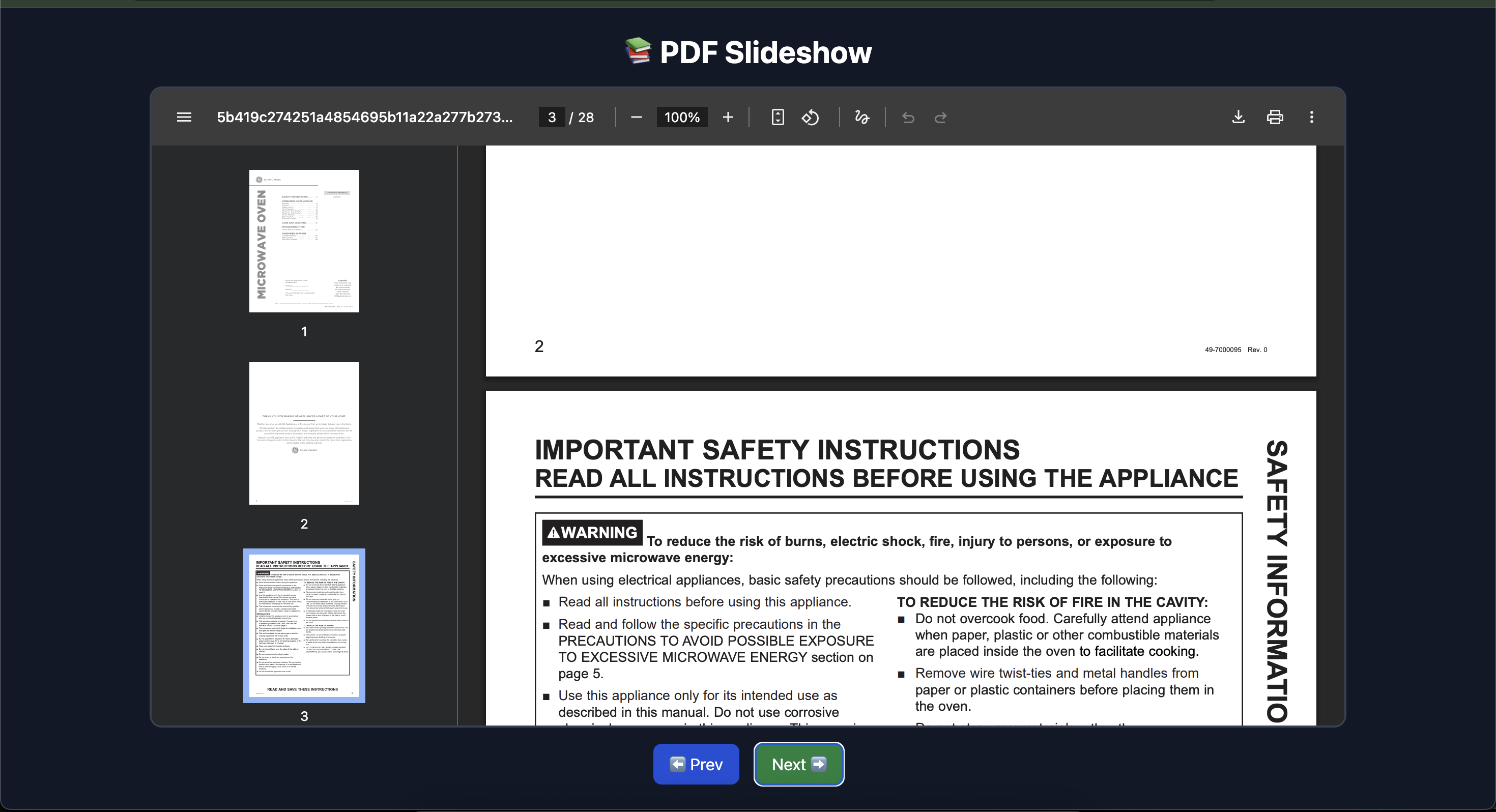
A sleek Node.js command-line tool that converts a folder of PDF files into a dark-theme HTML slideshow.
Perfect for showcasing reports, portfolios, course materials, or presentations — all in the browser! 🚀
✨ Features
- 🧭 Automatically detects all
.pdffiles in a folder - 🌙 Dark-theme, responsive design using TailwindCSS
- ⬅️➡️ Navigate easily with Prev/Next buttons
- 🖥️ Works fully offline — just open the generated HTML file
- 🪶 Minimal, elegant UI with rounded frames
- ⚙️ Customizable slideshow title and output file name
Screenshot
🧩 Installation
# install globally
npm install -g pdf-slideshow-cli
⚙️ Usage
pdf-slideshow -f <folder> [options]Options
| Flag | Description | Default |
| ----------------------- | -------------------------------- | -------------------- |
| -f, --folder <folder> | Folder containing your PDF files | (Required) |
| -o, --output <file> | Output HTML file name | slideshow.html |
| --title <title> | Custom slideshow title | "📚 PDF Slideshow" |
💡 Example
pdf-slideshow -f ./pdfs -o my-slides.html --title "Quarterly Reports 2025 📊"Output:
📂 Found 6 PDFs. Generating slideshow...
✅ Slideshow generated: my-slides.html
🧠 How It Works
- Scans the specified folder for
.pdffiles - Generates an HTML slideshow where each PDF appears in its own slide
- Wraps everything in a TailwindCSS dark-themed layout
- Provides simple navigation with buttons (and optionally keyboard arrows 🔜)
🧰 Tech Stack
- Node.js (v18+)
- Commander.js — for CLI argument parsing
- openResource.js - for opening html output file
🚀 Roadmap
- ⌨️ Add keyboard arrow navigation
- ⏱️ Auto-play / timed slides
- 🎞️ Combine PDFs into one slideshow view
- 📷 Support mixed content (PDFs + images)
📄 License
MIT License © 2025 Mohan Chinnappan