
peeked
v0.3.0
Published
Connect visual agents with your browser.


Readme
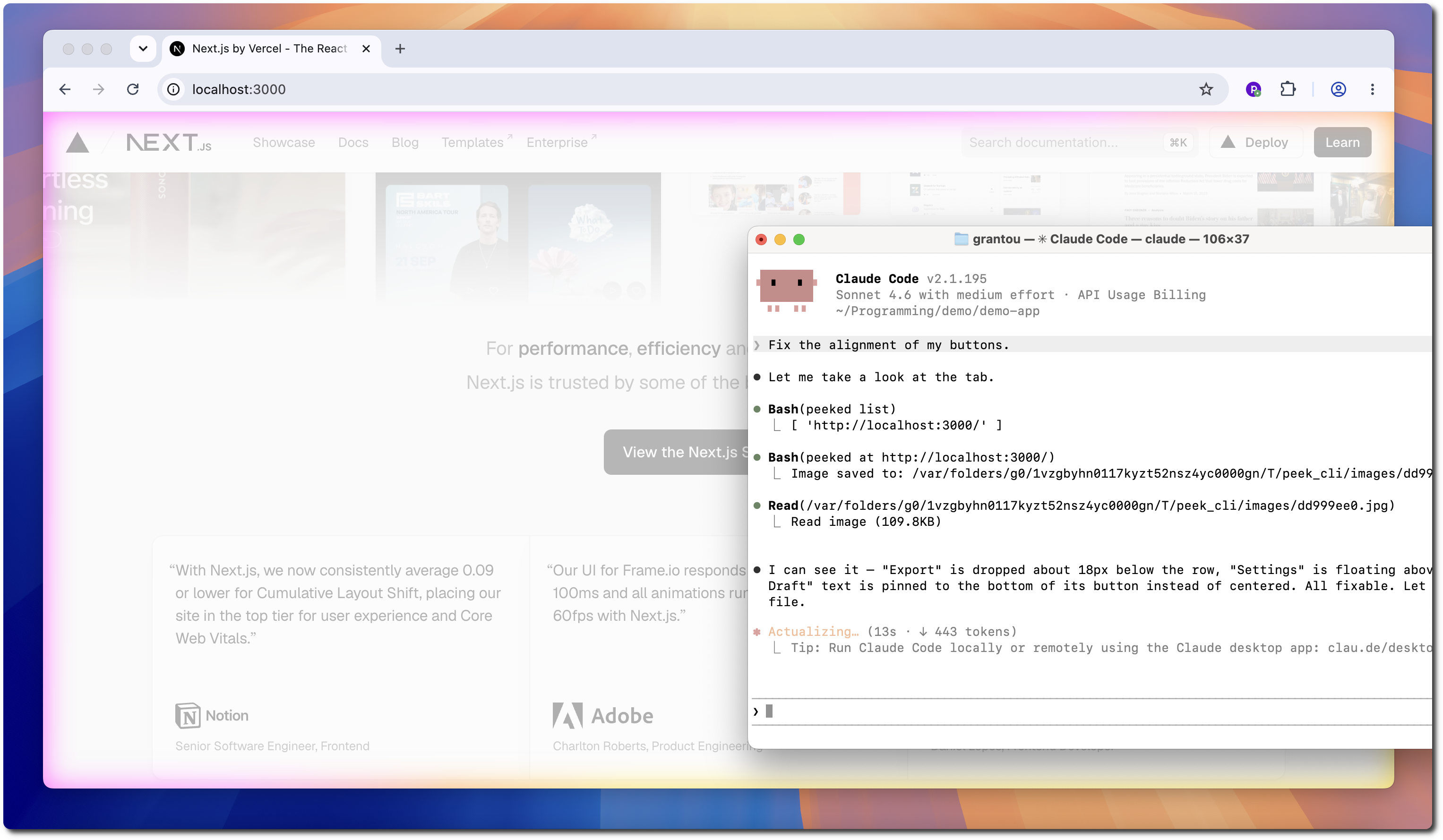
https://github.com/user-attachments/assets/b8b7c90a-2c2f-4ec4-972b-a072a88796ca
Usage
For security, you need to connect the agent once on every startup.
- Start the WebSocket daemon:
peeked start
> Successfully started server.- Connect your browser:
- You're good to go!
peeked list # view available tabs
> [ 'http://localhost:3000/' ]

peeked at http://localhost:3000 # capture screenshot
> Image saved to: /var/.../peek_cli/images/dd999ee0.jpg
Installation
- Install the Chrome Extension.
🎉 the extension has been approved on the Chrome Web Store!
- Install the CLI
npm i -g peeked- Install the Skill
For Claude Code:
/plugin marketplace add puffinsoft/peek-cli
/plugin install view-browser-tab@peek-cli
For Codex:
codex plugin marketplace add puffinsoft/peek-cli
codex plugin add view-browser-tab@peek-cli
Examples

⚠️ Is this safe?
Yes, 100%. It is impossible for the agent to do anything but take a screenshot.
This is because the agent sends screenshot requests to the extension through a WebSocket server.
It never accesses the browser and cannot inject any scripts / perform any actions.
We invite you to take a look at the extension source code for added peace of mind.
peek-cli is open source software, licensed under the MIT license.