
permset-merger
v1.0.0
Published
Salesforce Permission Set Merger — SF CLI powered web UI
Downloads
13

Maintainers
 mohanchinnappan
Readme
🔐 PermSet Merger
Salesforce Permission Set Merger — a world-class CLI tool with a Monaco-powered web UI.
Uses **SF CLI **
Prerequisites
- Node.js ≥ 18
- Salesforce SF CLI installed (
sfcommand available) - Org authenticated via SF CLI:
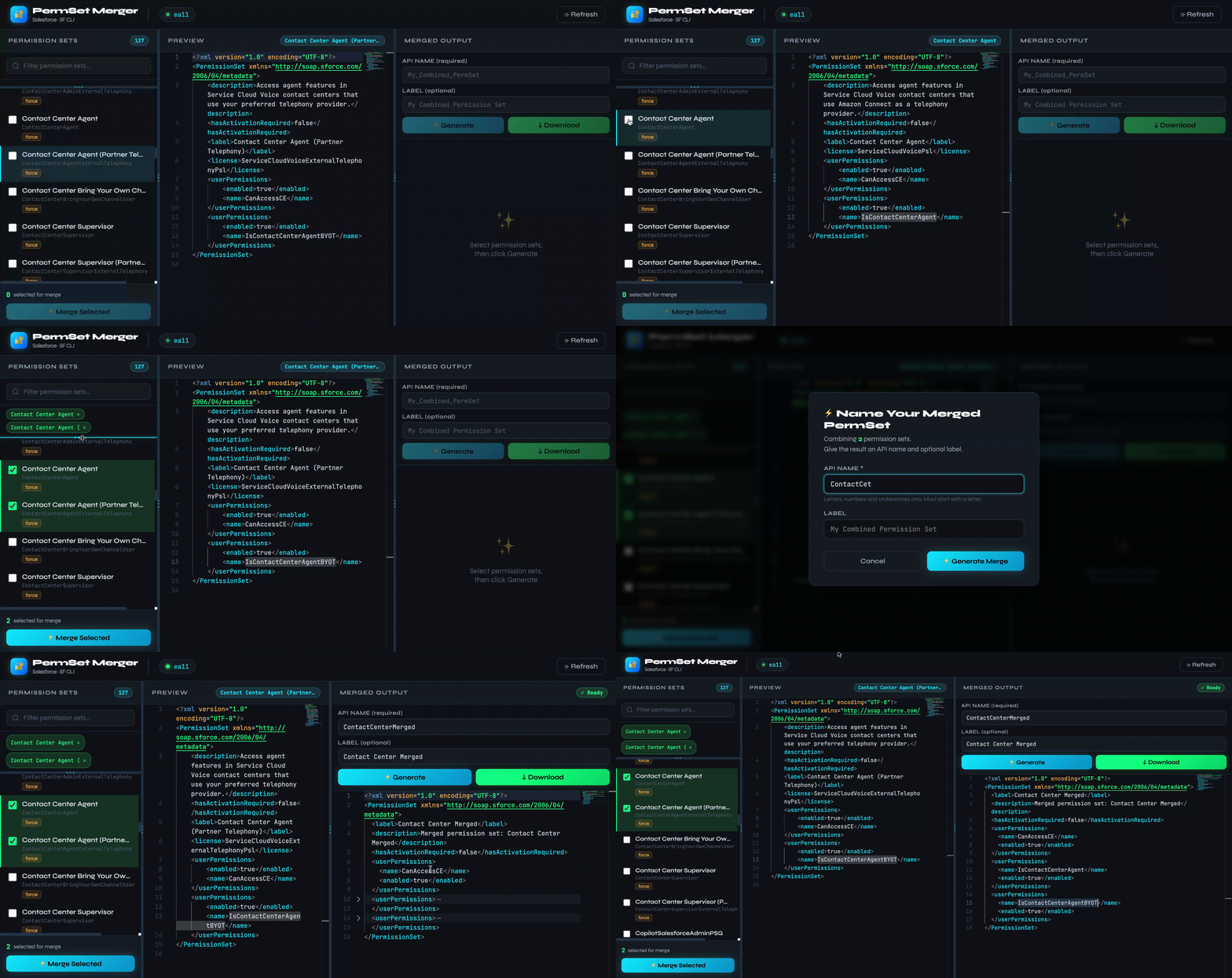
sf org login web --alias my-sandboxDemo
Installation
npm install -g permset-merger
Usage
permset-merger -o <org-username-or-alias> [-p <port>]
Options
| Flag | Description | Default |
|------|-------------|---------|
| -o, --org <username> | Salesforce org username or alias (required) | — |
| -p, --port <port> | Port for the web UI | 3579 |
Examples
# Use an alias
permset-merger -o my-sandbox

# Use a full username
permset-merger -o [email protected]

# Custom port
permset-merger -o my-sandbox -p 8080
Web UI
The browser opens automatically at http://localhost:<port>.
Left Pane — Permission Set Browser
- Lists all non-profile permission sets in the org
- Click any row to preview its XML in the middle pane
- Check rows to select them for merging
- Live search/filter
- Chips show currently selected sets
Middle Pane — XML Preview
- Monaco Editor (VS Code engine) renders the raw permission set XML
- Syntax highlighted, foldable, with minimap
Right Pane — Merged Output
- Enter an API name (required) and label (optional)
- Click ⚡ Generate to merge all checked permission sets
- Merged XML appears in a second Monaco editor
- Click ↓ Download to save
<APIName>.permissionset-meta.xml
Splitters
- Drag the animated splitters between panes to resize
Merge Logic
| Permission Type | Strategy |
|----------------|----------|
| Object Permissions | OR (union) — most permissive wins |
| Field Permissions | OR (union) — readable/editable if any source grants it |
| User Permissions | OR (union) — enabled if any source enables it |
| Apex Class Accesses | OR (union) |
| Page Accesses | OR (union) |
| Tab Settings | Max visibility (DefaultOn > DefaultOff > Hidden) |
| Record Type Visibilities | OR (union) |
| Application Visibilities | OR (union) |
| Custom Permissions | OR (union) |
| Flow Accesses | OR (union) |
License
MIT © Mohan Chinnappan