
pg-viewer-mc
v1.0.2
Published
A beautiful, interactive PostgreSQL database viewer with web UI, search, charts, query and export capabilities

Maintainers
 mohanchinnappan
Readme
🐘 PostgreSQL Viewer CLI
A beautiful, interactive PostgreSQL database viewer with a modern web UI. Browse tables, search data, query data, create visualizations, and export to CSV—all from your browser.



✨ Features
- 🎨 Modern Dark UI - Beautiful, responsive interface with Tailwind CSS
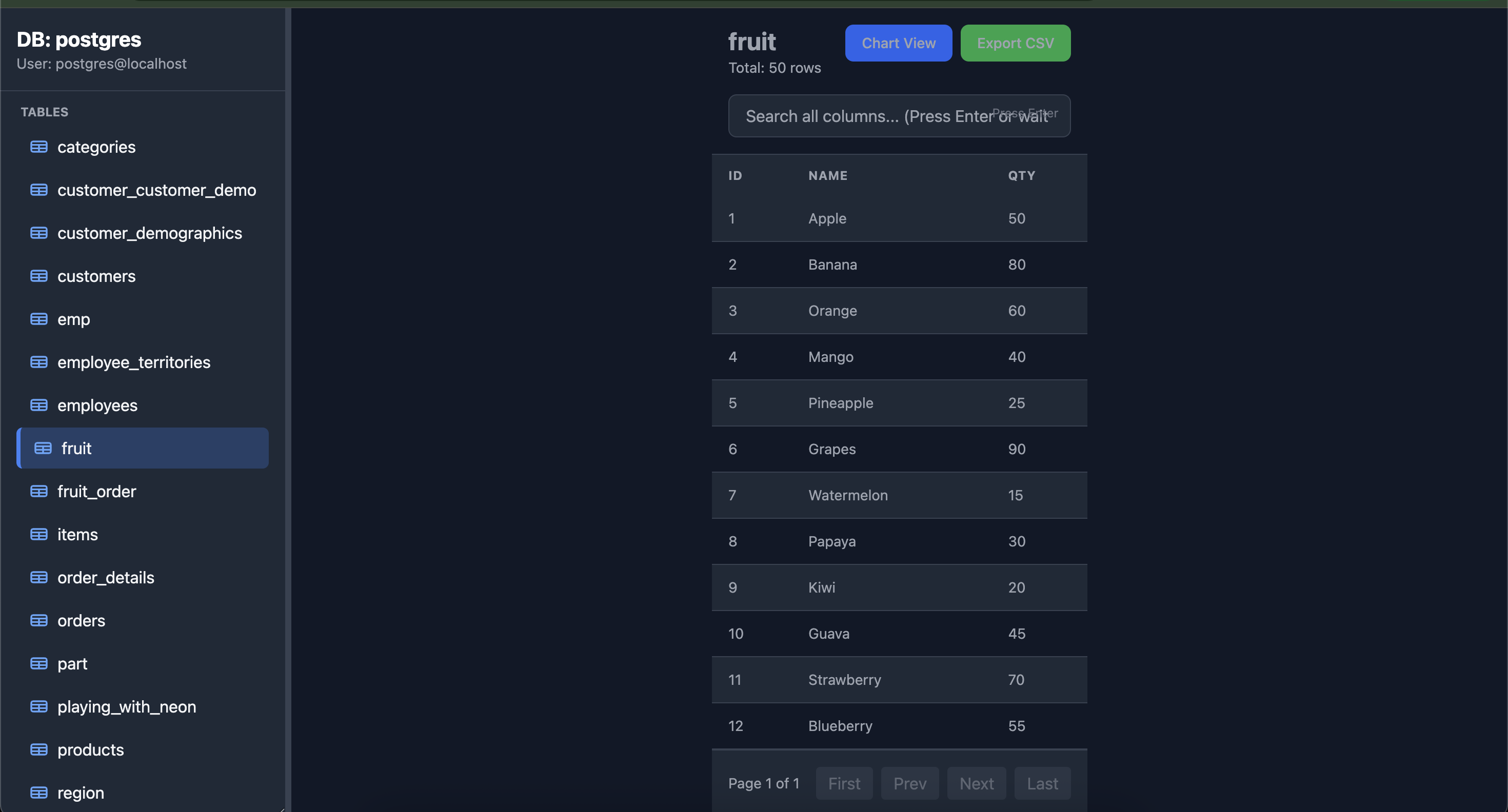
- 📊 Interactive Tables - Browse, search, sort, and paginate through your data
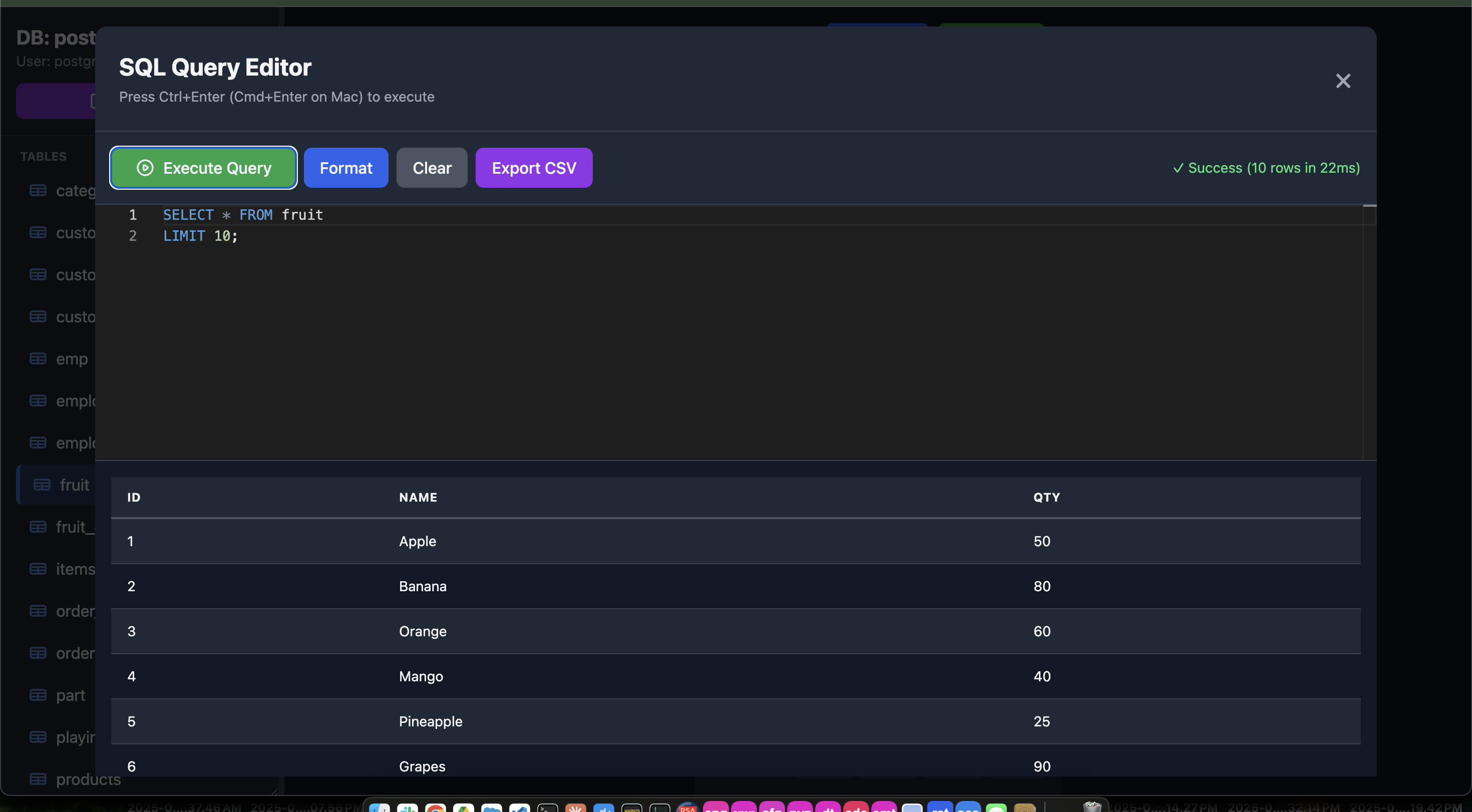
- 💻 SQL Query Editor - Execute custom SQL queries with Monaco Editor (VS Code's editor)
- Intelligent Autocomplete - Context-aware suggestions for tables, columns, and SQL keywords
- Syntax Highlighting - Professional SQL syntax coloring
- Keyboard Shortcuts - Execute queries with Ctrl+Enter (Cmd+Enter on Mac)
- Query Formatting - Auto-format your SQL for better readability
- Error Handling - Clear error messages with details
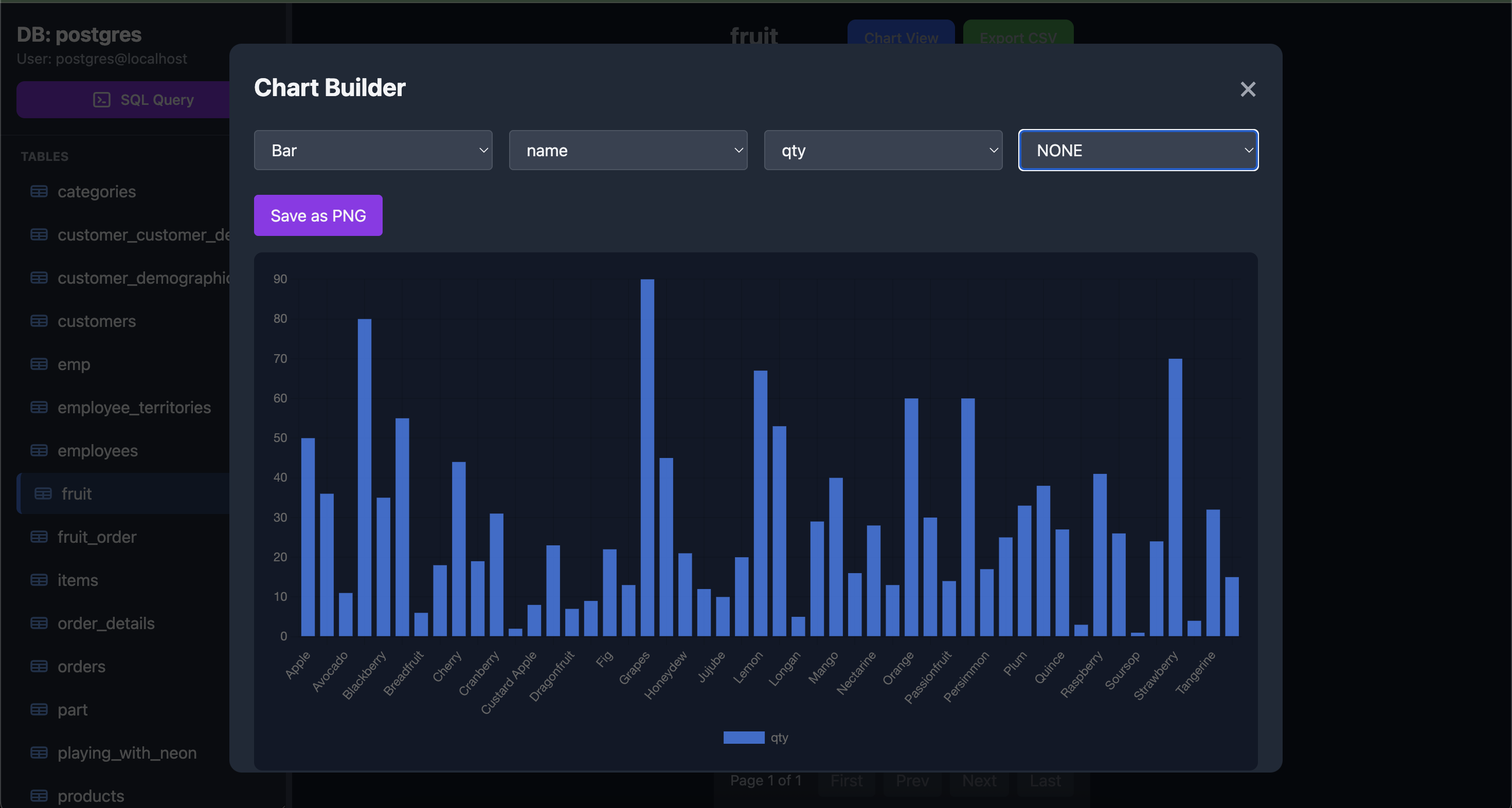
- 📈 Built-in Charts - Create bar, line, pie, and doughnut charts with aggregations
- 🔍 Smart Search - Search across all columns with debounced input (500ms delay or press Enter)
- 💾 CSV Export - Export filtered data to CSV with one click (works for both tables and query results)
- 🎯 Column Sorting - Click any column header to sort ascending/descending
- 📱 Responsive Design - Works on desktop, tablet, and mobile
- ⚡ Fast & Lightweight - No heavy dependencies, just Express and PostgreSQL
- 🎛️ Flexible Charts - Use aggregations (COUNT, SUM, AVG, MAX, MIN) or NONE for raw data
Screenshots
📋 Requirements
- Node.js 14 or higher
- PostgreSQL database
- npm
🚀 Installation
npm install -g pg-viewer-mc💻 Usage
Basic Usage
pg-viewer -u postgres -d mydbWith Password
pg-viewer -u postgres -d mydb -w mypasswordCustom Ports
pg-viewer -u postgres -d mydb -p 8080 --pgport 5433All Options
pg-viewer  [options]

Options:
  -u, --user <username>       PostgreSQL username (required)
  -d, --database <dbname>     Database name (required)
  -p, --port <port>           Web server port (default: 3000)
  -h, --host <host>           PostgreSQL host (default: localhost)
  --pgport <port>             PostgreSQL port (default: 5432)
  -w, --password <password>   PostgreSQL password (default: empty)
  --help                      Display help for command
🎯 Quick Start Example
# Start the viewer
pg-viewer  -u postgres -d mydb

# Open your browser
# Navigate to http://localhost:3000
🎨 Features in Detail
SQL Query Editor
- Monaco Editor: The same editor that powers VS Code
- Smart Autocomplete:
- Table names from your database
- Column names with their data types
- SQL keywords (SELECT, FROM, WHERE, JOIN, etc.)
- Function names (COUNT, SUM, AVG, etc.)
- Keyboard Shortcuts:
Ctrl+Enter/Cmd+Enter- Execute queryCtrl+Space- Trigger autocomplete
- Features:
- Syntax highlighting for SQL
- Line numbers and code folding
- Format button for auto-formatting SQL
- Export results to CSV
- Execution time and row count display
- Detailed error messages
Table Browsing
- View all tables and views in your database
- Click any table to view its data
- See row counts and pagination controls
- Sort by any column (click header to toggle ASC/DESC)
Search Functionality
- Smart Debouncing: Search automatically triggers 500ms after you stop typing
- Instant Search: Press Enter to search immediately
- All Columns: Searches across all columns in the table
- Case-insensitive search with ILIKE
Chart Builder
- Chart Types: Bar, Line, Pie, and Doughnut
- Aggregations: COUNT, SUM, AVG, MAX, MIN, or NONE (raw data)
- Interactive: Select X-axis, Y-axis, and aggregation function
- Export: Save charts as PNG images
- Limit: Shows top 50 results (or 1000 for NONE aggregation)
CSV Export
- Export current filtered view
- Handles up to 100,000 rows
- Proper CSV formatting with quoted values
- Preserves JSON objects and null values
🛠️ Technical Details
Built With
- Express.js - Web framework
- node-postgres (pg) - PostgreSQL client
- Commander.js - CLI argument parsing
- Tailwind CSS - Styling (via CDN)
- Chart.js - Data visualization (via CDN)
- open-resource - to open in browser
Architecture
- Single-file Node.js application
- RESTful API for data access
- Connection pooling for performance
- Embedded HTML/CSS/JS (no build step required)
API Endpoints
GET /api/entities- List all tables and viewsGET /api/table/:name- Get table data with paginationGET /api/table/:name/columns- Get column informationGET /api/schema- Get complete schema for autocompletePOST /api/chart/:name- Generate chart dataPOST /api/query- Execute custom SQL query
🔒 Security Notes
- This tool is intended for development and local use
- No authentication is implemented
- Do not expose to the public internet
- Use PostgreSQL's built-in security features
- Consider SSH tunneling for remote databases
📝 Common Use Cases
Running Custom Queries
- Click the "SQL Query" button in the sidebar
- Write your query in the Monaco editor
- Use autocomplete (Ctrl+Space) for tables and columns
- Execute with Ctrl+Enter or click "Execute Query"
- Export results to CSV if needed
Local Development
pg-viewer -u dev_user -d dev_databaseRemote Database
pg-viewer -u admin -d production -h db.example.com --pgport 5432 -w passwordDocker PostgreSQL
docker run -d -p 5432:5432 -e POSTGRES_PASSWORD=mysecret postgres
pg-viewer  -u postgres -d postgres -w mysecret
🐛 Troubleshooting
Connection Issues
- Verify PostgreSQL is running:
pg_isready - Check your connection parameters
- Ensure PostgreSQL accepts connections from your host
- Check
pg_hba.conffor authentication settings
Port Already in Use
- Change the web port:
-p 8080 - Kill the process using the port:
lsof -ti:3000 | xargs kill
Permission Denied
- Ensure your PostgreSQL user has SELECT permissions
- Check database and schema permissions
📄 License
MIT License (c) Mohan Chinnappan
Made with ❤️ for the PostgreSQL community