
pgdoc-cli
v1.0.3
Published
Beautiful HTML documentation generator for PostgreSQL commands

Maintainers
 mohanchinnappan
Readme
🐘 pgdoc - PostgreSQL Documentation Generator
A beautiful, modern CLI tool that generates interactive HTML documentation for PostgreSQL commands with a sleek dark theme.



✨ Features
- 🎨 Beautiful Dark Theme - Modern UI with Tailwind CSS dark mode
- 📋 One-Click Copy - Copy any command example with a single click
- 🔍 Comprehensive Coverage - 120+ PostgreSQL commands with real-world examples
- 📱 Responsive Design - Works perfectly on desktop, tablet, and mobile
- 🚀 Fast & Lightweight - Pure Node.js, no dependencies needed
- 💡 Beginner Friendly - Clear descriptions and copy-paste ready examples
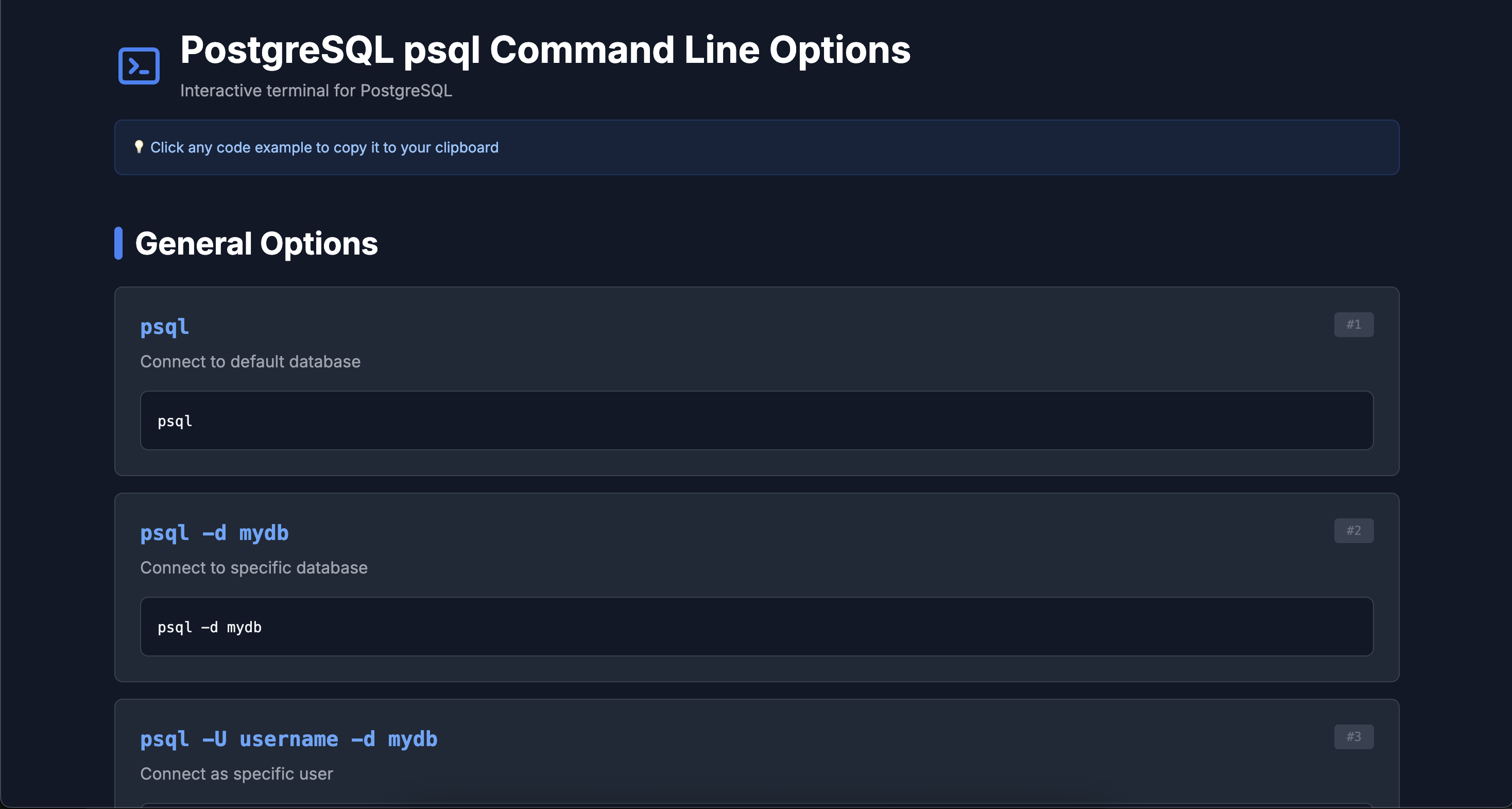
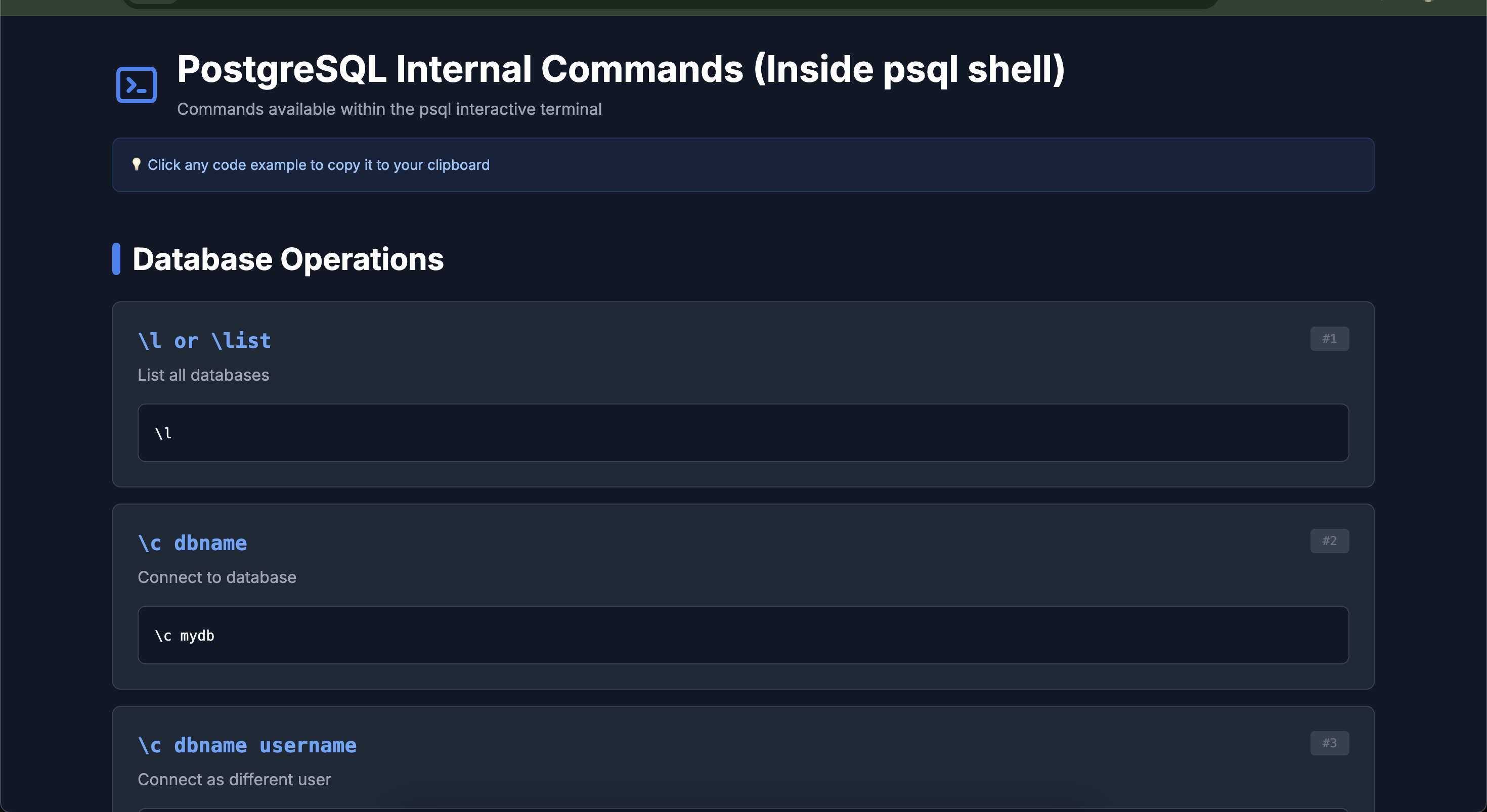
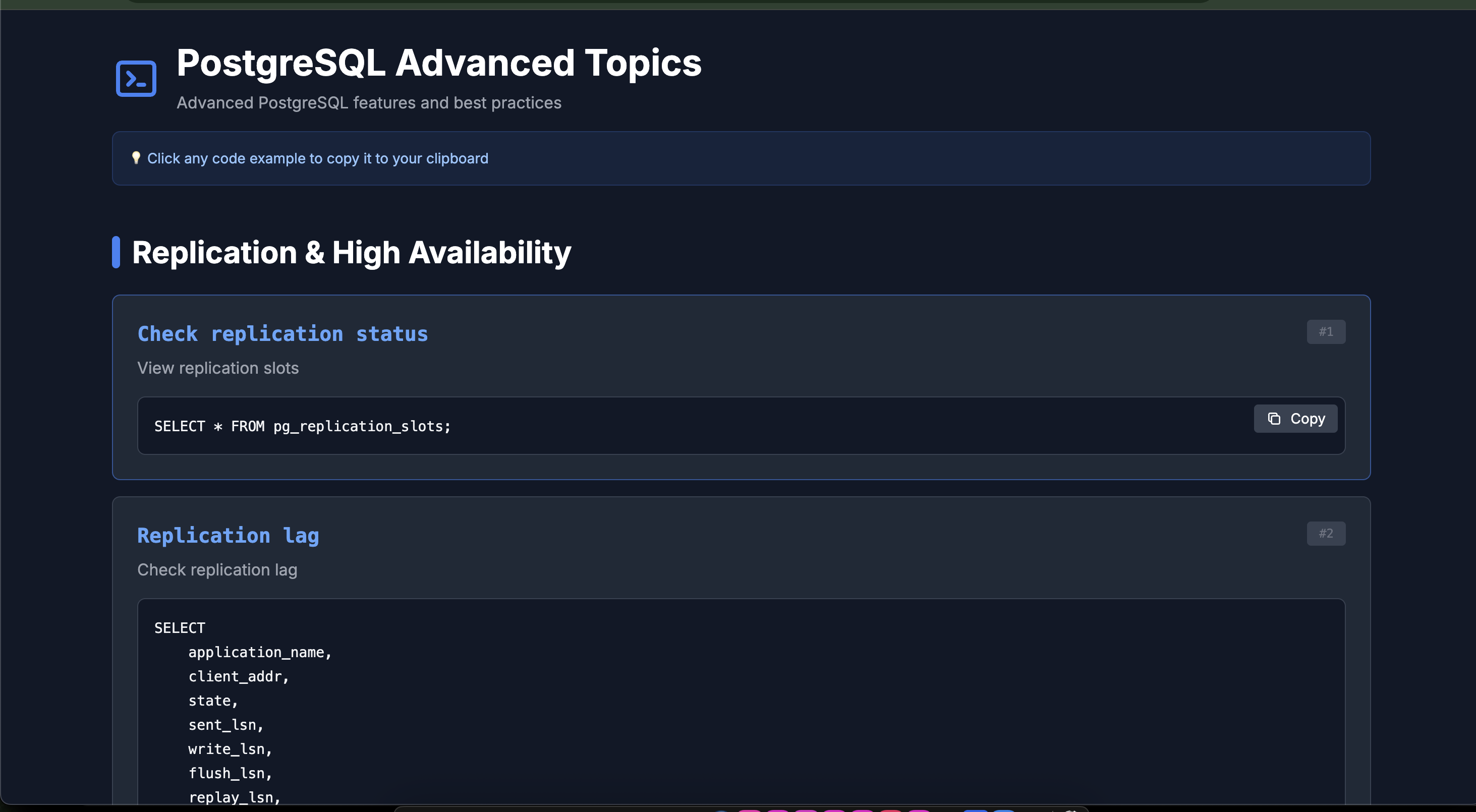
📸 Screenshots
📦 Installation
Global Installation (Recommended)
npm install -g pgdoc-cli
# Clone the repository
git clone https://github.com/mchinnappan100/pgdoc-cli.git
cd pgdoc-cli

# Make executable
chmod +x pgdoc.js

# Install globally
npm link

# Now use it anywhere!
pgdoc --help
Local Installation
# Clone the repository
git clone https://github.com/mchinnappan100/pgdoc-cli.git
cd pgdoc-cli

# Make executable
chmod +x pgdoc.js

# Run with node
node pgdoc.js --help
🚀 Quick Start
# Generate psql command line reference
pgdoc psql-help

# Generate internal psql commands reference
pgdoc psql-internal

# Generate advanced topics documentation
pgdoc advanced-topics

# Save to a specific file
pgdoc psql-internal -o postgres-reference.html
📚 Documentation Topics
1. psql-help - Command Line Options
Learn about all the command-line options available when launching psql:
- Connection options (-h, -p, -U, -d)
- Output format options (--csv, -H, -x)
- General options (-c, -f, -l)
pgdoc psql-help2. psql-internal - Interactive Shell Commands
Comprehensive guide to commands available inside the psql shell:
Database Operations
- Creating, dropping, and altering databases
- Connecting to databases
- Listing databases
Schema & Tables
- Table creation and modification
- Column operations
- Viewing table structures
User Management
- Creating users and roles
- Granting and revoking permissions
- Managing user privileges
Indexing
- Creating various types of indexes (B-tree, GIN, partial, expression)
- Index maintenance and monitoring
- Performance optimization
Extensions
- Installing popular extensions (uuid-ossp, pg_trgm, PostGIS, hstore)
- Managing extensions
- Extension usage examples
Advanced Features
- Foreign Keys & Constraints - Referential integrity
- Views & Materialized Views - Data abstraction layers
- Functions & Stored Procedures - PL/pgSQL programming
- Triggers - Automatic actions on data changes
- Sequences - Auto-incrementing values
- Full-Text Search - Advanced text searching capabilities
- JSON & JSONB - Working with JSON data
- Arrays - Array data types and operations
- Partitioning - Table partitioning strategies
- CTEs - Common Table Expressions and recursive queries
- Window Functions - Advanced analytical queries
Backup & Restore
- pg_dump usage and options
- pg_restore techniques
- Database migration strategies
Monitoring & Maintenance
- Performance monitoring
- Table and index statistics
- Connection management
- Query optimization
pgdoc psql-internal3. advanced-topics - Expert Level Features
Deep dive into advanced PostgreSQL capabilities:
- Replication and high availability
- Security and row-level policies
- Performance tuning and optimization
- Connection pooling and statistics
pgdoc advanced-topics🎯 Usage Examples
Basic Usage
# Generate and open in browser
pgdoc psql-help

# Save to custom file
pgdoc psql-internal -o my-postgres-guide.html

# Generate all documentation
pgdoc psql-help -o psql-cli.html
pgdoc psql-internal -o psql-commands.html
pgdoc advanced-topics -o psql-advanced.html
Real-World Scenarios
For Beginners
# Start with command line basics
pgdoc psql-help

# Then learn internal commands
pgdoc psql-internal
For Developers
# Quick reference for daily work
pgdoc psql-internal -o quick-ref.html

# Keep it open in browser for easy access
For DBAs
# Complete reference guide
pgdoc psql-internal -o dba-guide.html
pgdoc advanced-topics -o performance-guide.html
📖 Command Categories
The documentation covers 15+ major categories with 120+ commands:
- ✅ Database Operations
- ✅ Schema & Table Management
- ✅ User & Permission Control
- ✅ Index Management
- ✅ Extensions
- ✅ Backup & Restore
- ✅ Foreign Keys & Constraints
- ✅ Views & Materialized Views
- ✅ Functions & Stored Procedures
- ✅ Triggers
- ✅ Sequences
- ✅ Full-Text Search
- ✅ JSON/JSONB Operations
- ✅ Array Operations
- ✅ Table Partitioning
- ✅ CTEs & Recursive Queries
- ✅ Window Functions
- ✅ Advanced Queries
- ✅ Database Maintenance
- ✅ Monitoring & Statistics
- ✅ Import & Export
- ✅ Replication & HA
- ✅ Security & RLS
- ✅ Performance Tuning
🎨 Features Showcase
Interactive Code Examples
Every command includes a copy button that:
- ✨ Provides instant visual feedback
- 📋 Copies to clipboard with one click
- ✅ Shows "Copied!" confirmation
- 🎯 Handles complex multi-line SQL perfectly
Beautiful Dark Theme
- 🌙 Easy on the eyes for long reading sessions
- 💎 Modern glassmorphism effects
- 🎨 Syntax-highlighted code blocks
- 📐 Clean, organized layout
Responsive Design
- 💻 Perfect on desktop monitors
- 📱 Optimized for mobile devices
- 🖥️ Great on tablets
- 🔄 Adapts to any screen size
🛠️ Development
Project Structure
pgdoc-cli/
├── pgdoc.js           # Main CLI script
├── package.json       # Package configuration
├── README.md          # This file
Adding New Commands
Edit pgdoc.js and add commands to the appropriate section:
{
  name: 'Your Section',
  commands: [
    {
      cmd: 'COMMAND NAME',
      desc: 'Description',
      example: 'SQL example here'
    }
  ]
}
Customizing the Theme
The HTML template uses Tailwind CSS. Modify the color scheme in the generateHTML() function:
// Change primary color from blue to purple
text-blue-400 → text-purple-400
bg-blue-500 → bg-purple-500
📋 Requirements
- Node.js >= 12.0.0
- No external dependencies required!
- Works on macOS, Linux, and Windows
🤝 Contributing
Contributions are welcome! Here's how you can help:
- 🍴 Fork the repository
- 🌿 Create a feature branch (
git checkout -b feature/amazing-feature) - ✍️ Commit your changes (
git commit -m 'Add some amazing feature') - 📤 Push to the branch (
git push origin feature/amazing-feature) - 🎉 Open a Pull Request
Ideas for Contributions
- Add more PostgreSQL commands
- Add search functionality
- Add command categorization filters
- Add bookmarking feature
- Add dark/light theme toggle
- Add export to PDF
- Add internationalization (i18n)
📝 License
This project is licensed under the MIT License - see the LICENSE file for details.
🙏 Acknowledgments
- Built with ❤️ for the PostgreSQL community
- Styled with Tailwind CSS
- Inspired by the need for better PostgreSQL documentation tools
📞 Support
- 🐛 Issues: GitHub Issues
- 💬 Discussions: GitHub Discussions
🔗 Useful Links
⭐ Star History
If you find this tool helpful, please consider giving it a star on GitHub!
Made with 🐘 and ☕ by PostgreSQL enthusiasts
Command Line Options
Internal Commands
Advanced Topics
🎓 Learning Path
Recommended order for learning PostgreSQL with pgdoc:
Beginner → Start with
pgdoc psql-help- Learn command-line options
- Understand connection parameters
Intermediate → Move to
pgdoc psql-internal- Master database operations
- Learn table and index management
- Practice backup and restore
Advanced → Explore
pgdoc advanced-topics- Study replication strategies
- Optimize performance
- Implement security best practices
💡 Tips & Tricks
- Quick Reference: Keep the HTML file open in a browser tab for instant access
- Offline Use: Generated HTML files work completely offline
- Team Sharing: Share generated HTML files with your team
- Custom Builds: Modify the tool to include your organization's specific commands
- CI/CD: Generate documentation as part of your deployment process
🔄 Changelog
Version 1.0.0 (Current)
- ✨ Initial release
- 📚 120+ PostgreSQL commands
- 🎨 Beautiful dark theme
- 📋 One-click copy functionality
- 📱 Fully responsive design
Happy PostgreSQL querying! 🐘✨