
photon-grid-core
v3.0.12
Published
Professional zero-dependency TypeScript data grid with enterprise-grade features.

Maintainers
 wahidkhan
Readme
Photon Grid Core — High-Performance JavaScript & TypeScript Data Grid
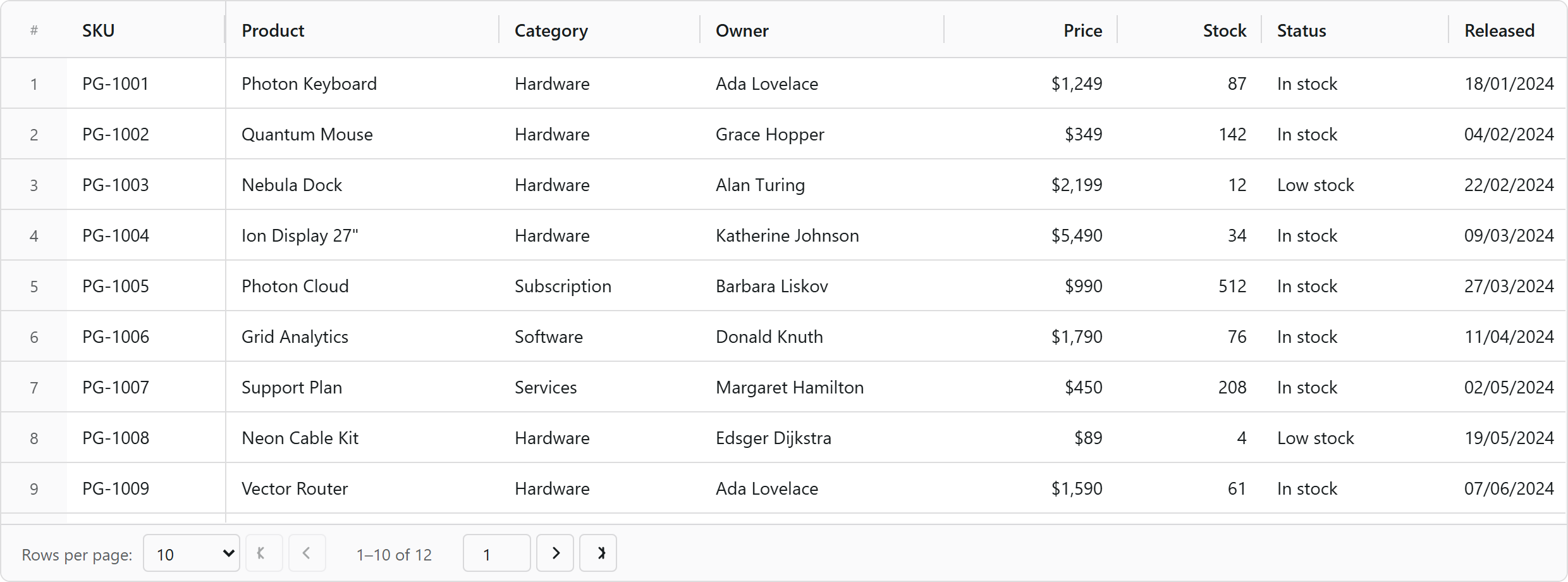
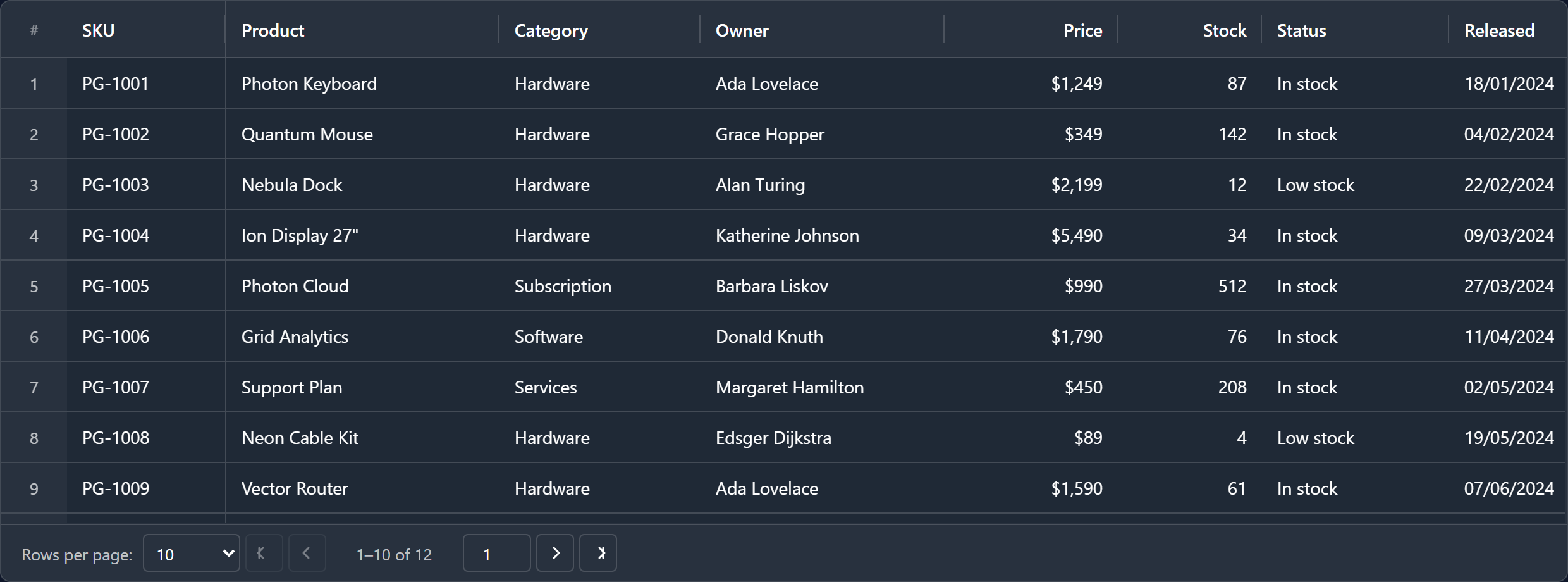
What is Photon Grid?
Photon Grid Core is a framework-agnostic data grid / data table engine written in TypeScript with zero runtime dependencies. It renders only what is on screen, so a table of ten rows and a table of ten million rows cost the same per frame.
Use it directly in plain JavaScript or TypeScript, or through a wrapper:
| Framework | Package | Docs |
|---|---|---|
| Angular | photon-grid-angular | README |
| React | photon-grid-react | README |
| Vue 3 | photon-grid-vue | README |
| Vanilla JS / TS | photon-grid-core | this page |
Installation
npm install photon-grid-coreyarn add photon-grid-corepnpm add photon-grid-coreNo CSS import is required — the grid injects its own stylesheet on first render.
xlsx is an optional peer dependency, needed only if you import .xlsx workbooks through photon-grid-core/import/sheetjs.
Quick start
<div id="grid" style="height: 460px"></div>import { createGrid } from 'photon-grid-core';
const grid = createGrid('#grid', {
columns: [
{ field: 'sku', header: 'SKU', width: 110, pinned: 'left' },
{ field: 'product', header: 'Product', width: 190 },
{ field: 'category', header: 'Category', width: 140 },
{ field: 'price', header: 'Price', width: 120, type: 'number' },
{ field: 'released', header: 'Released', width: 130, type: 'date' },
],
data: [
{ sku: 'PG-1001', product: 'Photon Keyboard', category: 'Hardware', price: 1249, released: '2024-01-18' },
{ sku: 'PG-1002', product: 'Quantum Mouse', category: 'Hardware', price: 349, released: '2024-02-04' },
{ sku: 'PG-1003', product: 'Nebula Dock', category: 'Hardware', price: 2199, released: '2024-02-22' },
],
rowHeight: 40,
headerRowHeight: 44,
showSerialNumber: true,
pagination: { enabled: true, pageSize: 10 },
});
// Fill the container width, then work through the public API.
grid.api.sizeColumnsToFit();
// …and when the view goes away:
// grid.destroy();createGrid accepts an element or a CSS selector. new GridCore(element, options) is the equivalent constructor form, and renderGrid is an alias of createGrid for render-oriented naming.
Only field is required per column: colId, header and type are filled in for you (header from the field in Title Case, type defaulting to 'string').
Common options
createGrid('#grid', {
  columns,
  data,

  // Appearance
  mode: 'dark',                              // 'light' | 'dark'
  variant: 'quantum',                        // 'classic' | 'ion' | 'neon' | 'photon' | 'quantum' | 'none'
  rowHeight: 40,
  headerRowHeight: 44,
  showSerialNumber: true,                    // the row-number gutter

  // Interaction
  editing: { mode: 'cell', singleClickEdit: true },
  pagination: { enabled: true, pageSize: 25 },

  // Power features
  formula: { enabled: true },                // Excel-style =A1+B1 formulas
  rowModel: 'server',                        // 'client' | 'server' | 'infinite'
  masterDetail: { enabled: true, renderer },
  summary: { rows: [/* aggregate rows */] },
  toolbar: { /* tabs + global search */ },
  photonAI: { enabled: true },               // natural-language grid control
});
Features
Rendering & scale
- Virtual row and column rendering — millions of rows, thousands of columns
- Virtual DOM cell patcher for high-frequency streaming updates
- Flat memory profile; DOM nodes bounded by viewport size, not data size
Columns
- Pinning (left / right), resizing, reordering, auto-size, size-to-fit
- Column groups with multi-row headers
- Show/hide, column chooser, per-column state serialization
Data
- Sorting (single and multi-column), filtering, quick filter, filter panels
- Row grouping with aggregations, tree data
- Pagination, client / server-side / infinite row models
- Master–detail rows
Editing
- 15+ built-in cell editors (text, number, date, time, select, autocomplete, checkbox, colour, range …)
- Declarative validation, async rules, row validators
- Excel-style formula engine with A1 references and 55+ functions
- Fill handle, clipboard, undo/redo
Presentation
- Light/dark modes plus five variants, all driven by CSS custom properties
- Built-in cell renderers and fully custom renderers
- Summary rows, status bar, context menus, charts
Platform
- Full keyboard navigation, ARIA roles, screen-reader support, RTL
- Typed event bus and a documented
GridApi - CSV / Excel export, CSV / Excel / clipboard import
- Zero runtime dependencies, tree-shakeable ESM + CJS builds
API surface
const grid = createGrid('#grid', options);

grid.api.setData(rows);
grid.api.setColumns(columns);
grid.api.sizeColumnsToFit();
grid.api.exportCsv();
grid.api.on(GridEventType.CELL_VALUE_CHANGED, (e) => console.log(e));

grid.destroy();
Everything is typed — the package ships its own declaration files, so no @types/* package is needed.
Browser support
Chrome, Edge, Firefox and Safari — current and previous major versions.
Links
- GitHub — https://github.com/abdulwahid-csit/photon-grid
- Issues — https://github.com/abdulwahid-csit/photon-grid/issues
- npm — https://www.npmjs.com/package/photon-grid-core
Keywords
grid, data grid, datagrid, table, data table, datatable, table data, javascript grid, javascript data grid, typescript data grid, js table, html table component, spreadsheet, excel grid, excel-like table, editable table, virtual scroll, virtualized table, infinite scroll, large dataset, million rows, tree grid, row grouping, pivot, sorting, filtering, pagination, column pinning, column resize, column reorder, row selection, cell selection, clipboard, csv export, excel export, enterprise data grid, ag-grid alternative, handsontable alternative, tanstack table alternative, angular table, react table, vue table, zero dependency
License
MIT © Abdul Wahid
⭐ If Photon Grid is useful to you, consider starring the repository.