
pi-cozy-ui
v0.3.4
Published
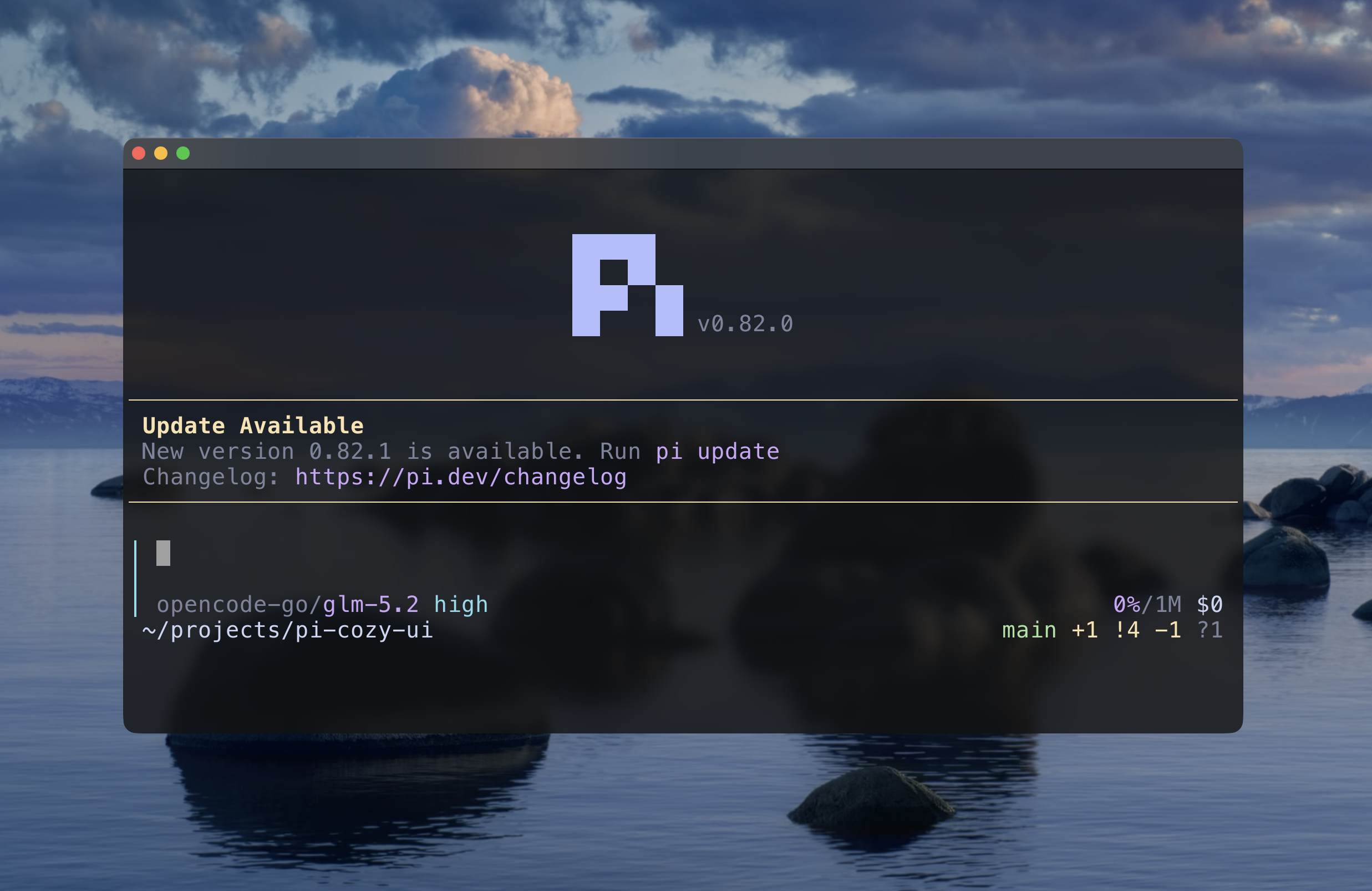
Cozy UI for Pi — left-bar input box, startup screen, and cozy themes


Readme
pi-cozy-ui
A cozy UI for Pi — a minimal input box, startup screen, and cozy themes.
Inspirations:
- OpenCode input box
- Catppuccin color palette
Install
pi install npm:pi-cozy-uiThen enable/disable modules in the resource config TUI:
pi configThemes
The package includes two Catppuccin-inspired cozy themes that also style the thinking-level input border:
cozy-dark— a soft Mocha-inspired dark palettecozy-light— a warm Latte-inspired light palette
Select either theme from /settings after installation.
Recommended settings
For the best experience:
- Move
pi-cozy-uiafter packages that customize Pi's input or startup screen inpi config. If no other package customizes Pi's default input, placepi-cozy-uiat the top so the input loads sooner. - Select either
cozy-darkorcozy-lightfrom/settings. - Enable quiet startup to suppress Pi's default banner; the startup screen module replaces it with a cleaner centered header.
pi configIn the config TUI, set quietStartup to true. Or add it directly to ~/.pi/agent/settings.json:
{
	"quietStartup": true
}
Preview
Develop
pnpm install
pnpm dev
# = pi --no-extensions -e ./extensions/input-field.ts -e ./extensions/startup-screen.ts
Edit, then type /reload inside pi for live updates.
Layout
| File | Purpose |
| ------------------------------ | -------------------------------------------------------------------- |
| extensions/input-field.ts | Custom editor: left-bar input box with an embedded muted status row. |
| extensions/startup-screen.ts | Startup header: centered ASCII "pi" icon and version. |
| lib/text-layout.ts | Pure ANSI-aware text helpers used by both extensions. |
| lib/editor-layout.ts | Pure composer for the minimal editor layout. |
| themes/cozy-dark.json | Catppuccin-inspired dark theme. |
| themes/cozy-light.json | Catppuccin-inspired light theme. |
Test
pnpm testType-check
pnpm check