
pi-debug-mode
v0.1.12
Published
Cursor-style debug mode for the Pi coding agent with evidence-first debugging, runtime probes, bug reproduction, root-cause analysis, minimal fixes, and verification.

Maintainers
 nyn5255
Readme
pi-debug-mode
pi-debug-mode adds a Cursor-style evidence-first Debug Mode to the Pi coding agent for runtime debugging, bug reproduction, root-cause analysis, and verification. Its injected instructions tell Pi to wait for runtime evidence before changing code. The workflow asks Pi to compare hypotheses, add targeted probes, pause for human reproduction, inspect captured evidence, apply the smallest supported fix, and verify the result.
The canonical source is github.com/liush2yuxjtu/pi-debug-mode.
Live preview — no click required
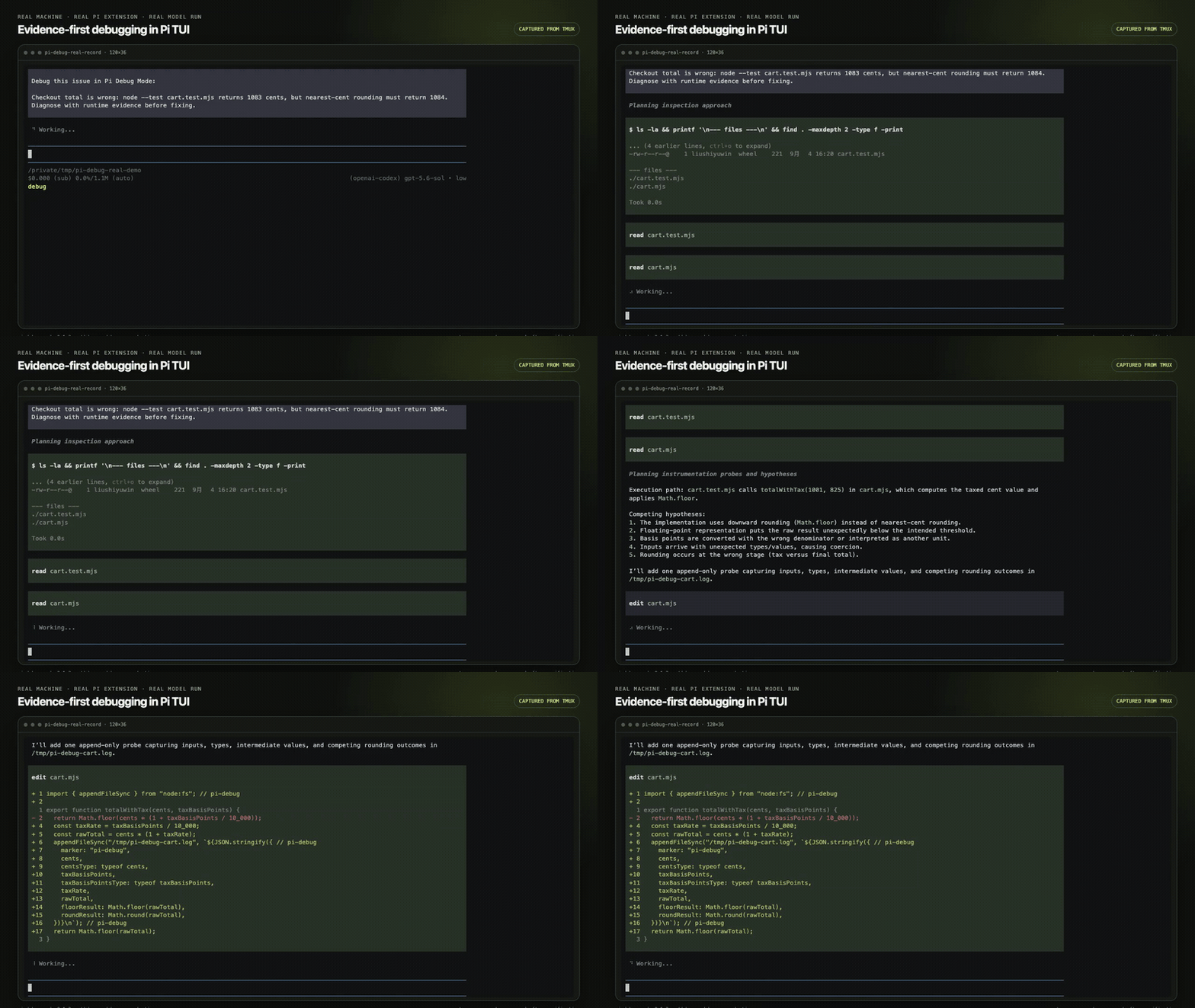
The animated preview runs inline and loops automatically. It is a real Pi TUI recording segment from the published extension, captured on a real machine.
Watch the full real Pi TUI recording. The 80.92-second recording captures a live /debug run on a real machine with a published extension release and openai-codex/gpt-5.6-sol. It includes hypothesis generation, temporary pi-debug probes, the interactive debug_reproduction checkpoint, evidence inspection, the smallest fix, human verification, probe cleanup, and a passing test.
The source terminal session was recorded from tmux as an asciinema cast. Only long human-wait intervals were compressed. The TUI output and tool execution remain from the live run.
中文动态预览
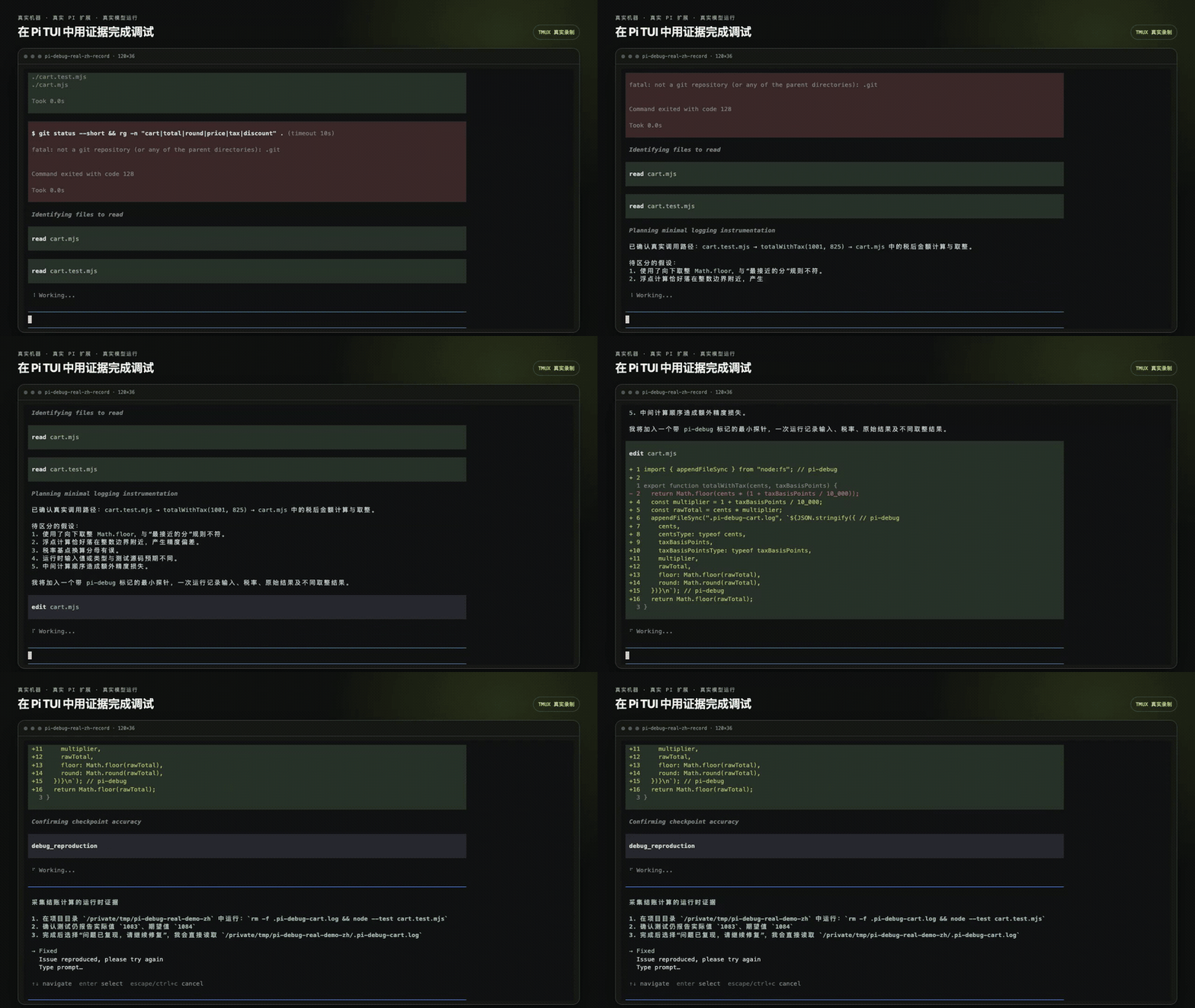
上方 GIF 会直接循环播放,无需点击。它来自真实机器上的真实 Pi TUI 录屏片段。
For another English route, watch the original 13-second product demo, watch the fresh Guided replay, or open the English interactive demo.
Install
Install the pinned npm release:
pi install npm:[email protected]Or install the pinned GitHub release:
pi install git:github.com/liush2yuxjtu/[email protected]Restart Pi, then run:
/debug describe the bug and expected behaviorAt each checkpoint, debug_reproduction shows exact steps and four choices:
FixedIssue reproduced, please try againType prompt…Autopilot — Agent 自行验证
Autopilot changes the prompt guidance, not the tool surface. After the first checkpoint, Pi verifies commands, tests, APIs, logs, CLI/TUI behavior, UI logic, and artifacts with existing tools. It requests another checkpoint only for visual, click, touch, or aesthetic judgment, using humanReason. It does not start a background runner, simulate clicks, or bypass permissions.
The first checkpoint is a mode handoff. Machine paths use no second checkpoint. Human paths use at most two checkpoints. Autopilot does not claim that a check passed or that the issue is fixed.
If you invoke /debug while Pi is busy, the extension waits for the current agent work to settle before it starts the debug task. It never overrides the active turn.
Use /debug-stop to leave Debug Mode without claiming a fix.
Send feedback safely
Use /debug-feedback. Feedback text is explicit opt-in. You may optionally attach the current main session plus referenced pi-subtask child sessions; raw transcripts never leave the machine, transcript upload requires deterministic redaction, TruffleHog with zero findings, a size/redaction summary, and a second confirmation. If scanning is unavailable or finds anything, transcript upload is blocked. DO_NOT_TRACK=1 and PI_TELEMETRY_DISABLED=1 disable feedback upload too. Redacted feedback is retained for 30 days.
TruffleHog must be available on PATH to attach transcripts; text-only feedback does not require it.
Uninstall
For an npm install, run:
pi remove npm:pi-debug-modeFor a GitHub install, run:
pi remove git:github.com/liush2yuxjtu/pi-debug-modeHow it works
- Pi inspects the real execution path and lists competing hypotheses.
- Pi adds minimal
pi-debugruntime probes that distinguish the hypotheses. debug_reproductionhands the reproduction to Guided mode or Autopilot.- In Autopilot, Pi runs machine-checkable verification with existing tools. It asks for human input only when visual, click, touch, or aesthetic judgment remains.
- Pi reads the captured evidence and applies the smallest root-cause fix.
- Pi repeats the same machine checks, removes temporary probes, and reports the evidence.
Why not a normal debug prompt?
| Approach | Runtime evidence | Human checkpoint | Finish condition |
| --- | --- | --- | --- |
| Ordinary debug prompt | Depends on the prompt and the agent response | Optional | Defined by the prompt |
| Generic agent mode | Depends on that mode's tools and instructions | Depends on that mode | Defined by that mode |
| pi-debug-mode | Its injected instructions require competing hypotheses and targeted pi-debug probes before a fix | Uses debug_reproduction after instrumentation and after the fix | After user confirmation, its instructions call for probe cleanup and relevant validation |
Use an ordinary prompt for a direct question or a bug with an obvious static cause. Use a generic agent mode when its broader workflow matches the task. Use pi-debug-mode when runtime behavior must separate plausible causes before code changes.
Permissions and security
Pi extensions run with the same system permissions as Pi. This package adds two commands and one interactive tool. Autopilot is one choice inside that existing tool. It does not start background services. Anonymous usage telemetry is on by default and disclosed on the first interactive run: the collector address, the exact fields, what is never sent, the 180-day retention, and how to disable it. It sends only funnel events (install, activated, first success, weekly active) as plain JSON to a public collector whose source you can read. Turn it off with /debug-telemetry off, DO_NOT_TRACK=1, or PI_TELEMETRY_DISABLED=1. See src/TELEMETRY.md.
A debug session may ask Pi to add temporary runtime probes and read local logs. Review proposed tool calls. Do not reproduce a bug with secrets in inputs or logs.
Report vulnerabilities through GitHub Security Advisories. Report normal bugs through GitHub Issues.
Public sites
- Read the English product site.
- Read the Chinese product site.
FAQ
When should I use pi-debug-mode?
Use it for bugs that need runtime evidence, competing hypotheses, or a human reproduction step before code changes.
What data leaves my machine?
Usage telemetry is on by default and can be switched off immediately with /debug-telemetry off or DO_NOT_TRACK=1. It sends only the anonymous funnel events documented in src/TELEMETRY.md; it does not send prompts, bug descriptions, code, paths, tokens, emails, usernames, or model output, and nothing is obfuscated: the payload is readable JSON. Separately, your configured Pi model provider may receive prompts, tool outputs, and logs that Pi sends during the session.
Does it prove every fix?
No. Its instructions require evidence before a fix and ask for final verification, but weak probes, an incomplete reproduction, or missing tests can still leave a bug unresolved.
Sources
License
MIT