
pi-design-mode
v0.3.4
Published
Pi 的本地 HTML 设计工作区:组件、tokens、版本历史和交互原型导出。

Maintainers
 nyn5255
Readme
Pi Design Mode
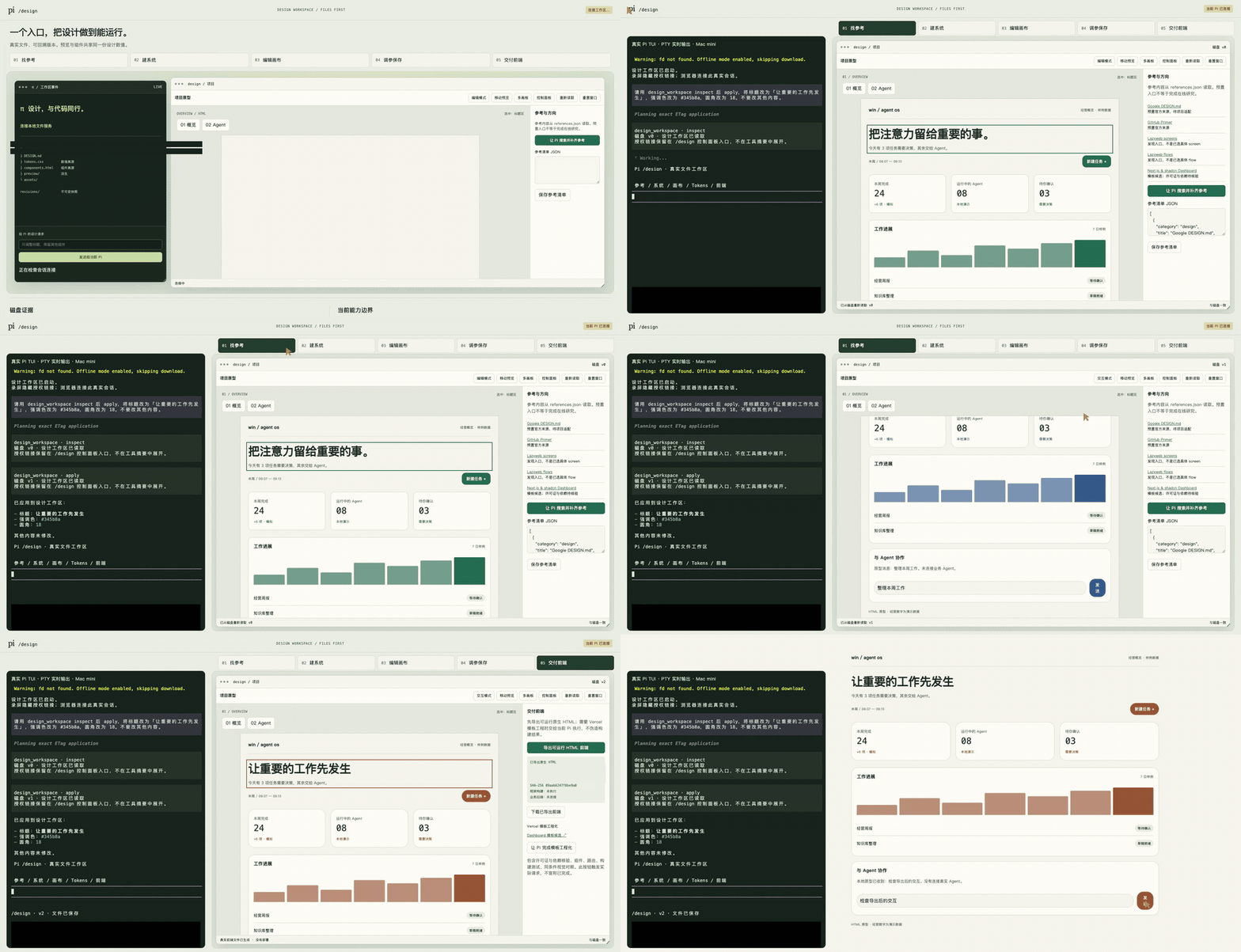
中文 · 内嵌演示
English · inline demo
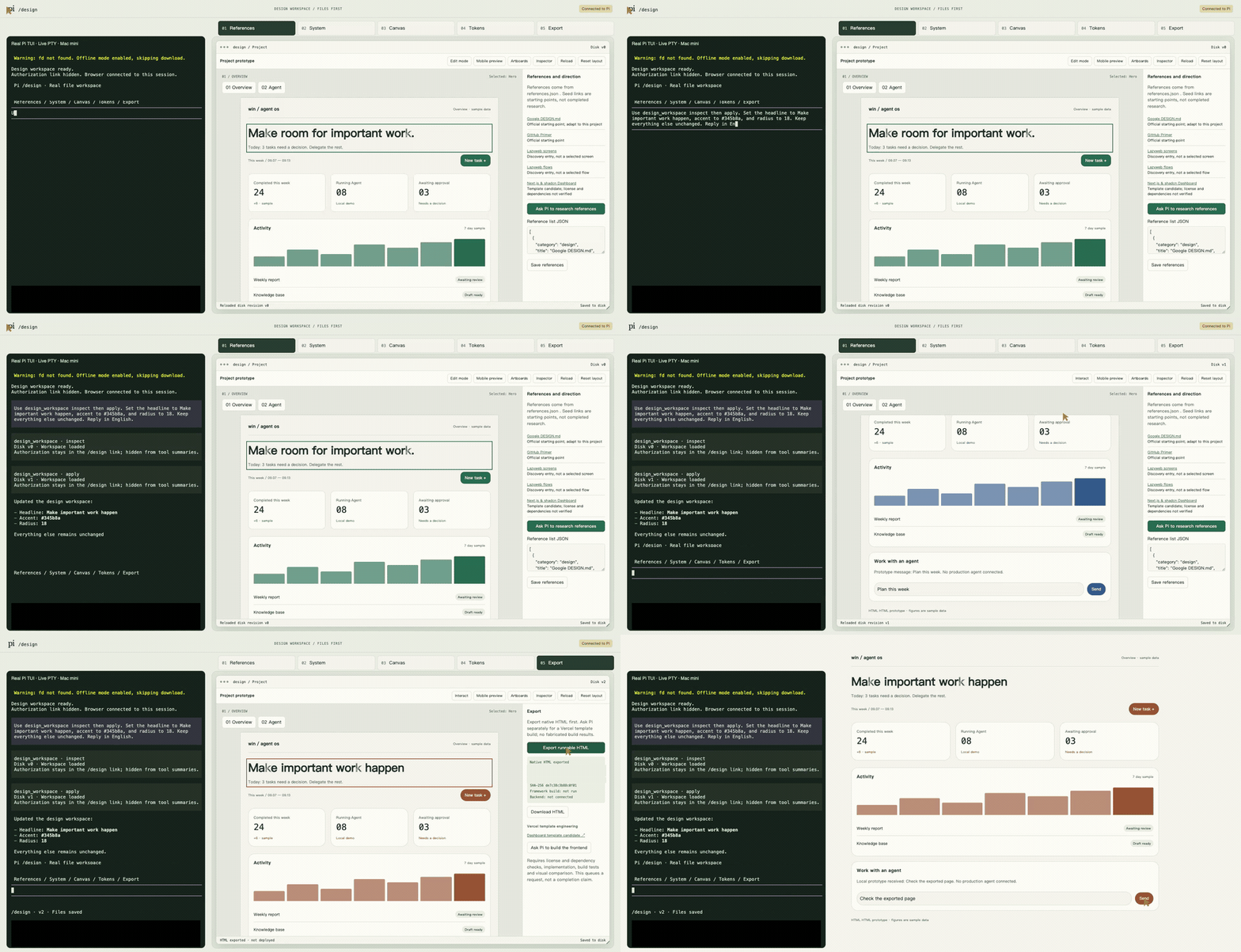
两版 GIF 直接在正文播放,无需跳转。为控制体积降至 960px、8 fps;下方保留原始高清 MP4。
观看中文原片 · 中文 MP4 · English MP4
中文视频保留此前确认的约 63 秒原版;另有新录制的约 70 秒英文版。两版均为左侧真实 Pi TUI、右侧 HTML,包含实际 inspect/apply 模型工具调用、tokens 与导出交互。没有片头或字幕,仅做隐私遮挡。
在 Pi 中用 /design 打开本地 HTML 设计工作区。编辑 tokens 和组件,保存版本,导出可独立交互的 HTML。
安装
需要 macOS、Node.js 22+ 和 Pi。扩展集成测试针对 Pi 0.85.1;其他版本尚未验证。
pi install npm:[email protected]在 Pi 中输入 /reload,然后输入 /design,点击返回的控制面板链接。不会自动弹出浏览器。
升级已有 npm 安装:
pi update npm:pi-design-mode固定版本用户可重新运行上述安装命令。不要同时加载旧的手工 /design 扩展与此包;先在 pi config 停用重复入口,保留原项目文件。
英文界面
在项目目录启动:
PI_DESIGN_LANGUAGE=en pi再输入 /design。未设置时保持中文。更改环境变量后需要重启 Pi;它影响编辑器界面和新建示例,不会自动翻译已有设计,也不控制模型回复语言。部分诊断信息和工作流说明仍为中文。
能做什么
- 调整强调色、圆角、间距和现有明暗主题。
- 选中约定的组件,编辑标题,切换指标网格或列表。
- 锁定标题;草稿撤销、重做和保存版对照。
- 保存磁盘版本,恢复历史,检测并发修改。
- 将浏览器需求发送给当前 Pi 会话,不启动子代理。
- 导出 HTML/CSS/JS,附 SHA-256 回执。无需部署即可交互。
编辑模式选中组件;交互模式操作原型。浏览器草稿在点击“应用到项目”后写盘;Pi 调用 design_workspace apply 也会真实写盘。
设计真源
项目目录下的 .pi-design/ 保存设计与历史。在用户 Home 目录启动时,使用 ~/projects/pi-design-workspace/.pi-design/。
.pi-design/
  design-system/
    manifest.json
    DESIGN.md
    tokens.css
    components.html
    preview/
    assets/
  revisions/
  frontend-v1/
tokens.css 是数值真源,components.html 是组件真源。说明文档、预览和前端不能反向覆盖它们。
命令
/design
/design edit 把强调色改成蓝色
/design reference 查找适合当前项目的参考
/design system 审计当前 tokens 与组件
/design frontend 将批准的设计做成可运行前端
/design-telemetry status|on|off
/design-stop
后四项把需求交给当前模型。扩展不自带搜索或工程生成引擎;完整参考、系统审计与框架前端工作流尚未做端到端验收。随包 WORKFLOW.md 提供可移植说明,不依赖作者的私有技能或配置文件。
边界
- 支持约定的示例组件,不是任意 HTML 导入或任意元素编辑器。
- 两个画板来自同一组件源,不是两个独立应用。
- 经营数据是示例;聊天只是本地回显,没有生产 Agent 后端。
- 导出原生 HTML,不代表完成 Next.js/Vercel 模板转换、框架构建或部署。
- 预置参考只是候选或入口,不代表已经完成项目调研。
- 保存会重建预览 iframe,内部滚动可能归零;窄按钮中文可能换行。这些界面问题尚未修复。
- v0.2 使用 HTML 工作区替代 v0.1 的 SVG 入口。旧 SVG 草稿不会删除,也不会自动迁移;需要旧功能可安装
[email protected]。
权限与隐私
扩展在 Pi 进程中运行,具有同一操作系统用户的权限,不是操作系统沙箱。工作区服务只监听 127.0.0.1,API 使用随机授权令牌及 Host/Origin 检查。预览 iframe 受 sandbox/CSP 限制。
可选匿名使用遥测默认关闭。只有执行 /design-telemetry on 并在交互确认中看到并接受收集器地址、精确字段、绝不发送的内容、180 天保留期和用途后才会开启。漏斗在同意后记录 install;真正使用 /design 时记录 activated / weekly_active;只有成功完成 design_workspace apply 后才记录 first_success。可用 /design-telemetry off、DO_NOT_TRACK=1 或 PI_TELEMETRY_DISABLED=1 立即关闭。PI_TELEMETRY_DEBUG=1 只打印准确 payload,不发送也不消耗遥测状态。包本身不收集提示词、设计内容、源文件、路径、仓库名、凭据、身份字段或 IP。收集器为 https://telemetry-peach.vercel.app/api/events;其托管平台可能在包控制范围之外保留短期技术请求日志。模型调用仍由用户现有 Pi provider 执行,并受其隐私和费用政策约束。勿分享授权链接或将工作区服务暴露到公网。详见 SECURITY.md。
卸载
pi remove npm:pi-design-mode先执行 /design-stop 关闭工作区服务。卸载不会删除 .pi-design/ 中的设计、历史和导出文件。
开发与验证
npm ci
npm test
npm run check
npm run test:extension
npm pack --dry-run
测试覆盖磁盘版本、并发冲突、标题锁、符号链接、事务恢复、HTTP 授权、导出,以及官方 Pi loader、命令、工具和会话生命周期。集成测试不调用模型。GIF 浏览器回归需要 Pillow 与 Playwright;固定版本依赖和独立环境安装步骤见媒体验证。
支持与许可证
问题反馈 · npm · Pi Package Gallery
MIT。维护者:@liush2yuxjtu。