
pi-digital-rust-theme
v1.2.1
Published
A warm, tech-dystopian color scheme for Pi, inspired by corrupted hardware and failing systems.
Downloads
66

Maintainers
 themeerkat
Readme
Digital Rust theme for Pi
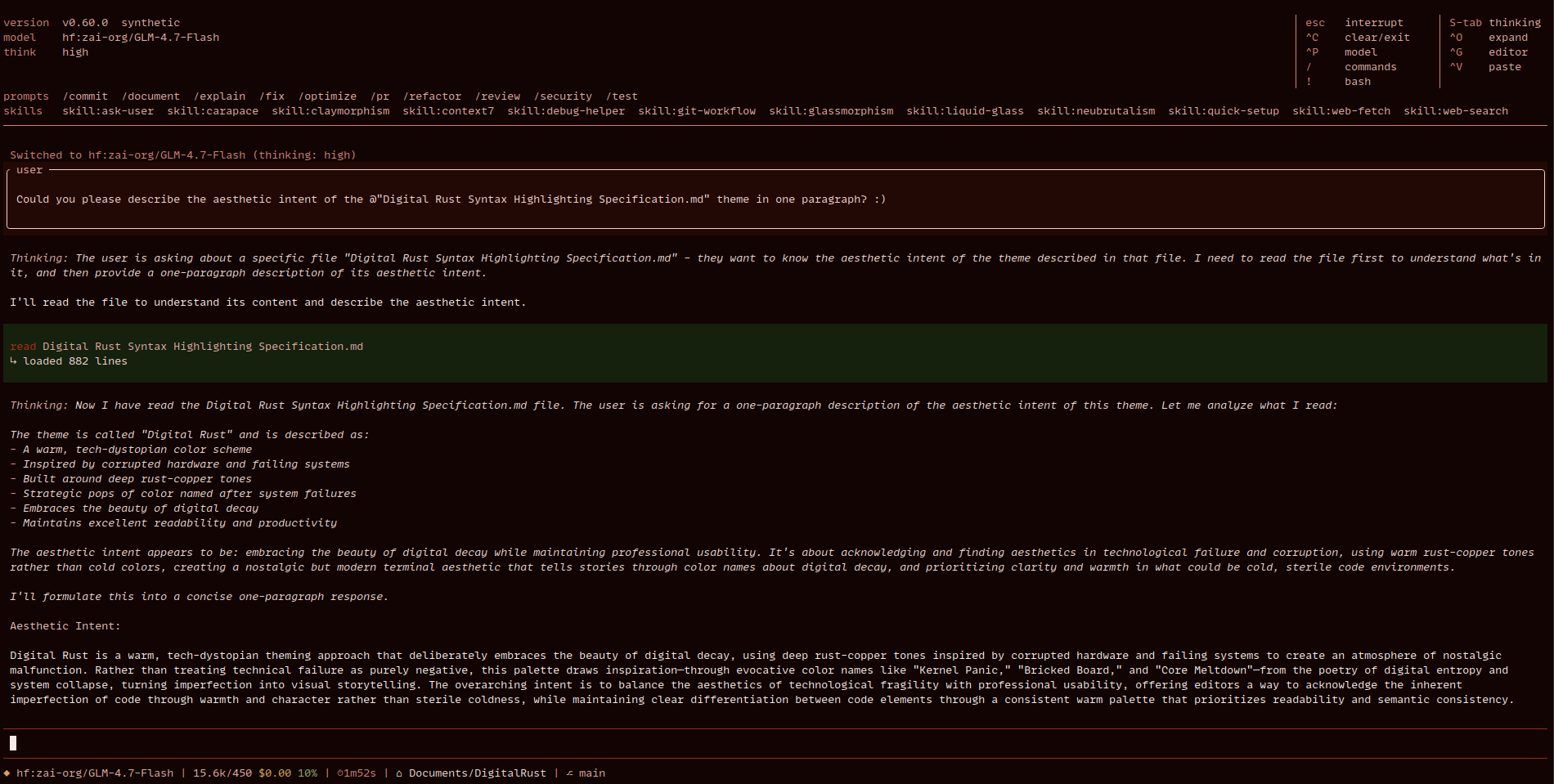
A warm, tech-dystopian color scheme for Pi inspired by corrupted hardware and failing systems.
Installation
Install from npm:
pi install npm:pi-digital-rust-themeOr git:
pi install git:codeberg.org/TheMeerkat/DigitalRust/src/branch/main/ports/digitalrustpiTheme Preview
The digital-rust theme features a b̵e̷a̴u̸t̸i̵f̴u̸l̸ red-centered color palette inspired by corrupted hardware, failing systems, and the warm decay of technology. Embrace the downfall of society… stylishly.
Color Palette
| Name | Color |
|------|-------|
| Event Horizon | #110402 |
| Null Pointer | #230905 |
| Core Meltdown | #340d07 |
| Bad Sector | #46120a |
| Daemon Blood | #57170d |
| Dark Packet | #691b0f |
| Bricked Board | #7a2012 |
| Data Rot | #8c2414 |
| Kernel Panic | #9d2917 |
| Digital Rust | #af2e1a |
| Firewall Breach | #b74230 |
| Amber Alert | #bf5747 |
| Rouge Signal | #c76c5e |
| Fatal Error | #cf8175 |
| Copper Trace | #d7968c |
| Corrupted Cache | #dfaba3 |
| Phantom Current | #e7c0ba |
| Phosphor Smoke | #efd5d1 |
| Ghost Pixel | #f7eae8 |
Accent Colors
| Name | Color |
|------|-------|
| Memory Leek | #8fa667 |
| Stack Overglow | #d4a759 |
| Blue Screen | #8791b0 |
| Fractured Shell | #ba5a7d |
| Dead Thread | #6fa5a0 |
| Thermal Throttle | #d78556 |
Usage
After installation, use the theme by passing it to pi:
pi --theme digital-rustTo make it the default, use the /settings command and select the theme.
Or add it directly to ~/.pi/agent/settings.json:
{
  "theme": "digital-rust"
}
Or use pi config to enable it interactively:
pi configThen use space to toggle the digital-rust theme.
Homepage
Visit the Digital Rust homepage to learn more about the theme and explore other available ports, including VSCode, Firefox, KDE Plasma, Kate, fish, Konsole, wallpapers, and more.
License
Dual-licensed (choose either to follow, not both) under CC-BY-4.0 and Apache-2.0.
Chaos reigns.