
pi-greeter
v0.1.3
Published
A minimal startup greeter for the Pi coding agent.

Maintainers
 alexposch
Readme
pi-greeter
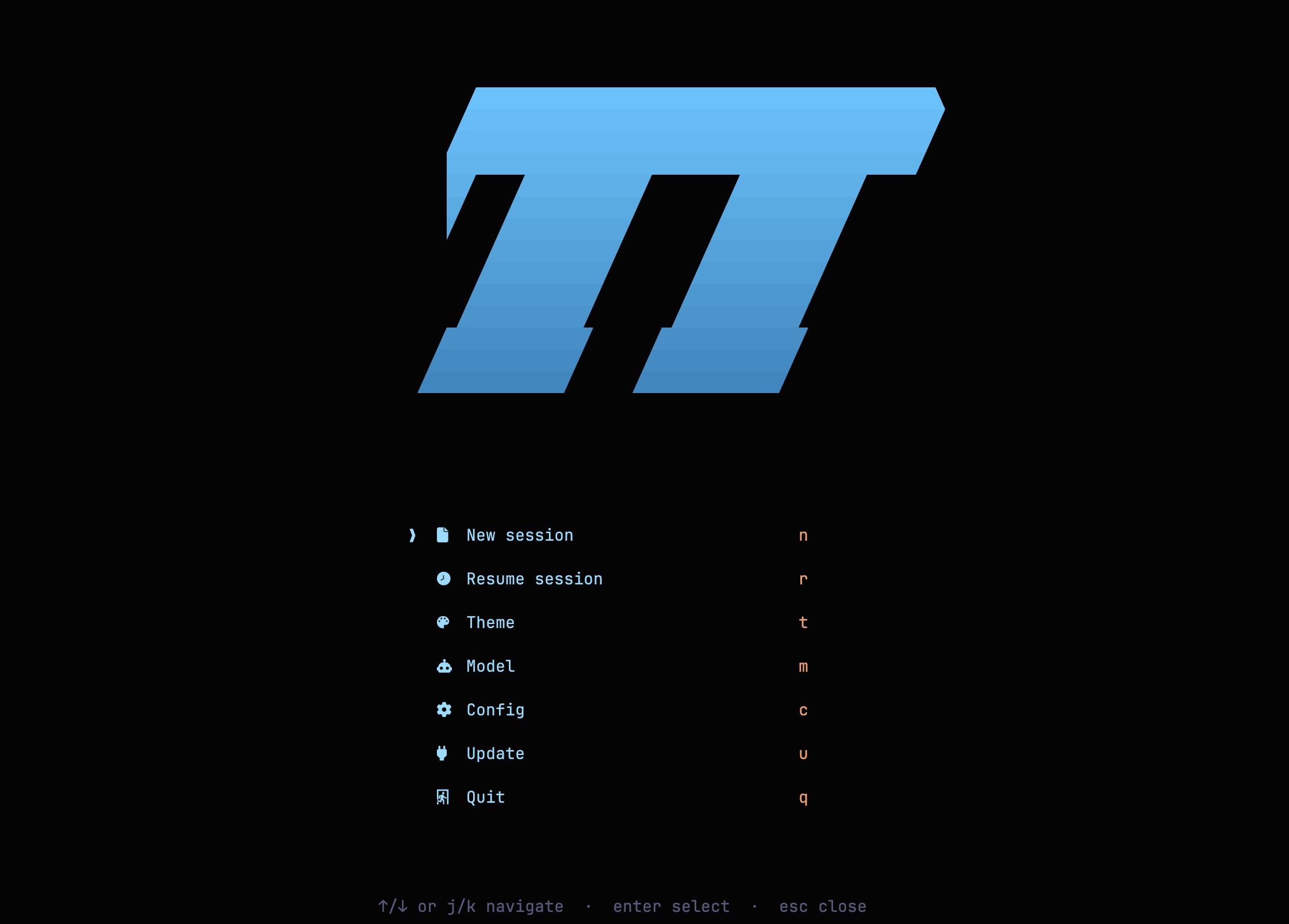
A minimal startup greeter for the Pi coding agent, inspired by alpha-nvim.
Install
pi install npm:pi-greeterFrom a local checkout:
pi install /path/to/pi-greeterUsage
Once installed, the greeter shows on startup. From a running Pi session, use /greeter to open it again.
In the greeter, press u to update Pi with confirmation. pi-greeter also provides /pi-update so you can run the same update flow from a running session.
/greeter       Open the greeter
/pi-update     Run pi update with confirmation
Greeter keys:
n     New session
l     Continue the most recent session (/greeter only)
r     Prepare Pi's official /resume picker
t     Switch theme
m     Switch model
c     Edit greeter config
u     Run pi update after confirmation
q     Quit Pi
Configuration
Configuration is loaded from ~/.pi-greeter.json by default. Press c in the greeter to edit it. You can override the path with PI_GREETER_CONFIG.
{
  "showOnStartup": true,
  "icons": true,
  "showCwd": false,
  "logo": "pi"
}
See pi-greeter.example.json for a starter config.
showOnStartup can be true, false, or "fresh". Set icons to false for an ASCII fallback when Nerd Font icons are unavailable. Set showCwd to true if you want the greeter to show the current working directory. Set logo to "pi", "text", or "compact".
Notes
- Nerd Font recommended for icons.
- The current working directory is hidden by default to avoid exposing local paths in screenshots.
- Pressing
cedits the config in an editor inside Pi and saves it on submit - works on macOS, Linux and Windows. - The startup greeter does not show
l- Pi only allows session switching from command context, so it is available when the greeter is opened via/greeter. mlists only models with configured auth.- Pi extensions run with full system access. Review code before installing third-party packages.