npm package discovery and stats viewer.

Discover Tips

  • General search

    [free text search, go nuts!]

  • Package details

    pkg:[package-name]

  • User packages

    @[username]

Sponsor

Optimize Toolset

I’ve always been into building performant and accessible sites, but lately I’ve been taking it extremely seriously. So much so that I’ve been building a tool to help me optimize and monitor the sites that I build to make sure that I’m making an attempt to offer the best experience to those who visit them. If you’re into performant, accessible and SEO friendly sites, you might like it too! You can check it out at Optimize Toolset.

About

Hi, 👋, I’m Ryan Hefner  and I built this site for me, and you! The goal of this site was to provide an easy way for me to check the stats on my npm packages, both for prioritizing issues and updates, and to give me a little kick in the pants to keep up on stuff.

As I was building it, I realized that I was actually using the tool to build the tool, and figured I might as well put this out there and hopefully others will find it to be a fast and useful way to search and browse npm packages as I have.

If you’re interested in other things I’m working on, follow me on Twitter or check out the open source projects I’ve been publishing on GitHub.

I am also working on a Twitter bot for this site to tweet the most popular, newest, random packages from npm. Please follow that account now and it will start sending out packages soon–ish.

Open Software & Tools

This site wouldn’t be possible without the immense generosity and tireless efforts from the people who make contributions to the world and share their work via open source initiatives. Thank you 🙏

© 2026 – Pkg Stats / Ryan Hefner

pi-hashline-readmap

v0.4.0

Published

Unified pi extension: hash-anchored read/edit/grep, structural code maps, AST-grep, and bash output compression

Readme

pi-hashline-readmap

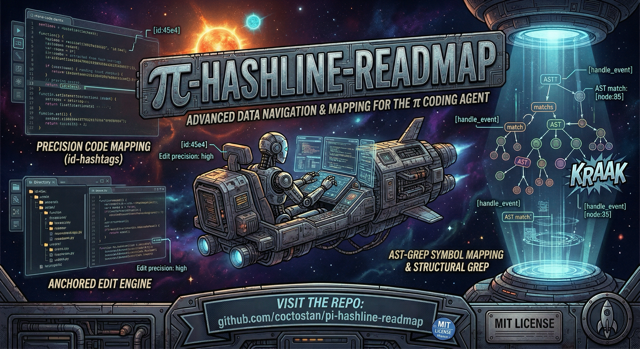
pi-hashline-readmap banner

License: MIT npm

A drop-in pi extension that upgrades the agent’s local coding workflow with hash-anchored reads and edits, structural file maps, symbol-aware navigation, structural search, and compressed bash output.

It replaces the stock read, edit, and grep tools, provides an enhanced sg tool, and post-processes bash output so more context budget goes to useful information instead of noise.

Why install this?

If you use pi for real code changes, the stock toolchain has a few recurring problems:

  • search and read output is easy for a model to paraphrase incorrectly
  • follow-up edits can drift to the wrong line when the file changes
  • large files cost too many tokens to navigate
  • searching often requires an extra read just to understand symbol context
  • raw bash output wastes context on noise from tests, builds, Git, linters, and package managers

pi-hashline-readmap fixes those problems with a single coherent package instead of stacking multiple overlapping extensions.

Benefits

Safer edits

read, grep, and sg return LINE:HASH|content anchors. Those anchors can be fed directly into edit, which means the model edits exactly the line it read.

45:e4|router.addRoute("/api", handler);

That reduces wrong-line edits, makes file drift visible, and keeps surgical changes reliable.

Faster navigation in real codebases

Instead of opening big files blindly, the read tool can append a structural map of classes, functions, methods, and ranges. You can jump directly to the relevant symbol or section.

Better local code understanding

This package stays focused on local file and symbol work:

  • symbol lookup in read
  • symbol-scoped grep with enclosing symbol blocks
  • local same-file support bundles for read(symbol=...)
  • structural code search via sg

That gives agents more context without turning this package into a repo-wide code graph tool.

Lower context waste from shell output

bash output is filtered and compressed for common noisy commands, including test runners, build tools, Git, Docker, linters, and package managers.

One extension instead of extension conflicts

A common pi failure mode is installing several packages that all want to own read, grep, or edit. This package intentionally unifies those improvements in one place.

Common use cases

This package is a good fit when you want pi to:

  • make precise, anchor-safe edits in source files
  • inspect large files without reading the entire file
  • jump directly to a function, method, or class by name
  • search for code and immediately edit the result without an extra cleanup read
  • search within enclosing symbols instead of only matching lines
  • inspect a symbol together with nearby same-file support code
  • run tests or builds without flooding the model context with irrelevant output

What this package includes

read

  • LINE:HASH|content output
  • structural maps via map: true
  • automatic map append on truncated reads
  • symbol lookup via symbol
  • local symbol bundles via bundle: "local"
  • image delegation to pi’s built-in image handling
  • binary detection and display-safe control character escaping
  • custom TUI rendering with symbol, map, warning, and truncation badges

read feature details

  • Structural maps support 17 languages: TypeScript, JavaScript, Python, Rust, Go, C, C++, Clojure, SQL, JSON, JSONL, Markdown, YAML, TOML, CSV, and related mapped variants in the readmap engine.
  • symbol and map are mutually exclusive.
  • symbol cannot be combined with offset or limit.
  • bundle: "local" requires symbol and cannot be combined with map or offset.

edit

  • hash-verified anchored edits using LINE:HASH anchors from read, grep, or sg
  • operations: set_line, replace_lines, insert_after, replace
  • compact diff and full diff support
  • mismatch diagnostics with context
  • custom TUI rendering with diff stats and warnings
  • additive semantic summaries in structured output

Semantic edit classification

After each successful edit, details.ptcValue.semanticSummary classifies the change as:

  • no-op
  • whitespace-only
  • semantic
  • mixed

When difftastic (difft) is installed, classification uses AST-aware diffing for better formatting-only detection and moved-block summaries. When difftastic is unavailable or fails, the tool falls back silently to internal heuristics.

The success text output stays unchanged. Semantic classification is additive metadata only.

grep

  • hash-anchored matches ready for direct use with edit
  • context lines with deduped and merged windows
  • summary: true mode for per-file match counts
  • result truncation indicators
  • symbol-scoped results via scope: "symbol"
  • custom TUI rendering with match distribution and truncation badges

Symbol-scoped grep

With scope: "symbol", matches are grouped by their enclosing function, method, class, or other mapped symbol when possible. Unsupported files and unmappable cases fall back gracefully to normal grep output.

sg

  • wraps ast-grep for structural code search
  • returns merged, hash-anchored match blocks grouped by file
  • ideal for structure-aware search → edit workflows
  • custom TUI rendering
  • requires ast-grep installed locally

bash output compression

The extension post-processes bash tool results to reduce noise while preserving the useful parts.

Specialized compressors currently cover:

  • test runners
  • build tools
  • compiler / bundler noise
  • Git output
  • linter output
  • Docker output
  • package manager output
  • HTTP client output
  • transfer tools
  • file listing output
  • oversized generic output via smart truncation

ANSI escape stripping runs on all bash output regardless.

Quick Start

Install from npm

pi install npm:pi-hashline-readmap

Install from GitHub

pi install git:github.com/coctostan/pi-hashline-readmap

Optional local tools

brew install ast-grep          # required for sg
brew install difftastic        # optional, improves semantic edit summaries
brew install shellcheck yq scc # optional, improves some bash output compression flows

After installation, use pi normally. The package registers the upgraded tools automatically.

Installation

Requirements

  • Node.js >= 20
  • pi with extension support

Install methods

1. npm package

pi install npm:pi-hashline-readmap

Use this if you want the published package.

2. Git install

pi install git:github.com/coctostan/pi-hashline-readmap

Use this if you want to install directly from the repository without waiting for an npm publish.

3. Local clone

git clone https://github.com/coctostan/pi-hashline-readmap.git
cd pi-hashline-readmap
npm install
pi install .

Use this when developing locally or testing unreleased changes.

Usage

Typical workflow: read → edit

read({ path: "src/server.ts" })

Example output:

45:e4|router.addRoute("/api", handler);

Use the anchor directly in edit:

edit({
  path: "src/server.ts",
  edits: [
    {
      set_line: {
        anchor: "45:e4",
        new_text: 'router.addRoute("/api/v2", handler);'
      }
    }
  ]
})

Read a symbol directly

read({ path: "src/server.ts", symbol: "handleRequest" })
read({ path: "src/router.ts", symbol: "Router.addRoute" })

This returns the symbol body only, already hashlined.

Read a symbol with local support

read({ path: "src/server.ts", symbol: "handleRequest", bundle: "local" })

Use this when you want the requested symbol plus directly relevant same-file support code without opening the entire file.

Read a large file with a structural map

read({ path: "src/large-file.ts", map: true })

Use this when you need the shape of the file before choosing a symbol or line range.

Search and edit directly with grep

grep({ pattern: "addRoute", path: "src", literal: true })

Example output:

[3 matches in 2 files]
--- src/server.ts (2 matches) ---
src/server.ts:>>45:e4|router.addRoute("/api", handler);

You can use the anchor from grep directly in edit.

Search within enclosing symbols

grep({ pattern: "addRoute", path: "src", literal: true, scope: "symbol" })

Use this when the match location alone is not enough and you want the enclosing function or method block.

Structural code search with sg

sg({ pattern: "console.log($$$ARGS)", lang: "typescript", path: "src" })

Use this for AST-level search patterns instead of raw text matching.

Structured output (details.ptcValue)

All tools provide machine-facing structured data alongside human-facing text output.

read

Includes path, selected range, warnings, truncation info, symbol metadata, map status, and per-line anchors.

grep

Includes total matches, per-record anchors, and additive symbol-scope metadata when scope: "symbol" is used.

sg

Includes grouped match ranges and anchored lines.

edit

Includes summary, diff, changed line, warnings, no-op metadata, and semantic edit classification.

Hashes and anchors are tied to raw file content. Display fields are escaped for safe rendering; raw fields preserve the underlying text.

PTC tool policy contract

The package exports a machine-readable tool policy contract. The primary export is HASHLINE_TOOL_PTC_POLICY, and the package also exports getHashlineToolPtcPolicy().

import { HASHLINE_TOOL_PTC_POLICY } from "pi-hashline-readmap";

Policy summary:

  • read and grep are safe-by-default and read-only
  • sg is opt-in and read-only
  • edit is not safe-by-default and is mutating

pi-prompt-assembler may optionally consume this contract, but this package does not depend on it.

EventBus integration

On load, the extension emits tool executor references for downstream consumers:

pi.events.emit("hashline:tool-executors", { read, edit, grep, sg });

The same executors are also exposed at globalThis.__hashlineToolExecutors.

Feature-by-feature reference

read parameters

  • path — file path
  • offset — 1-indexed start line
  • limit — max lines
  • symbol — direct symbol lookup
  • map — append structural map
  • bundle: "local" — include same-file local support for a symbol read

grep parameters

  • pattern — regex or literal pattern
  • path — file or directory
  • glob — file filter
  • ignoreCase
  • literal
  • context
  • limit
  • summary
  • scope: "symbol"

edit operations

  • set_line
  • replace_lines
  • insert_after
  • replace

sg parameters

  • pattern
  • lang
  • path

Project Structure

index.ts                  # extension entry point
src/
  read.ts                 # read tool implementation
  read-output.ts          # read output builder
  read-local-bundle.ts    # local same-file support bundle builder
  read-render-helpers.ts  # read TUI rendering helpers
  edit.ts                 # edit tool implementation
  edit-diff.ts            # diff computation and patch application
  edit-output.ts          # edit output builder
  edit-render-helpers.ts  # edit TUI rendering helpers
  grep.ts                 # grep tool implementation
  grep-output.ts          # grep output builder
  grep-symbol-scope.ts    # symbol-scoped grep grouping
  grep-render-helpers.ts  # grep TUI rendering helpers
  sg.ts                   # ast-grep wrapper
  sg-output.ts            # sg output builder
  hashline.ts             # LINE:HASH generation
  map-cache.ts            # mtime-keyed structural map cache
  ptc-value.ts            # shared structured output builders
  ptc-tool-policy.ts      # machine-readable tool policy contract
  readmap/                # structural mapping and symbol lookup engine
  rtk/                    # bash output compression pipeline
prompts/                  # tool schema prompts
tests/                    # Vitest test suite

Development

Install dependencies

npm install

Run tests

npm test
npm run typecheck

As of the current repository state, the suite passes with:

  • 107 test files
  • 524 tests

Local development notes

This repository is intended to be used as a pi extension workspace. In local development, changes can take effect immediately when the extension is installed from the local checkout.

For project-specific development workflow details, see AGENTS.md.

Publishing

npm pack --dry-run
npm publish

The published package includes:

  • index.ts
  • src/
  • prompts/
  • LICENSE
  • README.md

When to choose this package

Install pi-hashline-readmap if you want pi to be stronger at:

  • reliable local code editing
  • navigating large files by structure
  • symbol-oriented inspection instead of blind scrolling
  • search-to-edit workflows
  • structured code search
  • keeping shell output compact enough for model context windows

Skip it if your main need is repo-wide dependency analysis, impact graphs, runtime traces, or broader workflow orchestration. This package is intentionally focused on local file and symbol workflows.

Credits

Combines and adapts ideas from:

License

This project is licensed under the MIT License — see LICENSE for details.