
pi-honcho
v0.1.6
Published
Durable, privacy-aware memory for Pi, powered by Honcho.

Maintainers
 giuseppecrj
Readme
Pi Honcho
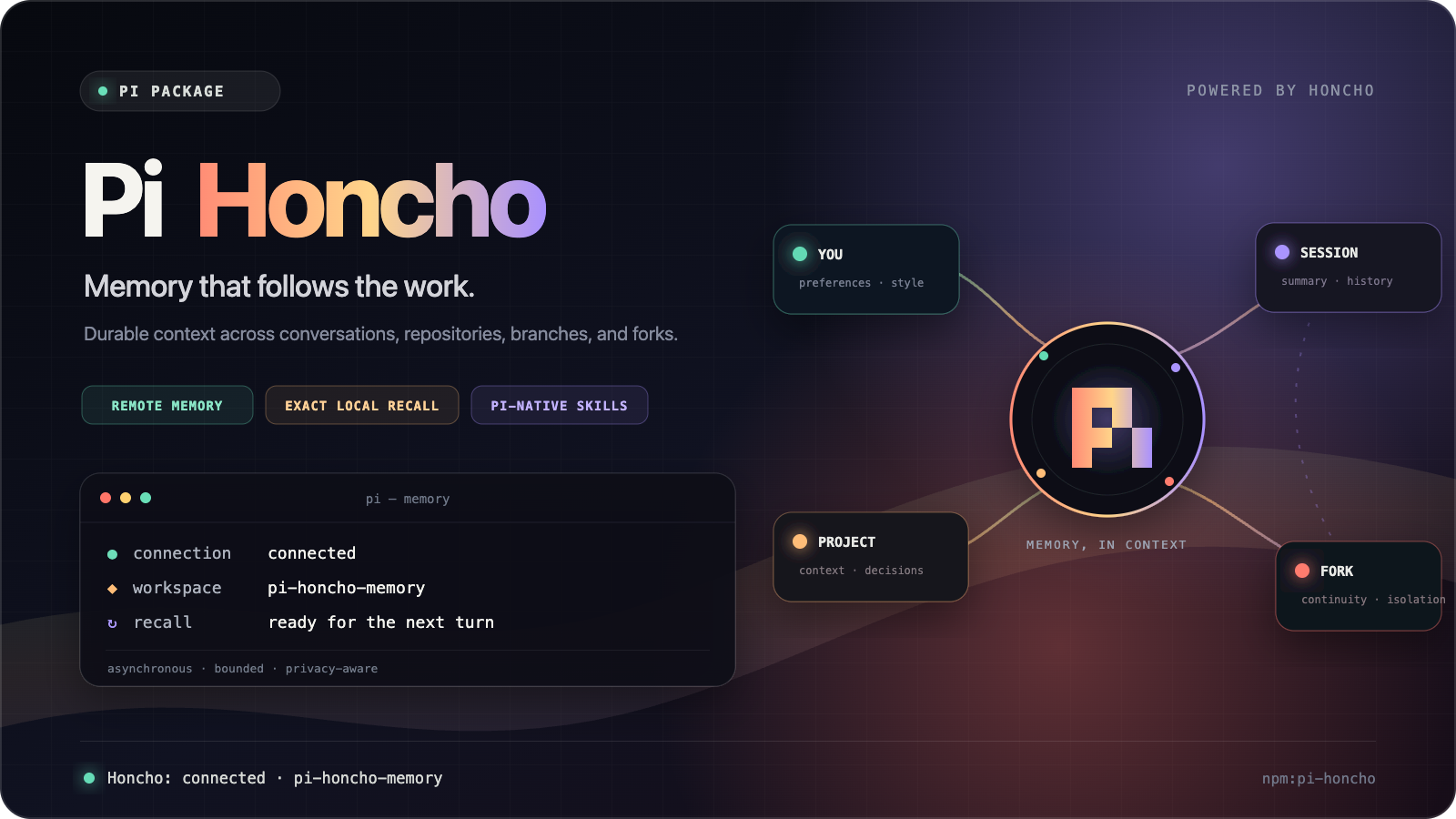
Durable, privacy-aware memory for Pi, powered by Honcho.
Pi Honcho carries useful context across conversations and repositories without putting remote work on the critical path of a Pi turn. It also includes exact local session search, Pi-native skill management, and standing instructions.
Features
- Cross-project user memory — remembers preferences and working style through one stable user peer.
- Repository memory — keeps project context in a repository-scoped memory session shared by branches and worktrees.
- Automatic recall — adds bounded user and project context to top-level Pi turns as fenced reference material.
- Reliable delivery — sends completed exchanges asynchronously, in order, with durable retry and stable operation IDs.
- Fork continuity — clones remote history at Pi fork points while keeping later branches isolated.
- Exact local recall — searches existing Pi session JSONL with SQLite FTS5.
- Pi-native skills — creates and manages discoverable global and project
SKILL.mdfiles. - Standing instructions — injects user-pinned rules on every turn, independent of remote recall.
- Privacy controls — blocks recognized secrets, supports trusted project opt-out, and hides remote tools when unavailable.
Requirements
- Pi with package support
- A Honcho API key for remote memory
Local session search, skills, and standing instructions work without Honcho credentials.
Install
Install from npm:
pi install npm:pi-honchoInstall from the public Git repository:
pi install git:github.com/giuseppecrj/pi-honchoInstall from a local checkout:
pi install /absolute/path/to/pi-honchoUse -l for a project-local installation:
pi install -l /absolute/path/to/pi-honchoRestart Pi after installation. Pi packages execute with your user account's permissions, so review package source before installing it.
Quick start
Set your Honcho API key outside Pi's chat and session files:
export HONCHO_API_KEY="your-api-key"
pi
Configure a stable workspace and user peer, then check the connection:
/honcho setup
/honcho status
Once connected, memory works automatically. Pi retrieves cached context when a session starts and sends each completed user/assistant exchange in the background.
How memory works
Pi Honcho uses two remote scopes:
- User peer — preferences and working style shared across projects.
- Memory session — conversation history and derived context for one repository.
At session start, the extension retrieves a cached user representation and project summary. It supplies that memory to the current model call as bounded, untrusted reference material. After a turn completes, it queues the submitted user prompt and completed text assistant response for ordered background delivery.
Herdr subagents identified by PI_SUBAGENT_ID do not start remote Honcho behavior. They neither recall nor deliver memory, so synthetic assignments cannot affect the user peer. User-controlled top-level conversations, including forks and worktree handoffs, retain automatic memory.
Remote startup, recall, delivery, and retry do not block normal Pi operation. If Honcho is offline or disabled, Pi continues and local knowledge tools remain available.
Conversation lifecycle
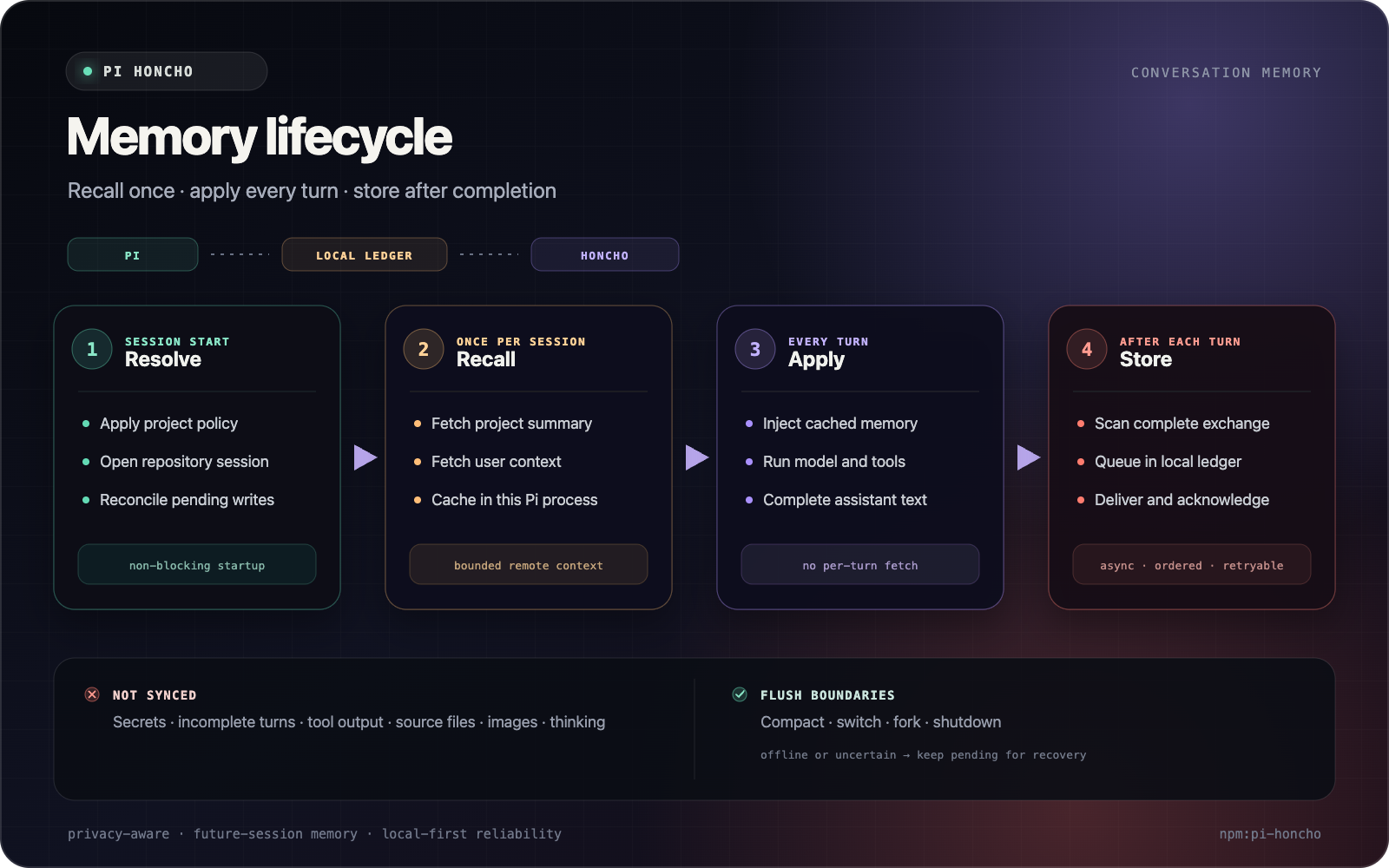
The ledger records are local Pi session entries. Recalled context stays in the running extension and is supplied only to a model call; it is not appended to the Pi session.
Commands
| Command | Action |
| --- | --- |
| /honcho or /honcho help | Show command help and current status. |
| /honcho status | Show connection, workspace, peer, session, and project-policy status. |
| /honcho setup | Save non-secret workspace and peer identity settings. |
| /honcho project setup | Create or replace the current trusted project's enabled policy. |
| /honcho project disable | Disable remote recall and future delivery for the current trusted project. |
| /honcho forget session | Confirm deletion of the active remote memory session. |
| /honcho forget conclusion <id> | Confirm deletion of one remote conclusion. |
| /honcho workspace-reset | Inspect, typed-confirm, and delete the configured remote workspace. |
| /memory-pin | List, add, remove, or clear standing instructions. |
Direct command aliases are also available: /honcho-status, /honcho-setup, /honcho-project-policy, /honcho-forget, and /honcho-reset-workspace.
Standing-instruction examples:
/memory-pin Always run focused tests before the full suite
/memory-pin list
/memory-pin remove 1
/memory-pin clear
Tools
Honcho tools
These tools are available only while the Honcho connection is healthy and enabled for the current project.
| Tool | Purpose |
| --- | --- |
| honcho_search | Search bounded remote project memory. |
| honcho_chat | Ask a bounded question about connected remote memory. |
| honcho_remember | Save a conclusion when the user explicitly asks Pi to remember it. |
Local knowledge tools
These tools do not require Honcho and remain available offline.
| Tool | Purpose |
| --- | --- |
| session_search | Search local Pi sessions by text, project, role, result count, and snippet size. |
| skill_manage | Create, view, patch, update, and delete global or project Pi skills. Use view without a skill ID to list them. |
session_search treats Pi session JSONL as its source and keeps a rebuildable SQLite FTS5 index under the Pi agent directory. skill_manage writes ordinary SKILL.md files that Pi discovers through its resource lifecycle.
Configuration
You can configure Honcho with environment variables or ~/.honcho/config.json.
A dedicated host block keeps this extension's identity separate from other Honcho clients:
{
  "hosts": {
    "pi-honcho": {
      "workspaceId": "pi",
      "peerName": "your-stable-user-id",
      "aiPeer": "pi"
    }
  }
}
/honcho setup writes only workspaceId, peerName, and aiPeer. It never asks for or stores an API key.
Environment variables
| Variable | Purpose | Default |
| --- | --- | --- |
| HONCHO_API_KEY | Honcho API key. | Required unless present in Honcho config. |
| HONCHO_BASE_URL | Honcho API endpoint override. | Honcho SDK default. |
| HONCHO_ENABLED | Set to false or 0 to disable remote memory. | Enabled when credentials exist. |
| HONCHO_WORKSPACE_ID | Workspace override. | pi |
| HONCHO_PEER_NAME | Stable user peer ID. | user |
| HONCHO_AI_PEER | Pi peer ID. | pi |
| HONCHO_MAX_MESSAGE_LENGTH | Maximum safe message chunk size. | 8000 |
| PI_CODING_AGENT_DIR | Pi agent data directory used by local knowledge tools. | ~/.pi/agent |
Configuration precedence is:
- Environment variables
- Trusted project policy for workspace selection or remote-memory opt-out
hosts.pi-honchoin~/.honcho/config.json- Compatible top-level Honcho CLI settings
- Built-in defaults
Restart or reload Pi after changing environment or Honcho configuration.
Project policy
A trusted repository can select its workspace or disable remote memory with .pi/honcho-memory.json.
Enable a project workspace:
{
  "enabled": true,
  "workspace": "project-workspace"
}
Disable remote memory:
{
  "enabled": false
}
Pi ignores project policy files until the project is trusted. A policy may contain only enabled and an optional workspace. Do not put credentials or endpoint settings in it. An ancestor opt-out also applies to child directories.
Privacy and data lifecycle
The automatic remote-write unit is one finalized exchange: the submitted user prompt plus its completed text assistant response.
The extension does not independently upload:
- Tool calls or tool output
- Shell history
- Source files or images
- System prompts or standing instructions
- Model thinking
- Aborted or incomplete turns
- Pi-native skills
Text that the user includes in a submitted prompt, or that Pi includes in its completed text response, is part of the finalized exchange. A recognized secret or private key on either side rejects the complete exchange before delivery. The detected value is not logged.
Remote deletion is explicit and confirmed. It never deletes local Pi sessions, skills, or standing instructions. Pending exchanges stay in Pi's session ledger for ordered retry, and remote acknowledgements make recovery idempotent.
Offline behavior
When Honcho is unavailable, unconfigured, or disabled:
- Pi starts and continues normally.
- Honcho tools are hidden.
- Remote memory is not injected.
- Pending delivery can resume after a healthy connection returns.
session_search,skill_manage, and/memory-pinremain local and available.
Use /honcho status to inspect the current connection and policy state.
Package structure
The package registers two Pi extension modules:
| Module | Responsibility |
| --- | --- |
| src/index.ts | Honcho lifecycle, delivery, recall, remote tools, and /honcho commands. |
| src/local-tools.ts | Exact local recall, Pi-native skills, and standing instructions. |
Development
npm ci
npm run check
npm run verify
pi -e . --list-models
npm run verify runs type checking, linting, and the complete test suite.
License
MIT. See LICENSE and THIRD_PARTY_NOTICES.md.