
pi-lean-grep
v0.1.0
Published
A lightweight upgrade for pi’s built-in grep. Fewer noisy results, lower token burn, and a cleaner path from search to read.

Maintainers
 runminton
Readme
pi-lean-grep
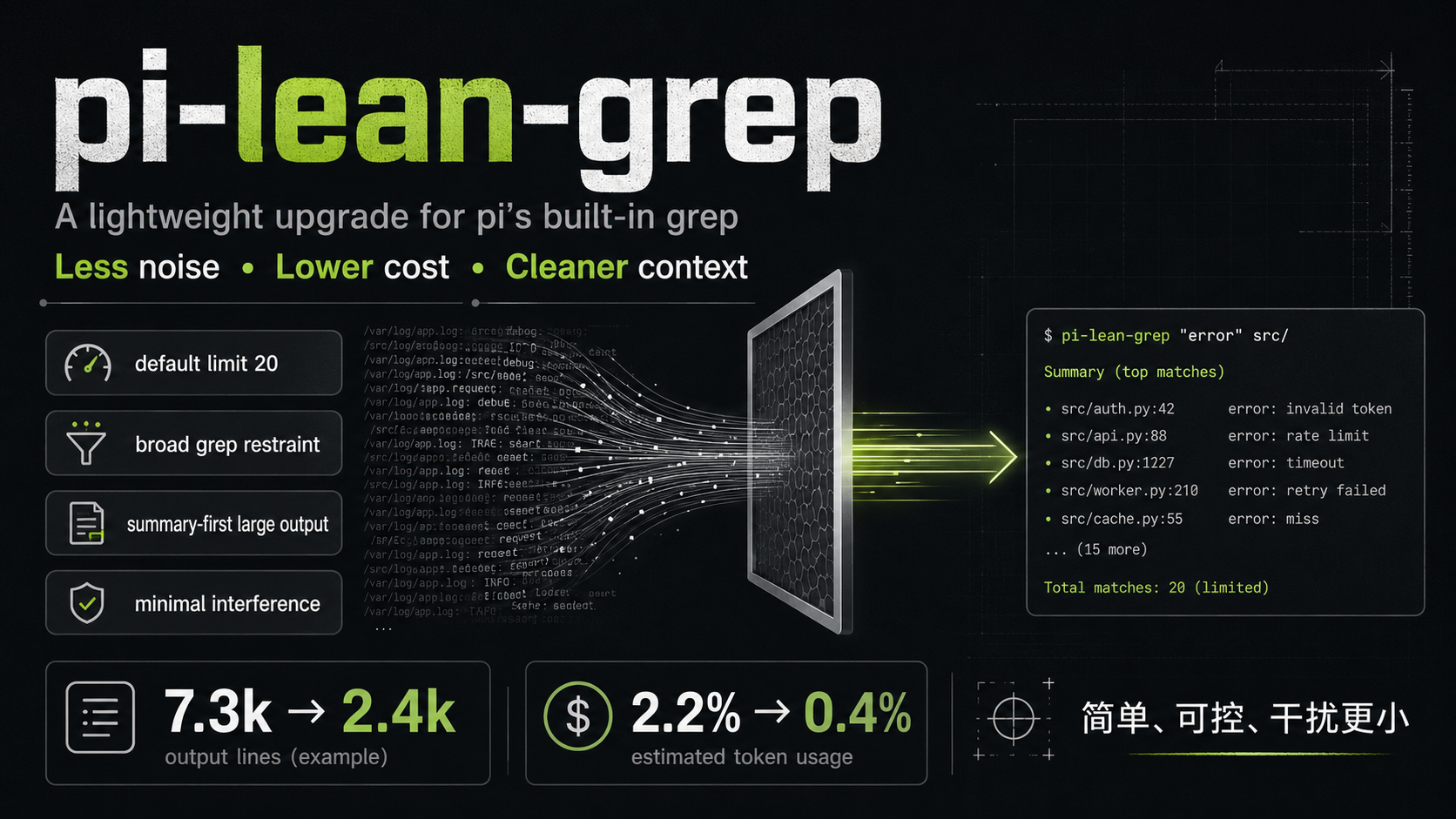
A lightweight upgrade for Pi’s built-in grep.
In real tests,
pi-lean-grepdidn’t just reduce token usage — it also noticeably lowered current context load.
Its design is intentionally simple:
- no grep rewrite
- no complex policy engine
- keep the native workflow familiar
- only add lightweight constraints where grep most easily wastes tokens
Real-world impact
Test model: GPT-5.4 mini
| Experiment | Extension | Total Input | Cost | Context Share | |---|---|---:|---:|---:| | 1 | Off | 4.2k | $0.003 | 1.0% | | 1 | On | 2.7k | $0.002 | 0.5% | | 2 | Off | 7.3k | $0.006 | 2.2% | | 2 | On | 2.4k | $0.002 | 0.4% |
Two things stand out:
- Total cost goes down
- Example: experiment 2 dropped from
7.3k -> 2.4k
- Example: experiment 2 dropped from
- Current context load also goes down
- Example: experiment 2 dropped from
2.2% -> 0.4%
- Example: experiment 2 dropped from
Input / Costhere is cumulative usage, whileContext Shareis the current footer snapshot. One is closer to the bill; the other is closer to current context pressure.
What it does
pi-lean-grep only does 3 things:
| Mechanism | Behavior | Why it helps |
|---|---|---|
| Default limit | If limit is omitted, it becomes 20 | Prevents overly large default result sets |
| Broad search + context guard | Broad searches with context return guidance instead of expanding results | Stops grep from turning into a bulk-reading tool |
| Large-result summary | Oversized results are summarized instead of dumped in full | Reduces context pollution |
In one sentence:
Return a bit less by default, avoid broad context expansion, and compress oversized results first.
What it does not do
To stay lightweight, this extension deliberately avoids a lot of heavy behavior:
- does not rewrite grep’s search engine
- does not change the real matching semantics of regex or literal search
- does not rename the tool
- does not change the parameter schema
- does not introduce a complex strategy engine
So the core idea is:
It optimizes the cost of using grep, not grep’s search capability.
What changes does the AI actually see?
This extension only changes two parts of the grep tool prompt.
1) description
Built-in grep:
Search file contents for a pattern. Returns matching lines with file paths and line numbers. Respects .gitignore. Output is truncated to 100 matches or 50KB (whichever is hit first). Long lines are truncated to 500 chars.pi-lean-grep:
Search file contents for a pattern. Returns matching lines with file paths and line numbers. Respects .gitignore. Large results may be limited or summarized, and broad searches with context may be refused to avoid large noisy result sets.2) One extra guideline
This is added to Pi’s Guidelines: section:
Use grep to locate candidate files or lines first. Use read when surrounding code is needed. Avoid broad grep searches with context.What stays unchanged
These parts are untouched:
- tool name:
grep - parameter schema
promptSnippet- underlying grep implementation
Installation
Install from npm
pi install npm:pi-lean-grepInstall for the current project only
pi install -l npm:pi-lean-grepTemporary load
pi -e npm:pi-lean-grepLocal development load
pi -e ./pi-lean-grepLower-noise test setup
pi -e ./pi-lean-grep --tools grep --no-skills --no-prompt-templates --no-context-filesAs a project-local extension
Put it at:
.pi/extensions/pi-lean-grep/index.tsTests
npm testCurrent automated coverage:
- precise grep stays normal when an explicit
limitis provided - omitted
limitfalls back to20 - broad search +
contextreturns an actionable constraint message
v1 trade-offs
This version is not trying to be “the smartest.” It is trying to be:
- simple
- controllable
- minimally invasive to native grep behavior
If what you want is:
- lower token burn
- less context pollution
- a stronger locate-first, read-second workflow
then it should be useful.
If what you want is:
- the raw full grep output whenever possible
then this extension will feel conservative — by design.