npm package discovery and stats viewer.

Discover Tips

  • General search

    [free text search, go nuts!]

  • Package details

    pkg:[package-name]

  • User packages

    @[username]

Sponsor

Optimize Toolset

I’ve always been into building performant and accessible sites, but lately I’ve been taking it extremely seriously. So much so that I’ve been building a tool to help me optimize and monitor the sites that I build to make sure that I’m making an attempt to offer the best experience to those who visit them. If you’re into performant, accessible and SEO friendly sites, you might like it too! You can check it out at Optimize Toolset.

About

Hi, 👋, I’m Ryan Hefner  and I built this site for me, and you! The goal of this site was to provide an easy way for me to check the stats on my npm packages, both for prioritizing issues and updates, and to give me a little kick in the pants to keep up on stuff.

As I was building it, I realized that I was actually using the tool to build the tool, and figured I might as well put this out there and hopefully others will find it to be a fast and useful way to search and browse npm packages as I have.

If you’re interested in other things I’m working on, follow me on Twitter or check out the open source projects I’ve been publishing on GitHub.

I am also working on a Twitter bot for this site to tweet the most popular, newest, random packages from npm. Please follow that account now and it will start sending out packages soon–ish.

Open Software & Tools

This site wouldn’t be possible without the immense generosity and tireless efforts from the people who make contributions to the world and share their work via open source initiatives. Thank you 🙏

© 2026 – Pkg Stats / Ryan Hefner

pi-session-guard

v0.1.2

Published

Session guard extension for Pi coding agent

Readme

Pi Session Guard Extension

安全、手動優先 的方式管理 Pi session 空間,並用 quota 防止磁碟失控。


為什麼需要這個 extension?

Pi 會把對話記錄成 JSONL,存放在:

  • ~/.pi/agent/sessions

重度使用下,這個目錄會快速膨脹。沒有治理機制時,很容易吃滿磁碟。

Session Guard 提供:

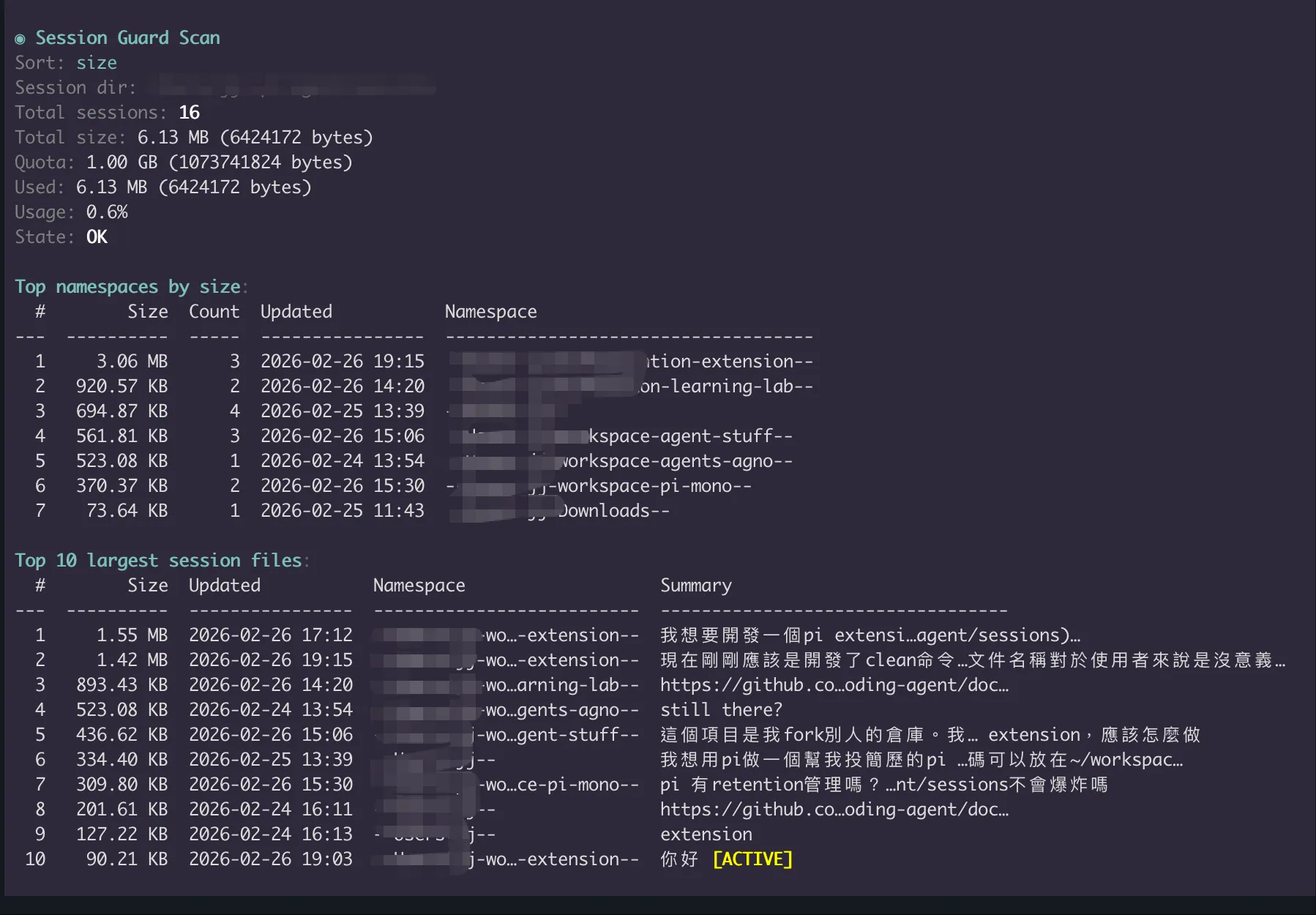
  • 空間可視化(總量與大檔)
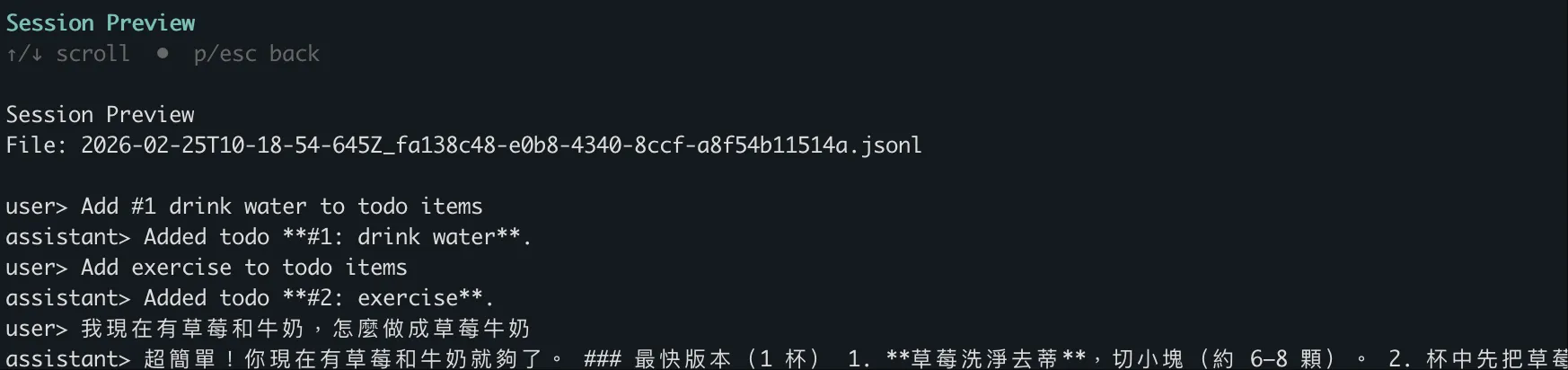
  • 刪除前可檢視內容
  • quota 告警與硬性阻擋

目前行為

  • 掃描與清理以全域 session 為主(Pi 預設 session 路徑:~/.pi/agent/sessions
  • session 標題採用第一個 user 訊息摘要(不是檔名)
  • 清理是手動流程,且預設 soft-delete
  • quota 目前只管容量(ok / info / warn / critical

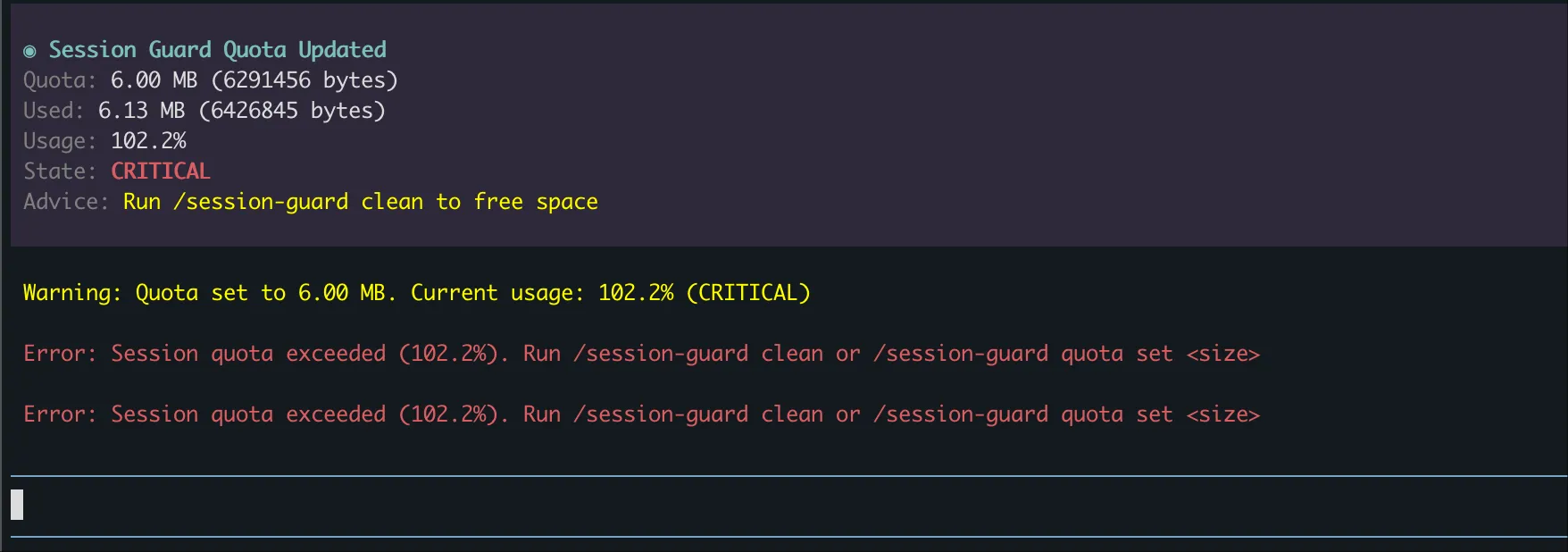
1) 100% quota 會阻擋一般輸入

當使用率達到或超過 100%(critical),一般對話會被阻擋;需先清理或調高 quota。

critical 狀態仍可執行:

  • /session-guard scan
  • /session-guard clean
  • /session-guard quota set <size>
  • /help

2) 預設 soft-delete(可恢復)

清理預設不做硬刪除。

刪除流程:

  1. 先移到系統垃圾桶(可恢復)
  2. 若垃圾桶不可用,改移到 fallback 目錄:
    • ~/.pi/agent/session-trash

安裝

方案 A:從此 repo 直接執行(本地/開發)

pi -e ./src/index.ts

方案 B:從 npm 安裝

pi install npm:pi-session-guard

使用方式

設定 quota(會自動建立設定檔)

/session-guard quota set 10GB

支援單位:BKBMBGBTB

此命令會自動建立/更新:

  • ~/.pi/agent/session-guard.json

掃描

/session-guard scan
/session-guard scan --sort lru

清理

/session-guard clean

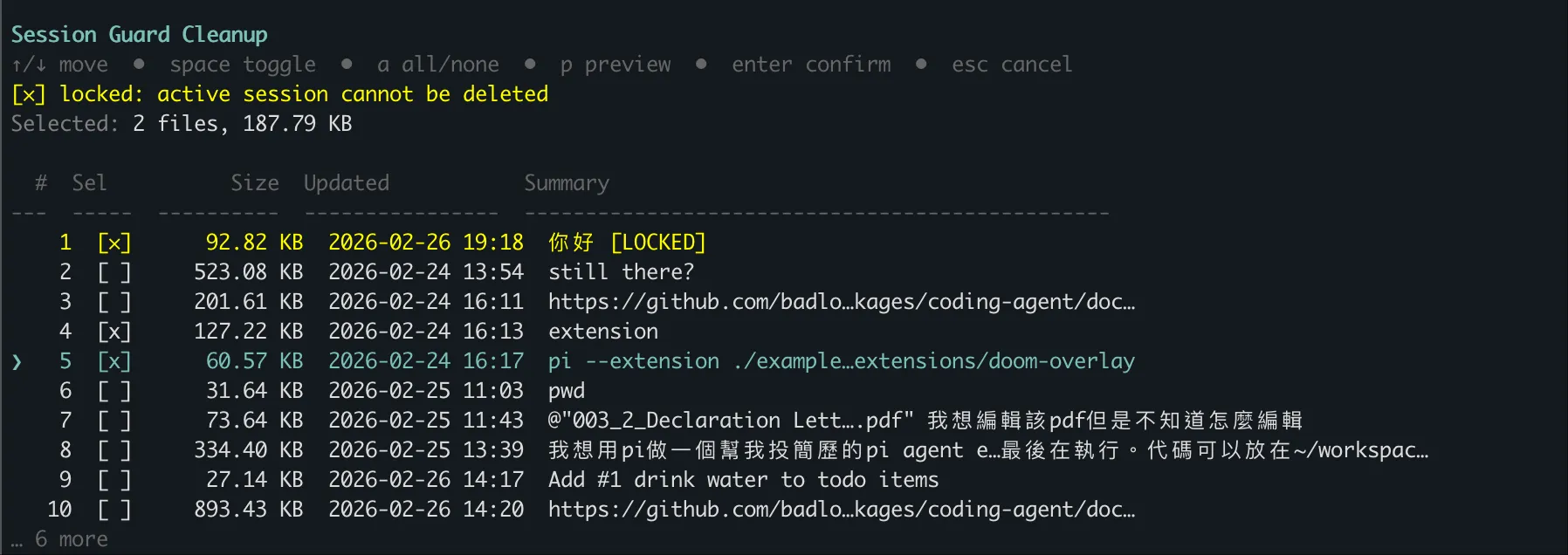
在 cleanup 列表中:

  • p:預覽目前游標 session(只顯示 user + assistant)
  • space:勾選/取消
  • enter:確認選取並進入刪除確認

截圖說明

1) 可以看到當前空間狀況(/session-guard scan

掃描總覽

2) 刪除前可先預覽 session 內容(在清理列表按 p

刪除前預覽

3) 支援多選後一次刪除

多選清理

4) 超過 quota 後會阻擋一般訊息發送

超額阻擋


開發

主要模組:

  • src/index.ts:extension 入口(事件與命令路由)
  • src/session.ts:session 掃描與標題提取
  • src/clean.ts:清理 UI 與 soft-delete 流程
  • src/quota.ts:quota 設定、狀態、輸入阻擋
  • src/report.ts:scan 報表格式化
  • src/renderer.ts:客製訊息渲染

詳細規格與任務:

  • spec.md
  • tasks.md
  • English README:README.md