
pi-tally
v0.0.11
Published
Local prompt counters for the Pi coding agent.

Maintainers
 wdphoto
Readme
pi-tally
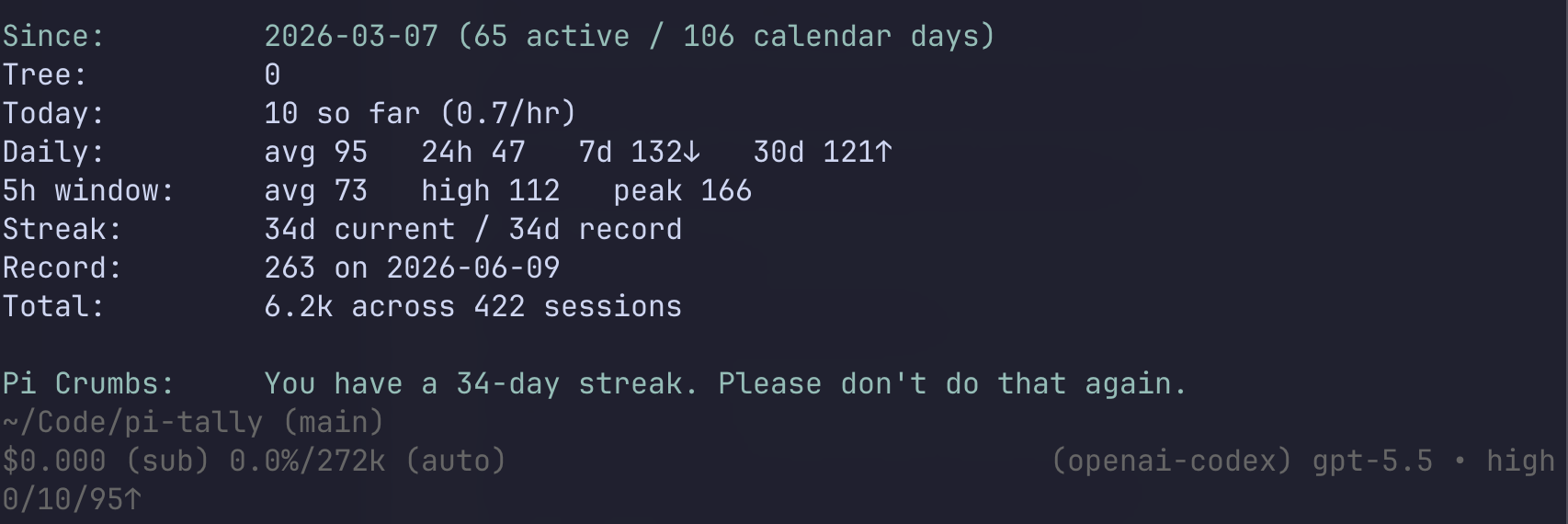
A small local user prompt counter for Pi. It adds a compact tally to the footer and a /tally command.
Use /tally run after installing to count your session history.
Hide or restore the footer with /tally footer to toggle. Toggle the live tok/s footer meter with /tally toks. These toggles apply across projects using the same Pi agent directory.
That's pretty much it. Definitely a work in progress.
Footer example:
5/52/84↑While the assistant is streaming, the footer can add a live output-token speedometer:
5/52/84↑ ~42 tok/s ●●●○○○○That means:
5prompts today on the active Pi tree path52prompts today overall84average prompts on active days↑or↓trend once there is enough history
Install
pi-tally is intended to be installed globally for your Pi user, not per project. I haven't even tested it any other way.
From npm:
pi install npm:pi-tallyFrom GitHub/source:
pi install https://github.com/wdphoto/pi-tallyRestart Pi after installing.
Commands
/tally run          count your Pi history
/tally              show your stats
/tally all          show verbose stat output
/tally footer       toggle footer tally on/off
/tally toks         toggle live tok/s footer meter on/off
/tally status       show storage/index info
Notes
A /tally report looks roughly like this:
Since:         2026-03-07 (60 active days / 101 calendar days)
Tree:          5 messages on active path
Today:         52 messages so far (4.1 messages/hr)
TPS meter:    latest 32 tok/s   avg 28 tok/s (42 samples)
Daily avg:     84 messages/day   last 24h 52 messages
Recent avg:    7d 96 messages/day↑   30d 88 messages/day↓
5h window:     avg 64 messages   high 91 messages   peak 121 messages
Streak:        5 days current / 12 days record
Record:        221 messages on 2026-06-14
Total:         5.6k messages across 350 sessions

Crumb:         899,934 characters sent to Pi.
The TPS meter is output tokens per second (tok/s) for assistant responses when Pi provides token usage and timing.
Data
The counter is stored locally at:
~/.pi/agent/pi-tally.jsonPi session files stay where Pi already stores them.
Uninstall
If installed from npm:
pi remove npm:pi-tallyIf installed from GitHub/source:
pi remove https://github.com/wdphoto/pi-tallyOptional clean slate:
rm ~/.pi/agent/pi-tally.json