
pi-zentui
v0.22.3
Published
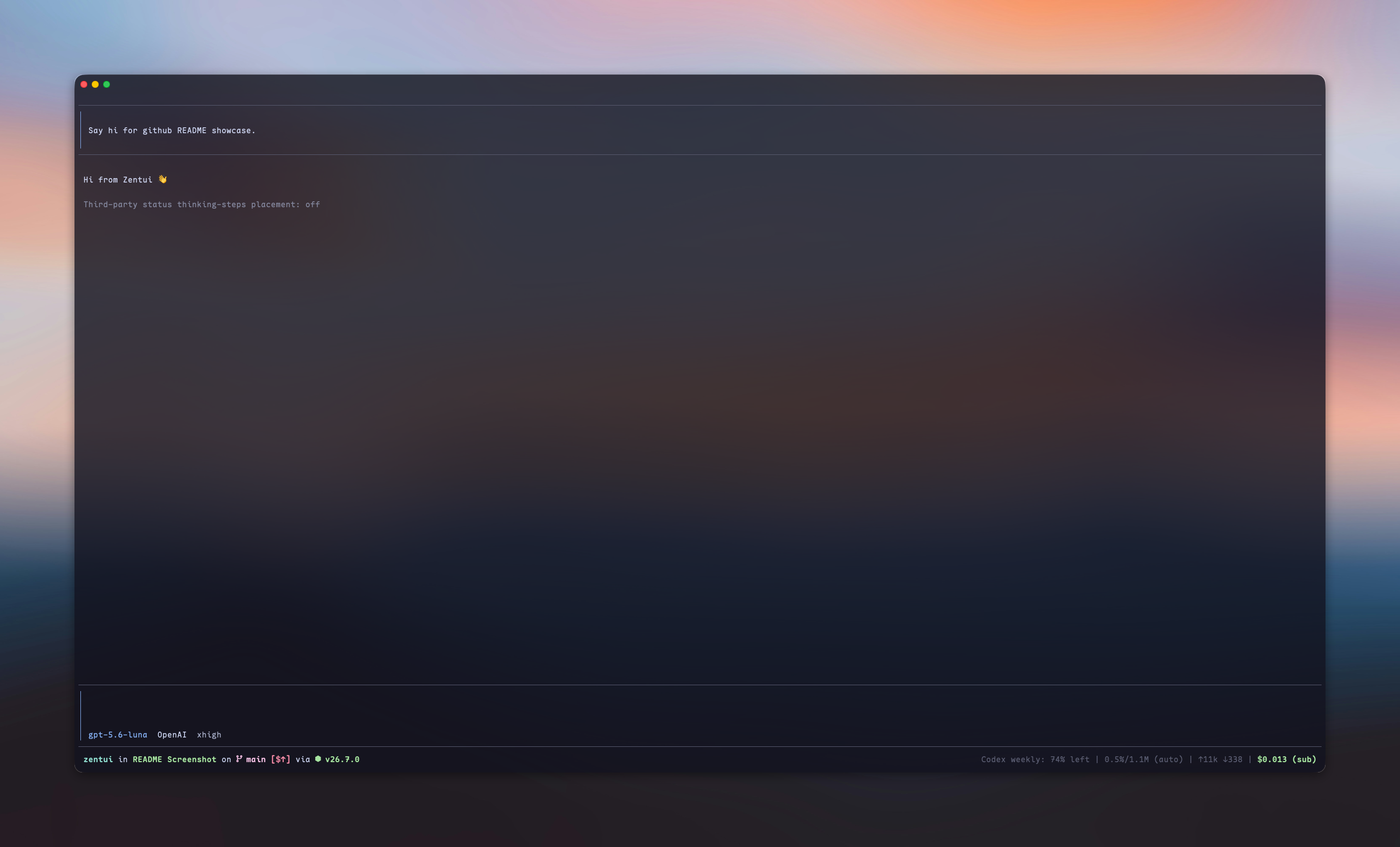
A Starship-inspired statusline and Opencode-style TUI for Pi.

Maintainers
 lmilojevic
Readme
What is this?
Zentui gives Pi surfaces independent, opt-in treatments:
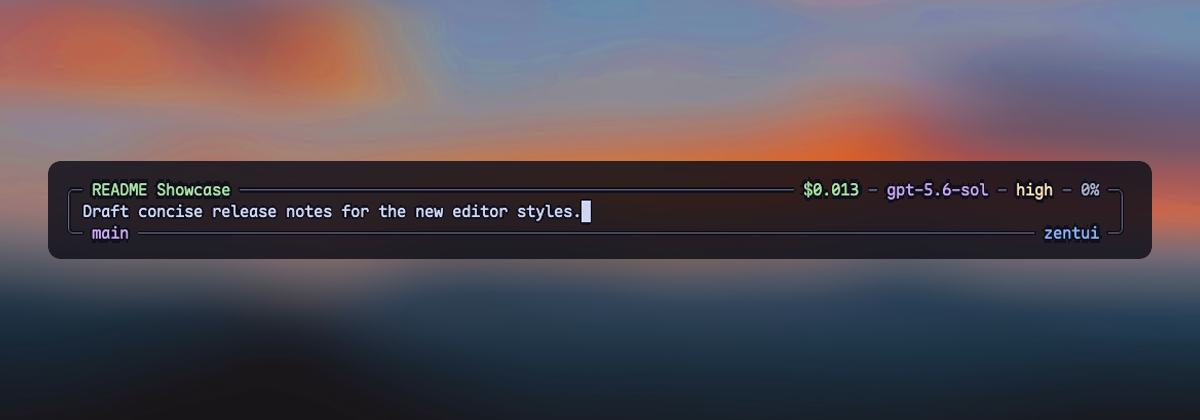
- Editor — Opencode, Opencode copy-friendly, Accent Rail, and Minimalist input treatments
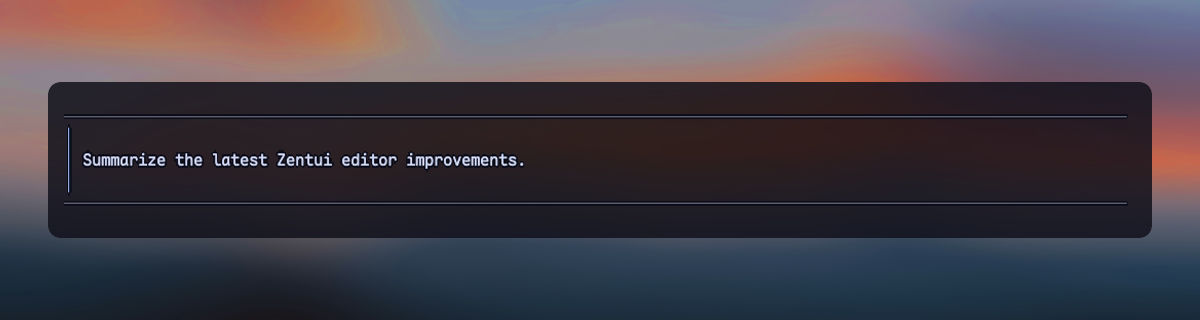
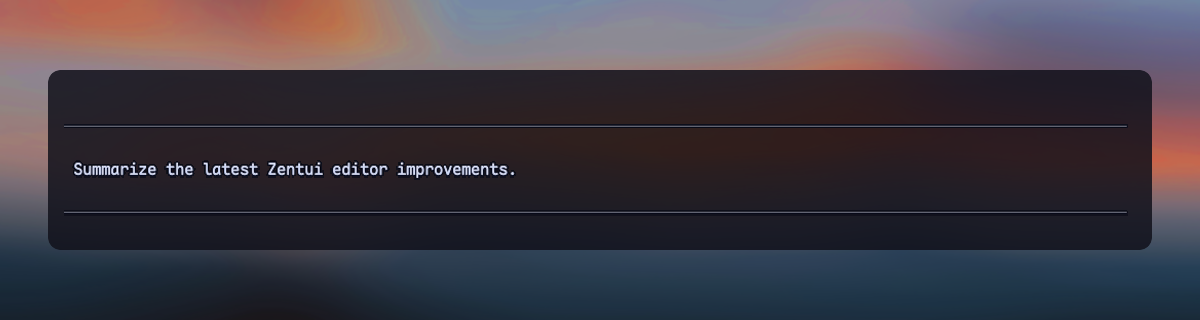
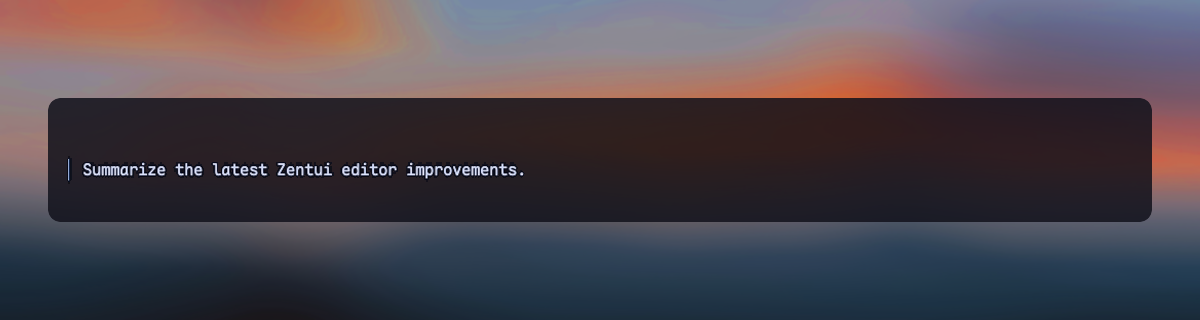
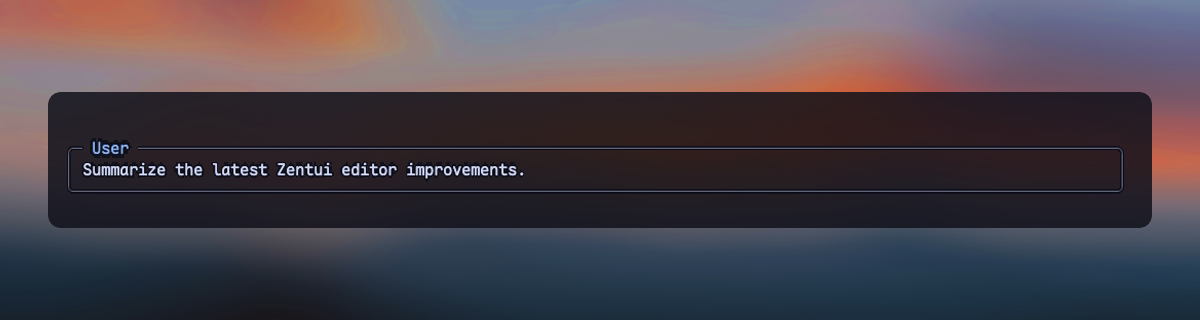
- User messages — framed, framed copy-friendly, compact, and labeled transcript messages
- Thinking (Experimental) — optional Rail, Tree, or Streaming private thinking renderers, without owning the Working line
- Working line — optional ownership of Pi's complete in-progress row and settled turn summary
- Footer — Pi's native Footer, a Starship-style statusline, or a hidden zero-row Footer
Editor, User messages, Thinking (Experimental), Working line, and selector borders have independent enabled fields. Footer uses one style: native, starship, or hidden. Use /zentui to configure each component without coupling it to the others.
Highlights
| Surface | Default | Available treatments |
| --- | --- | --- |
| Editor | opencode | Opencode, copy-friendly, Accent Rail, Minimalist |
| User messages | framed | Framed, copy-friendly, Compact, Labeled |
| Thinking (Experimental) | disabled (tree) | Rail, Tree, Streaming |
| Working line | disabled | Five spinner presets, live tool/time/thinking/token segments, turn summary |
| Footer | starship | Native, Starship, Hidden |
| Selector borders | zentui | Independent enablement and color source |
The Starship Footer shows directory, Git, runtime, context, tokens, and cost. Optional segments include model/provider, package version, session duration, user@host, time, OS, Git commit, Git metrics, and third-party extension statuses. The layout is segment-driven by default and supports a complete Starship-style format template.
Zentui detects a broad set of runtime and language modules, preserves Nerd Font icons with an ASCII mode, and can source colors from the active Pi theme or directly from the terminal palette.
Screenshots
Editors
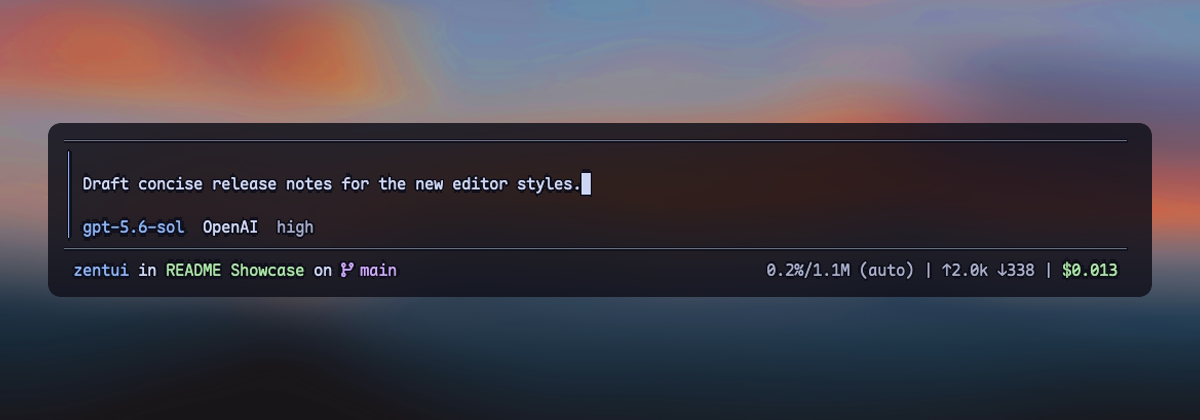
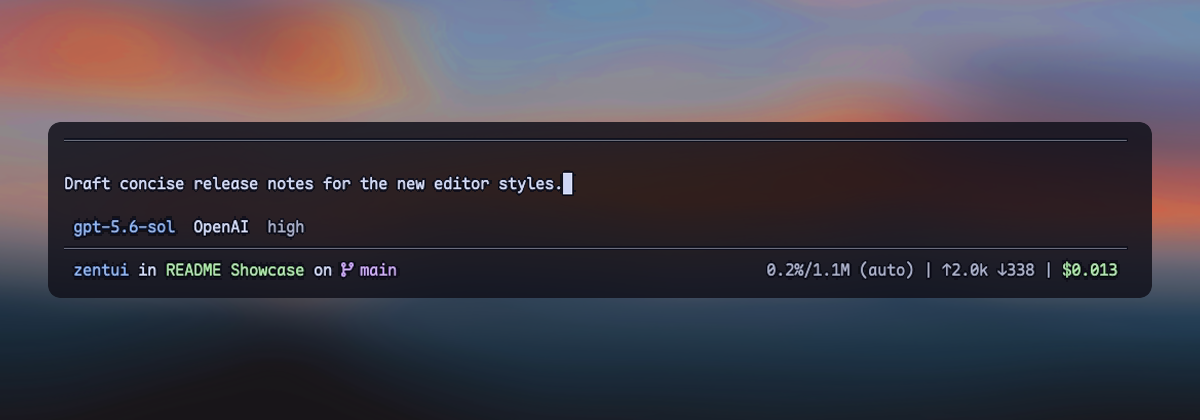
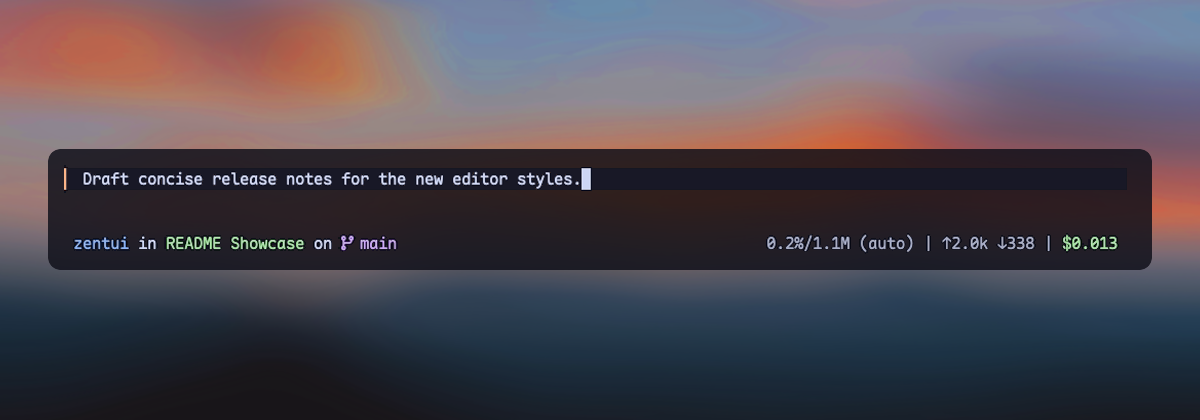
User messages
Install
# From npm
pi install npm:pi-zentui

# From git
pi install git:github.com/lmilojevicc/pi-zentui
Configure
Run /zentui inside Pi to configure Appearance, Editor, User messages, Thinking (Experimental), Working line, Footer, Segments, Git, and Extensions. Use Tab and Shift+Tab to switch sections. Most changes apply live. Active Streaming can switch live to Rail or Tree, and Rail and Tree can switch live between each other. Entering Streaming from a structural mode, first enable, and re-enable after a live disable require restarting Pi. Configuration is saved to:
~/.pi/agent/zentui.jsonA small starter config:
{
  "components": {
    "editor": {
      "enabled": true,
      "style": "accent-rail"
    },
    "userMessages": {
      "enabled": true,
      "style": "framed"
    },
    "thinkingSteps": {
      "enabled": false,
      "mode": "tree"
    },
    "workingLine": {
      "enabled": false
    },
    "footer": {
      "style": "starship"
    }
  },
  "icons": {
    "mode": "auto"
  }
}
Detailed reference:
- Configuration, component styles, defaults, runtime detection, and compatibility
- Footer format template and variables
The Starship Footer path defaults to basename. Opt into components.footer.styles.starship.pathDisplay.mode: "repository" to omit the repository directory itself: the repository root renders ., while /repo/extensions/zentui renders extensions/zentui. depth keeps the final N components in full and repository modes; 0 is unlimited. Until a current, safely contained repository root is available, repository mode silently uses the unlimited full path with ~ home abbreviation.
Useful shortcuts:
/zentui editor toggle
/zentui messages toggle
/zentui working-line
/zentui statusline toggle
/zentui viewport-indicators toggle
/zentui format "$cwd on branch $git_branch$git_status using $runtime $fill $context"
/zentui format clear
Thinking (Experimental) uses one private AssistantMessageComponent renderer for Rail, Tree, and Streaming, tested against exact Pi versions 0.80.5, 0.82.1, 0.83.0, 0.84.0, and 0.84.4. It is disabled by default and may break after Pi updates. Zentui installs an enabled startup mode before transcript restoration. A healthy installed controller lets active Streaming switch live to Rail or Tree, and lets Rail and Tree switch live between each other, without reinstalling its patch. Entering Streaming from Rail or Tree saves the choice but keeps the active structural mode until restart. Disabling live restores native thinking and releases Streaming resources. First enable and re-enable after a live disable are also restart-gated. Mode changes while disabled only preconfigure the next enable. Startup failures, missing constructors, incompatible private child layouts, parser limits, theme/render/width errors, and displaced patch ownership fail open to complete native thinking. If cleanup throws while leaving Streaming, disabling still restores native thinking and a structural selection still becomes active; the successful change warns that Streaming is unavailable for the rest of the session.
Rail shows every parsed label in each native contiguous thinking run (│ Label, with only the open final phase shown as │ • Label). Tree independently shows the latest five labels in each run (├─ · Label, settled └─ · Label, open └─ • Label); it never aggregates across intervening text or tool blocks. Rail and Tree follow Pi's thinking visibility. Complete strict SGR styling is stripped before parsing; every other terminal control and unsafe or unstructured content keeps the complete run native. Labels are rendered by fresh host-shaped Pi Markdown instances before cropping, so emphasis, code, links, HTML, LaTeX, custom transforms, and native thinkingText styling remain host-controlled. Every label occupies one terminal row: ANSI/OSC/grapheme-aware cropping adds … only when needed. Native horizontal padding stays external. Connectors are styled directly with the current theme's accent callback on every render, so custom themes control them independently. Hidden native thinking remains hidden and keeps Pi's native hidden label.
Streaming retains Pi's host-rendered final five rows under Thinking 7.1s, folds completed reasoning under Thought or current-session Thought for 12.3s, and owns the configured thinking-toggle binding (Ctrl+T by default) only when started in Streaming. Its input listener and timer are acquired only for an enabled Streaming session start; startup acquisition failure uses native thinking and marks Streaming unavailable. Restored completions cannot recover a duration because Pi does not persist the thinking-end timestamp. Expand/refold and lifecycle tracking are bounded to 256 retained assistant components; evicted entries are first restored natively. All modes restore/dispose on shutdown. Thinking (Experimental) never writes the Working line and does not change its existing Thinking time option, working text, Footer, Editor, statuses, or model behavior.
Pi 0.84 also provides a native fullscreen TUI with a sticky editor and Footer. Pi 0.84.4 is covered by a fullscreen live-transition PTY smoke in addition to the standard matrix. Zentui does not enable fullscreen automatically; select it from Pi's /settings, set "tuiMode": "fullscreen" in Pi settings, or launch Pi with --tui-mode fullscreen.
Requirements
Development
npm install
npm run fmt
npm run verify
npm run pack:check
Run Pi with only the local extension:
npm run pi:devInstall the checkout as a local Pi package:
npm run pi:install-localOverride the globally installed Pi binary when needed:
PI_BIN=/path/to/pi npm run pi:devSee CONTRIBUTING.md for manual UI-test and pull-request expectations.
Inspiration and credits
- Starship — inspiration for the informative, segment-based Footer
- Opencode — inspiration for the Opencode editor treatment
- Oh My Pi (
omp) by Can Bölük — visual inspiration for the filled, single-left-rail Accent Rail editor - Pi Custom Input by Vinh Le — visual inspiration for Minimalist's framed, border-embedded session, model, context, Git, and path metadata
- Pi Thinking Steps by Marc Mironescu / FluxGear — structural-step parsing and the Rail/Tree visual language; adapted in Thinking (Experimental) under the MIT License
- Pi Thinking Fold by Zach Yuen — native rendered-row folding, timing, expand/refold behavior, and fail-open compatibility patterns; adapted in Thinking (Experimental) under the MIT License
Most Zentui implementations are independent; these credits acknowledge product and visual inspiration. Thinking (Experimental) also adapts MIT-licensed implementation work from Pi Thinking Steps and Pi Thinking Fold. Their complete copyright and permission notices are retained in the packaged thinking-experimental.ts source.
License
Zentui is licensed under the MIT License. Wallpaper photo by Mohammad Alizade on Unsplash, used under the Unsplash License. The photograph appearing in showcase screenshots is not relicensed under MIT.