
pino-ui
v1.0.2
Published
A beautiful UI for your dev logs.


Readme
pino-ui
A beautiful UI for your dev logs.
What is it?
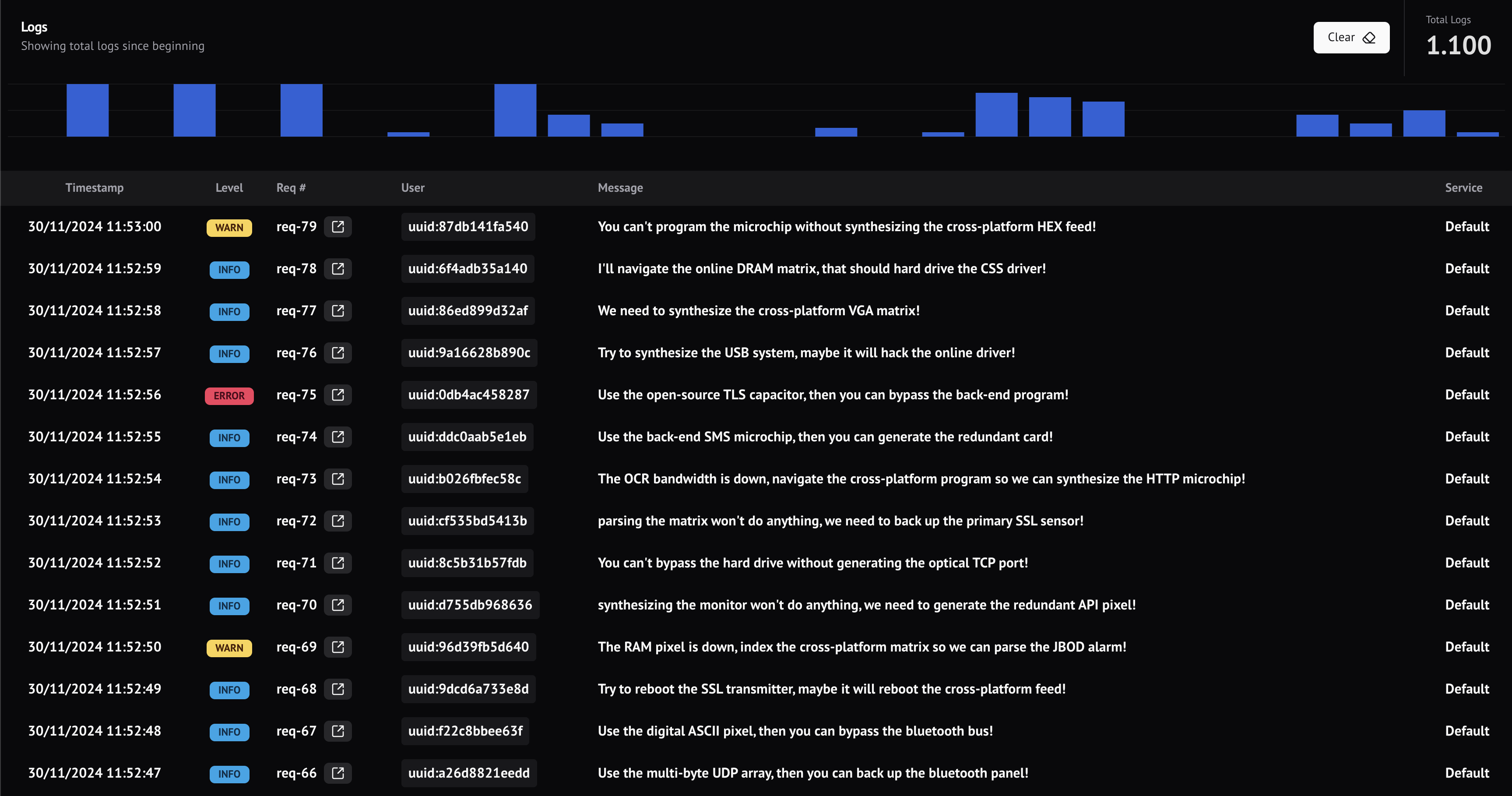
This library is an improvement of pino-pretty. Sometimes it's too complicated to browse through console logs and understand all logs on a specific request.
This library adds a web view for the pino logs.
Installation
npm install pino-ui --save-devUsage
The usage is similar to pino-pretty which is quite simple, all you need to do is pipe to pino-ui.
node server.js | pino-uiConfiguration
You can configure:
- The columns you want to display on the table
- The columns you want to display on the details and how to display them
- Which column has a request identifier or trace id
- The port it's going to use to serve the UI
We're using JSON to read the configuration.
Important: You need to add the json file with the following name (
.pino-ui.json) on the cwd of your application
| Field | Type | Description |
| ------------------- | ------- | ------------------------------------------------------------------------------ |
| gridColumns | Column | How to display the grid columns |
| detailColumns | Column | How to display the log data on the details |
| traceColumn | String | The column used for trace so we can easily separate all logs in a single trace |
| port | Number | The port to serve the UI (Default 8080) |
| autoReset | Boolean | If auto reset when process is restarted, default to false |
| ascending | Boolean | Wether sorting will be ascending or not, default to false (descending) |
| chartWindowMinute | Number | Window to capture number of logs in the log chart. Default to 1 (minute) |
Additional Fields
| Field | Type | Description |
| ----------------- | ---------------------- | -------------------------------------------------------------- |
| levelColumn | String | Defines the column that has the log level, defaults to level |
| messageColumn | String | Defines the column that has the message, defaults to msg |
| timestampColumn | String | Defines the column that has the timestamp, defaults to time |
| levelMapping | Record<String, String> | Maps level to a label. Example: { "30": "INFO" } |
Column Type
| Field | Type | Description |
| ----------- | ------ | ------------------------------------------------------------------------------------------- |
| name | String | Label of the column |
| key | String | The key we're going to use to render the column |
| formatter | String | text, multiline_text, numeric, code, sql, json, uuid, duration, timestamp |
JSON Example
{
  "gridColumns": [
    { "name": "Req #", "key": "reqId" },
    { "name": "User", "key": "context.userId" },
    { "name": "Message", "key": "msg" },
    { "name": "GraphQL Field", "key": "graphqlFieldName" }
  ],
  "detailColumns": [
    { "name": "Req #", "key": "reqId" },
    { "name": "User", "key": "context.userId", "formatter": "code" },
    { "name": "Message", "key": "msg" },
    { "name": "GraphQL Field", "key": "graphqlFieldName", "formatter": "code" },
    { "name": "SQL", "key": "sql", "formatter": "code" },
    { "name": "Parameters", "key": "parameters", "formatter": "json" }
  ],
  "traceColumn": "reqId",
  "levelColumn": "level",
  "timestampColumn": "timestamp",
  "messageColumn": "message",
  "levelMapping": {
    "30": "INFO",
    "100": "WARN",
    "400": "ERROR"
  }
}