
pixi-stats
v5.1.7
Published
WebGL stats for pixi.js or/and three.js


Readme
pixi-stats
JavaScript Performance Monitor
This library provides an info box that will help you monitor your code performance.
- FPS Frames rendered in the last second. The higher the number the better.
- MS Milliseconds needed to render a frame. The lower the number the better.
- MB MBytes of allocated memory. (Run Chrome with
--enable-precise-memory-info) - DC Draw Calls made within one frame.
- TC Texture Count used within one frame.
- CUSTOM User-defined panel support.
Screenshots
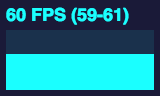
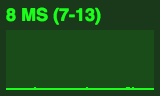
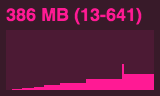
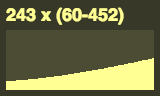
pixi.js
Live demo
https://nenjack.github.io/make2d/demo/?fps (pixi.js)
https://nenjack.github.io/make3d/demo/?fps (three.js)
Usage
import { Application } from 'pixi.js'
import { Stats } from 'pixi-stats'

const { renderer } = new Application()
const stats = new Stats(renderer)
Parameters
const element = document.querySelector('#your_container')
const ticker = PIXI.ticker

new Stats(renderer, ticker, element)
three.js
Live demo
https://legacyofpain.app/?fps
Usage
import { Renderer } from 'three'
import { Stats } from 'pixi-stats'

const renderer = new Renderer()
const stats = new Stats(renderer)
Installation
npm install pixi-stats --saveSet CSS
#stats {
  position: fixed;
  top: 0;
  left: 0;
  z-index: 1000;
}

#stats canvas {
  width: max(100px, 10vw, 10vh);
  height: max(60px, 6vh, 6vw);
  user-select: none;
}
Contributors
The credit goes to:
- https://github.com/mrdoob/stats.js/ - FPS, MS, MB counters
- https://github.com/eXponenta/gstatsjs/ - DC, TC counters
- https://github.com/nenjack/ - maintainer, fixes, updates
License
MIT