
pixl-curves
v1.0.0
Published
Apply Photoshop-style curves using HTML5 Canvas.


Readme
Overview
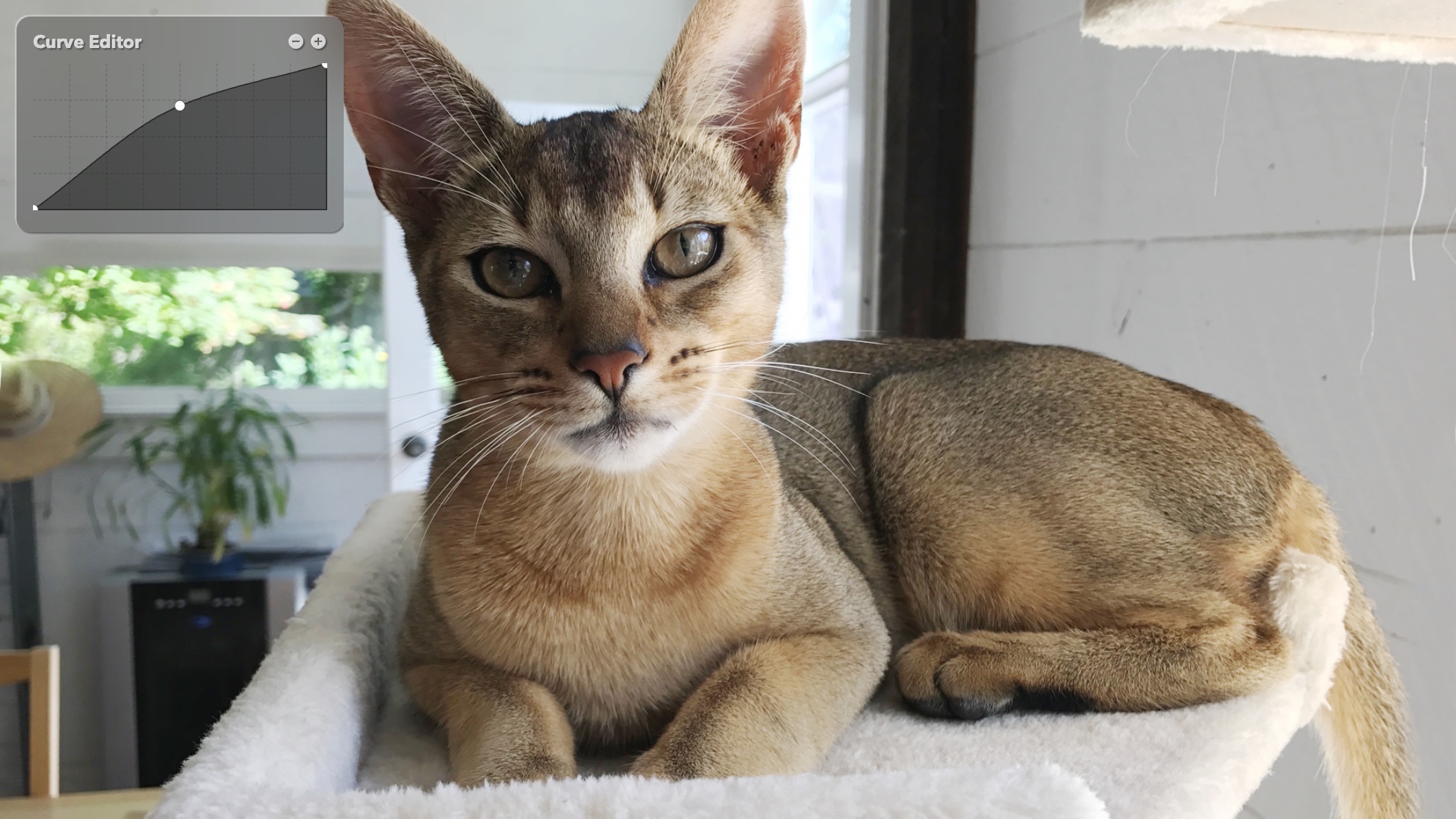
Read the accompanying blog article here: Creating a Photoshop-style Curves Filter for HTML5 Canvas
The Curves filter is one of the most powerful tonal adjustment tools in image editing. Popularized by Adobe Photoshop® and now present in nearly every photo editor, curves let you remap the image tonality, specified as a function from input level to output level.
Conceptually, you can think of curves like an audio equalizer but for images: each point along the horizontal axis represents an input brightness, and the vertical axis determines the new output brightness. By shaping the curve, you can emphasize detail in shadows, compress highlights, adjust midtones, or even produce stylized effects.
This library generates curves for you, and renders them to any HTML5 Canvas. It also provides a variety of adjustment functions (i.e. pre-built curves), for things like brightness, contrast, exposure, gamma, and many more.
Features
- Zero dependencies.
- Lightweight (11K minified, 2K gzipped).
- Apply any curve by specifying points.
- Renders directly atop any HTML5 Canvas.
- Basic adjustments such as brightness, contrast, etc.
- Advanced adjustments such as shadows, midtones, highlights.
- Photographic filters such as exposure, gamma.
- Special filters including posterize, threshold, sepia.
- Auto-enhance filter (a.k.a. normalize).
- Generate image histograms.
Usage
Use npm to install the module:
npm install pixl-curvesIf you are building a vanilla JS app, you can just host the curves.min.js file and load it via a SCRIPT tag. A global Curve object is exposed. If you are using a bundler, include the module in your package.json file and require it as per usual. The Curve class is exported directly as module.exports.
Here is a simple usage example:
// Create a canvas and add to dom
let canvas = document.createElement('canvas');
let context = canvas.getContext('2d');
canvas.width = 1024;
canvas.height = 752;
document.body.appendChild(canvas);

// load a sample image
let img = new Image();

img.onload = function() {
	// draw image on canvas
	context.clearRect( 0, 0, canvas.width, canvas.height );
	context.drawImage( img, 0, 0 );

	// create curve
	let curve = new Curve(canvas);

	// bump midtones and posterize
	curve.midtones(32).posterize(4).render();
};

// trigger load
img.crossOrigin = 'anonymous';
img.src = 'https://pixlcore.com/software/pixl-curves/sample.webp';
All of the class methods are chainable (each returns the object instance), so you can do things like:
curve.brightness(125).contrast(150).render();Some methods accept a single number as the argument, but all accept an options object. See the API below for more details.
For a custom curve, use apply() and specify which channel(s) you want (rgb is an alias for all channels):
curve.apply({ rgb: [ 0, 192, 255 ] }).render();API
See API.md for the full API docs.
Development
To build pixl-curves from source, use the included build script, which you can invoke from NPM like this:
npm run buildThis reads the source files and produces the single output file curves.min.js.
To generate the API docs, use this command:
npm run docsLicense
The MIT License (MIT)
Copyright (c) 2025 Joseph Huckaby and PixlCore.
Permission is hereby granted, free of charge, to any person obtaining a copy of this software and associated documentation files (the "Software"), to deal in the Software without restriction, including without limitation the rights to use, copy, modify, merge, publish, distribute, sublicense, and/or sell copies of the Software, and to permit persons to whom the Software is furnished to do so, subject to the following conditions:
The above copyright notice and this permission notice shall be included in all copies or substantial portions of the Software.
THE SOFTWARE IS PROVIDED "AS IS", WITHOUT WARRANTY OF ANY KIND, EXPRESS OR IMPLIED, INCLUDING BUT NOT LIMITED TO THE WARRANTIES OF MERCHANTABILITY, FITNESS FOR A PARTICULAR PURPOSE AND NONINFRINGEMENT. IN NO EVENT SHALL THE AUTHORS OR COPYRIGHT HOLDERS BE LIABLE FOR ANY CLAIM, DAMAGES OR OTHER LIABILITY, WHETHER IN AN ACTION OF CONTRACT, TORT OR OTHERWISE, ARISING FROM, OUT OF OR IN CONNECTION WITH THE SOFTWARE OR THE USE OR OTHER DEALINGS IN THE SOFTWARE.
Code from Wikipedia
This library relies on some sample code adapted from a Wikipedia article:
https://en.wikipedia.org/wiki/Monotone_cubic_interpolation
I am mentioning this here because the license of the code is unspecified.