placeholder-master
v1.0.2
Published
The Placeholder library adds master labels of your elements having a classname of input
Downloads
16

Maintainers
 patricode
Readme
Title
The placeholder package-master library is well crafted to help you add super labels as placeholders in your inputs
syntax:
new Input(class_name,placeholder_names,placeholder_color,font_size,off_color,delay)
Parameter Description
class_name: defines the classname to apply the label placeholders
placeholder_names<array>: defines the placeholder texts from the first element to the last
placeholder_color: defines color of the placeholder labels
font_size: defines font size of the placeholder texts
off_color: defines color of the placeholder texts when focused(offset color)
delay: defines delay value of placeholders that the labels take to offset in seconds
Sample usages:
- new Input("input", ["Farm Ownership Type", "Farm Size (in Acres)", "Main Crop/Pasture Grown", "Estimate Yield Per Season (kg/ha)", "Crops Grown for Sale/Subsistance", "Main Livesock Breed", "GPS", "County"], "#75757A", 16, "#0075ff", .1);
- let obj = new Input("input", ["Main Source of Finance", "Taking Crop/Livestock Insurance","Gross Income Per Month", "Derogatory (Repoted Negative credit information)", "Collection Count", "Declared Bankrupt"], "#75757A", 16, "#0075ff", .1);
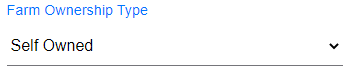
Demonstration
Add some placeholder
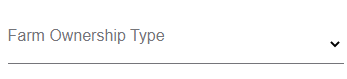
Get Offset on click