
playwright-pom
v1.0.16
Published
CLI generator for a Playwright JS/TS framework starter

Maintainers
 gabrieldali
Readme
npm init playwright-pom-startTable of Contents
- 💡 Why use this
- 🚀 Getting started
- ⚙️ How it works
- 🗂️ Generated structure
- 🏷️ Page naming
- 🖼️ Examples
- 🔗 Repository & docs
- 👤 Author & license
💡 Why Playwright POM?
- Zero setup time: One command creates your entire framework structure, folders, base classes, config files. No more copy-pasting from old projects.
- Smart and flexible: Installs Playwright if needed, lets you pick JavaScript or TypeScript, and scaffolds page classes on the spot or later. Yes, batteries included.
- Works with existing projects: Already have a Playwright repo? Add new page objects anytime without touching your current setup.
Note: All generated code uses ES module syntax (import/export). No require(), no CommonJS.
🚀 Getting started
Requirements: Node.js v18 or later.
New project
Run in an empty folder or from any directory to scaffold into a named subfolder:
npm init playwright-pom-startYou'll be asked for:
- Language — JavaScript or TypeScript (arrow keys + Enter). Default is JS. Skipped if Playwright and language are already detected in the project.
- Page names — optional; type names separated by spaces, or press Enter to skip. Names are normalized to PascalCase +
Page(e.g.dashboard→DashboardPage). - Playwright — installed automatically if missing.
Add pages to an existing project
Run from the root of your project, where the pages folder lives:
npx playwright-pom add pagesThe CLI detects your project language from existing config files or the pages folder contents. If it can't detect a language, it asks. If no pages folder exists yet, it creates one and copies BasePage before prompting for page names.
⚙️ How it works
- If Playwright is already installed in the folder, the CLI detects JS or TS and skips the language question.
- Templates are copied, folders and placeholder files are created.
- If Playwright isn't installed yet, the CLI runs
npm init playwright@latest -- --quiet --lang=jsor--lang=tsto match the chosen language. - If the folder already has a scaffold (e.g.
pages/BasePage.jsorpages/BasePage.ts), the CLI prints "Project already set up. Skipping." and may runnpm install.
🗂️ Generated structure
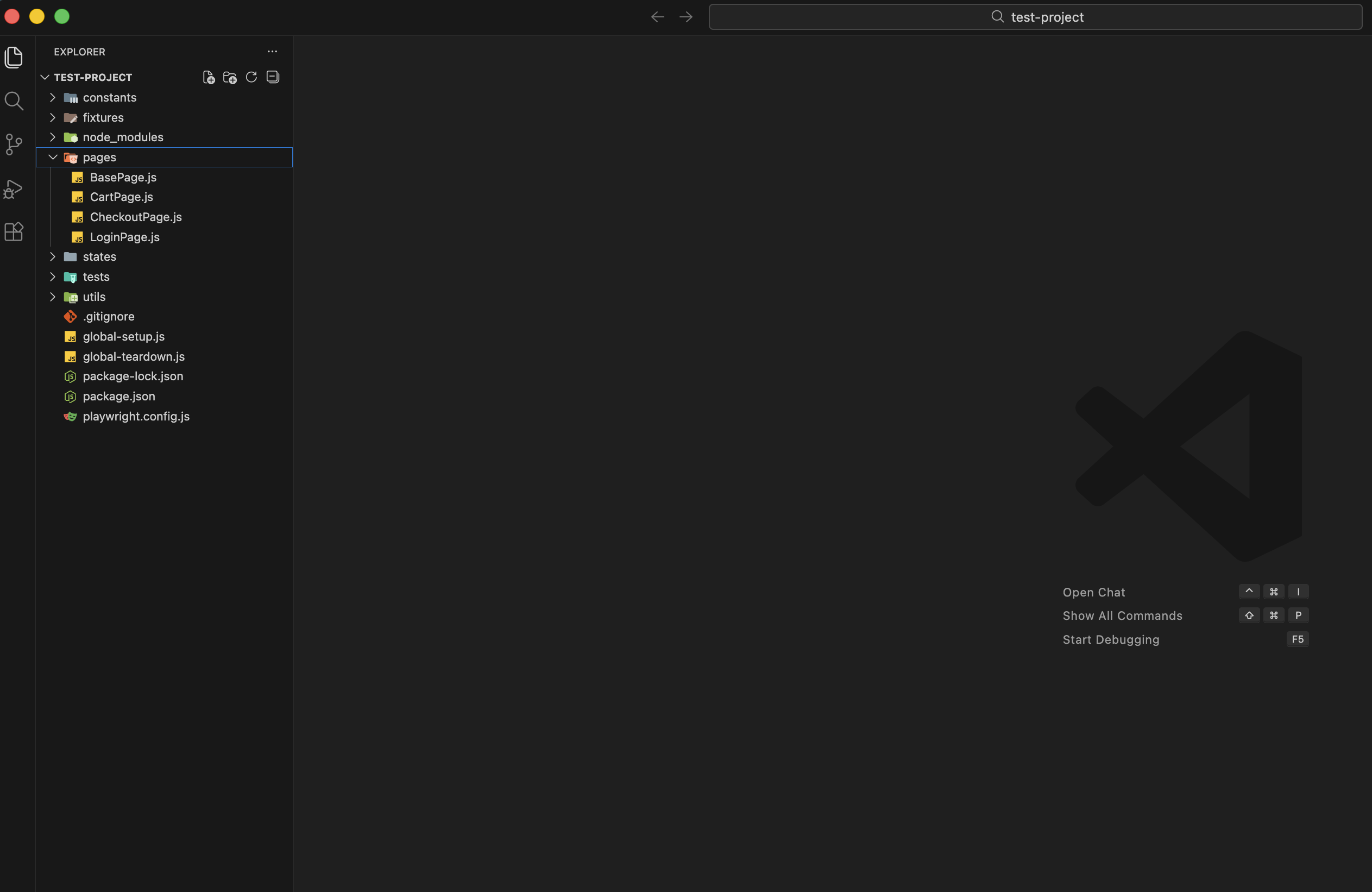
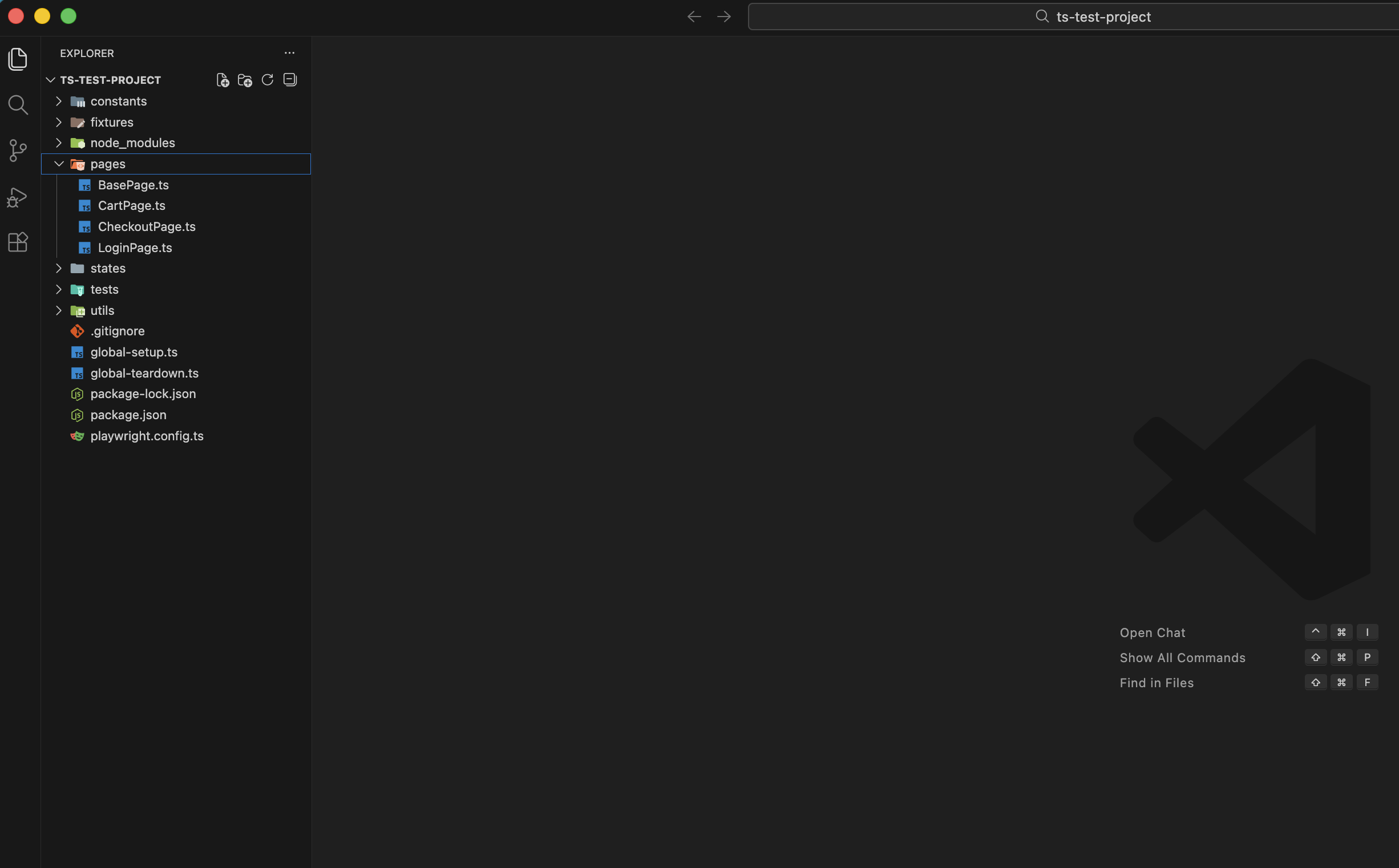
<project>/
├── pages/
│   ├── BasePage.js or BasePage.ts
│   └── ... (any pages you added)
├── utils/
│   ├── logger.js or logger.ts
│   └── auth/
├── fixtures/
├── constants/
├── states/                 # in .gitignore
├── global-setup.js or .ts
├── global-teardown.js or .ts
└── .gitignore              # includes states
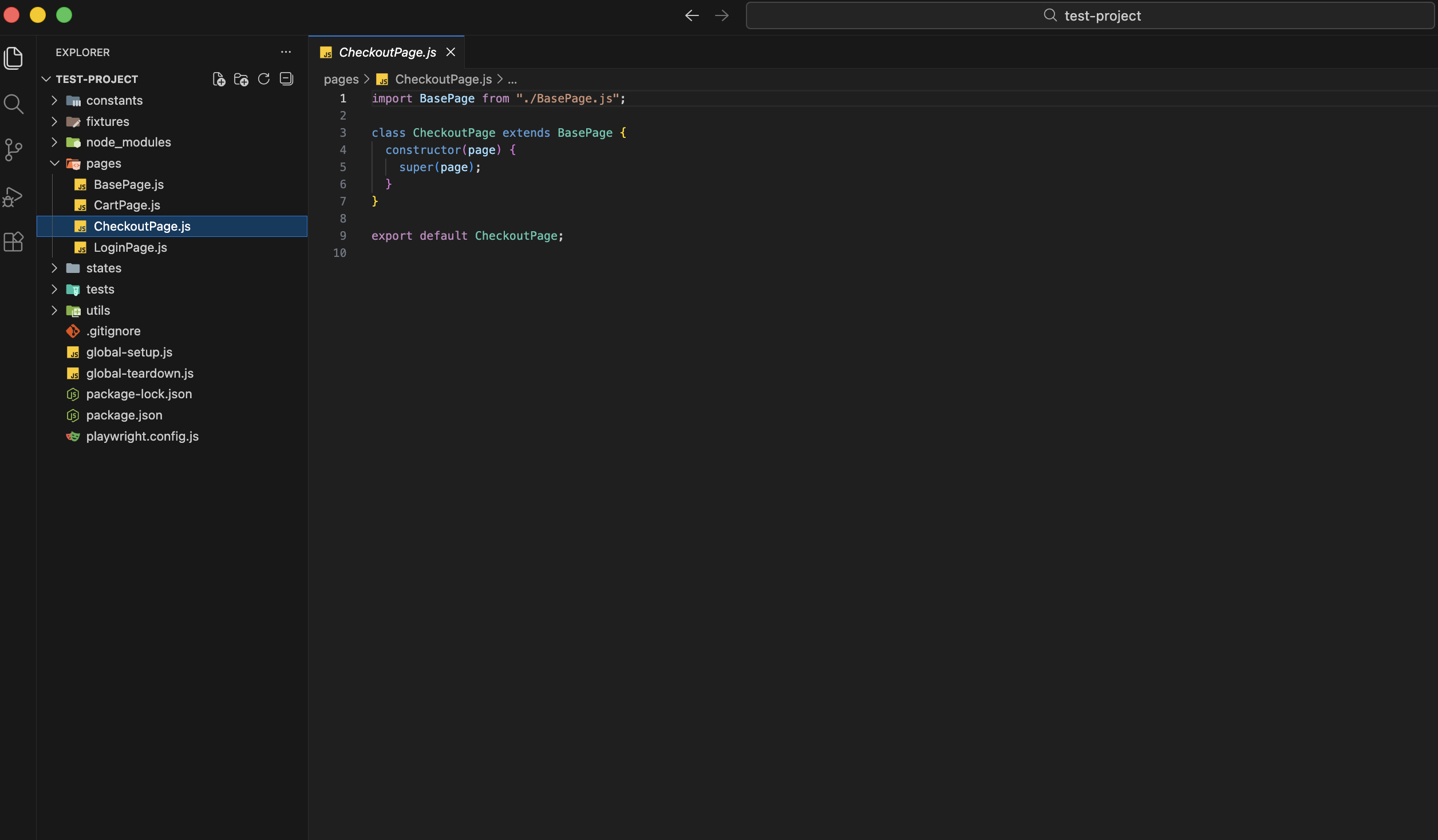
All page classes extend BasePage and pass the Playwright page to the constructor. Example (JavaScript):
import BasePage from "./BasePage.js";

class DashboardPage extends BasePage {
  constructor(page) {
    super(page);
  }
}

export default DashboardPage;
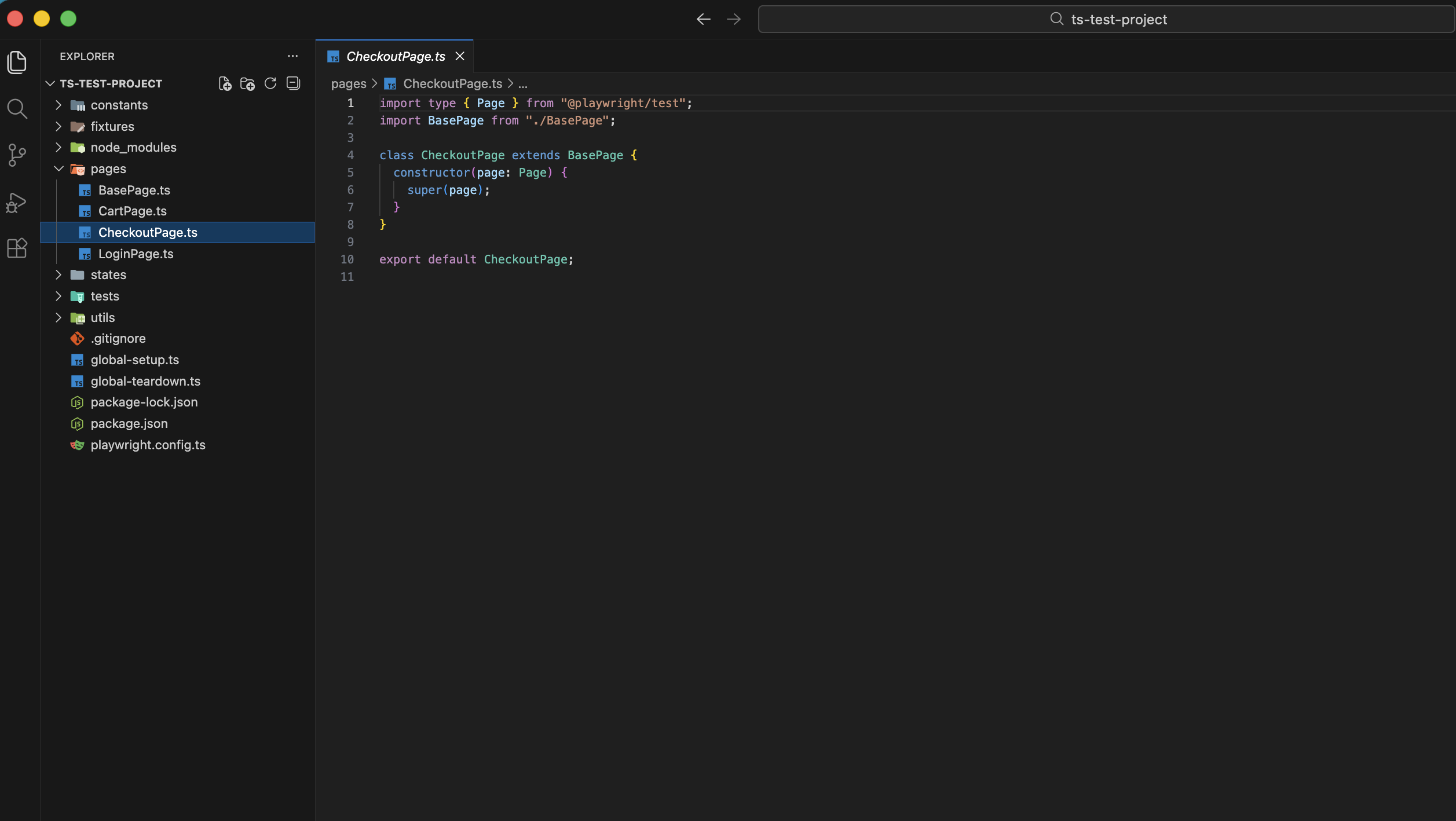
For TypeScript, the same pattern is used with import type { Page } from "@playwright/test" and constructor(page: Page).
- BasePage — Shared class with the Playwright
page; other pages extend it. - utils/logger — Placeholder for your logger.
- utils/auth — For auth-related helpers.
- fixtures/ — Add your fixtures in this folder.
- constants/ — Add your constants files here.
- states/ — For storage state files, already added into .gitignore file
- global-setup / global-teardown — Default async functions; wire them in
playwright.config.*if you use them.
🏷️ Page naming
- Letters only (no numbers,
.js/.ts, or symbols). - Converted to PascalCase +
Page(e.g.checkout→CheckoutPage,userProfile→UserProfilePage). - Invalid tokens and existing files are skipped (reported in the console).
🖼️ Examples
JavaScript based output project structure
JavaScript based output created page example
TypeScript based output project structure
TypeScript based output created page example
🔗 Repository & docs
- GitHub: github.com/GabrielDali/pom-pw-js
- Main package (playwright-pom): npmjs.com/package/playwright-pom
👤 Author & license
Author: Gabriel Dali License: MIT