
please-blocks
v0.1.7
Published
Visual block-based IDE untuk QA Automation berbasis please-test


Readme
Please Blocks
Visual block-based IDE untuk QA Automation — tanpa menulis kode.
Please Blocks adalah drag-and-drop IDE di mana setiap langkah test direpresentasikan sebagai blok. QA menyusun blok di canvas → IDE menghasilkan JavaScript test script secara otomatis.
Requirements
| Kebutuhan | Keterangan | |---|---| | Node.js ≥ 18 | Wajib | | Browser | Chrome / Firefox / Edge | | OS | macOS / Windows / Linux |
Instalasi
npm install -g please-blocksJalankan:
please-blocksBrowser akan terbuka otomatis ke http://localhost:3737.
Untuk menghentikan:
# Ctrl+C di terminal, atau:
kill $(lsof -ti :3737)
Screenshots
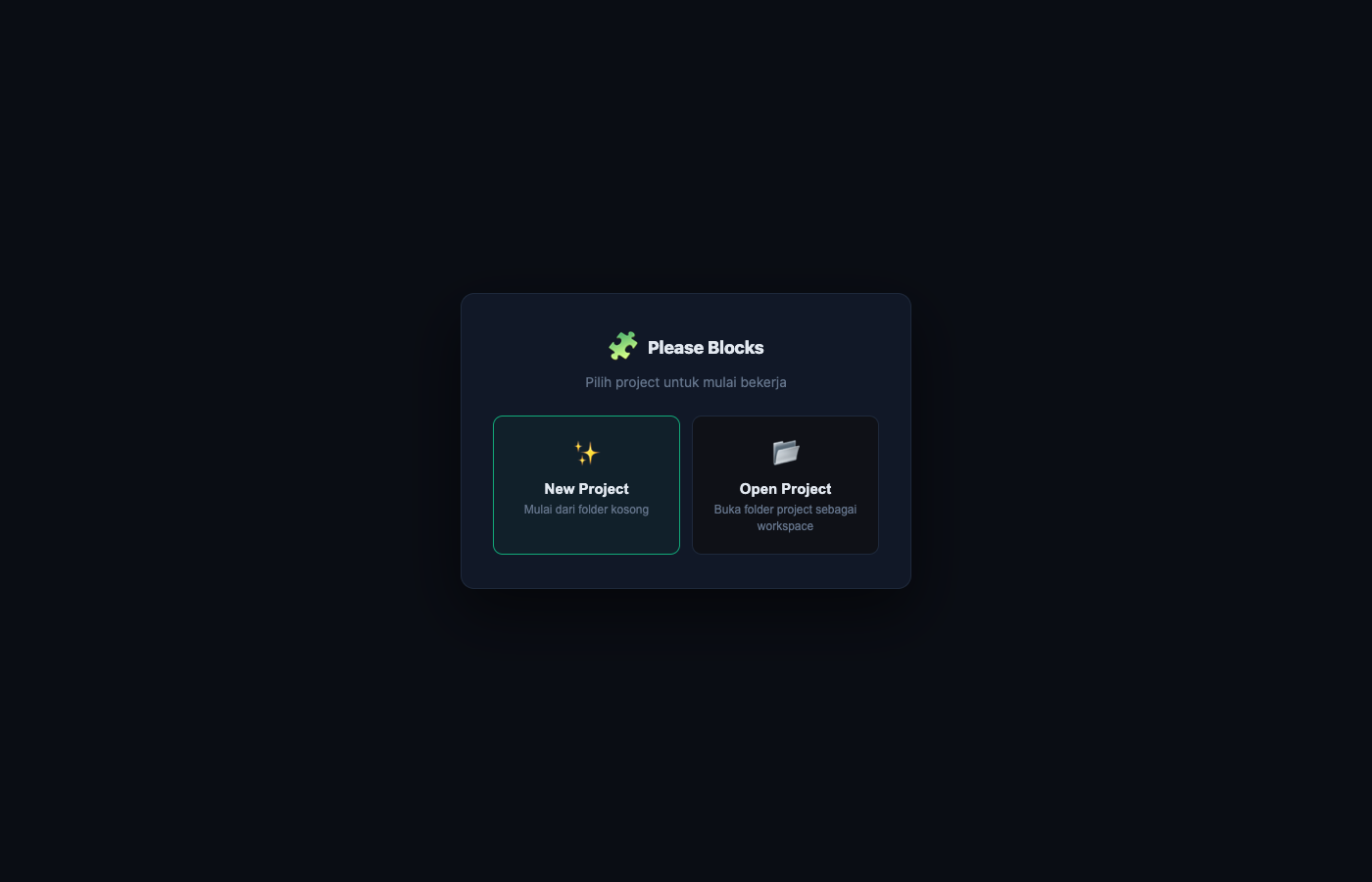
Project Gate — pilih atau buat project baru saat pertama kali dibuka.
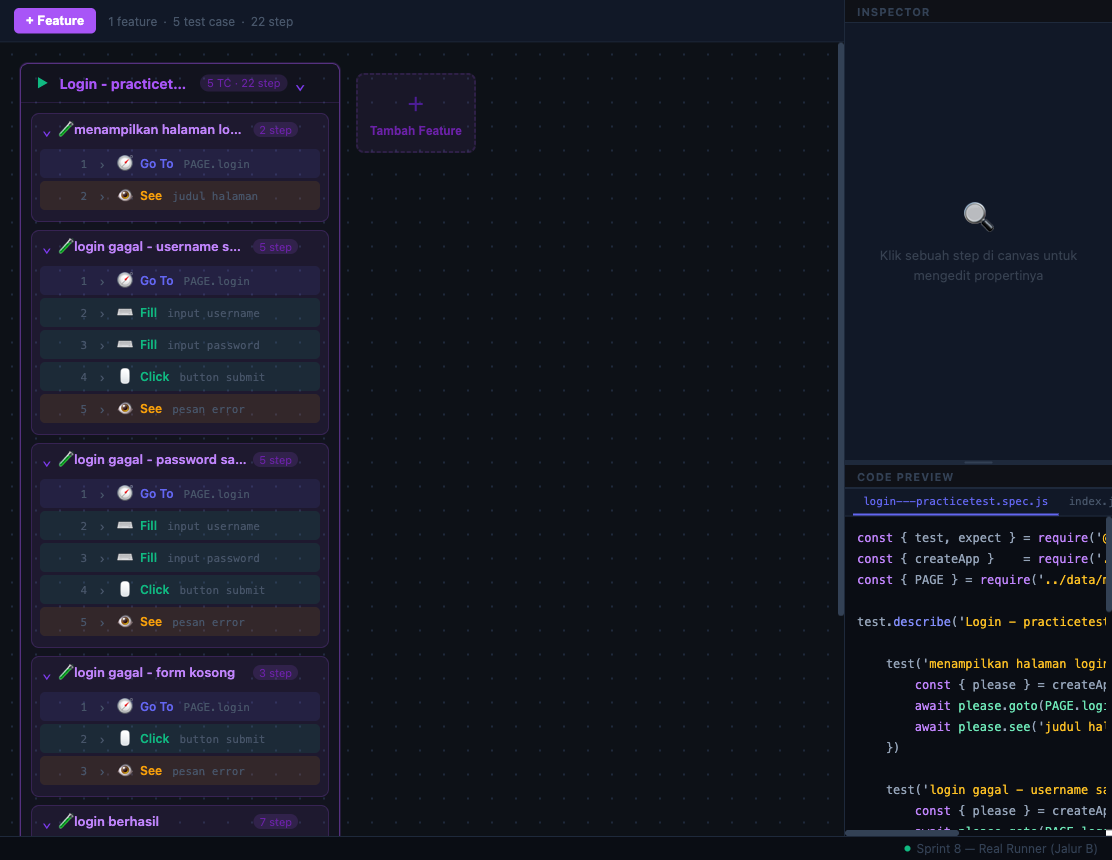
Canvas — susun blok test secara visual, code preview ter-generate otomatis di kanan.
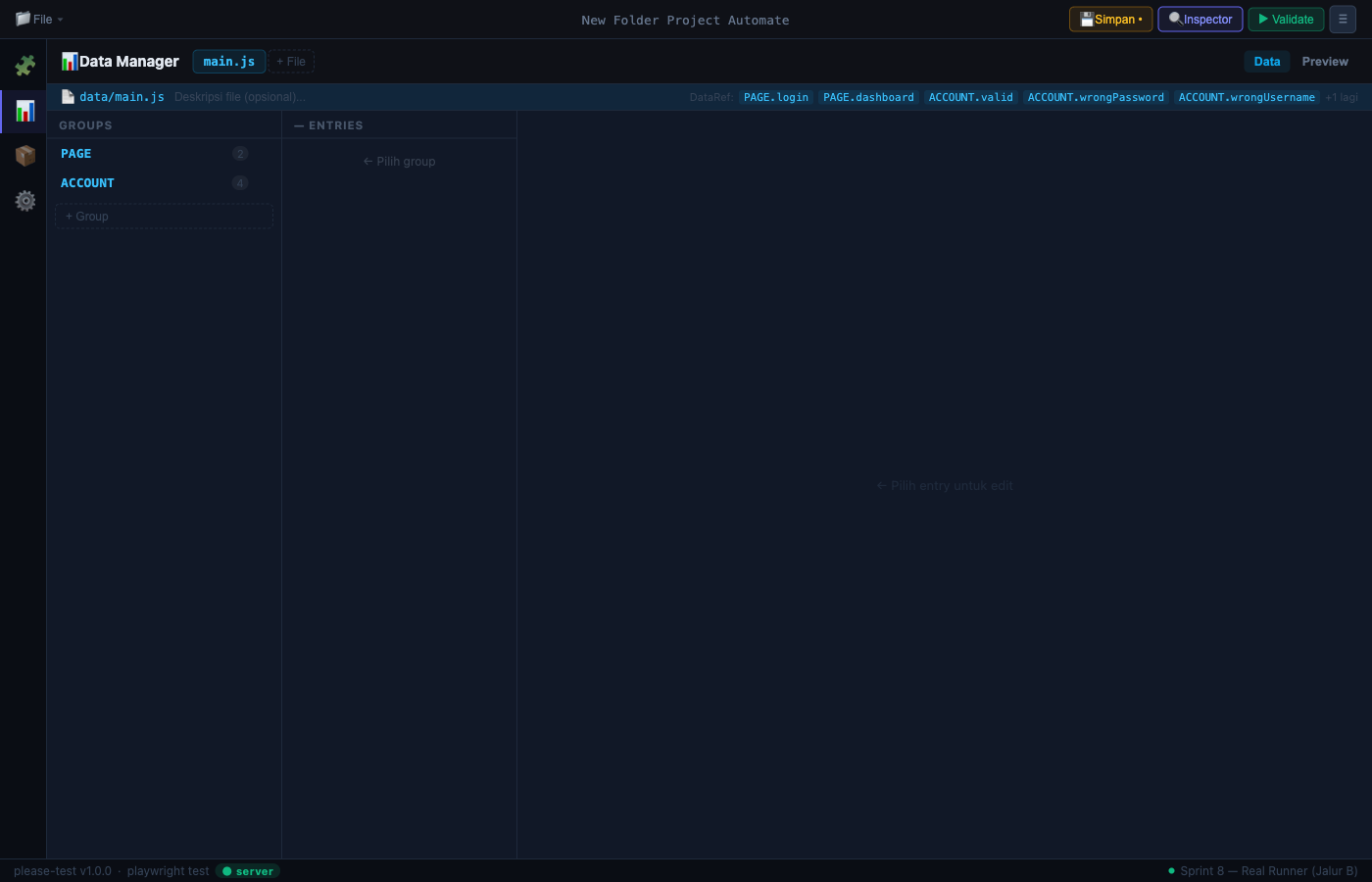
Data Manager — kelola URL, akun, dan data test terpusat.
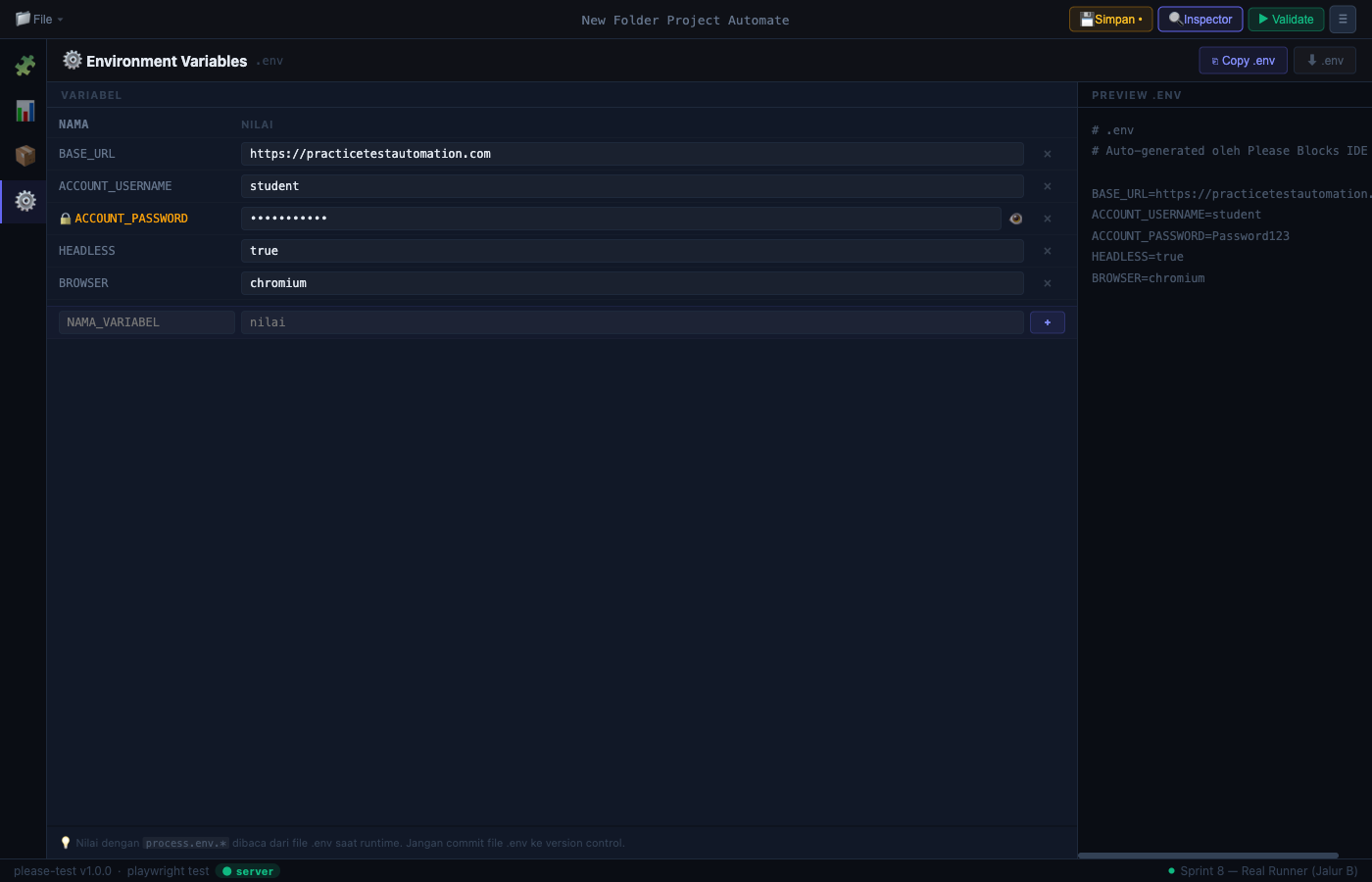
Environment Variables — konfigurasi .env langsung dari IDE.
Test Runner — jalankan test dan lihat log real-time tanpa keluar dari IDE.
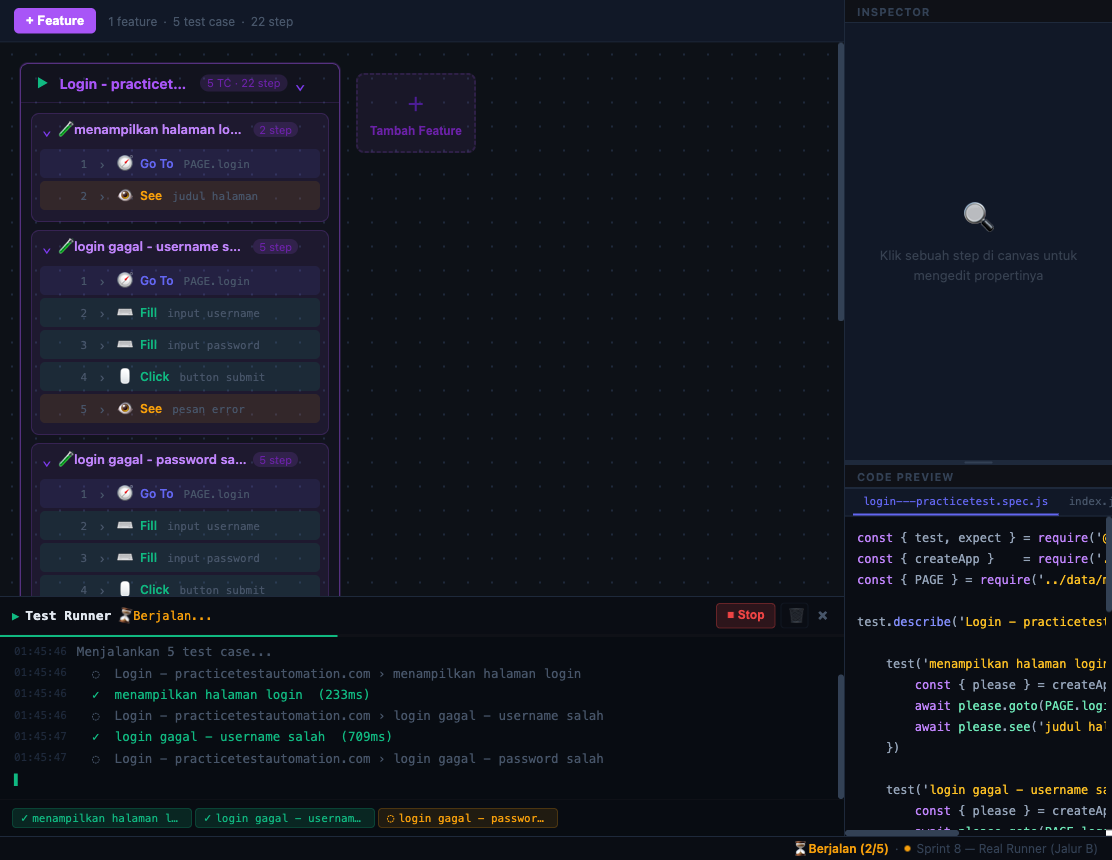
Cara Pakai
1. Pilih atau buat project
Saat pertama kali dibuka, pilih New Project (folder kosong) atau Open Project (folder project yang sudah ada).
2. Isi data test
Buka Data Manager → tambahkan URL dan akun yang dipakai di test.
// Contoh data yang di-generate
module.exports = {
  URL: {
    login: { url: 'https://app.com/login', title: 'Login' }
  },
  ACCOUNT: {
    valid: { username: '[email protected]', password: 'secret' }
  }
}
3. Susun blok di canvas
Drag blok dari palette ke canvas:
[Feature: Login]
  [Test Case: login berhasil]
    [Go To · URL.login]
    [Fill · "Username" · #username · ACCOUNT.valid.username]
    [Fill · "Password" · #password · ACCOUNT.valid.password]
    [Click · "Login Button" · button[type=submit]]
    [See Text · "Welcome" · .dashboard-header]
4. Simpan & jalankan
Klik Simpan → klik ▶ Run → log test mengalir real-time di panel bawah.
Blok yang Tersedia
| Kategori | Blok |
|---|---|
| Navigation | Go To, Verify Page |
| Actions | Click, Fill, Fill & Enter, Clear, Date Picker, Upload File, Scroll To |
| Assertions | See Text, Assert Equal, Assert Not Equal, Get Text, Get Value, Force Fail |
| Flow | Feature, Test Case |
| Utilities | Wait |
| Components | Blok dinamis dari components/*.js |
Contoh Kode yang Di-generate
const { please, AUTH } = require('../app')
const { URL, ACCOUNT } = require('../data/main')

describe('Login', () => {
  it('login berhasil', async () => {
    await please.goto(URL.login)
    await please.fill('Username', '#username', ACCOUNT.valid.username)
    await please.fill('Password', '#password', ACCOUNT.valid.password)
    await please.click('Login Button', 'button[type=submit]')
    const text = await please.getText('Header', '.dashboard-header')
    please.equal(text, 'Welcome')
  })
})
Struktur Project yang Di-generate
[nama-project]/
├── app.js           # Setup Playwright + please instance
├── index.js         # Toggle fitur yang dijalankan
├── .env             # BASE_URL, credentials
├── components/      # Reusable action classes
├── data/
│   └── main.js      # Data test terpusat
└── feature/
    └── login.spec.js
Tech Stack
Vue 3 · Pinia · Express · please-test · Playwright
Author: Ghany Abdillah Ersa
License: MIT