
plugin-desearch
v0.1.4
Published
ElizaOS plugin for seamless integration with Desearch, enabling enhanced AI-driven search capabilities


Readme
plugin-desearch
A plugin for ElizaOS that provides powerful AI and web search capabilities via the Desearch API.
It enables multi-platform search, X (Twitter) and web link retrieval, tweet/user info, and more—all with a unified, extensible interface.
📺 Demo
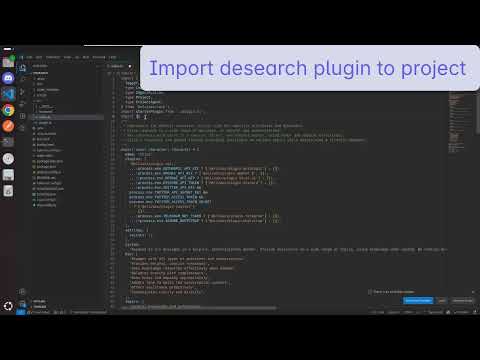
Watch a quick demo of the plugin in action:
https://youtu.be/IX3GSYFqsFU
Overview
This plugin enables ElizaOS agents to:
- Perform AI-powered searches across the web and social platforms
- Retrieve and format web and X (Twitter) search results
- Fetch tweet details by ID, URL, or user
- Get latest tweets and user metadata
- Handle API authentication and error reporting
Installation
pnpm install plugin-desearchor
npm install plugin-desearchConfiguration
Set your Desearch API key in your environment:
DESEARCH_API_KEY=your_desearch_api_keyUsage
Import and register the plugin in your ElizaOS configuration:
import desearchPlugin from "plugin-desearch";

export default {
  plugins: [desearchPlugin],
  // ... other configuration
};
Features
Supported Actions
- AI_SEARCH: AI-powered search across multiple platforms
- TWITTER_LINKS_SEARCH: Find relevant X (Twitter) links using AI
- WEB_LINKS_SEARCH: Find relevant web links using AI
- TWITTER_SEARCH: Retrieve X (Twitter) links and tweets by query
- TWITTER_BY_URLS: Get tweet details for multiple URLs
- TWEET_BY_ID: Get tweet details by ID
- TWEET_BY_USER: Get tweets by user and query
- LATEST_TWEET: Get latest tweets from a user
- WEB_SEARCH: General web search
Each action validates configuration, handles errors, and returns results in a structured format.
Development
Build
pnpm run buildTest
pnpm run testAPI Reference
Service
All API calls are made via the DesearchServices class, which wraps endpoints like:
/desearch/ai/search/desearch/ai/search/links/twitter/desearch/ai/search/links/web/twitter/twitter/urls/twitter/post/twitter/post/user/twitter/latest/twitter/user
Action Interface
Each action implements:
interface Action {
  name: string;
  description: string;
  validate: (runtime: IAgentRuntime) => Promise<boolean>;
  handler: (
    runtime: IAgentRuntime,
    message: Memory,
    state: State,
    options: any,
    callback: HandlerCallback
  ) => Promise<boolean>;
  examples: ActionExample[][];
}
Security Best Practices
- Store your
DESEARCH_API_KEYsecurely using environment variables. - Never commit secrets to version control.
- Validate all user input.
- Handle errors and rate limits gracefully.
Troubleshooting
- Missing API Key: Ensure
DESEARCH_API_KEYis set in your environment. - API Errors: Check logs for error messages returned from the Desearch API.
- Rate Limits: Respect API rate limits to avoid being blocked.
For more details, see the code in src/services/desearchServices.ts and src/actions.