
pm2-dash
v1.0.7
Published
An elegant web & terminal interface for Unitech/PM2.

Maintainers
 ardenslab
Readme
pm2-dash 





An elegant web & terminal interface for Unitech/PM2, maintained by ArdensLab.
Requires Node.js 22 or later. Tested with PM2 7.
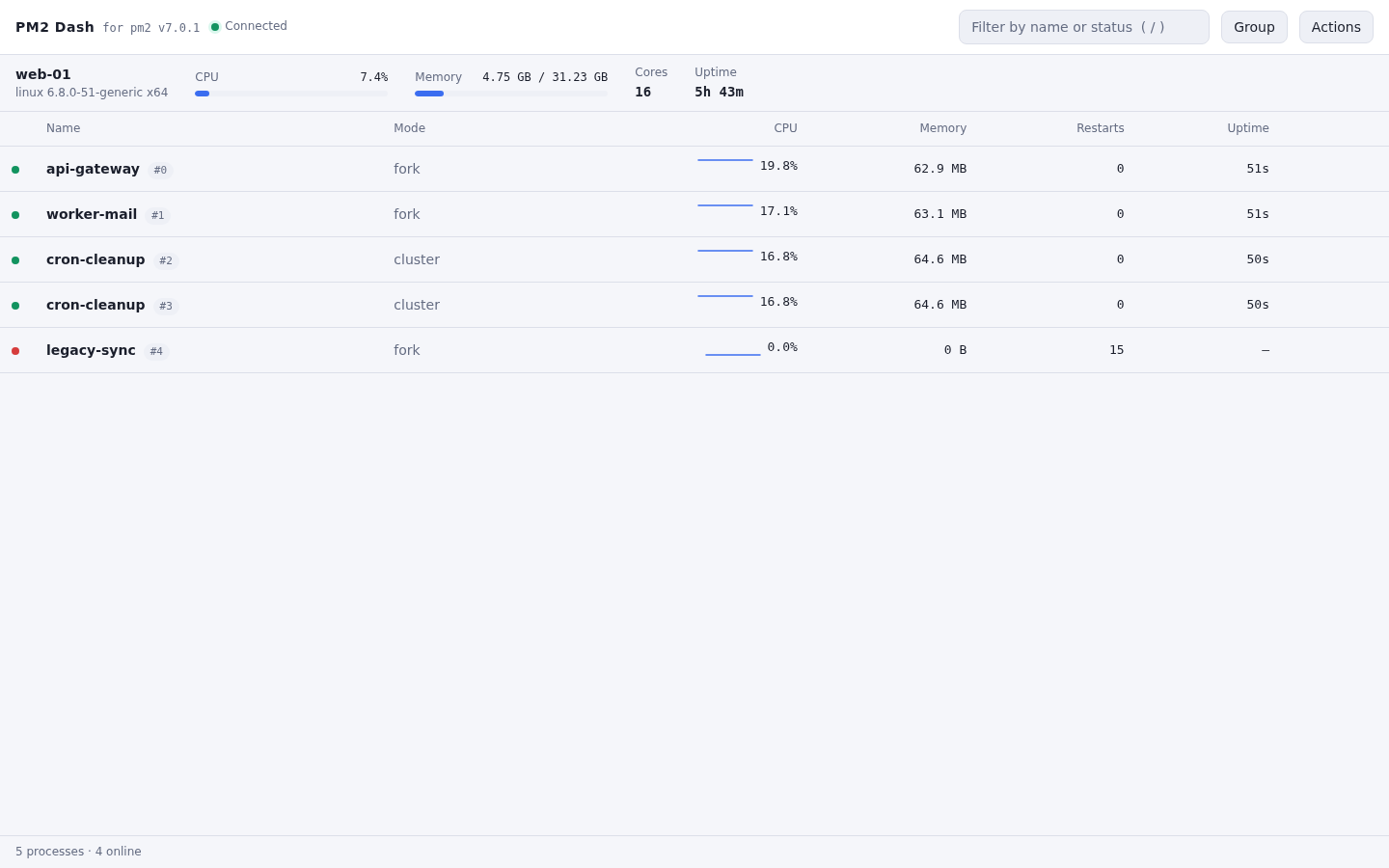
Guide
- Features
- Cautions
- Installation
- Usage
- Configuration
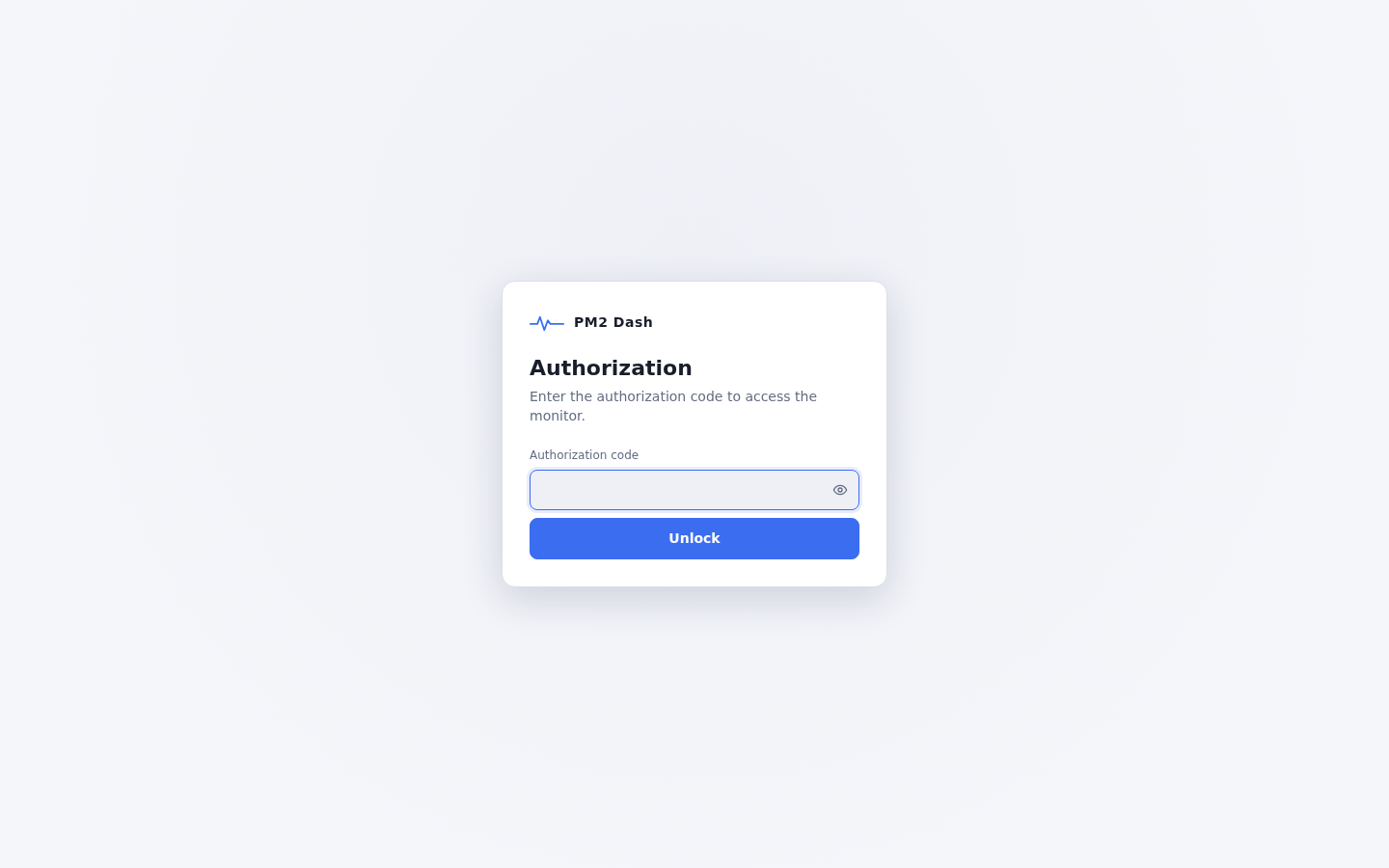
- Authorization
- UI/UX
- Serving apps locally with nginx and custom domain
Features
- Single-page web dashboard: sortable and filterable process table with CPU, memory, restarts and uptime, optional grouping of cluster instances, deep links (
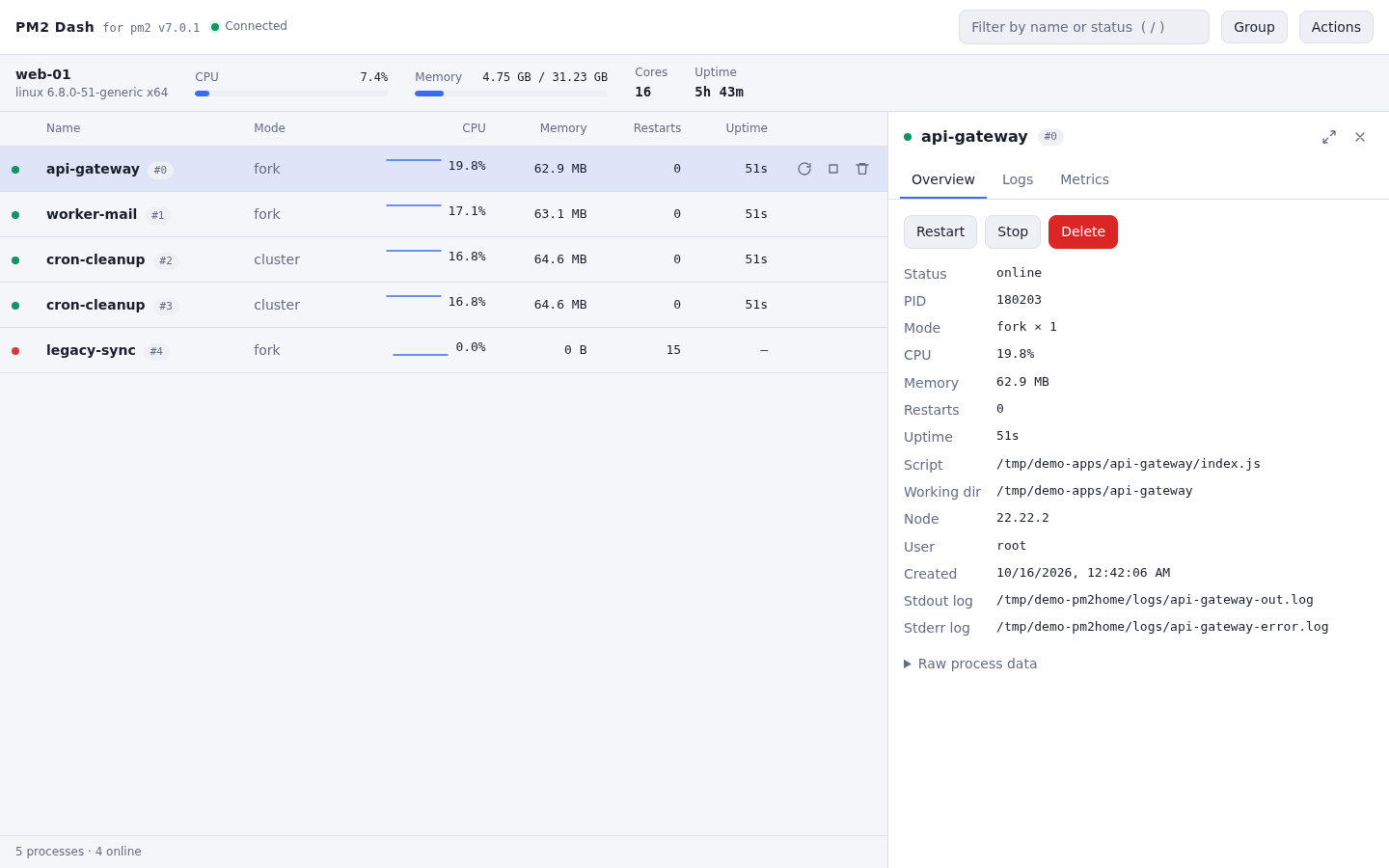
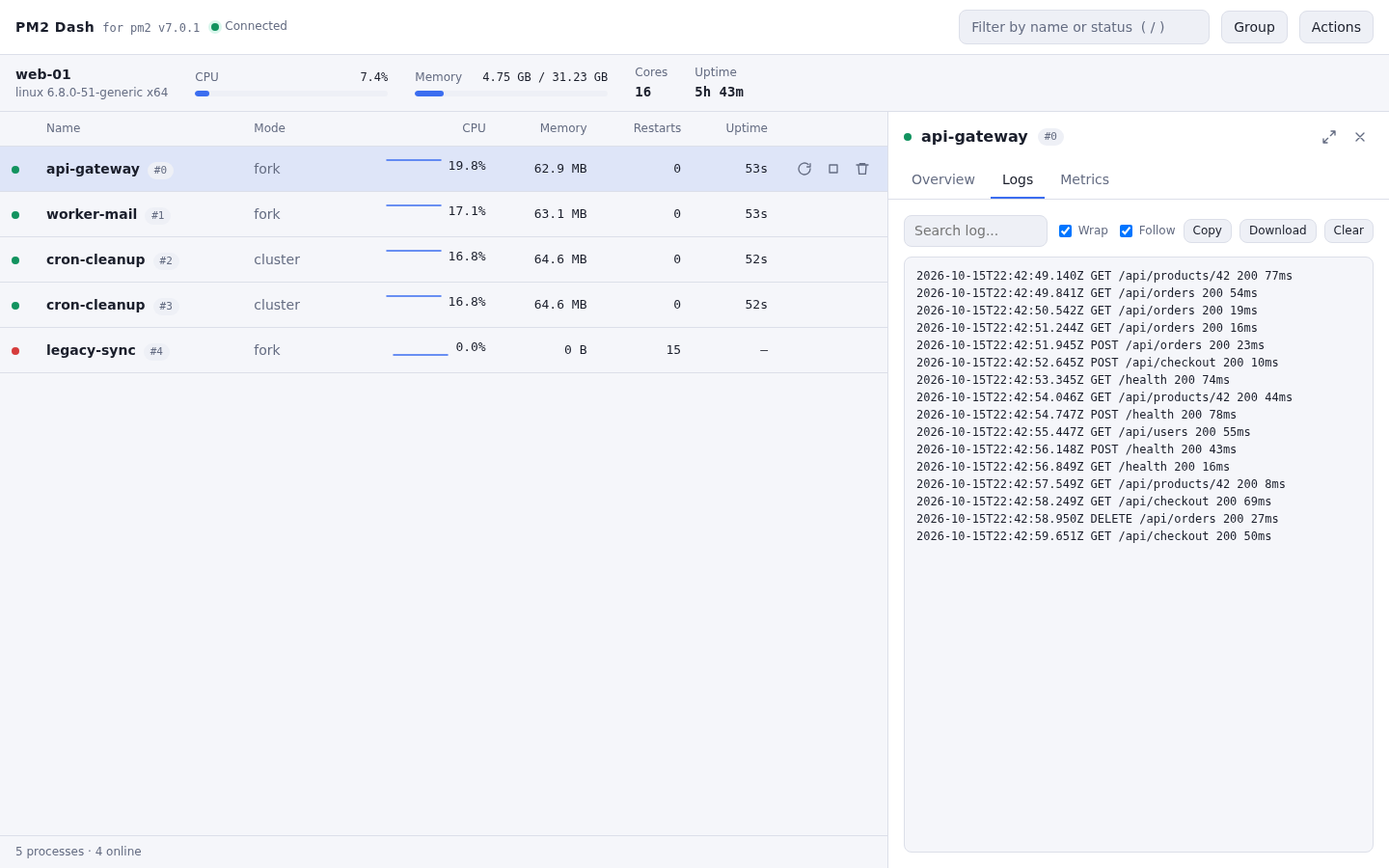
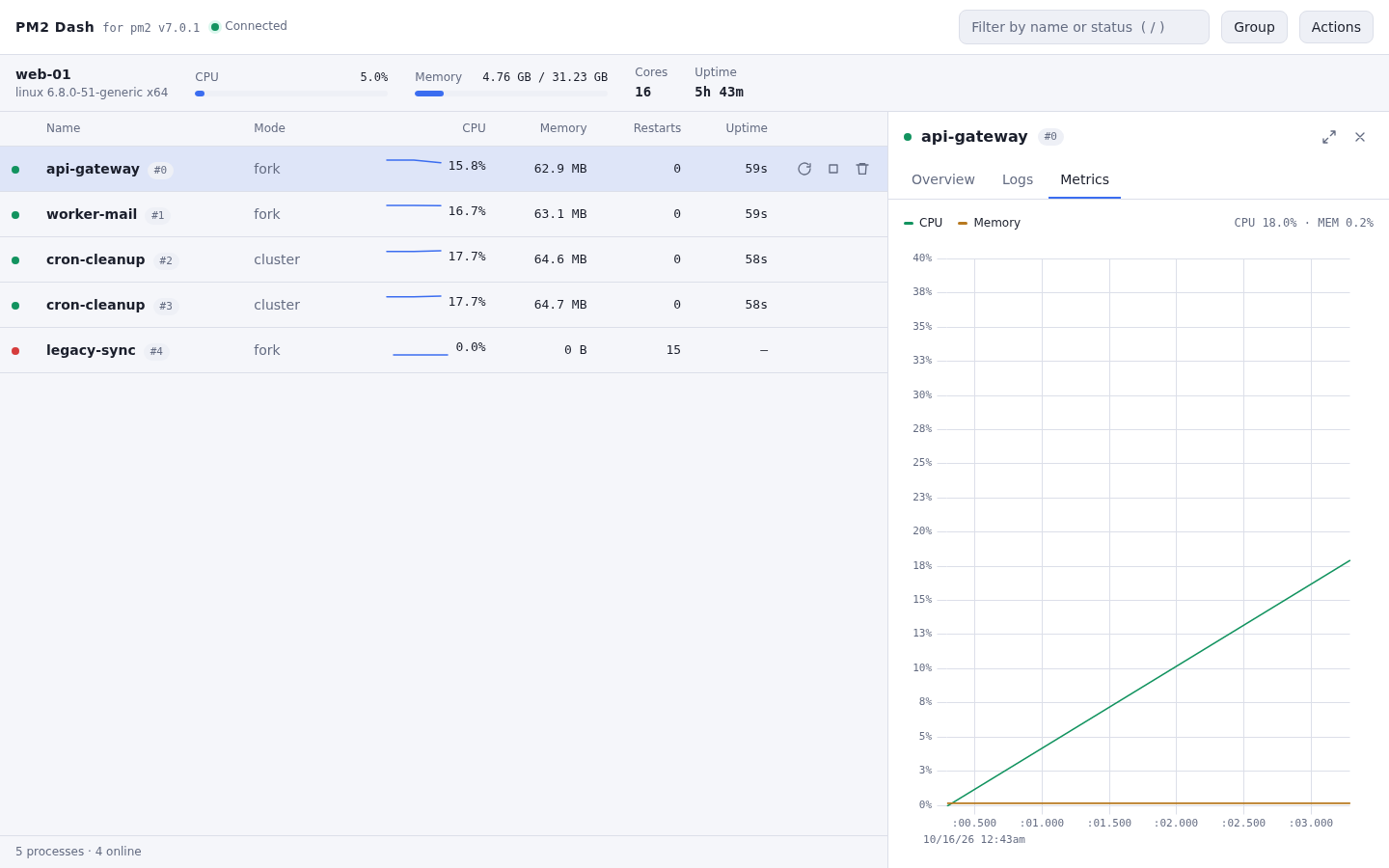
#/proc/3/logs), keyboard shortcuts, light/dark theme and an expandable side panel. - Side panel per process: overview, live logs (search, follow, copy, download, ANSI colours) and a live CPU / memory chart.
- Curses-like terminal dashboard (
pm2-dash mon). - Remoting monitor / web control through agents.
- Talks to the
PM2daemon through its RPC socket and watches it with a subscribed emitter, heartbeats are destroyed when nobody is watching. - Typed socket.io protocol (TypeScript), shared by the server, the web client and the terminal dashboard.
- PM2 restart/stop/delete (stopWatch before stop/delete, like the PM2 CLI), with
readonlymode andprotectedprocess names. - Authorization code with a login page, session cookie, rate limiting and security headers. The code never reaches the browser of the monitor's own host.
Cautions
- Use a recent evergreen browser (Chrome, Safari, Firefox, Edge).
- The web server listens on
127.0.0.1by default (sethostin the config to0.0.0.0or::to reach it from other machines): setauthorizationin theagentsection and put it behind HTTPS (see the nginx examples) when it is reachable from the internet. - Environment variables of your processes are not sent to the browser or to remote dashboards.
Installation
$ npm install pm2-dash -g
$ pm2-dash <cmd> [options]
The package ships the compiled server and the bundled web client, nothing is built at install time.
Usage
Run the following command to get usage helps:
$ pm2-dash help| Command | Description |
| --- | --- |
| pm2-dash start [config] | start the service (web server + monitor), in the foreground or as a daemon (daemonize: true) |
| pm2-dash agent [config] | start the socket.io agent only |
| pm2-dash stop / restart / status | manage the running service |
| pm2-dash info [config] | print the resolved configuration (secrets shown as "set (hidden)") |
| pm2-dash mon [config] | curses-like dashboard in the terminal |
| pm2-dash logs [dir] | follow the daemon logs |
The config file is [config], otherwise ./pm2-dash.config.mjs, otherwise the one shipped with the package. The pid file and the daemon logs live next to the package, or in ~/.pm2-dash when the package directory is not writable.
Programmable (ESM, typed):
import { loadConfig, startWebServer } from 'pm2-dash'

const { config } = await loadConfig('./pm2-dash.config.mjs')
const server = await startWebServer(config) // or startAgent(config)
// later: await server.stop()
Development
$ npm install
$ npm run build        # server (tsc) + web client (esbuild + uPlot)
$ npm test             # unit tests (vitest)
$ node scripts/smoke.mjs      # integration test against a running PM2 (read-only)
Configuration
pm2-dash start (with no argument) always prints which config file it is using, e.g.:
[INFO] Using config: /usr/lib/node_modules/pm2-dash/pm2-dash.config.mjsThe first time, that is the default one shipped with the package — copy that exact path to ./pm2-dash.config.mjs (or anywhere else) to get a starting point, edit it, then run pm2-dash start ./pm2-dash.config.mjs (or /etc/pm2-dash.config.mjs, any path works). It is a plain ESM module that default-exports an object — unknown options and invalid values are reported at startup.
UI/UX
- Amazing and smooth animations.
- High performance.
Authorization
Process table, with live CPU/memory per row
Side panel: overview
Side panel: live logs
Side panel: CPU/memory chart
Serving apps locally with nginx and custom domain
License
(The MIT License)
Copyright (c) 2026 ArdensLab
Permission is hereby granted, free of charge, to any person obtaining a copy of this software and associated documentation files (the 'Software'), to deal in the Software without restriction, including without limitation the rights to use, copy, modify, merge, publish, distribute, sublicense, and/or sell copies of the Software, and to permit persons to whom the Software is furnished to do so, subject to the following conditions:
The above copyright notice and this permission notice shall be included in all copies or substantial portions of the Software.
THE SOFTWARE IS PROVIDED 'AS IS', WITHOUT WARRANTY OF ANY KIND, EXPRESS OR IMPLIED, INCLUDING BUT NOT LIMITED TO THE WARRANTIES OF MERCHANTABILITY, FITNESS FOR A PARTICULAR PURPOSE AND NONINFRINGEMENT. IN NO EVENT SHALL THE AUTHORS OR COPYRIGHT HOLDERS BE LIABLE FOR ANY CLAIM, DAMAGES OR OTHER LIABILITY, WHETHER IN AN ACTION OF CONTRACT, TORT OR OTHERWISE, ARISING FROM, OUT OF OR IN CONNECTION WITH THE SOFTWARE OR THE USE OR OTHER DEALINGS IN THE SOFTWARE.